
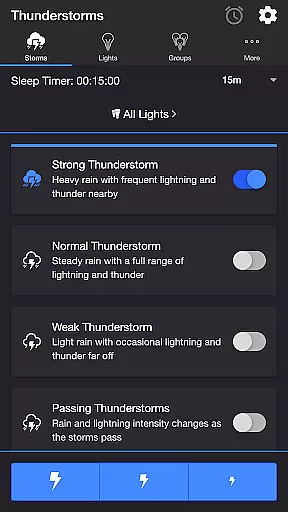
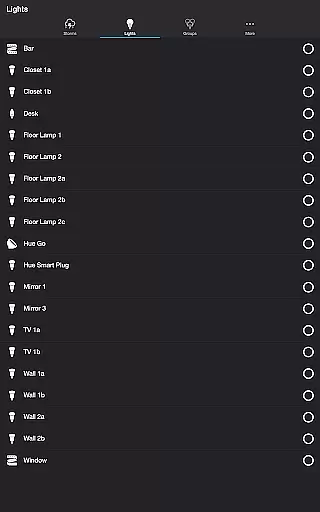
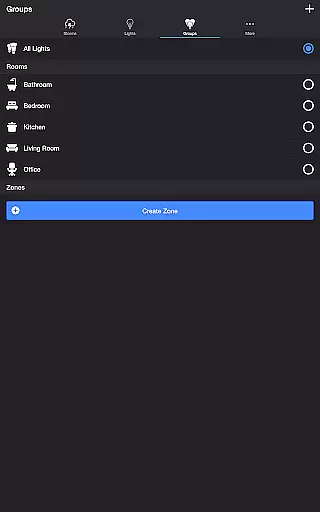
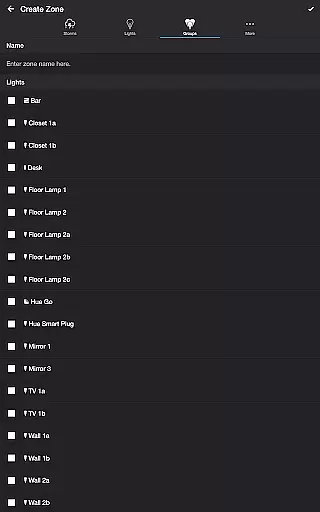
Thunderstorm for Hue is an innovative entertainment app that transforms your Philips Hue lights into a dynamic thunderstorm light show. The app allows users to simulate various types of thunderstorms, from weak to strong, with accompanying sound effects and customizable lighting patterns.
The application's core functionality lies in its ability to synchronize light pulses with realistic storm sounds, creating immersive environmental experiences. Users can choose from different storm intensities and customize multiple parameters including rain effects, lightning patterns, and background sounds. This makes it particularly suitable for home ambiance creation or relaxation purposes.
By offering precise control over lighting transitions, sound volumes, and timing settings, Thunderstorm for Hue provides both entertainment value and therapeutic benefits. The app's versatility in creating customized weather experiences demonstrates its practical value for enhancing living spaces and improving mood through simulated natural environments.
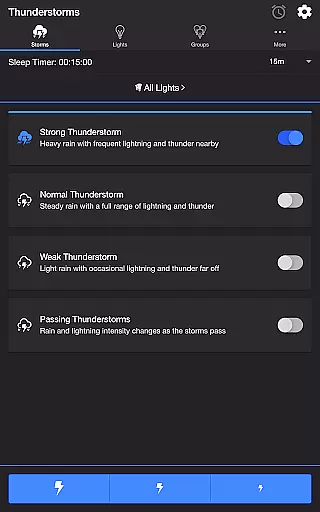
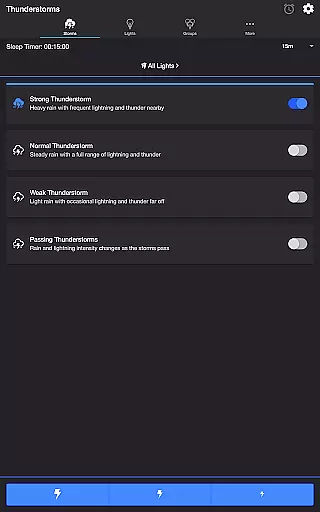
Thunderstorm for Hue stands out with its comprehensive feature set designed for creating realistic storm simulations. The app offers four distinct thunderstorm modes - Strong, Normal, Weak, and Passing - each with unique characteristics affecting light pulse rates and sound intensity.
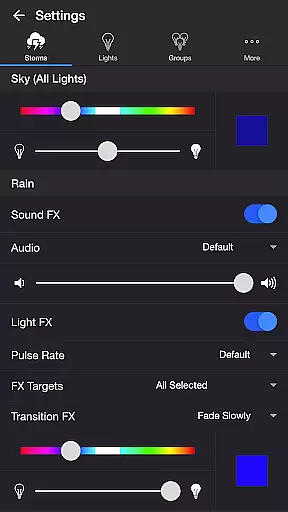
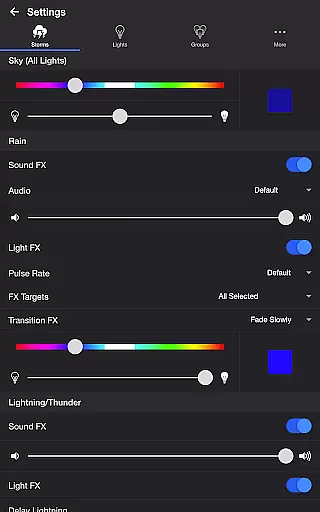
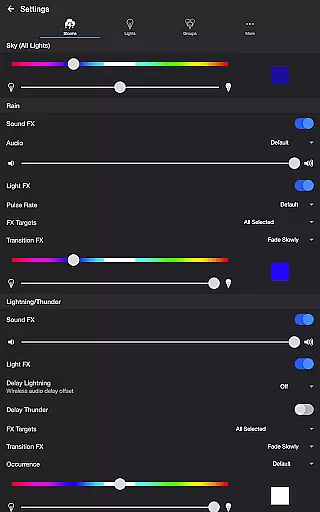
Advanced customization options include separate controls for sky, rain, and lightning effects. Users can adjust base color and brightness, toggle various sound effects, and modify transition effects between different states. The app supports wireless audio synchronization through Bluetooth and Chromecast, while the Delay Lightning feature compensates for potential audio lag.
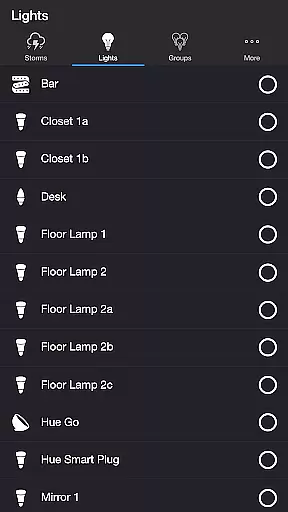
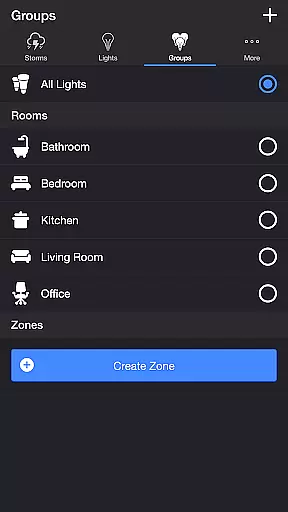
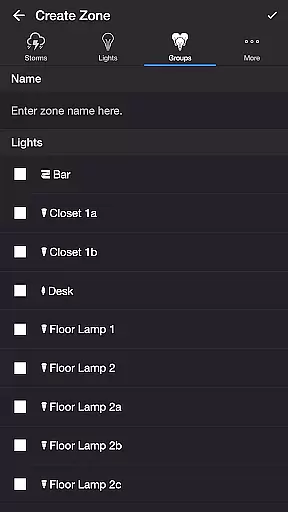
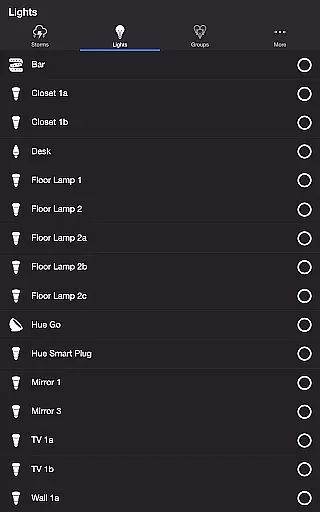
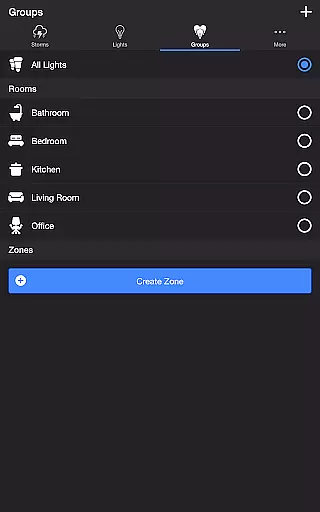
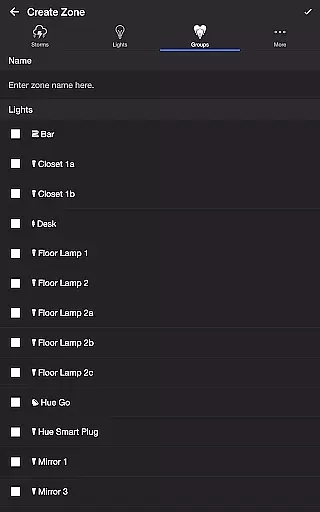
Additional features enhance usability, such as the Lightning on Demand function for manual control, sleep timer with audio fade-out, and support for Philips Hue groups and zones. These capabilities, combined with background sound options and automatic mode scheduling, create a sophisticated tool for personalized environmental experiences.
Thunderstorm for Hue offers an impressive range of content variety that caters to different moods and preferences. Users can choose from multiple thunderstorm intensities, including Strong, Normal, Weak, and Passing Thunderstorms. Each option provides a unique combination of light effects and soundscapes, ensuring a fresh experience with every use.
The app allows detailed customization of both visual and audio elements. You can adjust rain sound effects, thunder volume, lightning occurrence rates, and background sounds featuring natural ambiance like birds, cicadas, crickets, and frogs. These extensive customization options ensure users can create personalized entertainment experiences tailored to their specific tastes.
With regular updates and new feature additions, such as Bluetooth and Casting Support, the app maintains its freshness. The ability to connect to various audio devices and control lighting effects through one platform showcases the developer's commitment to keeping the content up-to-date with current technology trends.
This variety and continuous improvement provide significant value to users who seek diverse entertainment options within a single application. Whether you want a relaxing background atmosphere or an immersive storm experience, Thunderstorm for Hue delivers both variety and quality in its offerings.
Thunderstorm for Hue excels in maintaining user engagement through its sophisticated features and customizable options. The app's Sleep Timer function, complemented by an audio fade-out feature, encourages extended usage sessions while providing a comfortable ending to the experience. This feature alone significantly increases the average engagement duration per session.
The ability to create recurring cycles using the automatic start and stop functions keeps users coming back regularly. By setting preferred modes to activate at specific times, users establish a routine that enhances retention rates. The app's flexibility in scheduling and automation creates a personalized rhythm that matches individual lifestyles.
Advanced customization options contribute to long-term user retention. With numerous settings for sky color, rain effects, lightning patterns, and background sounds, users can continually refine their experience. This depth of personalization ensures that the app remains engaging even after multiple uses.
Furthermore, features like Lightning on Demand provide interactive elements that maintain user interest during each session. These engagement mechanisms, combined with the app's comprehensive functionality, create a compelling case for sustained user retention and regular application use.
Highly customizable
Realistic storm simulation
User-friendly interface
Wide range of effects
Regular updates
Hue Bridge required
Complex setup process
Premium features locked
Occasional bugs
Resource intensive

Watch whatever you want, whenever you want, wherever you want.
 3.30
3.30
Binge-worthy short dramas on DramaRush—engaging stories that fit your day.
3.90
The OFFICIAL PeeWee Purpdrank Soundboard!
4.80
Watch short films, dramas, reels, series and movies anytime on Micro Drama.
4.60
Fun brain twisting challenge with trending Whirlpool Filter.
4.70
The Xbox app keeps you connected to your gaming community.
4.50
Catch the latest episodes of The Voice or live stream NFL games with The NBC App
4.20
Everything FOX in one place. Watch FOX News, NFL, MLB, TV shows and more.
4.50
World's largest dedicated anime collection
4.70
Colorful flows will relax and calm you down, or get you trippy and creative!
4.90
5 funny and lovely ponies waiting for you to style them!
4.80
Chat with AI characters! Anime, games, roleplay & more.
4.50
Series,Películas y Telenovelas
4.50
Atomus is a 10-finger multi-touch interactive visualizer.
4.30
Best of icon for christmas
4.30
Build and Share AI
4.20
Official KennysGifs Stickers
4.20
Disney Stickers: Zootopia 2
4.2
The classic game of rock, paper, scissors
4.2


User Reviews