


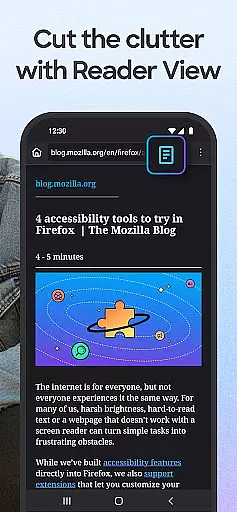
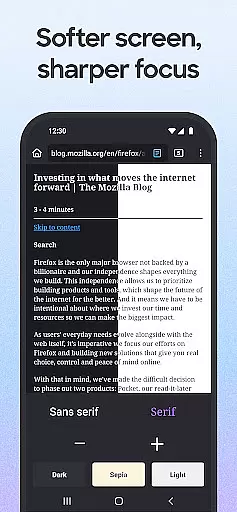
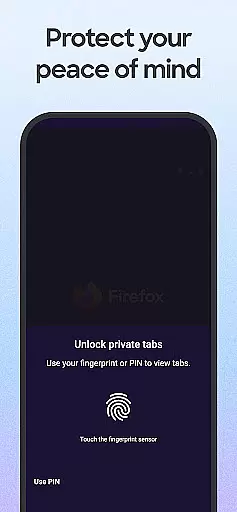
Firefox Fast & Private Browser is a top-tier communication tool designed to provide users with a secure and customizable browsing experience. As a privacy-focused browser, Firefox blocks trackers by default, including social media trackers and cross-site cookies, ensuring your online activities remain private. The browser also offers enhanced tracking protection in its 'strict' mode, functioning as an effective ad blocker while allowing you to customize your preferred search engine for convenience.
In addition to its robust privacy features, Firefox provides practical functionalities such as easy-to-use tabs that let you manage multiple browsing sessions effortlessly. Whether you're on mobile or desktop, synced tabs allow for seamless transitions between devices. Furthermore, the password management system simplifies login processes by remembering credentials across devices when linked to a Mozilla account, suggesting and storing new passwords securely.
With its commitment to speed, security, and simplicity, Firefox caters to users who prioritize privacy without compromising on performance. Its tailored search engine options, dark mode for battery saving, and multitasking-friendly video features make it a versatile choice for modern internet users seeking both functionality and protection.
Firefox stands out with its comprehensive feature set tailored for privacy-conscious users. One of its key highlights is the automatic tracker blocking, which prevents various types of trackers from monitoring your activity, thus enhancing both privacy and browsing speed. Users can opt for 'strict' tracking protection, adding an extra layer of security akin to using an incognito browser with advanced ad-blocking capabilities.
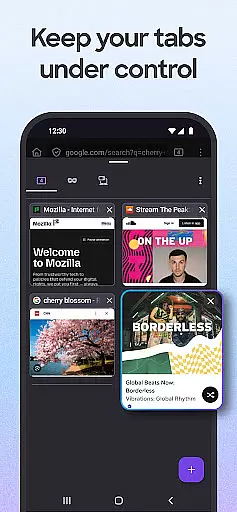
The browser's tab management system is intuitive and efficient, offering thumbnail or list views of open tabs and enabling synchronization across devices via a Mozilla account. This ensures that whether you're working on your phone or desktop, your browsing experience remains uninterrupted and organized. Additionally, Firefox's password management feature not only remembers your login details but also suggests strong passwords and stores them securely, streamlining the authentication process.
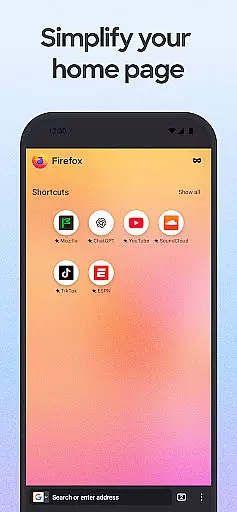
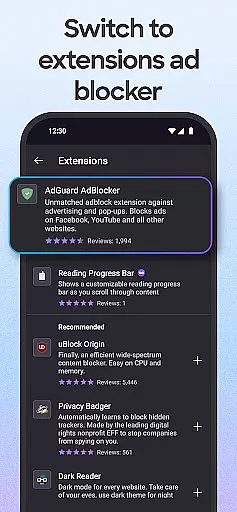
Customization is another area where Firefox excels. With support for numerous add-on extensions, including powerful ad blockers and privacy-enhancing tools, users can tailor their browsing environment to suit individual preferences. The inclusion of a home screen with recent bookmarks and popular articles further enriches the user experience, making information access swift and engaging.
Real-time messaging speed and reliability are crucial for a seamless communication experience. Firefox Fast & Private Browser ensures this by offering a fast and dependable browsing environment that supports instant access to messaging platforms.
The browser's Enhanced Tracking Protection blocks ad trackers and scripts that could slow down web pages, ensuring your messaging apps load quickly and function smoothly. This feature is particularly beneficial when using real-time communication tools embedded within websites.
Additionally, Firefox's optimized performance allows users to switch between multiple tabs without noticeable lag, making it easier to manage various messaging services simultaneously. The tab management system provides both thumbnail and list views, helping users keep track of their conversations efficiently.
By syncing across devices through a Mozilla account, Firefox ensures that your messaging experience remains consistent whether you're on mobile or desktop. This cross-device reliability means you can pick up conversations where you left off, providing a truly integrated communication solution.
Media sharing support is an essential feature for modern browsers, enabling users to share images, videos, and other files effortlessly. Firefox Fast & Private Browser excels in this area by providing robust options for media sharing directly from the browser.
With Firefox, you can share links to web pages or specific items on a page with just a few taps. The browser offers quick access to your most recently used apps, streamlining the process of sending media to friends or colleagues. This functionality is available even when using private browsing modes, ensuring security doesn't come at the cost of convenience.
Moreover, Firefox's integration with popular platforms ensures compatibility with various media formats. Its ability to handle different file types makes it versatile for both casual sharing and professional collaboration. Users can rely on Firefox to deliver high-quality media transfers without compromising privacy.
The inclusion of helpful add-on extensions further enhances media sharing capabilities. These extensions allow users to customize their experience, adding functionalities such as enhanced privacy settings and specialized sharing tools. Overall, Firefox provides a comprehensive solution for efficient and secure media sharing.
Strong privacy protections
Effective ad-blocking options
Seamless device syncing
Secure password management
Customizable user interface
Occasional slow updates
Limited native integrations
Resource-heavy on older devices
Complex settings for beginners
Fewer mobile-specific features

BiP is a fast, secure, free messaging and HD video calling app!
 4.10
4.10
Fast and simple walkie talkie app
4.20
Adblock & VPN Browser: Blocks banners, pop-ups and video ads, fast downloader!
4.60
Phone Dialer with Caller ID, Address Book & Contacts Manager.
4.30
Send SMS and chat messages easily with a fast text messaging app for Android.
4.10
Fast, Simple And Secure Application That Provides SMBv3 Server On Your Device
3.30
Use this SMS app standalone or as a TREK: Total Interface companion.
4.30
Bringing the functionality of Winlink to your Android device
4.0
Stay in touch with the people who matter most.
4.60
Useful. Social. Expressive.
4.70
Smart and simple anti-wiring application - IMSI-catchers catcher
4.40
Create a secure hotspot on-the-go with Portable WiFi - Mobile hotspot.
4.40
Our Black Friday sale is here. Unlock special discounts on Proton Mail now.
4.30
HD Video Meeting app is a fast & unlimited video conferencing app across world.
4.30
Messenger app for faster and simpler SMS text messaging, and personalized themes
4.10
Share the moment!
4.10
Telegram is a messaging app with a focus on speed and security.
4.00
Pure modern IRC experience for Android
3.70
Enables Plus features of Quick Search.
4.5


User Reviews