
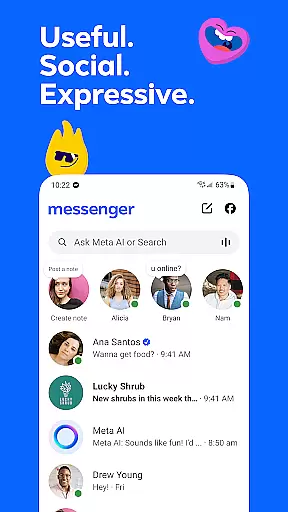


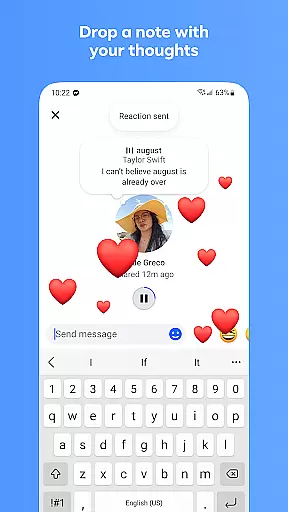
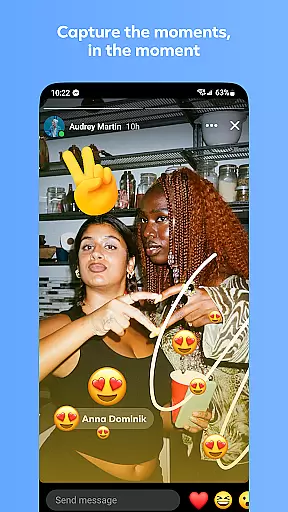
Messenger is a versatile communication app that allows users to connect with friends and family effortlessly. The core functionality revolves around instant messaging and voice/video calling, enabling seamless interactions across distances. What sets Messenger apart is its integration with Facebook, allowing contact discovery without needing phone numbers.
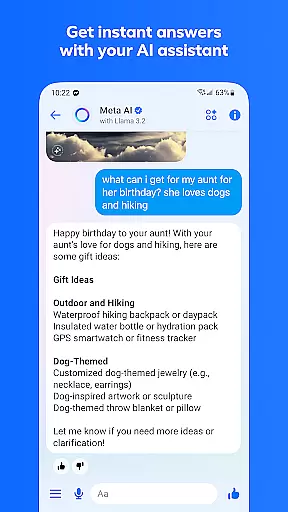
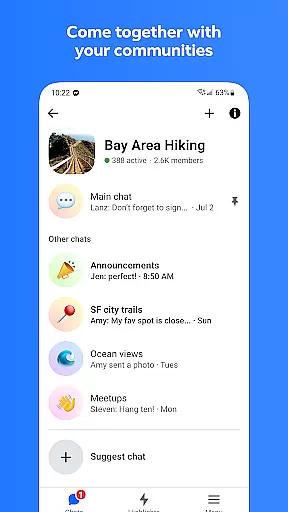
Beyond basic communication, Messenger offers innovative features like Meta AI assistant for instant support, high-definition photo sharing, and disappearing messages for private conversations. These features make it particularly useful for both personal and community-oriented use cases. Whether you're coordinating with a local interest group or simply staying in touch with loved ones, Messenger provides a comprehensive platform that enhances digital communication while maintaining user privacy through end-to-end encryption options.
Messenger distinguishes itself through a rich feature set that goes beyond traditional messaging apps. The integration of Meta AI assistant provides users with instant answers and practical help, while the high-definition photo sharing ensures your memories are shared in the best possible quality. The app's ability to create shared albums makes it perfect for collaborative memory keeping among groups.
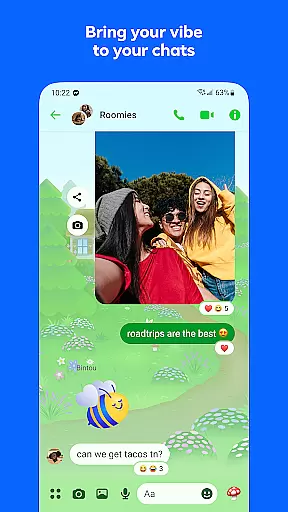
Security-conscious users will appreciate the disappearing messages feature and message editing capabilities. The app also supports large file sharing up to 100MB directly in chats, making it suitable for professional use as well. With customizable chat themes, animated stickers, and GIF support, users can personalize their communication experience. These features collectively create a dynamic communication environment that caters to both casual and professional users, setting Messenger apart from basic messaging applications.
Real-time messaging speed and reliability are crucial for maintaining seamless communication in any messaging app. Messenger excels in this area by providing instantaneous message delivery across the globe.
The app ensures that your messages reach the recipient instantly, regardless of geographical location. This is achieved through optimized data transmission protocols and robust server infrastructure.
Users benefit from knowing their conversations will proceed without delays or interruptions. Whether you're having a quick chat or an important discussion, Messenger's reliable messaging system keeps you connected.
This reliability extends to various types of content, including texts, images, and files, ensuring all your communications are consistently fast and dependable.
Media sharing support in Messenger allows users to exchange various forms of digital content effortlessly. From photos and videos to documents, Messenger makes it easy to share and receive multimedia.
The app supports high-definition image sharing, ensuring your memories are preserved in clear detail. Additionally, large file sharing up to 100MB means you can send documents like Word, PDFs, and Excel sheets without hassle.
With disappearing messages and stories, users have versatile options for how they want to share media temporarily or permanently. This flexibility enhances personal expression and privacy control.
By integrating comprehensive media sharing capabilities, Messenger empowers users to communicate more vividly and effectively, enriching their interactions with diverse content formats.
User-friendly interface
High-quality media sharing
End-to-end encryption
Versatile communication tools
Community building features
Meta AI limited availability
Feature overload for new users
Privacy concerns with Meta
Occasional performance issues
Large app size

Enables Plus features of Quick Search.
 4.3
4.3
A web browser that respects your privacy.
4.30
Messenger for SMS - texting message app, faster, simpler & safer, for you.
4.70
Our Black Friday sale is here. Unlock special discounts on Proton Mail now.
4.30
Caller ID App! Add names & photos to unknown calls & Call Recording
4.40
Comprehensive and powerful scan tool app with enhanced functions
3.00
Weargram is an unofficial Telegram Client for Wear OS.
3.50
BE PRIVATE
Anonymous. No Trace. Fast.
4.20
Build your web browser around you with private search, and more.
4.60
Read OBD2 data and DTCs Create custom dashboards Enhanced diagnostics available
4.70
Say “hello” to privacy.
4.60
Faster version of Messages. Messenger for your contacts.
4.50
An agentic AI browser for Android, built by Perplexity
4.50
Create a secure hotspot on-the-go with Portable WiFi - Mobile hotspot.
4.40
Send SMS and chat messages easily with a fast text messaging app for Android.
4.10
Call Forwarding is easy and simple application to use.
3.80
Chat on the Jabber network (XMPP protocol); support for SMS and other gateways
2.10
Watchgram for Telegram: Experience seamless Telegram messaging on your watch
1.80
Manage Phone Calls, call history, and contacts easily with Phone Pro.
4.1


User Reviews