
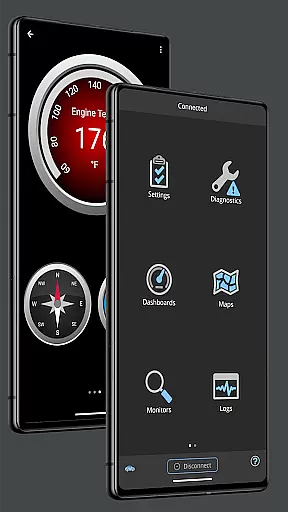
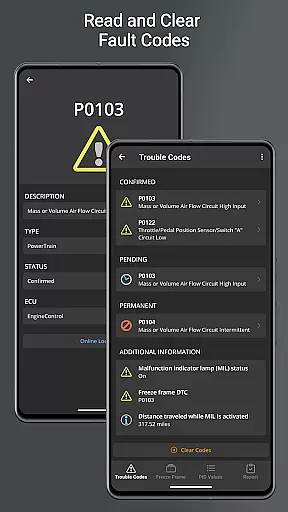
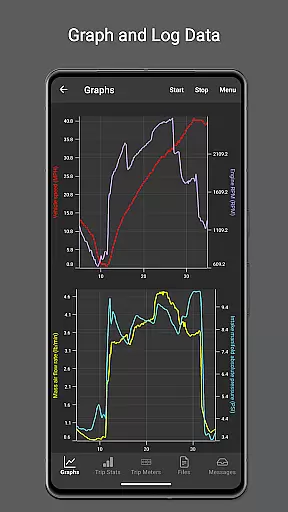
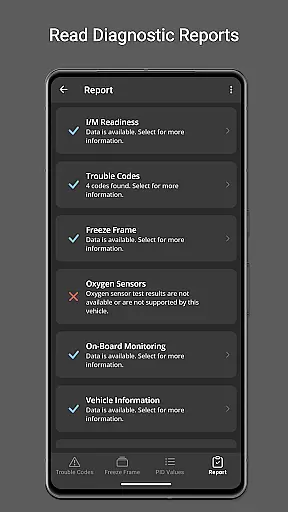
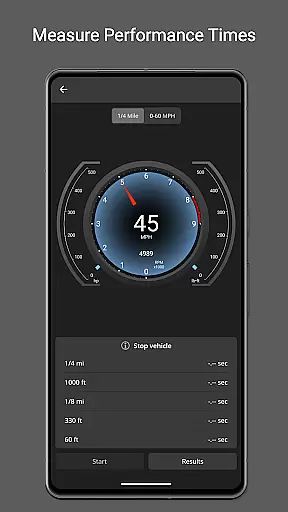
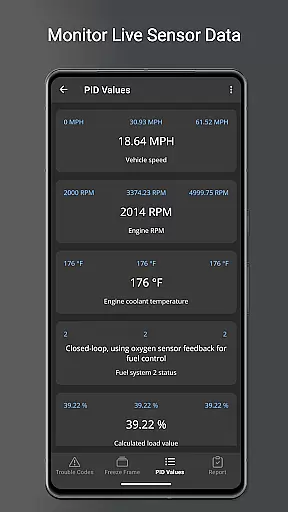
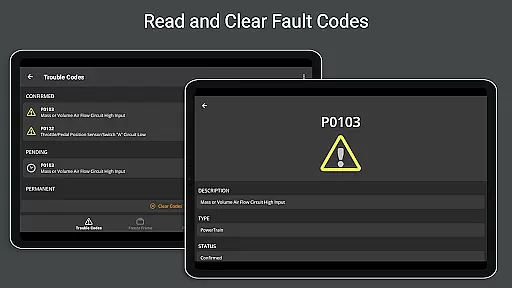
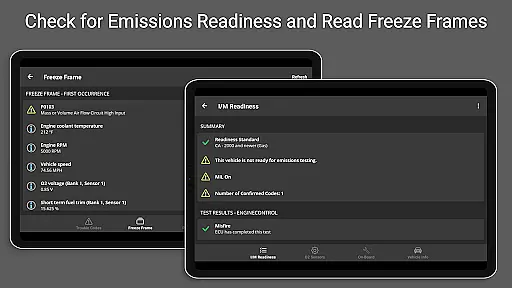
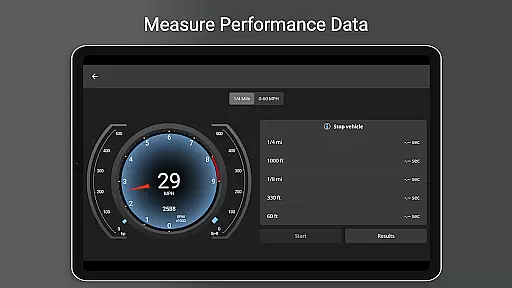
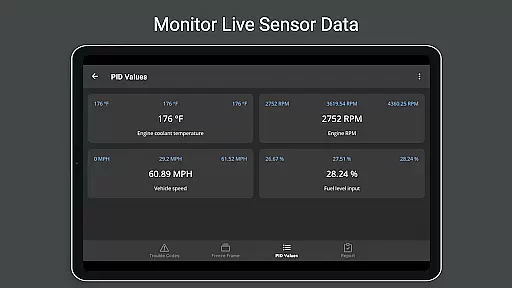
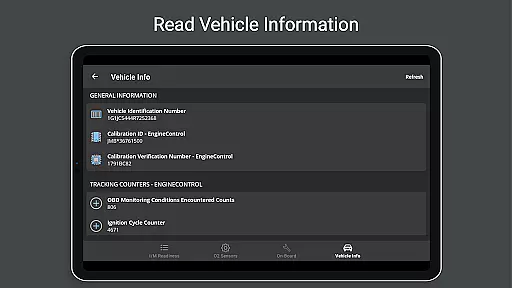
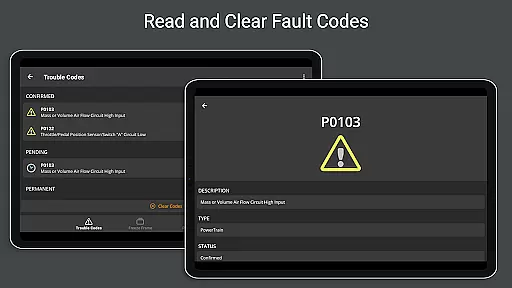
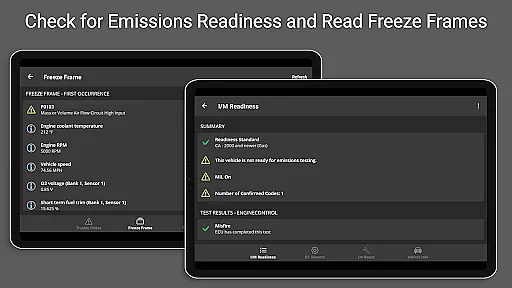
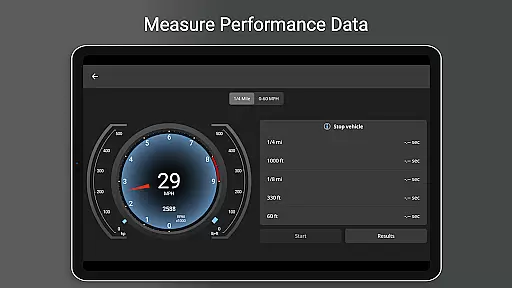
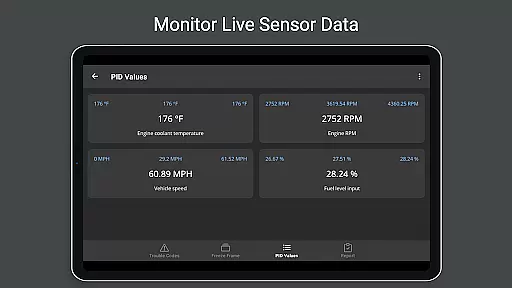
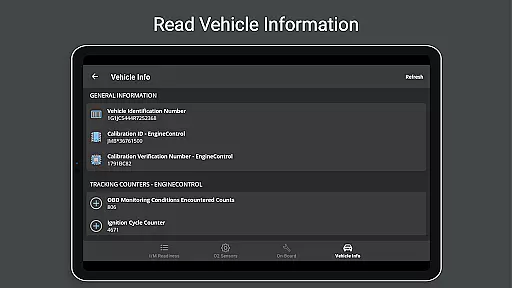
OBD Fusion is a comprehensive vehicle diagnostics tool designed for Android users, enabling direct access to OBD2 vehicle data. This app stands out by offering professional-grade features to car mechanics, DIY enthusiasts, and everyday drivers alike. With capabilities ranging from reading diagnostic trouble codes to monitoring real-time vehicle sensor data, it transforms your smartphone or tablet into an advanced automotive scanner.
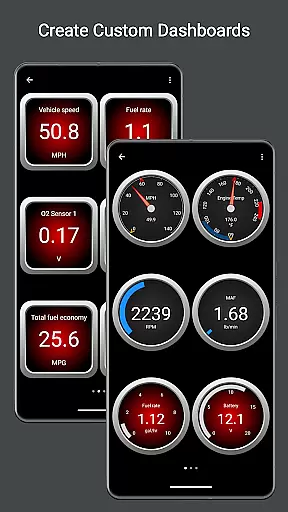
The app's core functionality includes customizable dashboards, fuel economy estimation, oxygen sensor testing, and detailed diagnostic reporting. Whether you're looking to clear your check engine light, track fuel usage, or create custom PIDs for specific vehicle models, OBD Fusion delivers a complete solution. Its compatibility with various connection methods including Bluetooth, USB, and Wi-Fi adapters makes it versatile for different user needs and vehicle types.
For optimal performance, OBD Fusion requires a compatible ELM327 scan tool. While it works with most OBD-II compliant vehicles, users can benefit from its advanced features when paired with quality hardware. The app's practical applications extend from routine maintenance checks to in-depth performance analysis, making it an invaluable tool for anyone seeking better insight into their vehicle's operational health.
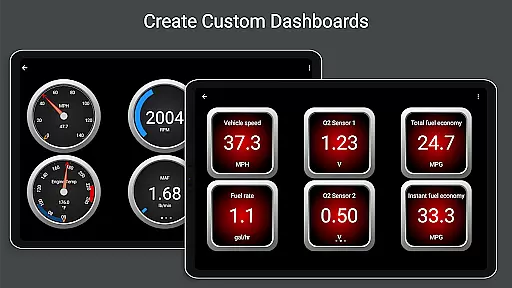
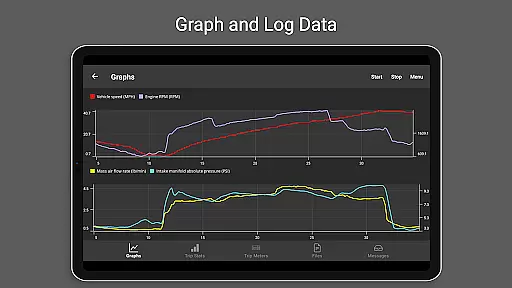
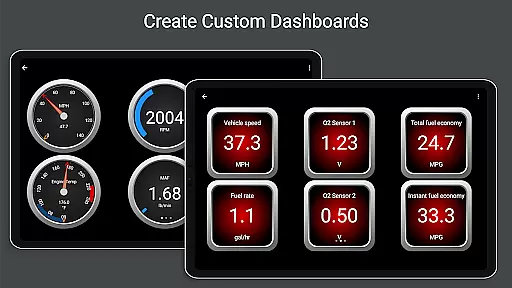
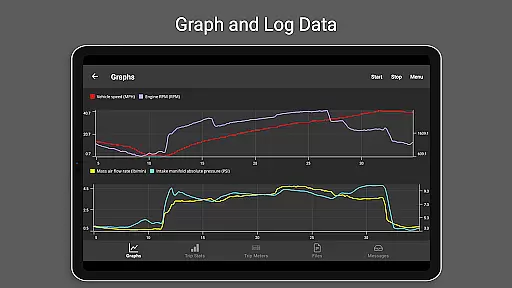
OBD Fusion distinguishes itself through an impressive array of specialized features tailored for vehicle diagnostics. The app provides real-time graphing of vehicle sensors, allowing users to visualize critical data points as they change during operation. Its customizable dashboard feature enables personalized monitoring setups, while the multiple trip meter function helps track fuel economy and usage patterns over time.
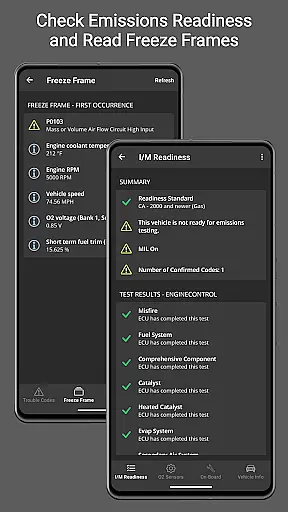
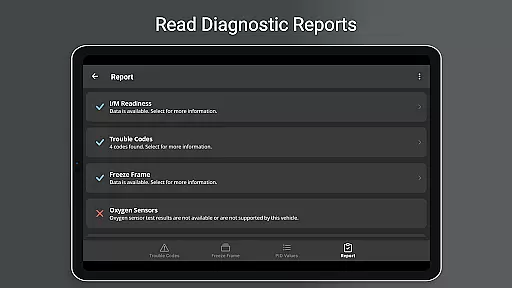
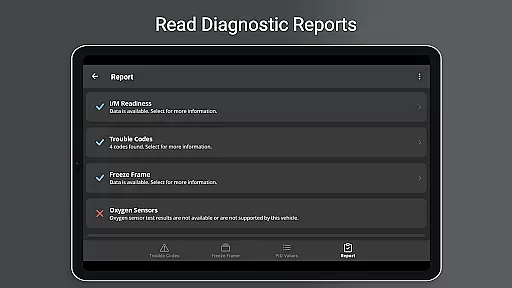
Advanced diagnostic capabilities include enhanced PID support for specific manufacturers like Ford and GM, providing access to proprietary data such as engine misfires and oil temperature readings. The app's comprehensive logging system records data in CSV format, facilitating detailed analysis through spreadsheet applications. Additionally, its full diagnostic report generation creates professional-grade documentation that can be stored or shared via email.
Unique to OBD Fusion is its support for various connection protocols including Bluetooth LE, USB, and Wi-Fi adapters, catering to different device capabilities and user preferences. The inclusion of Android Auto support (excluding dashboard gauges) demonstrates the app's commitment to modern integration standards. These features collectively position OBD Fusion as a powerful tool for both casual users and automotive professionals seeking detailed vehicle insights.
Real-time messaging speed and reliability are crucial for effective vehicle diagnostics. OBD Fusion excels in this area by providing instant feedback on your vehicle's status.
The application connects seamlessly with OBD-II and EOBD compliant vehicles, ensuring that diagnostic trouble codes and check engine lights are read and cleared without delay. This immediacy allows users to address vehicle issues promptly.
Furthermore, the app supports multiple connection methods including Bluetooth, Bluetooth LE, USB, and Wi-Fi adapters. This versatility ensures that real-time data streaming remains consistent and reliable regardless of the chosen connection type.
With Android Auto support, although dashboard gauges aren't available, the integration enhances the communication experience by bringing essential vehicle data directly to compatible head units, maintaining a steady flow of information while driving.
Media sharing support in OBD Fusion refers to its capability to export and share diagnostic data effortlessly. This feature is vital for users who need to analyze or share their vehicle's performance metrics with mechanics or car enthusiasts.
OBD Fusion allows logging data to CSV format, which can then be exported and viewed in any spreadsheet application. This functionality provides an accessible way to track fuel economy, fuel usage, EV energy economy, and distance over multiple trips.
In addition to data logging, the app offers a full diagnostic report feature. Users can store and email these reports, making it convenient to share comprehensive vehicle health insights with professionals or peers.
The ability to create custom enhanced PIDs and log specific parameters adds another layer of personalization and precision to media sharing. Whether for professional diagnostics or personal monitoring, OBD Fusion ensures that sharing critical vehicle information is straightforward and efficient.
User-friendly interface
Comprehensive diagnostic tools
Customizable dashboard options
Real-time data visualization
Multiple connection methods
Requires separate scan tool
Compatibility limitations
Premium features locked
Steep learning curve
Hardware quality dependent

 3.90
3.90
SMS Messenger ensures that communication become effortless and accessible.
3.80
Fast and mini browser with Ad Blocker,Video Downloader and Video Player
4.40
This app enables the phone to receive and send FT8 traffic!
3.80
Welcome to the future of phone service.
4.60
Comprehensive and powerful scan tool app with enhanced functions
3.00
Watchgram for Telegram: Experience seamless Telegram messaging on your watch
1.80
Federated instant messaging for your mobile device (Jabber, XMPP, Snikket)
4.10
Build your web browser around you with private search, and more.
4.60
فیلتر شکن قوی پرسرعت کلید جدید برای اندرویدسریع ترین وی پی ان برای همه اپراتورها
4.70
Enhance browsing with AI-powered features and Copilot.
4.70
Simple tool for businesses to talk to their customers.
4.40
Manage your data, talk & text - affordable phone plans & data usage made simple
4.30
Phone Dialer with Caller ID, Address Book & Contacts Manager.
4.30
Our Black Friday sale is here. Unlock special discounts on Proton Mail now.
4.30
Block spam calls & scam - no more annoying calls with the call blocker function
4.30
2nd Phone Number Line for Anonymous Texting, Calling, and Picture Messages
4.30
Share the moment!
4.10
Caller ID, Spam Call & SMS Blocker
3.80


User Reviews