
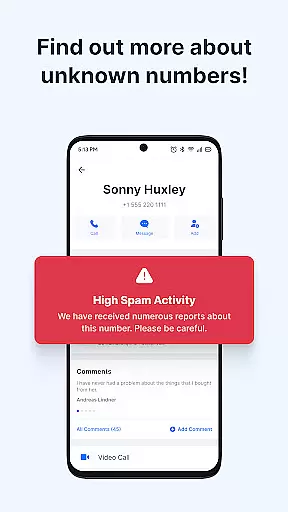
Getcontact is a comprehensive communication protection app designed to safeguard users from unwanted calls and messages. With advanced AI-driven spam detection, the app identifies unknown callers in real-time and blocks fraudulent attempts before they reach you. Available on mobile platforms, it serves millions of users worldwide by providing robust call and message screening features that ensure safer interactions.
Beyond basic call blocking, Getcontact offers enhanced privacy options such as secure end-to-end encrypted chats and calls. Users can also acquire a second phone number for added anonymity when managing work or online transactions. This makes the app particularly valuable for professionals seeking both security and convenience in their daily communications.
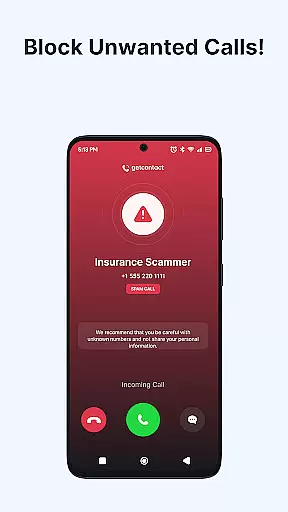
Getcontact stands out with its diverse feature set tailored for modern communication needs. The app's Caller ID and Spam Call Blocker instantly identify unknown numbers and block unwanted calls, protecting users from scams and robocalls. Its AI-powered technology continuously improves through user feedback, ensuring up-to-date protection against emerging threats.
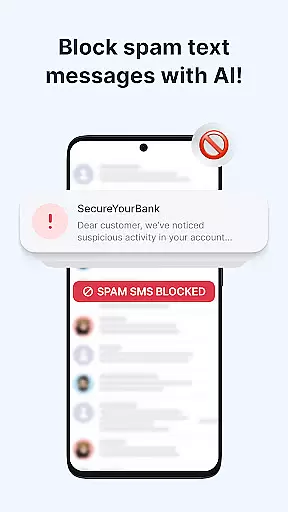
In addition to call management, Getcontact provides Messaging and SMS Protection. By setting it as your default SMS app, you can filter out spam, phishing texts, and promotional messages effectively. The app also includes a Call Assistant feature available in select countries, which screens calls and interacts with unknown callers on your behalf. These capabilities collectively create a smarter, more secure communication experience for all users.
Getcontact ensures real-time messaging speed and reliability by leveraging advanced AI-driven spam detection. This technology allows the app to instantly identify unknown callers and block unwanted communications before they reach the user.
The app's robust infrastructure is designed to handle large volumes of messages and calls without delay. By filtering out spam, phishing attempts, and promotional texts, Getcontact provides a seamless communication experience that users can trust.
With features like CALL ASSISTANT, users unable to answer calls can rely on an AI-powered assistant to manage interactions. This assistant screens unknown numbers and delivers insights into caller intent, ensuring no important communication is missed due to timing or unavailability.
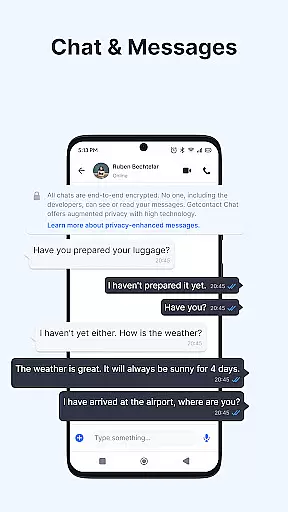
Beyond protecting against unauthorized calls and messages, Getcontact enhances media sharing support through its SECURE CHATS & CALLS feature. Users can engage in private, end-to-end encrypted chats and calls, including one-on-one or group messaging, voice, and video calls.
The platform supports various types of media sharing while maintaining high security standards. Whether it's images, documents, or other file formats, Getcontact ensures these are shared within a secure environment, safeguarding user privacy during exchanges.
Additionally, for those needing extra privacy, Getcontact offers a SECOND NUMBER feature available in selected countries. This allows users to obtain an additional phone number for work or online transactions without requiring another SIM card, further enhancing their ability to share media securely under different contexts.
Advanced spam detection
End-to-end encryption
Second phone number option
AI-powered call assistant
Global user protection
Limited country availability
Paid subscription model
Google Play only
Resource intensive
Privacy concerns

Call Forwarding is easy and simple application to use.
 3.80
3.80
Radio communication simulator for gaming communities
4.0
At select facilities, you now have an easy way to video visit your loved ones!
3.30
Fast Dialer & Contact Manager with Caller ID and Spam Protection
4.00
Experience real private browsing without tracking, surveillance, or censorship.
4.50
A softphone with crystal clear SIP Calling & Reliable VoIP dialer
4.00
A customizable phone number in the cloud
4.20
Enhance browsing with AI-powered features and Copilot.
4.70
Share the moment!
4.10
We’re taking the yada yada out of wireless—now we’ve taken it out of your app.
4.70
فیلتر شکن قوی پرسرعت کلید جدید برای اندرویدسریع ترین وی پی ان برای همه اپراتورها
4.70
Manage BoostMobile Account
4.60
Create a secure hotspot on-the-go with Portable WiFi - Mobile hotspot.
4.40
Use this SMS app standalone or as a TREK: Total Interface companion.
4.30
Send SMS and chat messages easily with a fast text messaging app for Android.
4.10
Federated instant messaging for your mobile device (Jabber, XMPP, Snikket)
4.10
Messages is Private SMS Messenger 2023 with text message, instant messaging.
4.00
Secure Messaging App to Enhance Messenger Texting Experience and Organize SMS.
3.50
Manage Phone Calls, call history, and contacts easily with Phone Pro.
4.4


User Reviews