
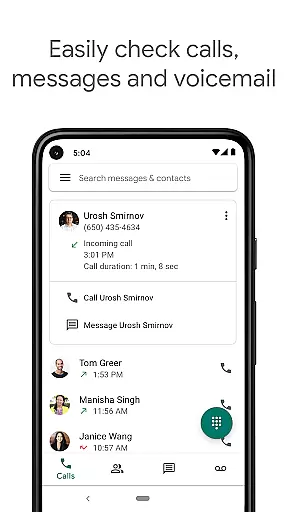
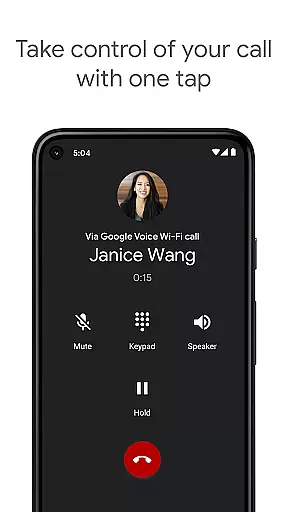
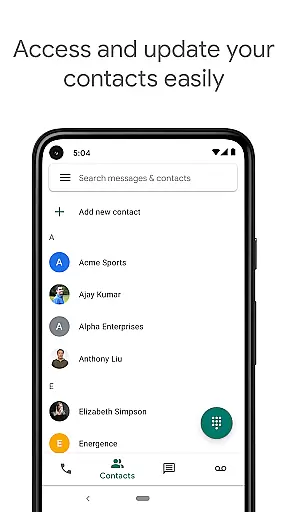
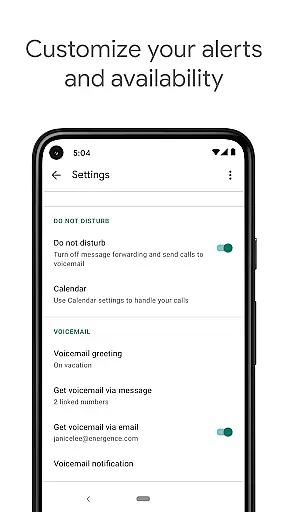
Google Voice is a communication app that provides users with a dedicated phone number for calling, text messaging, and voicemail services. The app seamlessly syncs across multiple devices including smartphones and computers, allowing users to stay connected regardless of location. With features like spam filtering, personalized call settings, and automatic backups of communication history, it offers both convenience and control.
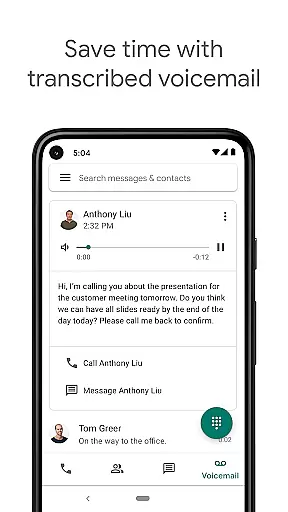
The app stands out with its advanced voicemail transcription service, enabling users to read their voicemails as text within the app or via email. Additionally, Google Voice helps users save on international calls by offering competitive rates without requiring extra international minutes from their mobile carrier. This makes it an ideal solution for individuals seeking efficient communication tools that work across different platforms while providing cost savings on global calls.
One of the key highlights of Google Voice is its robust set of features designed to give users complete control over their communications. The app automatically filters spam calls and allows users to block unwanted numbers easily. Users can customize how calls, texts, and voicemails are forwarded based on their preferences, ensuring they never miss important messages.
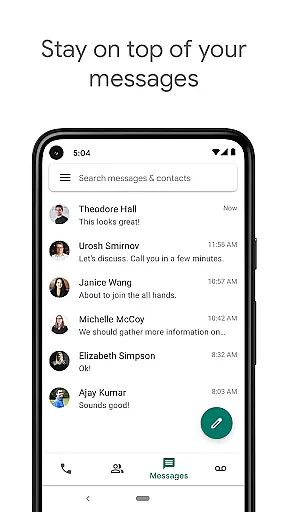
Another standout feature is the automatic backup and searchability of all calls, texts, and voicemail recordings. This ensures that users can access their entire communication history anytime they need it. Moreover, the ability to send and receive SMS messages—including group texts—from any synced device adds significant flexibility for managing conversations efficiently. Lastly, the advanced voicemail transcription service converts spoken messages into readable text, which can be viewed directly in the app or sent to an email address for added convenience.
Real-time messaging speed and reliability are crucial for effective communication in today's fast-paced world. Google Voice ensures that your messages are delivered instantly and reliably, allowing you to stay connected with friends, family, and colleagues without any delays.
The app achieves this by leveraging Googleu2019s robust infrastructure, which is designed to handle high volumes of data traffic efficiently. This means that whether you're sending a quick text or engaging in a lengthy conversation, Google Voice maintains consistent performance, ensuring that every message reaches its destination promptly.
For users, this translates into seamless communication experiences where they can trust that their messages will be received as soon as they hit send. The peace of mind that comes from knowing your communications are dependable enhances both personal interactions and professional collaborations.
Media sharing support is an essential feature for modern communication apps, enabling users to share photos, videos, and other files effortlessly. Google Voice offers comprehensive media sharing capabilities, allowing you to enrich your conversations with multimedia content directly within the app.
With Google Voice, you can easily attach images, videos, and documents to your messages. This functionality not only makes your conversations more engaging but also facilitates efficient information exchange, especially in professional settings where visual aids often enhance understanding.
Moreover, the app supports various file formats, ensuring compatibility across different devices and platforms. Whether you need to share a presentation for work or a funny video with friends, Google Voice provides a versatile platform that caters to diverse media sharing needs, enhancing overall user experience.
User-friendly interface
Spam call filtering
Voice mail transcription
Cost-effective international calls
Cross-device synchronization
Limited to US users
No support for MMS
Dependent on internet connection
Occasional transcription errors
Restricted business use

Pure modern IRC experience for Android
 3.70
3.70
SMS Messenger ensures that communication become effortless and accessible.
3.80
Save 10% automatically on your first international mobile top up.
4.60
Manage BoostMobile Account
4.60
Chat on the Jabber network (XMPP protocol); support for SMS and other gateways
2.10
2nd Phone Number Line for Anonymous Texting, Calling, and Picture Messages
4.30
HD Video Meeting app is a fast & unlimited video conferencing app across world.
4.30
Measure BHP, Torque & 0-60 Clear car OBD faults View engine data in Google Earth
4.00
Useful. Social. Expressive.
4.70
Read OBD2 data and DTCs Create custom dashboards Enhanced diagnostics available
4.70
Messenger for SMS - texting message app, faster, simpler & safer, for you.
4.70
Stay in touch with the people who matter most.
4.60
Manage your data, talk & text - affordable phone plans & data usage made simple
4.30
Call Blocker app: Identify unknown callers, block spam calls, fraud & robocalls
4.30
Tether to Windows, OS X, Linux PCs or Android tablets. No root. No tether fees.
3.90
Manage and Fund Calling Accounts and Schedule and Join Video Sessions
3.60
Fast, Simple And Secure Application That Provides SMBv3 Server On Your Device
3.30
Auto Reply SMS, Text Messaging, Away SMS Response, Busy SMS messages, Block Text
3.10
Bringing the functionality of Winlink to your Android device
4.5


User Reviews