

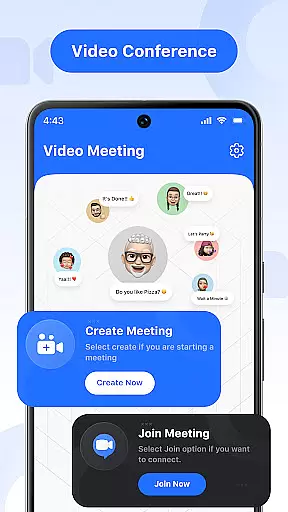

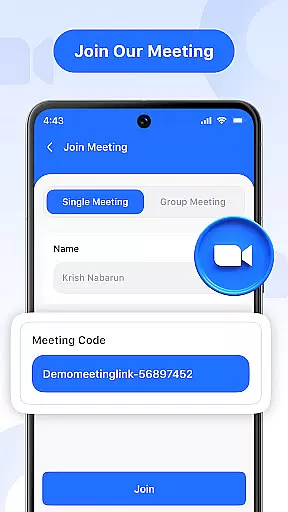
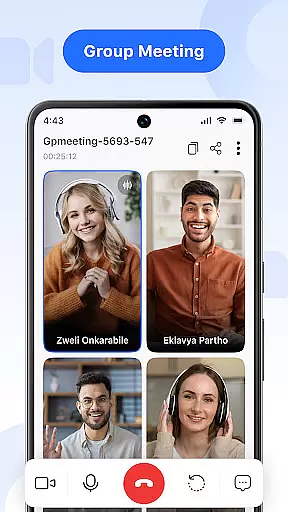
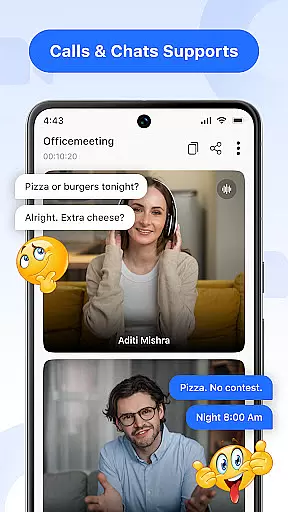

Video Meeting is a cutting-edge video conferencing app designed to enhance virtual communication and collaboration. With crystal-clear HD video calls, real-time team interaction, and seamless screen sharing, it ensures productive online connections for both professional and personal use.
The app offers features like instant meeting hosting, secure code invitations, and real-time chat, making it ideal for business meetings, project discussions, or casual catch-ups. Its user-friendly interface and multi-language support break communication barriers, while robust encryption ensures privacy during every session.
Whether you're leading a corporate webinar, conducting virtual classes, or connecting with friends, Video Meeting provides a reliable platform that adapts to various needs, ensuring smooth and secure interactions anytime, anywhere.
Video Meeting stands out with its comprehensive set of features tailored for effortless collaboration. Host meetings instantly by launching your own video session and inviting participants via shared links or unique codes, ensuring quick and secure access.
The app supports one-on-one private chats as well as group hangouts, enabling diverse interaction types. Real-time messaging allows communication without interrupting the call flow, while intuitive audio controls let users mute or unmute their microphones effortlessly. Additionally, the video toggle feature gives users control over their camera feed based on comfort levels.
Screen sharing enhances presentations by allowing users to display documents, slides, or applications live with just a tap. The easy exit option lets participants leave without disruption, while the 'End for All' feature concludes sessions smoothly. Multi-language support further enriches accessibility, catering to global audiences across different regions.
Real-time messaging speed and reliability are crucial for effective communication in video conferencing. This feature ensures that messages are delivered instantly without delays, maintaining the flow of conversation.
Video Meeting app excels in this area by providing seamless real-time messaging. Users can send text messages during a call without any lag, ensuring that important points are communicated efficiently. The app's infrastructure is designed to handle high volumes of messages without compromising on speed or reliability.
The benefit to users is significant. Whether it's a quick question during a business meeting or sharing a thought in a group hangout, participants can rely on the app's messaging system to keep everyone in sync. This enhances collaboration and ensures no critical information is missed due to technical issues.
With its robust architecture, Video Meeting guarantees that every message reaches its destination promptly, making virtual interactions as dynamic and efficient as face-to-face conversations.
Media sharing support allows users to share various types of media during video calls, enhancing the collaborative experience. This includes sharing images, documents, and other file formats directly within the call environment.
In Video Meeting, media sharing is integrated into the platformu2019s core functionalities. Participants can easily drag and drop files or select them from their device, with the assurance that all shared content will be accessible to everyone in the session. The app supports multiple file formats, ensuring compatibility across different devices and operating systems.
This feature provides immense value to users by streamlining workflows and enabling richer interactions. For instance, teams working on projects can quickly exchange necessary files without leaving the virtual meeting space, thus saving time and increasing productivity.
By offering comprehensive media sharing capabilities, Video Meeting empowers users to conduct more engaging and interactive sessions, whether they're collaborating professionally or connecting socially.
User-friendly interface
HD video quality
Secure access codes
Real-time messaging
Multi-language options
Limited free features
Occasional lags
No offline mode
Premium subscription cost
Device compatibility issues

 3.90
3.90
Save 10% automatically on your first international mobile top up.
4.60
Create a secure hotspot on-the-go with Portable WiFi - Mobile hotspot.
4.40
Caller ID App! Add names & photos to unknown calls & Call Recording
4.40
Fun, free app that lets kids video call and message family and close friends.
3.80
Bringing the functionality of Winlink to your Android device
4.1
Manage your mobile phone plan, check unlimited 5g data usage and track rewards
4.50
Get through your inbox faster with the mail app designed to simplify your life.
4.40
Useful. Social. Expressive.
4.70
Read OBD2 data and DTCs Create custom dashboards Enhanced diagnostics available
4.70
We’re taking the yada yada out of wireless—now we’ve taken it out of your app.
4.70
Stay in touch with the people who matter most.
4.60
An agentic AI browser for Android, built by Perplexity
4.50
Fast and simple walkie talkie app
4.20
Enjoy secure messaging & calling. Safe Messenger: group chats, calls, messages.
4.20
SMS Messenger is a lightning-fast messaging app.
4.20
Threema is the messenger with the most consistent focus on security and privacy.
4.00
Manage and Fund Calling Accounts and Schedule and Join Video Sessions
3.60
TeamSpeak - Secure Chat for Gaming & Business
3.10


User Reviews