

Rakuten Viber Messenger is a premier communication app that connects over a billion users globally through secure messaging and calling features. This app allows you to send messages, make audio and video calls, and enjoy end-to-end encryption for all your communications. With additional functionalities like disappearing messages, reminders, and the ability to create communities and channels, Rakuten Viber Messenger stands out as an all-in-one communication tool.
Designed for both personal and professional use, this app supports group chats of up to 250 members, low-cost international calls through Viber Out, and creative expression via lenses, GIFs, and stickers. Whether you're catching up with friends or collaborating with colleagues, Rakuten Viber Messenger offers a versatile platform that ensures privacy, reliability, and fun in everyday communication.
Rakuten Viber Messenger boasts a rich set of features designed to enhance user interaction and privacy. One of its standout capabilities is the end-to-end encryption enabled by default on all 1-on-1 calls, chats, and group chats, ensuring that your conversations remain private and secure from external interference. The app also supports high-quality audio and video calls, allowing you to connect with anyone worldwide without compromising on clarity.
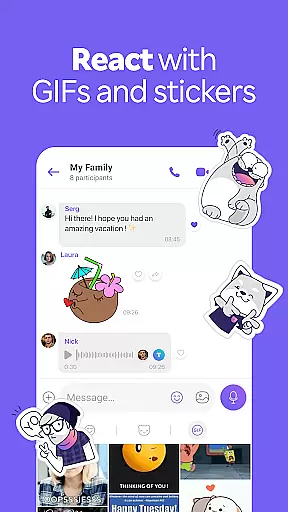
In addition to its core communication features, Rakuten Viber Messenger provides unique tools such as disappearing messages, customizable timers for message availability, and creative options like lenses, GIFs, and over 55,000 stickers. These features not only make conversations more engaging but also offer users the flexibility to tailor their messaging experience according to their preferences. Furthermore, the app's ability to facilitate large group interactions through Communities and Channels makes it an ideal choice for users looking to connect with like-minded individuals or manage professional networks efficiently.
Real-time messaging speed and reliability are crucial for maintaining seamless communication in today's fast-paced world. Rakuten Viber Messenger excels in this area by providing instantaneous message delivery across its platform.
The app ensures that text, photos, stickers, GIFs, voice, or video messages are transmitted without delay, regardless of the file type. This high-speed transmission is supported by robust servers that maintain optimal performance even during peak usage times.
Users benefit from Viber's commitment to quality, enjoying uninterrupted conversations with friends, family, and colleagues. The reliability of Viber's messaging system means users can trust that their messages will be delivered promptly and accurately every time they communicate.
Moreover, Viber stands out among other messaging apps by offering these features without hidden fees, making it an excellent choice for those seeking dependable and cost-effective communication solutions.
Media sharing support is a vital feature for any modern messaging application, allowing users to express themselves creatively and share important moments effortlessly. Rakuten Viber Messenger offers extensive media sharing capabilities that cater to diverse user needs.
With Viber, you can send various types of media files, including photos, videos, voice messages, and even documents, all within the chat interface. This versatility enables users to communicate in ways that go beyond simple text, enhancing personal and professional interactions alike.
The app also supports high-quality media transmission, ensuring that shared content retains its original clarity and impact. Whether you're sending a memorable photo or an essential document, Viber ensures that recipients receive the best possible version of your shared media.
In addition to basic media sharing, Viber provides creative tools like lenses, GIFs, and over 55,000 stickers, empowering users to personalize their chats further. These features make Viber not just a communication tool but a platform for creative expression and meaningful connections.
Free messaging and calls
End-to-end encryption
Supports large group chats
Low-cost international calls
Customizable chat features
Limited free features
Occasional bugs reported
High data usage
Interface can be complex
Ads in free version

 3.90
3.90
Fast and simple walkie talkie app
4.20
Fast and mini browser with Ad Blocker,Video Downloader and Video Player
4.40
Welcome to the future of phone service.
4.60
Create a secure hotspot on-the-go with Portable WiFi - Mobile hotspot.
4.40
Faster version of Messages. Messenger for your contacts.
4.50
Bringing the functionality of Winlink to your Android device
4.1
Stay in touch with the people who matter most.
4.60
A browser that does more than load page, like keeping your privacy safe.
4.70
We’re taking the yada yada out of wireless—now we’ve taken it out of your app.
4.70
Build your web browser around you with private search, and more.
4.60
Say “hello” to privacy.
4.60
Our Black Friday sale is here. Unlock special discounts on Proton Mail now.
4.30
Block spam calls & scam - no more annoying calls with the call blocker function
4.30
Simplify texting with Messages SMS, offline messaging, themes & smart tools!
4.30
BiP is a fast, secure, free messaging and HD video calling app!
4.10
Threema is the messenger with the most consistent focus on security and privacy.
4.00
Auto Reply SMS, Text Messaging, Away SMS Response, Busy SMS messages, Block Text
3.10
Chat on the Jabber network (XMPP protocol); support for SMS and other gateways
2.10


User Reviews