
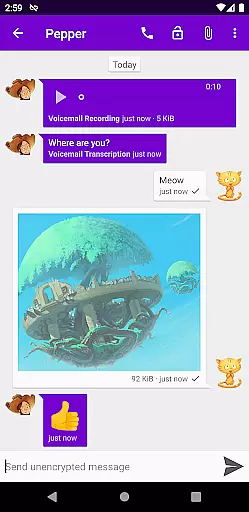
Cheogram is a communication app that connects users to a global network, emphasizing cross-platform interaction. It supports multimedia messaging and integrates with various services like SMS and the native Android Phone app.
With features such as address book integration, tagging, and lightweight threaded conversations, Cheogram offers a comprehensive messaging experience. The inclusion of a free one-month trial for the JMP.chat service adds extra value for new users.
Cheogram stands out with its robust feature set tailored for seamless communication. Users can send messages containing both media and text, including animated content, ensuring dynamic interactions.
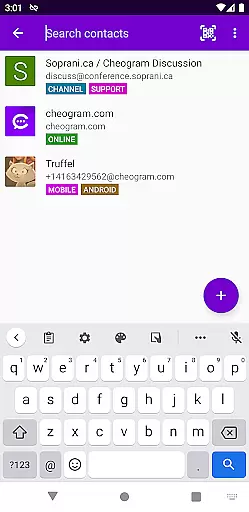
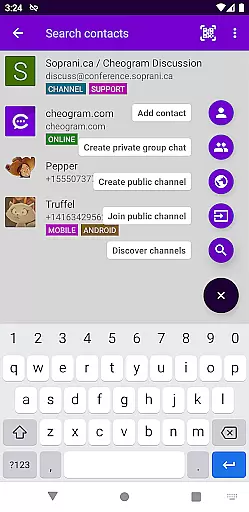
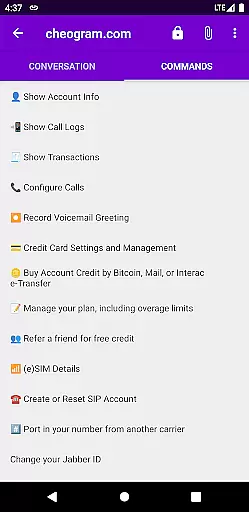
The app provides practical functionalities like displaying subject lines discreetly, showing links to known contacts by name, and integrating with gateways' add contact flows. Additionally, it allows tagging of contacts and channels, browsing by tags, and using a command UI for streamlined navigation.
Real-time messaging is a critical feature for any communication app, and Cheogram excels in this area. The app ensures that messages are delivered instantly across its worldwide network, maintaining the flow of conversation without delays.
Cheogram's architecture supports both media and text messages, including animated media, ensuring rich interactions. This robust infrastructure guarantees that users experience minimal latency, even when sending large files or high-resolution images.
The reliability of message delivery is further enhanced by the app's integration with gateways' add contact flows and native Android Phone app functionalities. These features ensure seamless communication, whether users are interacting within the app or through other networks like SMS-enabled phone numbers.
Media sharing is an essential aspect of modern communication apps, and Cheogram offers comprehensive support for various media types. Users can share photos, videos, and animated media effortlessly, enriching their conversations with visually engaging content.
The app provides an unobtrusive display of subject lines and links to known contacts shown with their names, enhancing the user experience. This thoughtful design ensures that media sharing does not disrupt the natural flow of conversation but rather complements it.
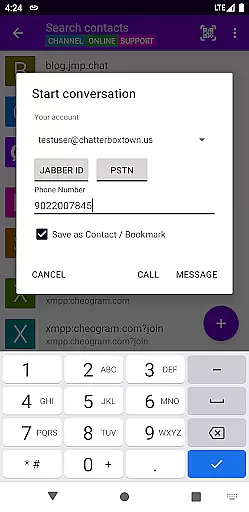
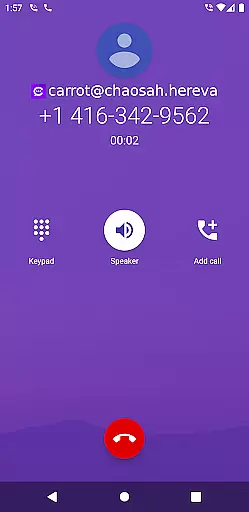
Additionally, Cheogram integrates with the native Android Phone app when using a gateway to the phone network. This integration allows for smooth media sharing across different platforms, making it convenient for users to stay connected regardless of the network they are on.
User-friendly interface
Free trial available
Seamless cross-platform support
Comprehensive messaging options
Integrated contact management
Limited to Jabber service
No standalone service option
Potential privacy concerns
Requires external account
Interface may feel dated

 3.90
3.90
SMS Messenger ensures that communication become effortless and accessible.
3.80
Google's fast and secure browser
4.10
Messages is Private SMS Messenger 2023 with text message, instant messaging.
4.00
Fun, free app that lets kids video call and message family and close friends.
3.80
Watchgram for Telegram: Experience seamless Telegram messaging on your watch
1.80
FolderSync enables easy sync of files between cloud storage and Android devices.
4.60
Build your web browser around you with private search, and more.
4.60
Caller ID, Spam Call & SMS Blocker
3.80
Read OBD2 data and DTCs Create custom dashboards Enhanced diagnostics available
4.70
A web browser that respects your privacy.
4.30
Block spam calls & scam - no more annoying calls with the call blocker function
4.30
Fast and simple walkie talkie app
4.20
Share the moment!
4.10
Threema is the messenger with the most consistent focus on security and privacy.
4.00
Call & Text Anywhere With A Canadian Number.
3.60
Secure Messaging App to Enhance Messenger Texting Experience and Organize SMS.
3.50
Enables Plus features of Quick Search.
4.4
An app dedicated solely to marriage, not dating, and supported by a rigorous verification mechanism to ensure seriousness.
4.5


User Reviews