
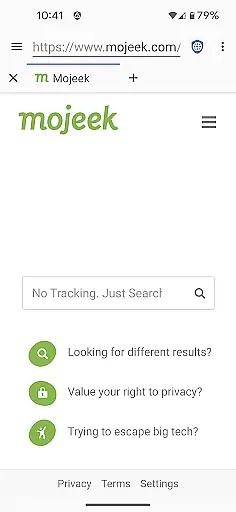
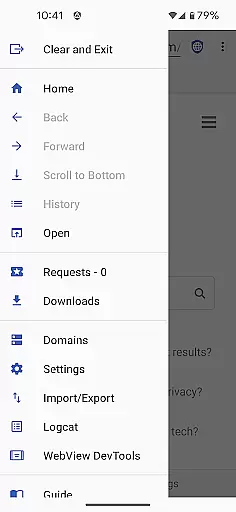
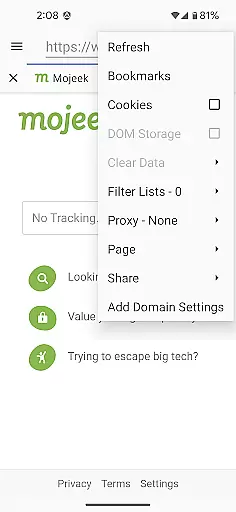

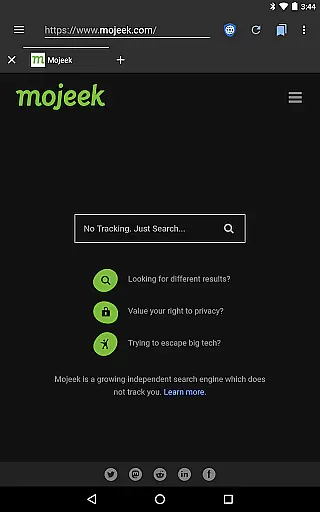
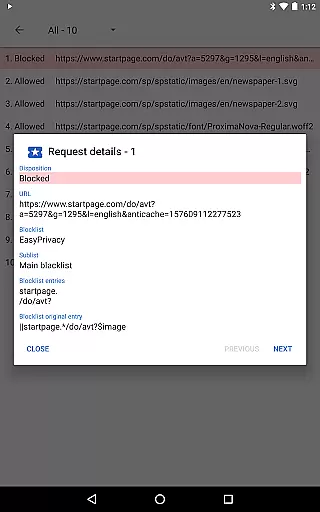
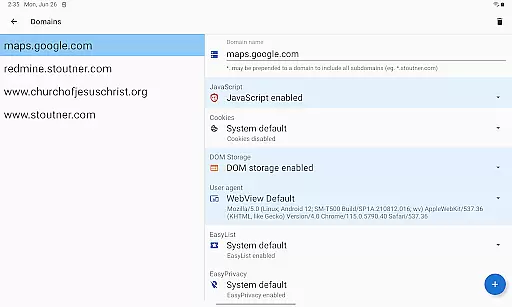
Privacy Browser is a communication app designed to protect user privacy by minimizing data collection both online and locally. The app focuses on two core principles: reducing information sent over the internet and limiting data stored on your device. Unlike most browsers that expose users to tracking mechanisms like JavaScript, cookies, and DOM storage, Privacy Browser disables these features by default. Users can enable them temporarily for specific sites or configure domain settings for automatic toggling. This ensures a private browsing experience while maintaining functionality when needed.
The app leverages Android’s WebView for rendering web pages but plans to transition to Privacy WebView in its 4.x series, enabling advanced privacy protections. With features like EasyList ad blocking, Tor Orbot proxy support, and SSL certificate pinning, Privacy Browser offers robust tools to safeguard user data. Whether you're accessing standard websites or managing sensitive information, this app provides a secure environment tailored for privacy-conscious individuals.
Privacy Browser stands out with its comprehensive approach to privacy protection. One of its key features is the integration of EasyList ad blocking, which prevents intrusive ads from loading and minimizes tracking attempts. Additionally, it supports Tor Orbot proxy, allowing users to route their traffic through the Tor network for enhanced anonymity. SSL certificate pinning further strengthens security by ensuring that communications between the browser and websites are not intercepted or tampered with.
Another notable aspect is the ability to import and export settings and bookmarks, making it easy to back up configurations or transfer them across devices. By disabling privacy-invasive technologies such as JavaScript and cookies by default, the app gives users full control over when and where these features are enabled. Domain-specific settings allow for granular customization, automatically adjusting privacy controls based on the website being accessed. These thoughtful implementations ensure that Privacy Browser remains a top choice for those prioritizing digital privacy without sacrificing usability.
Privacy Browser excels in providing real-time messaging speed and reliability by focusing on minimizing data transmission while maintaining optimal performance. The browser ensures that only essential information is sent over the internet, reducing latency and enhancing message delivery speed.
By disabling privacy-invasive features like JavaScript and cookies by default, Privacy Browser minimizes the overhead typically associated with these technologies. This approach not only enhances user privacy but also streamlines the communication process, resulting in faster webpage loading times and more responsive interactions.
Users benefit from a seamless browsing experience where their actions are not bogged down by unnecessary data exchanges. This efficiency translates into reliable messaging capabilities, ensuring that communications within web applications occur without delay or interruption.
Privacy Browser offers robust media sharing support while upholding its commitment to user privacy. Unlike conventional browsers that may expose users to tracking mechanisms during media uploads or downloads, Privacy Browser employs advanced techniques such as SSL certificate pinning to secure these transactions.
The inclusion of Tor Orbot proxy support further enhances media sharing by routing traffic through encrypted channels, safeguarding user identities and protecting shared content from unauthorized access. Additionally, integrated EasyList ad blocking prevents malicious scripts from interfering with media transfers.
This strategic implementation of privacy-preserving technologies ensures that users can share images, videos, and other files securely across platforms without compromising personal information or system integrity.
Enhanced privacy controls
EasyList ad blocking
Tor Orbot proxy support
SSL certificate pinning
Import/export functionality
Limited WebView compatibility
No built-in password manager
Basic UI design
Requires manual updates
Fewer extensions than competitors

Radio communication simulator for gaming communities
 4.4
4.4
Official NDI app: turn your phone into a professional live-streaming IP camera.
3.20
Experience real private browsing without tracking, surveillance, or censorship.
4.50
Create a secure hotspot on-the-go with Portable WiFi - Mobile hotspot.
4.40
2nd Phone Number Line for Anonymous Texting, Calling, and Picture Messages
4.30
Use this SMS app standalone or as a TREK: Total Interface companion.
4.30
Weargram is an unofficial Telegram Client for Wear OS.
3.50
Measure BHP, Torque & 0-60 Clear car OBD faults View engine data in Google Earth
4.00
Simple tool for businesses to talk to their customers.
4.40
Useful. Social. Expressive.
4.70
FolderSync enables easy sync of files between cloud storage and Android devices.
4.60
Messenger, an MMS & SMS messages app with Blockers, Driving mode & Private box
4.60
The ultimate productivity solution for all your email communication needs.
4.40
Enjoy secure messaging & calling. Safe Messenger: group chats, calls, messages.
4.20
Federated instant messaging for your mobile device (Jabber, XMPP, Snikket)
4.10
Fast Dialer & Contact Manager with Caller ID and Spam Protection
4.00
This app enables the phone to receive and send FT8 traffic!
3.80
A softphone app with seamless SIP calling and an intuitive VoIP dialer
3.50
Auto Reply SMS, Text Messaging, Away SMS Response, Busy SMS messages, Block Text
3.10


User Reviews