
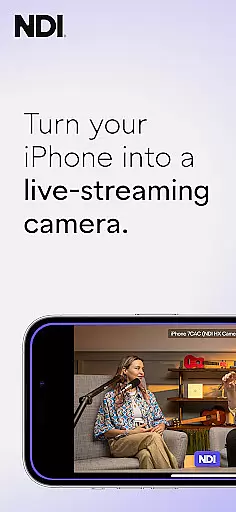
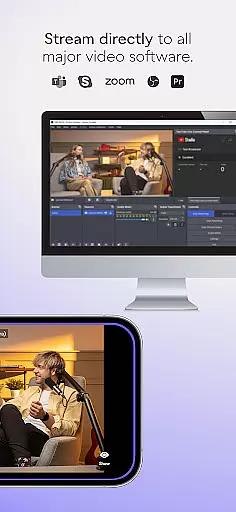
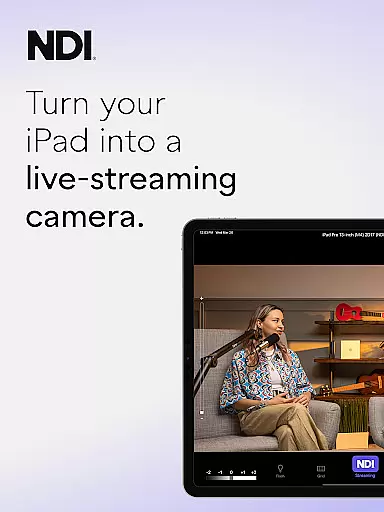
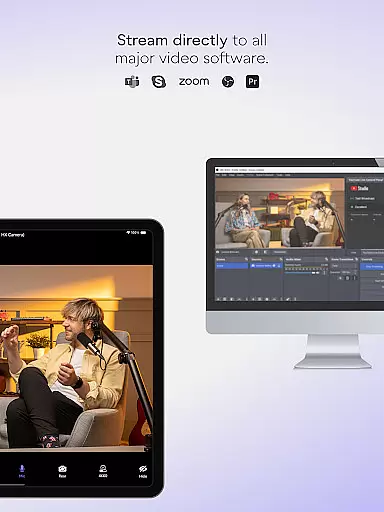
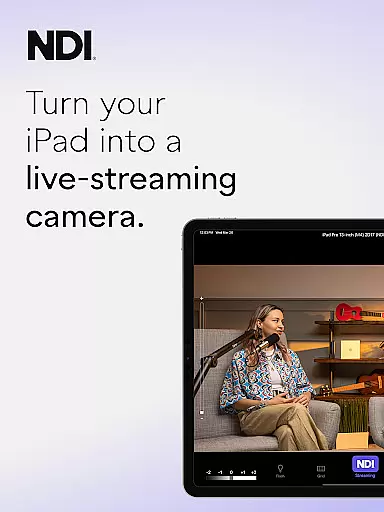
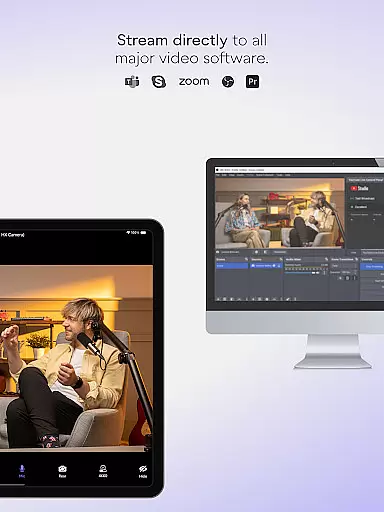
NDI Camera is a professional live-streaming application that transforms your mobile device into a high-quality NDI camera. With its intuitive interface and advanced features, the app allows users to stream low-latency video and audio directly to popular platforms like MS Teams, Skype, and Zoom. The latest version 1.7 brings a modernized UI, full video height viewfinder, and tally light with multiple modes, making it an essential tool for live production professionals.
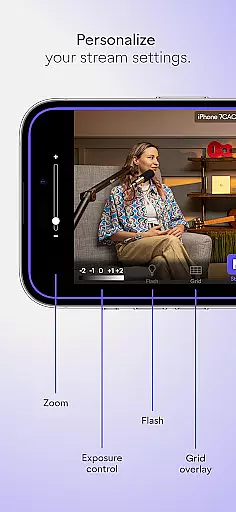
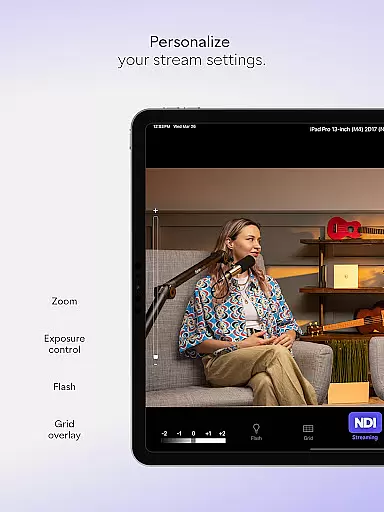
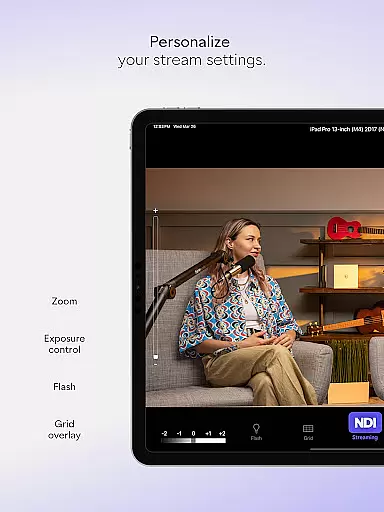
The app offers flexible streaming options, including front and rear camera selection, pinchable zoom, autofocus, and optional grid overlay. These features provide content creators with new perspectives and angles, enhancing the quality of live broadcasts, webcasts, and presentations. Whether you're a professional broadcaster or someone looking to elevate their streaming capabilities, NDI Camera delivers powerful functionality right at your fingertips.
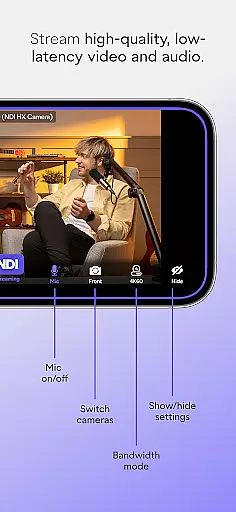
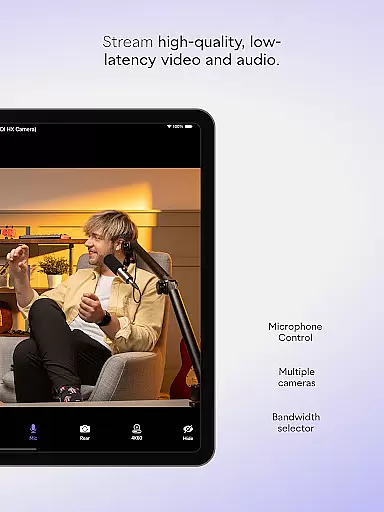
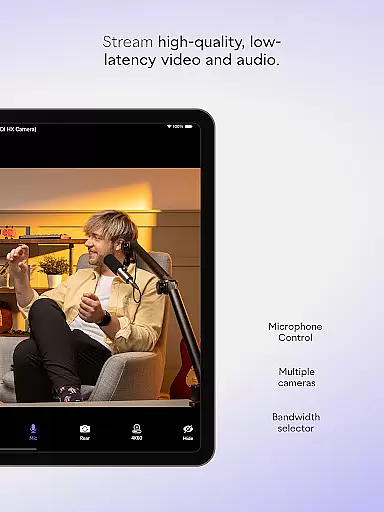
NDI Camera stands out with its comprehensive feature set tailored for professional use. The app supports NDI 4 or newer, ensuring compatibility with the latest technology standards. Users can choose between high, medium, and low bandwidth modes to optimize streaming based on their network conditions. The on-screen connection meter and tally display provide real-time feedback on connection status and on-air indicators.
Additional features include an optional grid overlay for precise framing, pinchable zoom for detailed shots, and front/rear camera selection for versatile shooting options. The tally light with multiple modes adds a professional touch, while the modernized UI ensures an intuitive user experience. These robust features make NDI Camera an indispensable tool for anyone seeking to integrate mobile devices into their professional live-streaming setup.
Real-time messaging speed and reliability are crucial for seamless communication in live-streaming applications like NDI Camera. This app ensures that video and audio streams are transmitted with minimal delay, providing an efficient way to incorporate mobile footage into live broadcasts.
NDI Camera achieves this by utilizing NDI 4 or newer, which supports high-quality, low-latency video streaming. The application's modernized UI contributes to a more intuitive streaming process, allowing users to start broadcasting with just the push of a button.
For professionals, the reliability of NDI Camera means they can confidently use their mobile phones as sources within a larger production system. Whether it's for webcasts, presentations, or live broadcasts, the immediacy and dependability of the stream ensure that all participants experience smooth and uninterrupted communication.
Media sharing support is another cornerstone feature of NDI Camera, enabling users to send video to popular platforms such as MS Teams, Skype, Zoom, and others effortlessly. With this app, your phone becomes a versatile tool capable of integrating with various digital ecosystems.
The professional settings available at your fingertips enhance media sharing capabilities. You can choose between different bandwidth modes to suit your network conditions, select front or rear cameras, and even enable an on-screen connection meter to monitor streaming status.
Moreover, additional features like autofocus, pinchable zoom, and tally display for preview and on-air status make media sharing not only feasible but also flexible and dynamic. These options allow content creators to introduce new camera angles and perspectives, enriching their live productions with varied visual content.
Intuitive user interface
High-quality video streaming
Wide platform compatibility
Flexible camera settings
Real-time tally display
Requires NDI 4 or newer
Limited free features
Occasional connection issues
Advanced settings may overwhelm beginners
Higher bandwidth modes may strain networks

BiP is a fast, secure, free messaging and HD video calling app!
 4.10
4.10
Pure modern IRC experience for Android
3.70
The ultimate productivity solution for all your email communication needs.
4.40
Messages: Fast, simple SMS app with scheduling and smart features.
4.00
Messenger app for faster and simpler SMS text messaging, and personalized themes
4.10
WazzapMigrator: transfer your WhatsApp history from iPhone to Android
4.00
Comprehensive and powerful scan tool app with enhanced functions
3.00
Stay in touch with the people who matter most.
4.60
A customizable phone number in the cloud
4.20
Fast internet with AI, Adblock & VPN. Browse on a safe, incognito web browser.
4.70
Messenger, an MMS & SMS messages app with Blockers, Driving mode & Private box
4.60
FolderSync enables easy sync of files between cloud storage and Android devices.
4.60
Experience real private browsing without tracking, surveillance, or censorship.
4.50
Caller ID App! Add names & photos to unknown calls & Call Recording
4.40
Manage your data, talk & text - affordable phone plans & data usage made simple
4.30
Enjoy secure messaging & calling. Safe Messenger: group chats, calls, messages.
4.20
A softphone with crystal clear SIP Calling & Reliable VoIP dialer
4.00
Caller ID, Spam Call & SMS Blocker
3.80
Bringing the functionality of Winlink to your Android device
4.1


User Reviews