
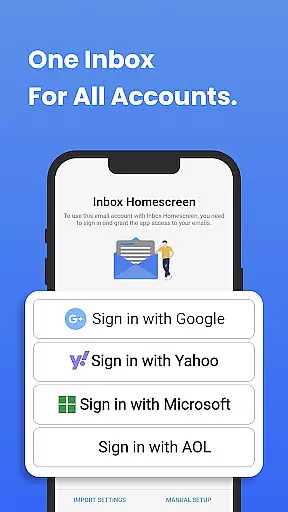
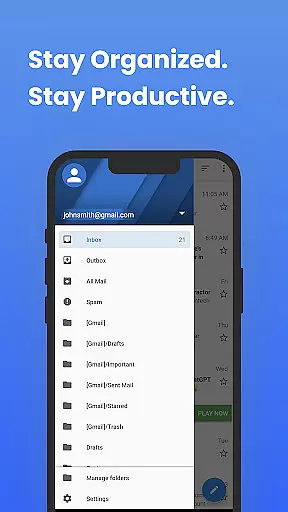
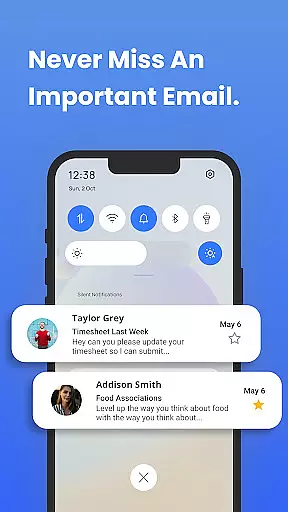
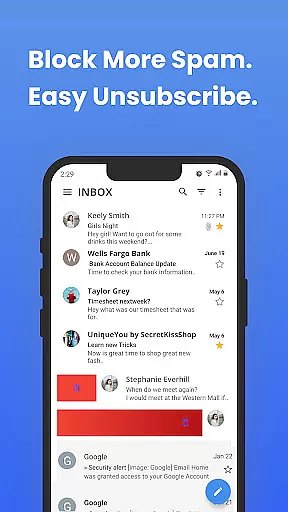
Inbox Homescreen is a communication app designed to streamline email management across multiple platforms. This innovative email launcher allows users to access all their email accounts - including Gmail, Outlook, and Yahoo - from a single interface. The app's standout feature is its seamless integration with various email services, enabling efficient sending, receiving, and organizing of messages.
The application offers advanced organizational tools that help users maintain an orderly inbox. Users can create filters for automatic email sorting, prioritize crucial messages, and schedule emails for future delivery. Additionally, Inbox Homescreen provides customization options with various themes and layouts, enhancing the user experience through a personalized interface.
Inbox Homescreen distinguishes itself through several key features that enhance email management. The app's multi-account integration stands out, allowing users to connect and manage different email services without switching between applications. This unified approach saves time and reduces the complexity often associated with handling multiple email accounts.
Beyond basic email functions, the app includes productivity-boosting features such as automated filtering systems, message prioritization tools, and scheduling capabilities. These features work together to create a more organized and manageable inbox environment. Furthermore, the app's customizable interface permits users to tailor their experience according to personal preferences, making daily email management more enjoyable and efficient.
In the realm of digital communication, the speed and reliability of message delivery are paramount. Inbox Homescreen excels in providing real-time messaging capabilities that ensure your emails are sent and received instantly without delays. This immediacy is crucial for maintaining timely correspondence in both personal and professional settings.
The app achieves this through seamless integration with major email services like Gmail, Outlook, and Yahoo. By optimizing server connections and employing efficient data synchronization methods, Inbox Homescreen guarantees that users experience minimal latency. Such performance ensures you're always up-to-date with the latest communications, providing peace of mind that critical messages won't be missed or delayed.
Moreover, the reliability of Inbox Homescreen extends beyond just sending and receiving emails. The application employs advanced error-checking algorithms to prevent data loss during transmission. Users can trust that their important documents, images, and other attachments will arrive intact and on time every single time they hit send.
In today's interconnected world, sharing media has become an integral part of our daily communications. Inbox Homescreen recognizes this need by offering robust media sharing support across its platform. Whether itu2019s photos, videos, or documents, users can effortlessly attach and send various file types directly from their inbox, enhancing both personal interactions and business collaborations.
The app supports a wide range of file formats, ensuring compatibility regardless of the recipient's email service provider. From JPEGs to PDFs, Inbox Homescreen makes certain that files retain their original quality upon receipt. Additionally, the app provides intuitive drag-and-drop functionality along with cloud storage integration, streamlining the process of attaching large files without consuming excessive bandwidth or storage space on mobile devices.
Beyond mere attachment capabilities, Inbox Homescreen also prioritizes security when handling shared media. Utilizing end-to-end encryption protocols, sensitive information remains protected throughout transmission. This commitment to privacy empowers users to confidently share confidential materials knowing they're safeguarded against unauthorized access.
User-friendly interface
Multi-account support
Advanced filtering options
Customizable themes
Email scheduling feature
Limited third-party integrations
No built-in calendar view
Occasional syncing issues
Basic offline functionality
Premium features require subscription

Fast and simple walkie talkie app
 4.20
4.20
Use this Dialer app alone or as a TREK: Total Interface companion.
4.70
Save 10% automatically on your first international mobile top up.
4.60
Simplify texting with Messages SMS, offline messaging, themes & smart tools!
4.30
Create a secure hotspot on-the-go with Portable WiFi - Mobile hotspot.
4.40
Fun, free app that lets kids video call and message family and close friends.
3.80
Bringing the functionality of Winlink to your Android device
4.5
Stay in touch with the people who matter most.
4.60
A browser that does more than load page, like keeping your privacy safe.
4.70
Messenger for SMS - texting message app, faster, simpler & safer, for you.
4.70
Welcome to the future of phone service.
4.60
Experience real private browsing without tracking, surveillance, or censorship.
4.50
BE PRIVATE
Anonymous. No Trace. Fast.
4.20
Messages is Private SMS Messenger 2023 with text message, instant messaging.
4.00
Threema is the messenger with the most consistent focus on security and privacy.
4.00
Measure BHP, Torque & 0-60 Clear car OBD faults View engine data in Google Earth
4.00
Call Forwarding is easy and simple application to use.
3.80
At select facilities, you now have an easy way to video visit your loved ones!
3.30
Fast, Simple And Secure Application That Provides SMBv3 Server On Your Device
3.30


User Reviews