
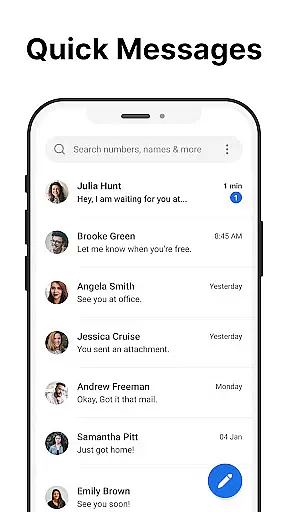
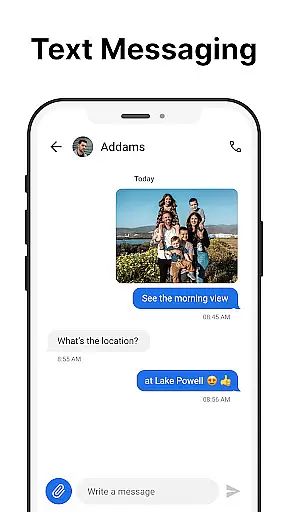
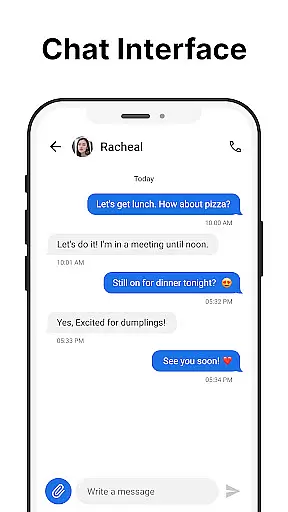
Messages is a robust SMS messaging app designed specifically for Android users who value simplicity and reliability in their communication tools. The app allows you to send and receive text messages without requiring an internet connection, making it ideal for users who need consistent access to messaging regardless of their connectivity status.
One standout feature of Messages is its After Call screen, which provides instant access to your SMS inbox right after each phone call. This functionality streamlines the process of following up on calls with text messages, enhancing both personal and professional communication workflows. Additionally, the app offers a clean and intuitive design that simplifies message management, ensuring users can efficiently handle their communications.
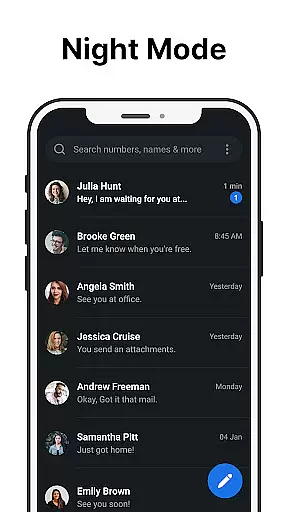
The true value of Messages lies in its comprehensive feature set that caters to various user needs. From scheduling messages and managing group chats to blocking spam and backing up important conversations, this app ensures that all aspects of SMS communication are covered. Its customization options, including dark mode and personalized notifications, further enhance the user experience by allowing individuals to tailor the app to their preferences.
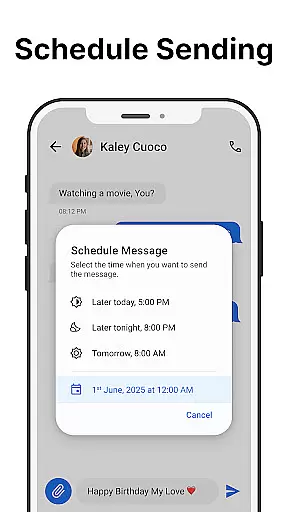
Messages stands out in the Communication category due to its rich array of features that cater to both casual and power users. One of the core functionalities is the ability to send and receive SMS messages quickly and reliably, ensuring that users can communicate without any hiccups. The app also supports scheduled messaging, allowing users to compose messages at their convenience and have them sent at a later time, which is particularly useful for managing time-sensitive communications.
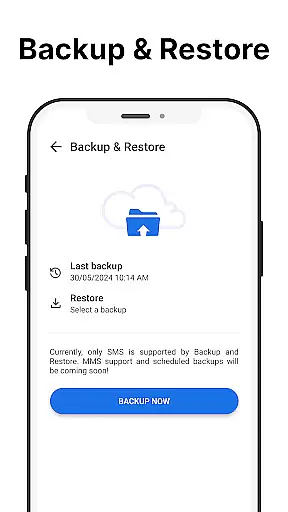
Group messaging is another highlight, enabling users to create and manage group chats effortlessly. This feature is complemented by message backup and restore capabilities, ensuring that important conversations are never lost. Users can also block unwanted senders to keep their inboxes free from spam, while the search functionality makes it easy to find specific messages within a vast archive.
Customization is a significant aspect of Messages, offering users the ability to personalize their experience through custom notifications, ringtones, and a dark mode option that saves battery and reduces eye strain. The app's After-Call Menu is another innovative feature, providing quick access to the SMS inbox immediately after a phone call, thus streamlining the communication process. These features collectively ensure that Messages not only meets but exceeds user expectations in the realm of SMS communication.
Real-time messaging speed and reliability are crucial for effective communication. Messages ensures that every text you send reaches the recipient instantly without delays, making your conversations seamless and efficient.
The app is optimized to work flawlessly even in areas with low network coverage, ensuring that your messages are delivered promptly. This reliability means you can trust Messages to keep you connected, whether you're texting a friend or coordinating with colleagues.
With its robust infrastructure, Messages guarantees minimal latency, providing an uninterrupted flow of conversation. This feature is particularly beneficial in time-sensitive situations where immediate communication is essential.
Users benefit from consistent message delivery notifications, confirming their texts have been received. This assurance enhances the overall messaging experience, giving users peace of mind that their communications are both timely and dependable.
Media sharing support is a vital aspect of modern messaging apps, allowing users to exchange photos, videos, and other files effortlessly. Messages offers comprehensive media sharing capabilities, enabling users to send various file types quickly and easily.
The app supports multiple formats, ensuring compatibility across different devices and platforms. Whether you're sharing high-resolution images or important documents, Messages handles them all with ease, maintaining the quality and integrity of your files.
Additionally, Messages provides a smooth interface for selecting and sending media, streamlining the sharing process. Users can attach files directly from their gallery or file manager, enhancing convenience and saving time.
This feature not only enriches personal interactions by allowing rich media exchanges but also supports professional collaborations by facilitating efficient document sharing. Overall, Messages' robust media sharing support significantly boosts user engagement and satisfaction.
User-friendly interface
Reliable message delivery
Comprehensive feature set
Customizable options
Privacy-focused design
Limited multimedia support
No end-to-end encryption
Occasional ads
Basic UI design
Dependent on carrier services

 3.90
3.90
Tether to Windows, OS X, Linux PCs or Android tablets. No root. No tether fees.
3.90
Call Forwarding is easy and simple application to use.
3.80
Enjoy secure messaging & calling. Safe Messenger: group chats, calls, messages.
4.20
Chat on the Jabber network (XMPP protocol); support for SMS and other gateways
2.10
Create a secure hotspot on-the-go with Portable WiFi - Mobile hotspot.
4.40
Auto Reply SMS, Text Messaging, Away SMS Response, Busy SMS messages, Block Text
3.10
Measure BHP, Torque & 0-60 Clear car OBD faults View engine data in Google Earth
4.00
Build your web browser around you with private search, and more.
4.60
Enhance browsing with AI-powered features and Copilot.
4.70
Manage BoostMobile Account
4.60
Manage your mobile phone plan, check unlimited 5g data usage and track rewards
4.50
2nd Phone Number Line for Anonymous Texting, Calling, and Picture Messages
4.30
This app enables the phone to receive and send FT8 traffic!
3.80
A softphone app with seamless SIP calling and an intuitive VoIP dialer
3.50
Fast, Simple And Secure Application That Provides SMBv3 Server On Your Device
3.30
A Browser with powerful ad blocker to help focus on what really matters.
3.00
Radio communication simulator for gaming communities
4.5
Manage Phone Calls, call history, and contacts easily with Phone Pro.
4.1


User Reviews