
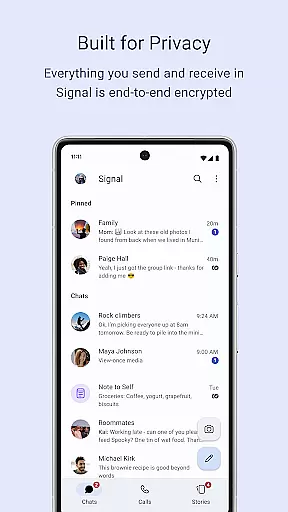
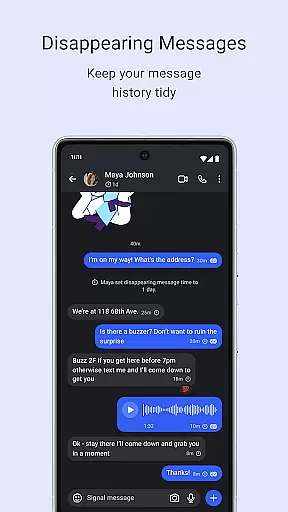
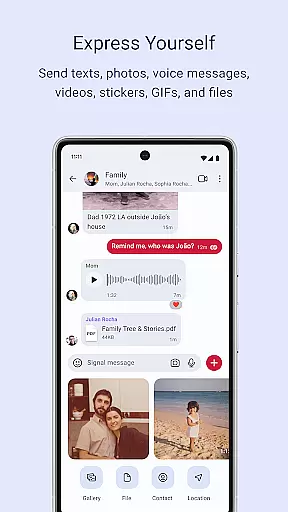
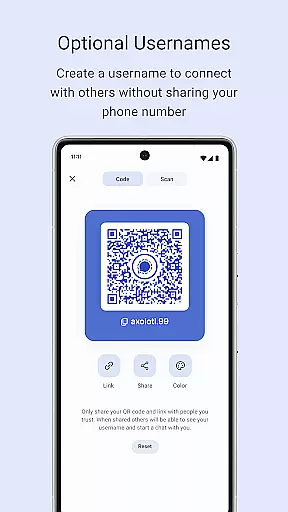
Signal Private Messenger is a secure communication app that prioritizes user privacy through end-to-end encryption. It allows users to send texts, make voice and video calls, and share media with complete confidentiality. Available on multiple platforms, Signal ensures that your conversations remain private without any data collection or backdoors.
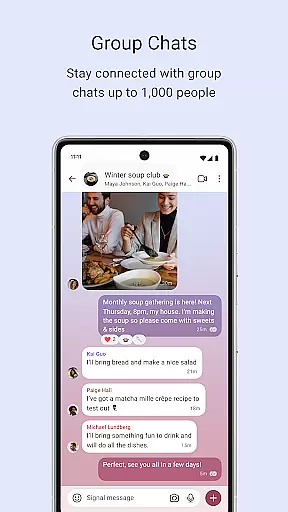
The app supports group chats of up to 1,000 members and group calls with up to 50 participants, making it ideal for both personal and professional use. With features like disappearing stories and customizable privacy settings, Signal gives users control over their shared content and who can view it. This makes the app particularly valuable for those seeking a secure way to communicate without compromising on functionality.
Signal Private Messenger offers a comprehensive suite of secure communication tools. The app provides end-to-end encryption for all messages, voice calls, and video calls, ensuring that only the sender and recipient can access the content. This robust security protocol extends to group communications, supporting encrypted group chats and calls for larger networks.
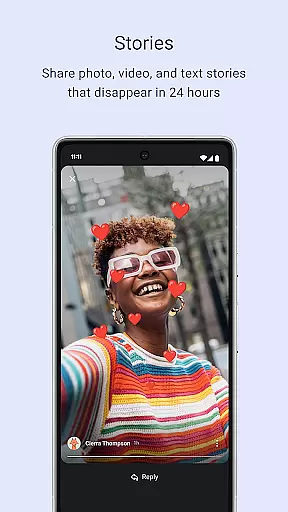
One standout feature is the ability to send various types of media, including photos, videos, and documents, without incurring SMS or MMS fees. Additionally, Signal's Stories function allows users to share temporary content that disappears after 24 hours, with granular privacy controls over who can view each story. The open-source nature of Signal’s protocol guarantees transparency and trust, as no one, not even the developers, can access your communications.
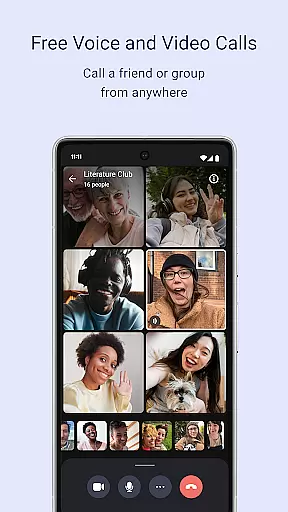
Signal also includes advanced privacy settings, such as permissions management for group chats and the option to make voice and video calls with up to 50 participants. These features collectively ensure that users maintain full control over their interactions while benefiting from top-tier security measures.
Signal Private Messenger excels in providing real-time messaging with exceptional speed and reliability. The app leverages your phone's data connection to ensure messages are delivered instantly, avoiding delays often associated with traditional SMS and MMS services.
The core of Signal's reliable communication is its end-to-end encryption. This ensures that every message sent through the app remains private and secure from senders to recipients. Users can confidently exchange texts, voice messages, photos, videos, GIFs, and files without concerns about interception or unauthorized access.
Moreover, Signal supports large group chats of up to 1,000 participants, maintaining the same level of speed and reliability. Administrators have control over who can post within these groups, ensuring a manageable and efficient communication environment for all members involved.
One of Signal Private Messenger's standout features is its robust media sharing capabilities. Users can effortlessly send various forms of media including images, videos, documents, and more, all while enjoying the benefits of strong end-to-end encryption.
In addition to standard media sharing, Signal offers Storiesu2014a feature allowing users to share ephemeral content such as images, texts, and videos that automatically disappear after 24 hours. Privacy settings give users complete control over who can view each Story, reinforcing Signalu2019s commitment to user privacy.
Furthermore, Signal enables crystal-clear encrypted voice and video calls, extending its media-sharing prowess beyond just text-based content. With support for group calls accommodating up to 50 people, Signal ensures high-quality interactions whether you're connecting one-on-one or engaging with larger teams.
End-to-end encryption
No data collection
Free to use
Open source
Supports large groups
Limited marketing
Fewer users than competitors
No ads can limit revenue
Non-profit model
Resource-intensive

 3.90
3.90
We’re taking the yada yada out of wireless—now we’ve taken it out of your app.
4.70
Adblock & VPN Browser: Blocks banners, pop-ups and video ads, fast downloader!
4.60
Fast and mini browser with Ad Blocker,Video Downloader and Video Player
4.40
Simplify texting with Messages SMS, offline messaging, themes & smart tools!
4.30
A softphone app with seamless SIP calling and an intuitive VoIP dialer
3.50
Manage your mobile phone plan, check unlimited 5g data usage and track rewards
4.50
Stay in touch with the people who matter most.
4.60
Useful. Social. Expressive.
4.70
Welcome to the future of phone service.
4.60
Faster version of Messages. Messenger for your contacts.
4.50
Create a secure hotspot on-the-go with Portable WiFi - Mobile hotspot.
4.40
Smart and simple anti-wiring application - IMSI-catchers catcher
4.40
A web browser that respects your privacy.
4.30
Phone Dialer with Caller ID, Address Book & Contacts Manager.
4.30
Messages: Fast, simple SMS app with scheduling and smart features.
4.00
A softphone with crystal clear SIP Calling & Reliable VoIP dialer
4.00
Caller ID, Spam Call & SMS Blocker
3.80
Comprehensive and powerful scan tool app with enhanced functions
3.00


User Reviews