
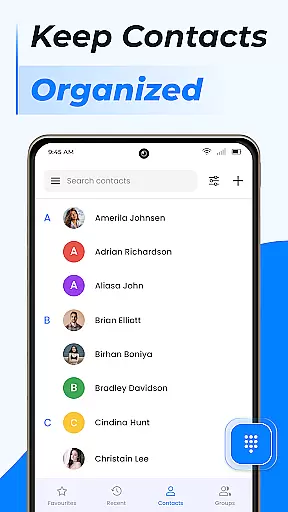
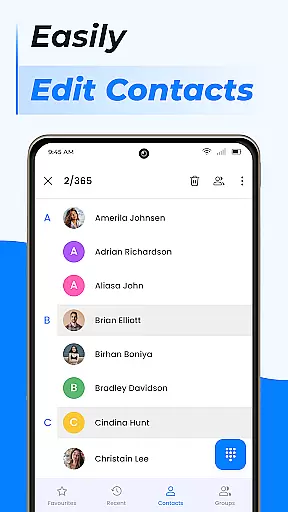
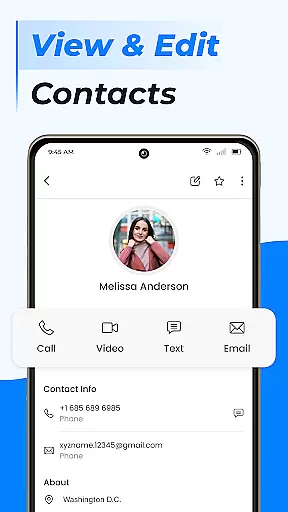
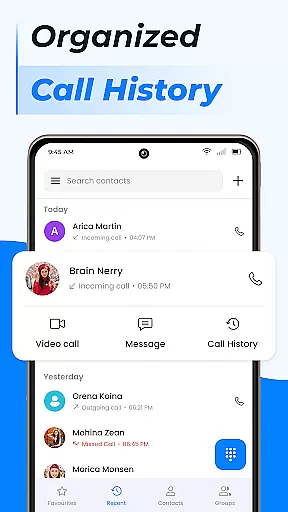
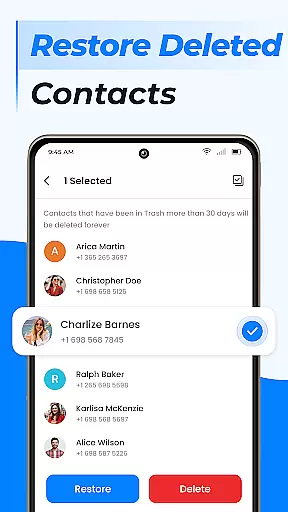
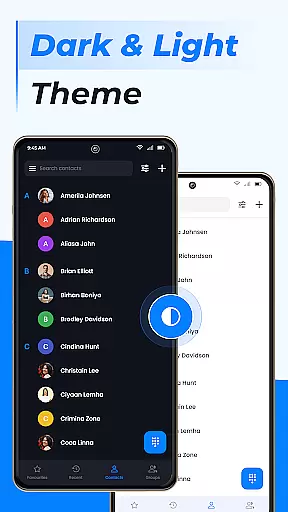
Contacts is a comprehensive communication management tool designed to simplify the way you handle your Android phone's contact list. This app allows users to efficiently organize, edit, and manage their contacts with intuitive features that enhance accessibility and convenience. With capabilities such as adding new contacts, editing existing ones, and managing duplicate entries, it ensures your contact list remains up-to-date and clutter-free.
In addition to basic contact management, Contacts offers advanced functionalities including group creation for better organization, contact storage management, and integration with Gmail contacts. The app also provides a fast dialer feature, call blocking, caller ID, and smart contact search, making it a powerful alternative to the default phone app. Whether for personal or professional use, Contacts streamlines your communication processes and keeps important information readily accessible.
The true value of Contacts lies in its ability to consolidate all contact-related tasks into one platform. By enabling users to back up and sync contacts via cloud services, it ensures data security and cross-device availability. Its user-friendly interface and robust feature set make it an indispensable tool for anyone looking to take control of their contact management and elevate their calling experience on Android devices.
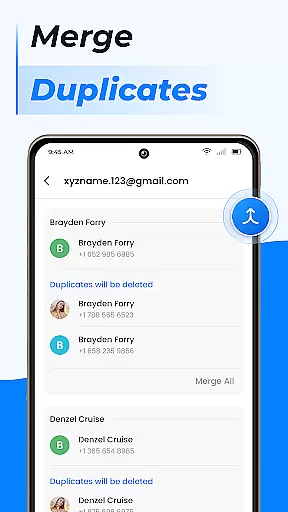
Contacts stands out with its rich array of features tailored to optimize contact management on Android devices. One of its key strengths is the ability to perform detailed contact edits, allowing users to update information seamlessly when changes occur. The app simplifies the process of merging duplicate contacts, ensuring that each entry remains unique and accurate, which is particularly useful for maintaining large contact lists.
Beyond basic management, Contacts introduces innovative tools like group creation, which enables users to categorize their contacts based on specific criteria such as work or personal life. This segmentation facilitates more efficient communication and helps maintain clear boundaries between different aspects of a user's life. Additionally, the app supports contact storage management, giving users the flexibility to move contacts to a SIM card or other storage options.
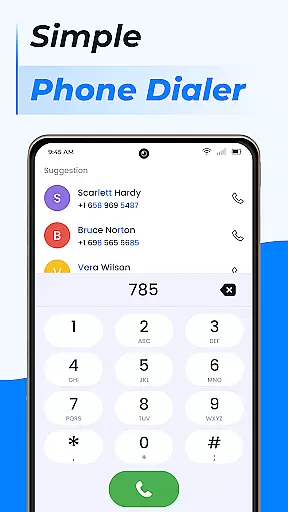
Another standout feature is the integrated fast dialer, which enhances the calling experience with functionalities such as call blocking, caller ID, and smart contact search. These tools not only improve accessibility but also provide an added layer of security and convenience. By combining these advanced capabilities with a user-centric design, Contacts delivers a superior solution for anyone seeking to streamline their contact management processes.
Real-time messaging speed and reliability are crucial for any communication app, ensuring that messages are delivered instantly and without fail. The Contacts app excels in this area by providing a seamless experience where users can reach out to their contacts with just a tap.
This application employs advanced algorithms to ensure that contact management is not only fast but also reliable. Whether you're adding a new contact or editing existing ones, the app performs these tasks swiftly, allowing users to manage their contact list efficiently.
For users, this means no more waiting around wondering if their message has been sent. With real-time updates, they can see when their communications have been successfully delivered, enhancing the overall user experience and trust in the app's performance.
Media sharing support is an essential feature for modern communication apps, enabling users to share various types of media effortlessly. The Contacts app offers robust capabilities in this domain, allowing users to exchange photos, videos, and other files with ease.
With the ability to share any contact information at the click of a button, the app simplifies the process of exchanging media. Users never have to worry about figuring out how to send a contact's number or information; it's all streamlined within the app.
This functionality extends beyond just sharing contact details. It encompasses a wide range of media formats, ensuring compatibility and convenience. As a result, users can maintain rich interactions with their contacts, enriching their communication experience.
User-friendly interface
Advanced contact management
Cloud backup and sync
Integrated fast dialer
Customizable contact groups
Limited iOS compatibility
Occasional sync issues
Ads in free version
Storage permissions required
Complex settings for beginners

Fast and simple walkie talkie app
 4.20
4.20
Block spam calls & scam - no more annoying calls with the call blocker function
4.30
WazzapMigrator: transfer your WhatsApp history from iPhone to Android
4.00
Official NDI app: turn your phone into a professional live-streaming IP camera.
3.20
Caller ID App! Add names & photos to unknown calls & Call Recording
4.40
Comprehensive and powerful scan tool app with enhanced functions
3.00
An app dedicated solely to marriage, not dating, and supported by a rigorous verification mechanism to ensure seriousness.
4.4
A softphone app with seamless SIP calling and an intuitive VoIP dialer
3.50
Fast internet with AI, Adblock & VPN. Browse on a safe, incognito web browser.
4.70
Read OBD2 data and DTCs Create custom dashboards Enhanced diagnostics available
4.70
Fast and mini browser with Ad Blocker,Video Downloader and Video Player
4.40
HD Video Meeting app is a fast & unlimited video conferencing app across world.
4.30
Use this SMS app standalone or as a TREK: Total Interface companion.
4.30
BE PRIVATE
Anonymous. No Trace. Fast.
4.20
Send SMS and chat messages easily with a fast text messaging app for Android.
4.10
Telegram is a messaging app with a focus on speed and security.
4.00
Message and video call your family and friends in HD!
3.80
At select facilities, you now have an easy way to video visit your loved ones!
3.30
Enables Plus features of Quick Search.
4.5


User Reviews