
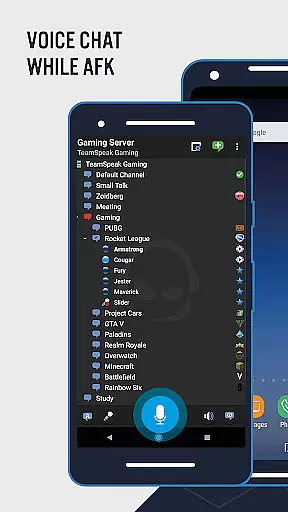
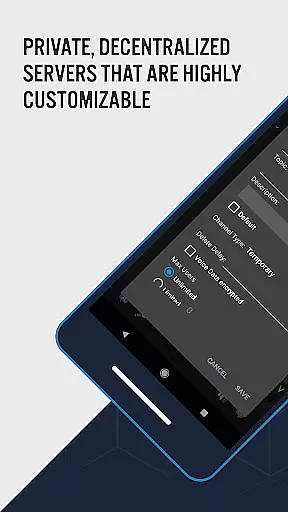

TeamSpeak 3 is a premier communication tool designed for seamless voice chat and information sharing across multiple platforms including Android, PC, MacOS, iOS, and Linux. This app is widely recognized as the go-to solution for online gamers, small businesses, and social groups seeking real-time interaction. With its robust server-based system, users can connect privately or join public servers to engage with a larger community.
The application supports various communication methods such as Push-To-Talk (PTT), voice activation, and text messaging, ensuring that users have flexible options to interact. TeamSpeak 3 also offers features like synchronized bookmarks, multi-server connectivity, and detailed channel information, making it an indispensable tool for organizing and managing group discussions. Whether you're strategizing with teammates or hosting online events, TeamSpeak 3 keeps you connected securely and efficiently.
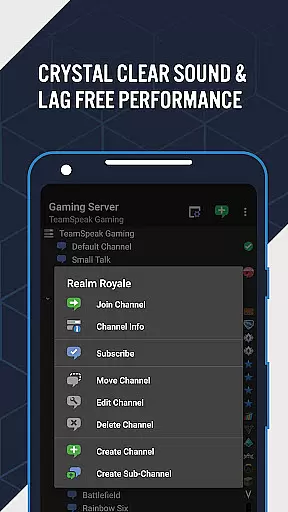
TeamSpeak 3 stands out with its comprehensive feature set tailored for effective communication. The app provides synchronized bookmarks, allowing users to access their favorite channels across different devices effortlessly. Multi-server connectivity enables users to switch between various servers without hassle, enhancing their ability to communicate with different groups.
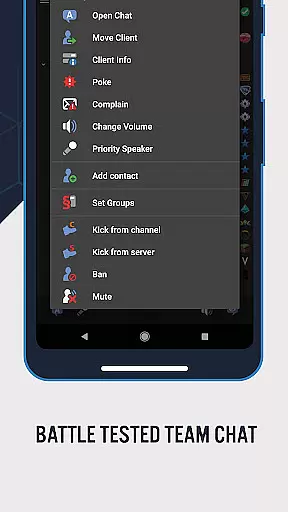
Advanced functionalities include Push-To-Talk (PTT) and voice activation, which offer users control over when they transmit audio, ensuring clarity and reducing background noise. The app also supports essential admin functions, identity and contact management, and detailed player status notifications. These features collectively create a dynamic environment where users can manage their interactions and stay informed about their team's activities, thus improving overall communication efficiency.
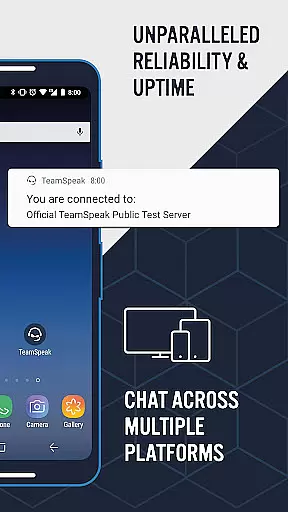
TeamSpeak 3 stands out in the realm of real-time communication by offering unparalleled speed and reliability. This is crucial for users who depend on instant voice chat to coordinate with their teams or communities without delays or interruptions.
The app achieves this through optimized data transmission protocols that ensure messages are delivered instantly, even on unstable networks. Whether you're gaming, conducting business meetings, or organizing community events, TeamSpeak's robust infrastructure supports seamless interaction.
Furthermore, its capability to run on private servers adds an extra layer of security and stability, making it a preferred choice for sensitive communications. Users can connect securely, knowing their conversations are protected from external threats.
Ultimately, the reliability of TeamSpeak's real-time messaging fosters a sense of trust and efficiency among users, allowing them to focus on their activities without worrying about technical glitches.
Beyond voice communication, TeamSpeak 3 excels in media sharing support, enabling users to exchange various types of content during their sessions. This feature significantly enhances collaborative efforts by allowing participants to share relevant files directly through the platform.
Users can send and receive text messages, images, and documents, which is particularly beneficial for teams working on projects that require visual aids or detailed documentation. The ability to manage identities and contacts further streamlines these interactions, ensuring that media sharing is both efficient and organized.
In addition to traditional media, TeamSpeak provides detailed channel and player information, enhancing the overall user experience. These insights allow moderators to maintain control over discussions and ensure that shared media aligns with the group's objectives.
By integrating comprehensive media sharing capabilities, TeamSpeak 3 not only facilitates communication but also empowers users to collaborate more effectively, regardless of their location or device.
High-quality audio
Multi-platform support
Secure private servers
Real-time communication
User-friendly interface
Requires server connection
No direct user connection
Complex setup for beginners
Limited offline functionality
Occasional bugs

 3.90
3.90
SMS Messenger ensures that communication become effortless and accessible.
3.80
Browse fast on Opera Mini, with Data Saving, News, Football Scores, and Download
4.60
SMS & MMS Messaging App to easily send messages or schedule SMS on Chat
4.10
Messenger app for faster and simpler SMS text messaging, and personalized themes
4.10
This app enables the phone to receive and send FT8 traffic!
3.80
Watchgram for Telegram: Experience seamless Telegram messaging on your watch
1.80
BE PRIVATE
Anonymous. No Trace. Fast.
4.20
Fast internet with AI, Adblock & VPN. Browse on a safe, incognito web browser.
4.70
We’re taking the yada yada out of wireless—now we’ve taken it out of your app.
4.70
Useful. Social. Expressive.
4.70
Adblock & VPN Browser: Blocks banners, pop-ups and video ads, fast downloader!
4.60
Create a secure hotspot on-the-go with Portable WiFi - Mobile hotspot.
4.40
Our Black Friday sale is here. Unlock special discounts on Proton Mail now.
4.30
Chill zone on your phone: relax with fun reels & hype shorts!
4.20
A customizable phone number in the cloud
4.20
BiP is a fast, secure, free messaging and HD video calling app!
4.10
Auto Reply SMS, Text Messaging, Away SMS Response, Busy SMS messages, Block Text
3.10
A Browser with powerful ad blocker to help focus on what really matters.
3.00


User Reviews