
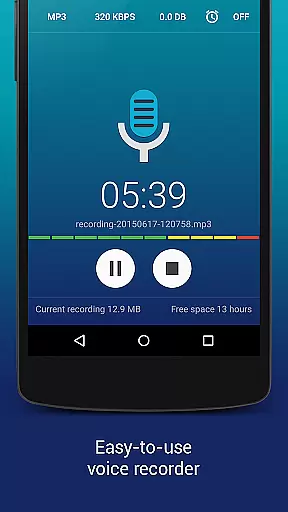
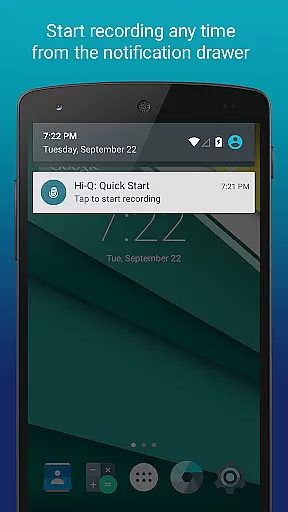
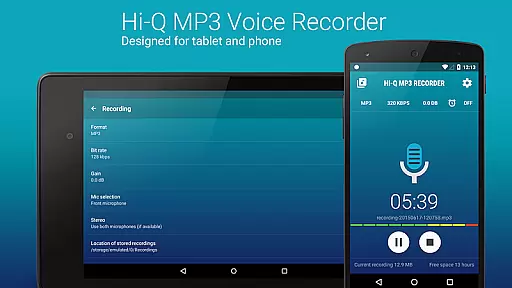
Hi-Q MP3 Voice Recorder (Pro) is a premier mobile application designed for high-quality audio recording. This app stands out with its ability to record in 44 kHz high-fidelity audio, making it ideal for capturing everything from personal voice notes to live concerts. The app offers an intuitive interface that allows users to start recording with a single tap of the prominent Red button.
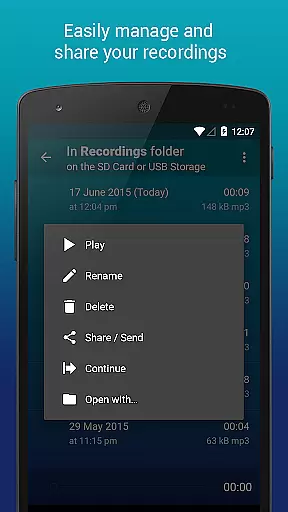
With features like Discretion Mode, 320 kbps recordings, and automatic upload to cloud services such as Google Drive or Dropbox, this app ensures both privacy and convenience. Users can also manage their recordings efficiently through clip management and Wi-Fi transfer options. Whether you're a musician, student, or professional, Hi-Q MP3 Voice Recorder (Pro) provides the tools necessary to capture and store your audio experiences effortlessly.
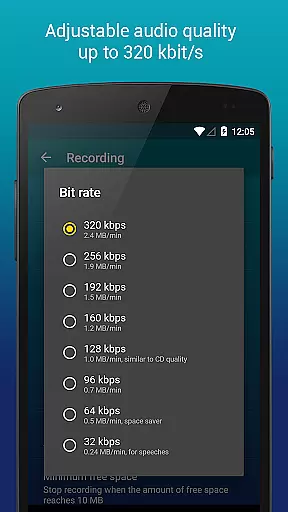
Hi-Q MP3 Voice Recorder (Pro) boasts an impressive array of features tailored for diverse recording needs. One standout feature is the Discretion Mode, which allows users to record without drawing attention by switching the recording icon. The app supports high-quality 320 kbps MP3 recordings, ensuring crystal-clear audio capture.
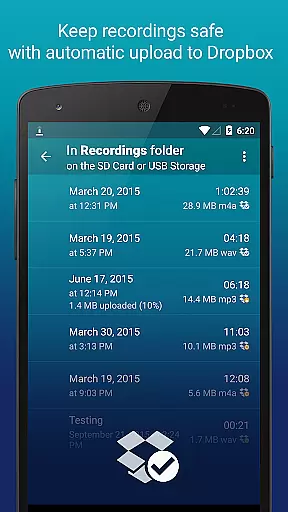
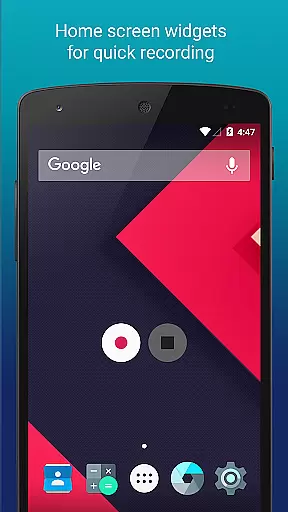
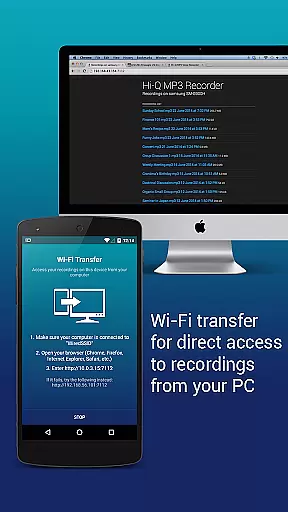
For added convenience, users can utilize Home Screen Widgets to start, pause, and resume recordings instantly. Automatic uploads to cloud storage services like Google Drive and Dropbox ensure that files are safely stored and easily accessible across devices. Additionally, the app's Wi-Fi Transfer capability enables wireless file transfers to computers and other devices, enhancing workflow efficiency.
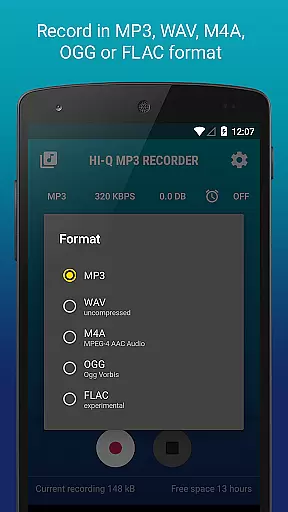
Other notable features include customizable quality settings with bit rates up to 320 kbps, multiple format support including WAV, OGG, M4A, and FLAC, and real-time gain control for optimal recording in various environments. These robust functionalities make Hi-Q MP3 Voice Recorder (Pro) a versatile tool for anyone needing reliable and high-quality audio recording.
Hi-Q MP3 Voice Recorder (Pro) offers an extensive music library through its high-fidelity recording capabilities, allowing users to create a vast collection of audio files in various formats such as MP3, WAV, OGG, M4A, and FLAC. These formats ensure that the recordings are not only compact but also maintain a high level of quality suitable for different purposes.
The app's ability to record at 44 kHz audio sampling provides users with professional-grade sound fidelity, which is crucial for those who require authentic and legally compliant audio content. This feature ensures that all recorded materials are original works, thus respecting copyright laws and intellectual property rights.
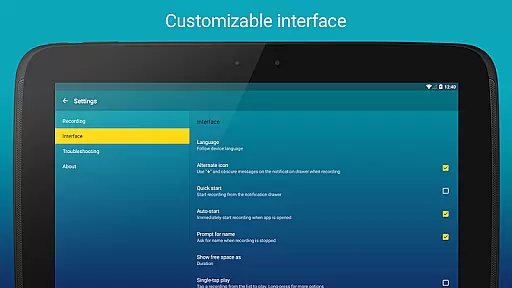
Furthermore, the customization options available within the Hi-Q MP3 Voice Recorder (Pro) enable users to tailor their recording experience according to specific needs, whether it be for personal voice notes or professional audio projects. The inclusion of automatic upload features to cloud services like Google Drive or Dropbox adds another layer of security and convenience, ensuring that valuable recordings are safely stored and easily accessible.
One of the standout features of Hi-Q MP3 Voice Recorder (Pro) is its superior audio quality options, which allow users to adjust bit rates up to 320 kbps. This flexibility in setting the audio quality ensures that recordings can meet the highest standards required by audiophiles and professionals alike.
In addition to customizable bit rates, the app supports multiple audio formats including MP3, WAV, OGG, M4A, and FLAC. This variety caters to different user preferences and requirements, from creating space-efficient files for everyday use to producing uncompressed audio for critical listening or archival purposes.
Moreover, the app includes advanced functionalities such as input gain control and microphone selection, empowering users to optimize their recordings based on environmental conditions and desired outcomes. With these tools, users can achieve optimal sound clarity and balance, regardless of whether they are capturing quiet conversations or dynamic musical performances.
High-fidelity audio
Easy-to-use interface
Cloud integration
Discretion mode
Wi-Fi transfer
No phone call recording
SD card widget limitations
Premium price tag
Complex settings for beginners
Limited format support

Pay Once, no monthly payment
 4.60
4.60
DJ Music Mixer Pro is a real DJ controllers and DJ Music Studio to remix DJ.
4.40
Listen to live FM radio stations, sports, music and news on global radios online
4.70
Listen radio AM / FM Stations. Live AM / FM Radio App Station. Radio Com.
4.70
Offline Music Player&MP3 Player with themes, equalizer, lyrics, music play mode
4.60
Turn Every Moment into Music
3.60
Get alarms that fit your lifestyle and wake up to the sounds you love.
4.80
Customize Your Favorite Songs and Videos with booster.
4.70
Melody Beat: Great for travel, workouts, offline vibes, play your tunes anytime.
4.10
Tune in to the greatest hits on UK Radio | The home of Capital, Smooth & Heart.
4.90
Brian Eno and Peter Chilvers’ acclaimed music app Bloom, radically reinvented.
4.80
Play your hearts out on TouchTunes jukeboxes & connect with fellow music lovers.
4.80
Most Advanced AI Song Generator and Music Creator. Rap, Pop, Rock, Gospel & more
4.70
A synth that really lets you shape your sounds!
4.50
Time Guru will strengthen your internal sense of musical time via random muting.
4.30
Advanced 10-Band Audio Graphic Equalizer Sound Booster Pro
4.30
Turn your Android phone into a professional audio analyser with up to 120 bands.
4.00
The only true audiophile music player with Hi-Fi audio rendering and DSP engine
3.90
Powerful beat maker & DJ mixer to remix tracks, make music, & perform DJ mix
3.70


User Reviews