
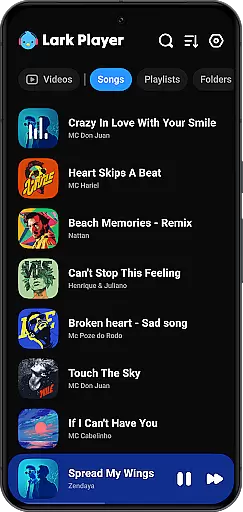
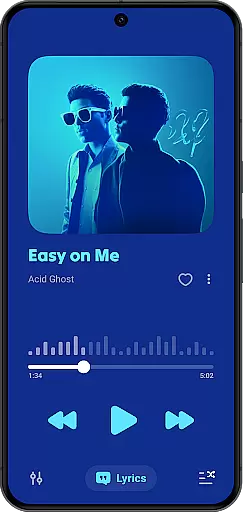
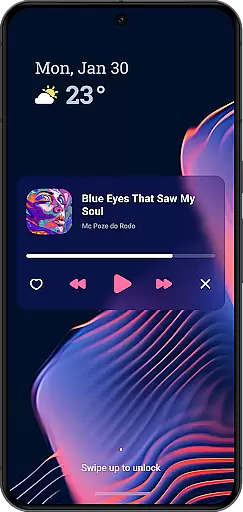
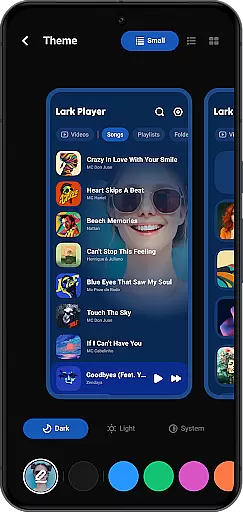
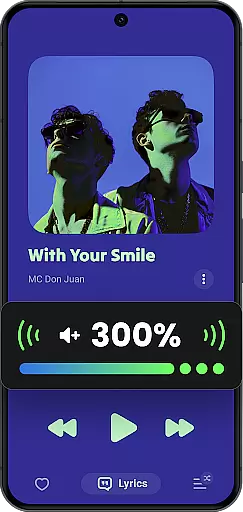
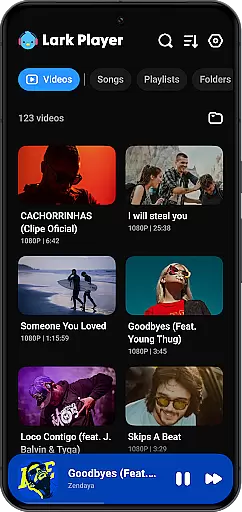
Lark Player is a versatile offline music and video player for Android, offering support for all major audio and video formats. This free application stands out with its powerful equalizer, customizable sound effects, and an intuitive user interface that has garnered over 100 million users worldwide.
Designed for both casual listeners and audiophiles, Lark Player allows you to personalize your audio experience through dedicated preset modes ranging from Classical to Hip-hop. The app's robust file management system lets you organize music by playlists, artists, albums, and genres, while supporting essential features like lyrics display and ringtone creation.
Whether you're managing your media library or enjoying a floating player for multitasking, Lark Player ensures a seamless experience. Its ability to play videos in various formats while providing a high-quality music experience makes it an ideal choice for users seeking a comprehensive offline media solution.
Lark Player shines with its extensive format compatibility, supporting popular audio formats such as MP3, WAV, FLAC, and AAC, alongside video formats including MP4, MKV, and MOV. This versatility ensures that users can enjoy their entire media collection without worrying about format restrictions.
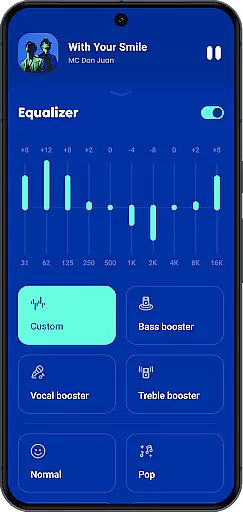
The app's powerful equalizer offers advanced audio customization options, including bass enhancement, reverb settings, and sound field adjustments. These features, combined with dedicated audio modes for different music genres, allow users to tailor their listening experience precisely to their preferences.
Beyond basic playback, Lark Player provides practical utilities like a sleep timer, background playback, and a floating window feature for multitasking. The app also enables users to manage their files efficiently through playlist creation, folder organization, and sharing capabilities via Bluetooth or social media platforms.
Lark Player offers an extensive music library that supports all major audio formats including MP3, MIDI, WAV, FLAC, AC3, AAC, M4A, and ACC. This ensures users have the flexibility to play any offline music file on their Android devices without compatibility issues.
While Lark Player is not a music downloader, it provides tools for managing your existing music collection effectively. The app allows you to browse music by song, artist, album, genre, and more, making it easy to organize and access your entire music library from one intuitive interface.
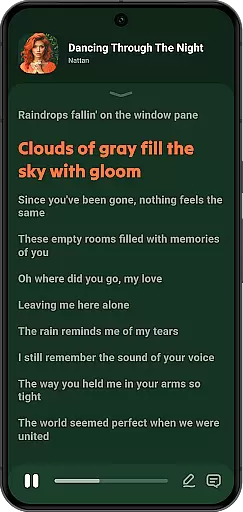
The app's dedication to copyright authenticity is evident in its support for matching lyrics with offline songs directly from your phone. This feature not only enhances the listening experience but also respects the intellectual property rights of artists by using legitimate lyric sources.
With over 100 million users worldwide, Lark Player has proven itself as a reliable platform for enjoying high-quality music experiences while maintaining strict adherence to copyright laws and offering diverse audio format support.
Lark Player stands out with its powerful equalizer that includes preset modes for various music genres such as Normal, Classical, Dance, Flat, Folk, Heavy Metal, Hip-hop, Jazz, Pop, and Rock. These presets allow users to customize their sound experience according to different types of music they listen to offline.
In addition to the equalizer presets, this free music player offers advanced audio quality options like bass enhancement, reverb setting, and sound field adjustment. Such features ensure that every track sounds clear and vibrant, providing listeners with the best possible sound effects during playback.
The application also supports high-quality video playback in formats like MP4, 3GP, WEBM, MOV, and MKV. Whether you're watching videos or playing songs, Lark Player maintains excellent audio fidelity throughout your media consumption experience.
Furthermore, the ability to convert video files into MP3 format adds another layer of convenience for users who want to extract audio from their video content while preserving quality. This combination of versatile format support and customizable audio settings makes Lark Player a top choice for both casual listeners and audiophiles alike.
User-friendly interface
Extensive format support
Powerful equalizer
Offline functionality
File management tools
No built-in downloader
Ads may appear
Occasional bugs
Limited cloud features
Notification issues

Turn your phone into a musical instrument from the future!
 3.90
3.90
Time Guru will strengthen your internal sense of musical time via random muting.
4.30
Taal player that lets you sing any Indian & Western song with Tabla & Tanpura
4.60
Gorgeous UI, Powerful music Search and Equalizer, the great choice for you!
4.70
Enhance the sound quality of your devices, listen to what you want
4.50
Music, News & Sports Radio Tuner App. Tune in Live FM & AM Radio Stations.
4.80
The official Sonos app
4.10
Listen to offline music and sounds from all categories
4.70
Be a true music maker: create beats, mix and make music like a real DJ!
4.30
Tune in to the greatest hits on UK Radio | The home of Capital, Smooth & Heart.
4.90
JBL PartyBox APP works with 110/310/710/120/320/520/Encore/Encore 2/Encore Ess 2
4.80
Play your hearts out on TouchTunes jukeboxes & connect with fellow music lovers.
4.80
Bass Booster & Volume Equalizer Pro improves your music and video sound quality
4.60
AI Music Maker: Generate And Compose AI Tunes & AI Songs & AI Music & AI Melody!
4.60
DJ Music Mixer Pro is a real DJ controllers and DJ Music Studio to remix DJ.
4.40
Help you quickly get started with Shokz headphones
4.40
Network/Cloud Streaming, Visualization, Graphic Equalizer and Sound Effects.
4.20
Versatile MP3 recorder with auto-backup to Dropbox and Google Drive
4.10
The iconic iOS metronome app is now on Android.
3.70


User Reviews