
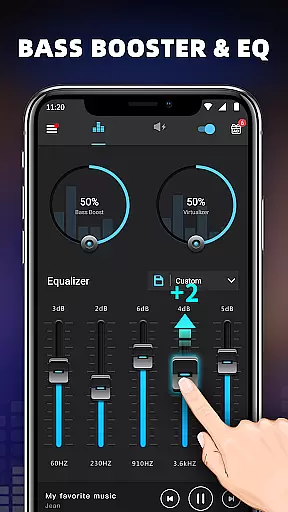
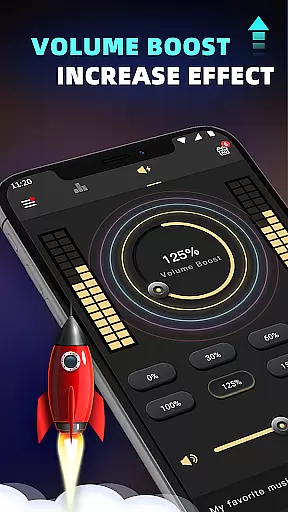
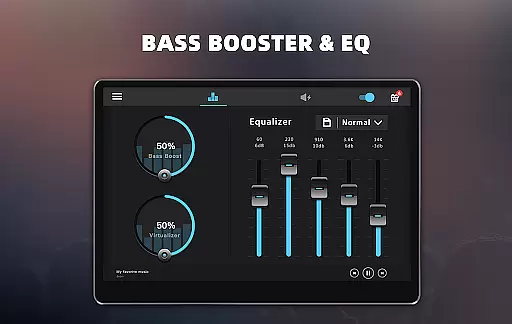
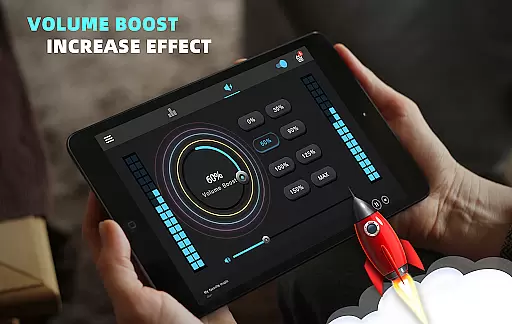
Bass Booster & Equalizer PRO is a premium audio enhancement application designed to elevate the sound quality of Android devices. This app offers an ad-free experience with advanced features such as Bass Boost, Volume Boost, Virtualizer, and a five-band Equalizer. Users can enjoy an unparalleled audio experience with customizable presets and 16 colorful themes.
The app's main appeal lies in its ability to transform ordinary audio into a rich soundscape. With options like Stereo Surround Sound and 10 preset equalizations ranging from Normal to Rock, it caters to diverse musical tastes. Whether you're listening to music or watching videos, this app ensures every note and beat is heard with clarity and depth.
Perfect for audiophiles and casual listeners alike, Bass Booster & Equalizer PRO enhances your multimedia experience by allowing precise control over sound settings. Its user-friendly interface and priority support make it an essential tool for anyone looking to improve their device's audio output.
Bass Booster & Equalizer PRO stands out with its comprehensive suite of audio enhancement tools. The app includes a Bass Boost effect that adds depth to low frequencies, a Volume Boost feature that amplifies overall sound levels, and a Virtualizer for a surround sound experience. These features work together to create a more immersive audio environment.
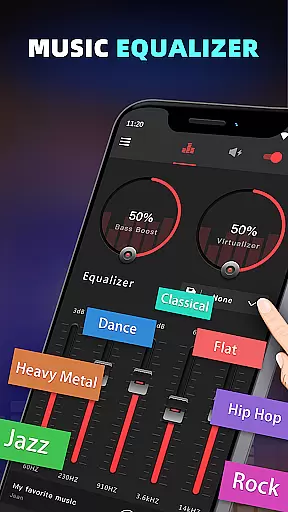
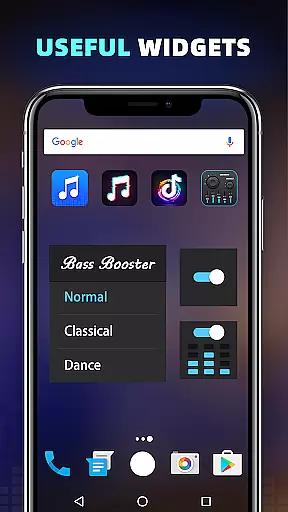
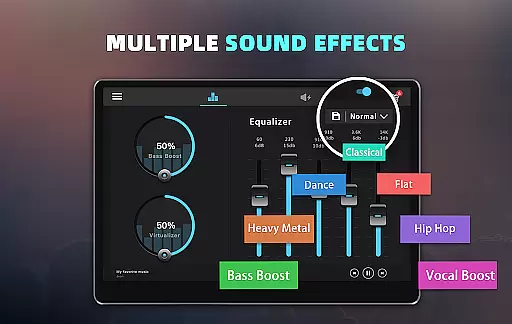
In addition to these core functionalities, the app provides a five-band Equalizer with 10 preset options, including Classic, Dance, and Hip Hop. Users can also create custom presets to suit their preferences. The inclusion of 16 Colorful Themes and 3 Widgets (1x1, 1x1, 2x2) allows for personalization and quick access to frequently used settings.
Whether you're using a music player or watching videos, Bass Booster & Equalizer PRO seamlessly integrates with most media applications. By adjusting sound levels and frequencies through the app, users can achieve optimal audio performance tailored to their specific needs and preferences.
When it comes to music enhancement applications like Bass Booster & Equalizer PRO, the size and authenticity of the music library are crucial for an optimal user experience. This app does not host a music library itself but rather enhances the audio quality of existing music files on your Android device.
The application ensures that all enhancements comply with copyright laws, allowing users to legally enjoy improved sound quality without infringing on any rights. By focusing on improving the output from your personal music collection, it respects the integrity and legality of the content you already own.
Users benefit from this approach as they can apply premium features such as Bass Boost, Volume Boost, and a five-band Equalizer to their legally acquired music tracks. The app's commitment to copyright authenticity means peace of mind while enjoying enhanced audio experiences tailored to individual preferences.
With 10 preset equalizations and customizable options, listeners have control over how they want their music to sound, ensuring that every track in their library is played back with the desired depth and clarity. This empowers audiophiles to curate their listening sessions according to personal taste or mood, all within legal boundaries.
Bass Booster & Equalizer PRO stands out by offering advanced audio quality options that transform your Android device into a powerful sound system. With features like Bass Boost, Volume Boost, and Virtualizer, users can fine-tune their listening experience to match professional standards right from their mobile devices.
The app provides five bands of equalization along with 10 presets including Normal, Classic, Dance, Flat, Folk, Heavy Metal, Hip Hop, Jazz, Pop, and Rock. These settings allow for precise adjustments that cater to different musical genres or personal tastes, elevating the auditory experience beyond default playback settings.
For those seeking convenience without compromising on quality, Bass Booster & Equalizer PRO includes notification controls and three widget sizes (1x1, 1x1, 2x2) for quick access to frequently used functions. This seamless integration into daily routines ensures that high-quality audio is always at your fingertips, whether you're listening to music or watching videos.
By supporting most music and video players, this tool guarantees consistent performance across various media formats. Users simply need to play their content through any compatible player, then adjust levels using the appu2019s intuitive interfaceu2014achieving superior sound has never been easier or more versatile.
Ad-free experience
Advanced audio controls
Customizable presets
Priority support
Vibrant visual themes
Premium price tag
Complex for beginners
Limited video optimization
No cloud syncing
Occasional bugs

Your HD audio recorder on the go for music, meetings, ambience, animal sounds…
 4.30
4.30
Make music anywhere. Turn your device into an instrument.
4.5
Performance-Synthesizer & Multi-Track-Sequencer, polyphonic + multi timbral!
4.70
Ultimate Sonos Controller
4.70
Super Sound Editor, Song Maker & Mixer, Vocal Remover, Voice Recorder & Changer!
4.60
Learn and play 2M+ music tabs & chords on guitar, ukulele, bass, and more
4.30
Offline Tunes, Unlimited Vibes
3.90
One-tap booster for max volume - enjoy powerful sound with this audio booster
4.50
Be a true music maker: create beats, mix and make music like a real DJ!
4.30
Offline Music Player & MP3 Player.Powerful equalizer, Lyrics, Themes, Tag Editor
4.80
Listen radio AM / FM Stations. Live AM / FM Radio App Station. Radio Com.
4.70
A synth that really lets you shape your sounds!
4.50
Time Trainer: accurate metronome w tools to help you develop your internal time!
4.20
No wifi music app. Mp3 offline. Tuner radio, young radio music. Music downloader
4.20
The official Sonos app
4.10
Powerful beat maker & DJ mixer to remix tracks, make music, & perform DJ mix
3.70
The iconic iOS metronome app is now on Android.
3.70
The Skullcandy App Experience
3.20
Simply convert wav to mp3. Clear. Reliable. Safe.
4.2


User Reviews