
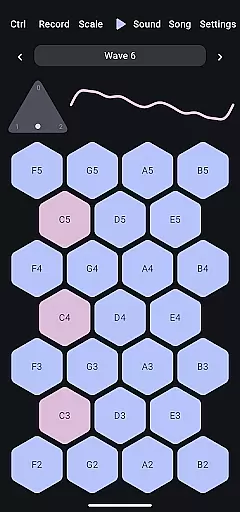
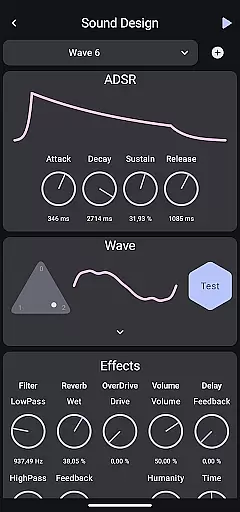
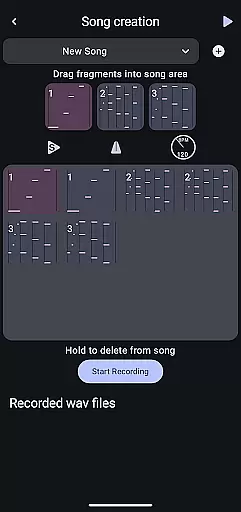
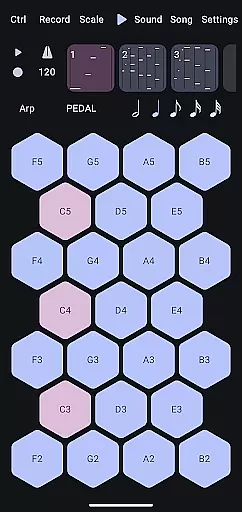
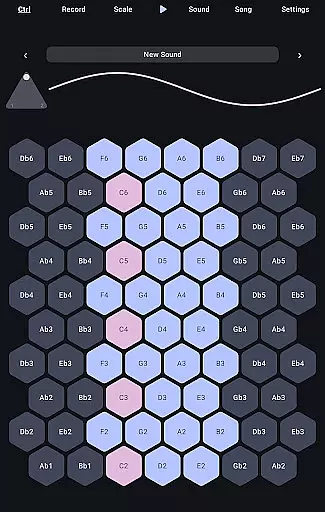
Wave 6 is a cutting-edge wavetable and additive synthesizer designed to transform your mobile device into a versatile musical instrument. This app allows musicians and enthusiasts to create, record, and perform music anywhere, anytime. With its ability to mix and morph between three customizable waveforms, Wave 6 empowers users to craft dynamic and organic sounds that range from smooth ambient tones to bold electronic leads.
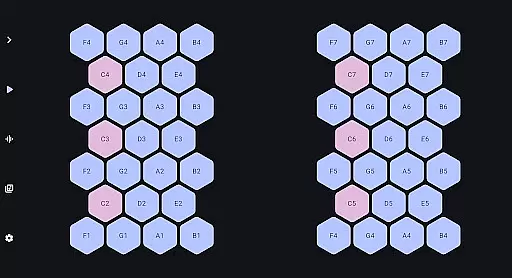
The app's intuitive interface makes it easy to compose songs, design unique sound textures, and even collaborate with friends in real-time. Whether you're an experienced producer or just starting out, Wave 6 provides the tools you need to unleash your creativity and make music that truly moves with you.
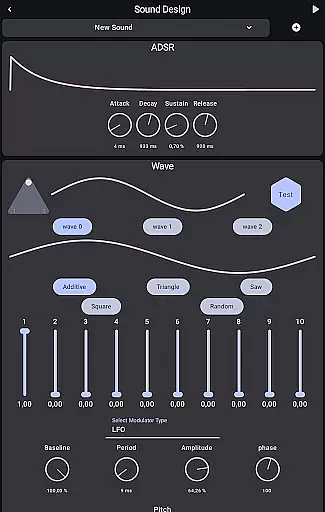
Wave 6 stands out with its advanced wavetable and additive synthesis capabilities, offering users unparalleled control over their sound design. The app features three fully customizable waveforms that can be mixed and morphed to create complex, evolving sounds. These waveforms serve as the foundation for crafting everything from rich ambient pads to aggressive synth leads.
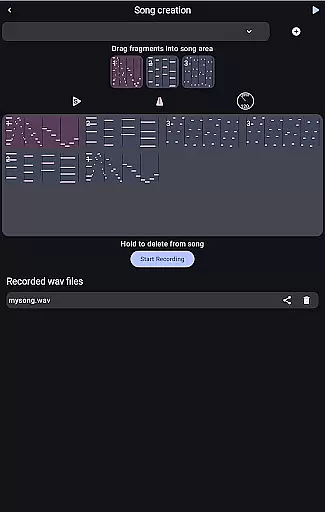
In addition to its core synthesis engine, Wave 6 includes professional-grade recording and performance features. Users can compose multi-track songs, apply various effects, and experiment with different modulation options. The app also supports real-time collaboration, allowing musicians to connect and jam together regardless of physical distance. With its comprehensive feature set and mobile flexibility, Wave 6 redefines what's possible in mobile music production.
Wave 6 offers a versatile music creation platform that emphasizes both quality and legality in its sound library. The app provides an extensive range of customizable waves, allowing users to explore a vast array of sounds while ensuring all audio content is properly licensed.
The synthesizer's library includes multiple waveforms that can be mixed and morphed to create unique compositions. This ensures musicians have access to a rich palette of tones without worrying about copyright infringement issues.
By focusing on copyright authenticity, Wave 6 enables creators to safely use any sound within their projects. Artists can confidently share their work knowing all components are legally cleared for distribution.
This combination of comprehensive sound options and legal peace of mind makes Wave 6 an ideal choice for professional musicians who need both creative freedom and commercial viability in their music production tools.
Wave 6 stands out in the music production market through its exceptional audio quality options. The app delivers pristine sound across all its features, from basic waveform generation to complex additive synthesis capabilities.
Users can choose from multiple audio settings that affect the clarity and richness of their creations. These options include various bit depths and sampling rates, ensuring optimal sound reproduction for different devices and listening environments.
The app maintains consistent audio fidelity throughout the music creation process - from initial sound design to final recording. This consistency helps preserve the integrity of musical ideas as they evolve into complete compositions.
With its robust audio engine and flexible quality settings, Wave 6 empowers musicians to produce professional-grade recordings directly from their mobile devices, rivaling desktop-level audio workstations.
Intuitive user interface
Powerful synthesis engine
Real-time collaboration
Professional-grade effects
Multi-platform support
Steep learning curve
High system requirements
Limited free features
No MIDI support
Frequent updates needed

Fun & Easy Voice Changer – Record, Edit & Add Hilarious Effects!
 4.50
4.50
Over 100 million tracks available for high quality streaming and download
4.60
VB-AUDIO Software / VBAN-Receptor allows listening to any VBAN Streams
4.10
Ultimate Sonos Controller
4.70
Guzheng Master supports many playing techniques as an acoustic Guzheng
4.50
Learn and play 2M+ music tabs & chords on guitar, ukulele, bass, and more
4.30
The official Sonos app
4.10
Let your Android device with the sound effects you want
4.50
Sheet music reader, piano & music note player. Play music score & learn to read.
3.90
Play your hearts out on TouchTunes jukeboxes & connect with fellow music lovers.
4.80
Record, Mix & Master with all n-Track effects, 64-bit audio and Stem Separation.
4.70
10-Band Audio Equalizer, Sound / Bass Booster for Spotify Users & Music Players
4.40
Your HD audio recorder on the go for music, meetings, ambience, animal sounds…
4.30
Advanced 10-Band Audio Graphic Equalizer Sound Booster Pro
4.30
Enjoy singing any song, no matter how high or low it is
4.30
Time Trainer: accurate metronome w tools to help you develop your internal time!
4.20
The alternative folder based music player.
4.20
Offline Tunes, Unlimited Vibes
3.90
The Minimalistic Premium Music Player. Handmade with passion for music
2.20


User Reviews