
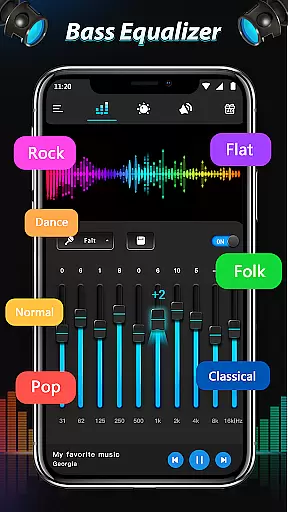
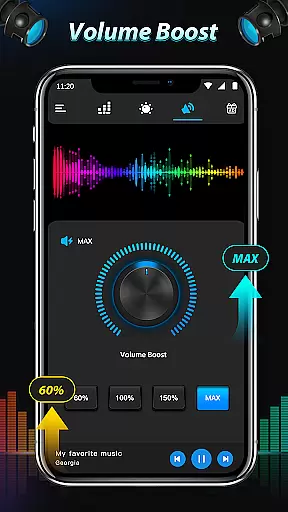
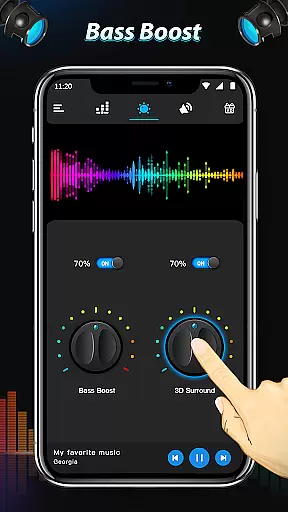
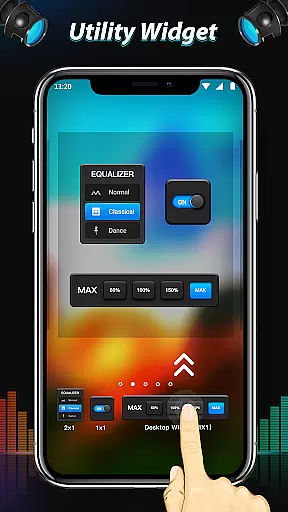
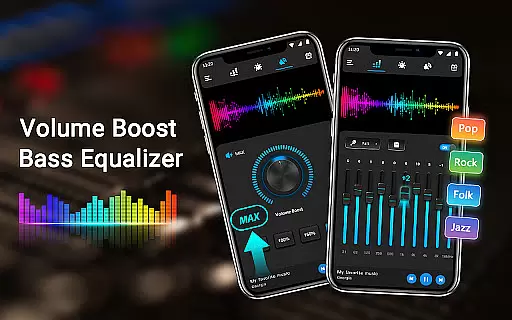
Equalizer & Bass Booster Pro is a premium audio enhancement application designed specifically for Android devices. This app allows users to significantly improve their device's sound quality through advanced equalization, bass boost, and surround sound features. With its five-band equalizer, users can precisely adjust audio frequencies to create the perfect sound profile for any type of music or audio content.
The application goes beyond basic equalization by offering additional effects such as virtualizer and bass boost, which add depth and richness to the audio experience. The built-in volume slider and live stereo VU meter provide real-time monitoring and control over audio output. Whether you're listening to music, watching videos, or using radio applications, Equalizer & Bass Booster Pro ensures optimal sound quality across all media players.
This app is particularly beneficial for audiophiles and casual listeners who want to enhance their mobile audio experience. When used with headphones, it delivers exceptional sound clarity and depth, making it an essential tool for anyone who values high-quality audio on their mobile device.
Equalizer & Bass Booster Pro stands out with its comprehensive set of audio enhancement tools. The core feature is its five-band equalizer, which allows users to create custom sound profiles by adjusting specific frequency ranges. The app includes 22 professionally designed presets, but also enables users to save their own custom settings for different music genres or listening preferences.
Beyond equalization, the app offers powerful bass boost and virtualizer effects that add depth and spatial dimension to audio playback. The integrated media volume control and stereo VU meter provide precise control over audio levels, while the notification bar quick access makes it easy to toggle effects on and off. Additional convenience features include basic music controls for play/stop and track navigation.
What sets this app apart is its compatibility with most music players, video players, and even FM radio applications. The user-friendly interface allows for seamless integration into any audio setup, whether you're listening to music, watching videos, or enjoying radio broadcasts. The app runs efficiently in the background, ensuring minimal impact on device performance while delivering enhanced audio quality.
Equalizer & Bass Booster Pro offers an extensive range of sound customization options that can be applied to your entire music library. While the app itself does not provide a built-in music library, it ensures that all your personal audio files, regardless of format, are enhanced with professional-grade equalization and bass boosting capabilities.
The application's compatibility with most music players means you can enjoy improved sound quality across all your favorite tracks. The app supports various audio formats, making sure that your complete music collection benefits from its advanced audio processing features.
Regarding copyright authenticity, Equalizer & Bass Booster Pro respects user privacy and content ownership. It works with legally purchased music files stored on your device, enhancing their quality without altering or copying the original files.
With 22 built-in equalizer presets and unlimited custom configurations, users can create personalized listening experiences for every track in their library while maintaining full control over their original audio files.
This premium audio enhancement tool provides multiple options for improving sound quality on Android devices. The five-band equalizer allows precise frequency adjustment, enabling users to fine-tune their audio experience according to personal preferences and headphone specifications.
The Bass Booster feature adds depth and richness to low-frequency sounds, while the Virtualizer effect creates an immersive 3D audio environment. These combined tools significantly enhance the listening experience, particularly when using headphones or external speakers.
Users can choose from 22 professionally designed presets optimized for different music genres or create their own custom settings. The application maintains high-fidelity audio processing, ensuring that enhanced sound remains clear and distortion-free at any volume level.
Additional quality-focused features include a real-time stereo VU meter and media volume control, providing visual feedback and precise management of audio output levels for optimal listening sessions.
Advanced equalization options
Real-time audio monitoring
Wide app compatibility
Customizable presets
Intuitive user interface
Premium price point
Feature overload for beginners
Device-specific limitations
Occasional stability issues
Learning curve for optimal use

Simply convert wav to mp3. Clear. Reliable. Safe.
 4.4
4.4
DJ Music Mixer Pro is a real DJ controllers and DJ Music Studio to remix DJ.
4.40
Bass Booster & Volume Equalizer Pro improves your music and video sound quality
4.60
24,000 free audio books and no ads!
4.90
Super Sound Editor, Song Maker & Mixer, Vocal Remover, Voice Recorder & Changer!
4.60
Unleash your creativity! Turn simple prompts into full fledged songs.
4.70
Offline Music Player&MP3 Player with themes, equalizer, lyrics, music play mode
4.60
The original SP-1200 experience on your iPad
4.20
Listen to offline music and sounds from all categories
4.70
Your song collections with lyrics and chords on Android smartphones and tablets.
4.80
Performance-Synthesizer & Multi-Track-Sequencer, polyphonic + multi timbral!
4.70
Gorgeous UI, Powerful music Search and Equalizer, the great choice for you!
4.70
A complete sound package for the sound engineer or enthusiast
4.60
Your HD audio recorder on the go for music, meetings, ambience, animal sounds…
4.30
Advanced 10-Band Audio Graphic Equalizer Sound Booster Pro
4.30
Enjoy singing any song, no matter how high or low it is
4.30
A High-Precision Audio Spectrum Analysis App
4.20
The only true audiophile music player with Hi-Fi audio rendering and DSP engine
3.90
MilkDrop for Android TV
3.00


User Reviews