
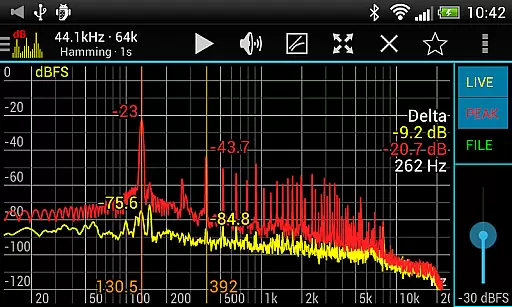
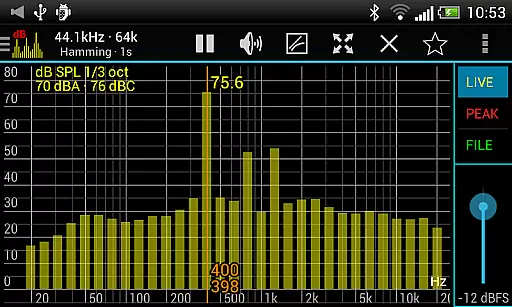
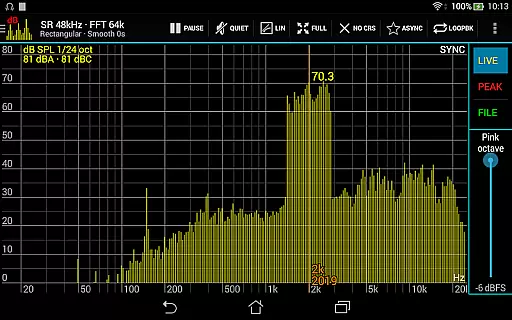
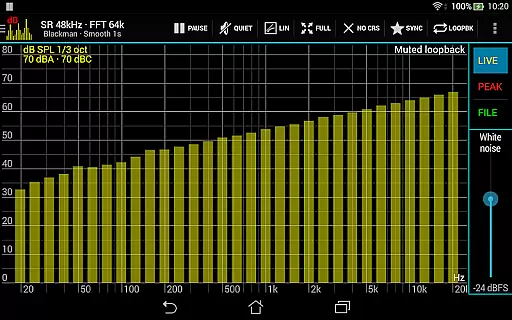
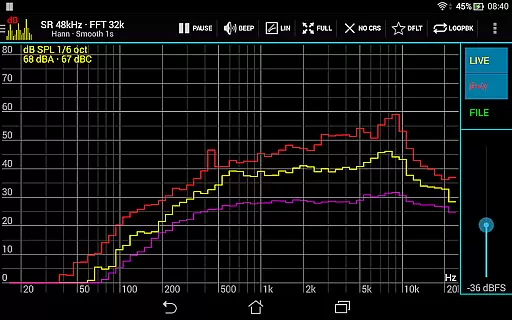
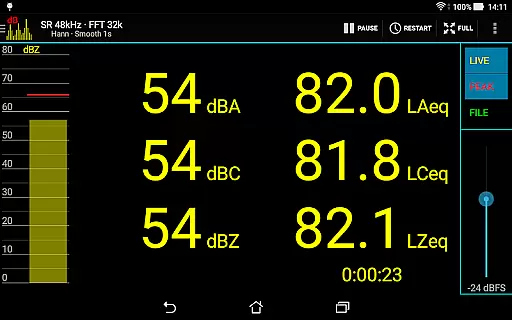
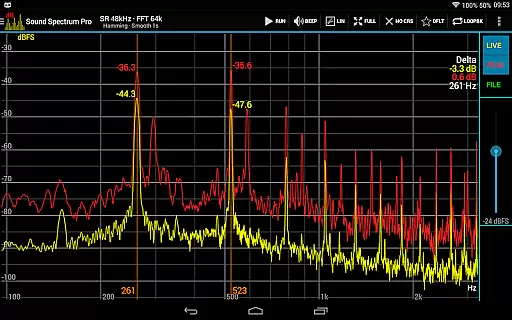
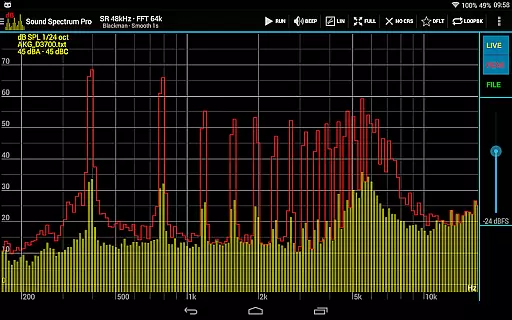
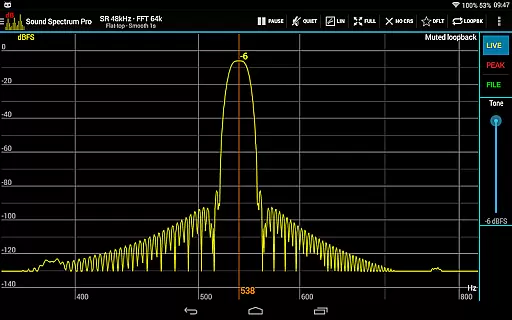
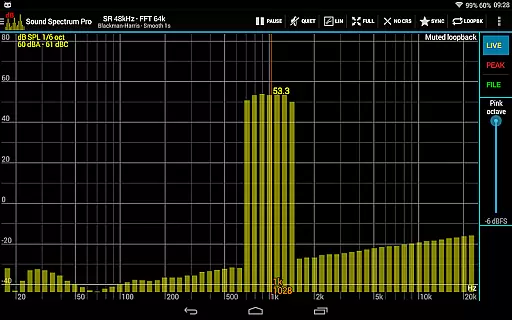
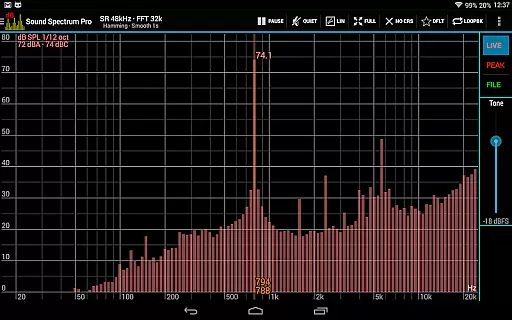
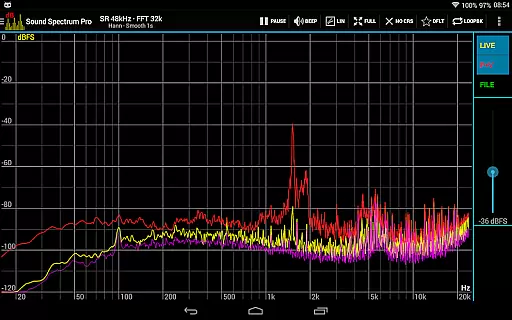
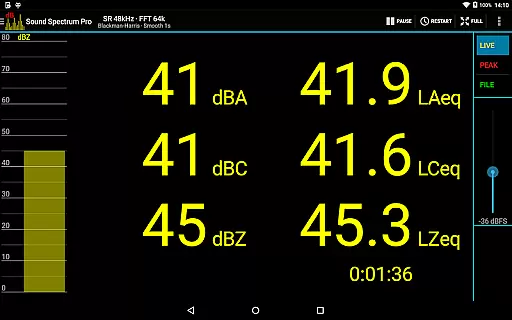
Sound Spectrum Pro is a comprehensive audio analysis tool designed for both professionals and enthusiasts in the music and audio industry. This application offers advanced features such as Real-Time Analyzer (RTA), Fast Fourier Transform (FFT) amplitude display, and sound pressure level measurements in dBA, dBC, and dBZ. With its user-friendly interface, users can easily navigate through numerous on-screen controls while enjoying a smooth real-time display of their audio data.
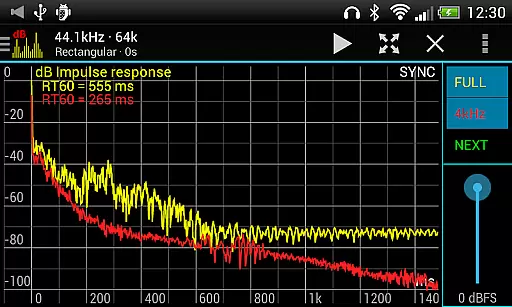
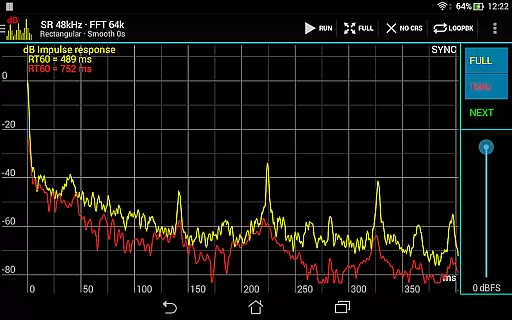
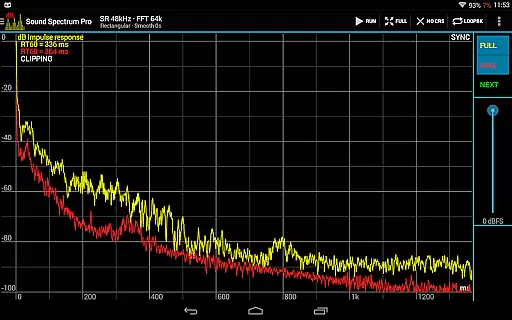
In addition to its core functionalities, Sound Spectrum Pro provides specialized tools like Noise Criterion and Noise Rating measurements, equivalent continuous sound level calculations (LAeq, LCeq, LZeq), and impulse response analysis with RT60 measurement. The app supports high-resolution FFT analysis with adjustable window functions, logarithmic or linear frequency axis options, and peak/valley hold features. Whether you're calibrating audio equipment or conducting detailed acoustic research, this app delivers the precision and versatility needed for professional-grade audio work.
This application is particularly useful for sound engineers, acousticians, and audio technicians who require accurate and reliable measurements in their daily operations. By offering a complete suite of signal generators, synchronous measurement modes, and calibration capabilities, Sound Spectrum Pro ensures that users can perform thorough audio analysis across various environments and applications, making it an indispensable tool for anyone working in the field of sound and acoustics.
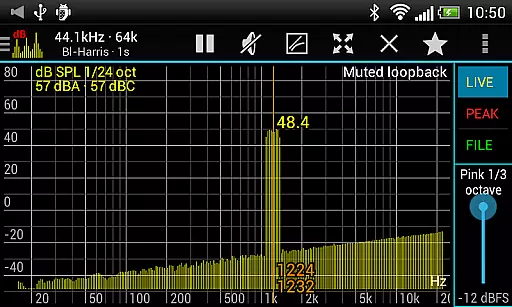
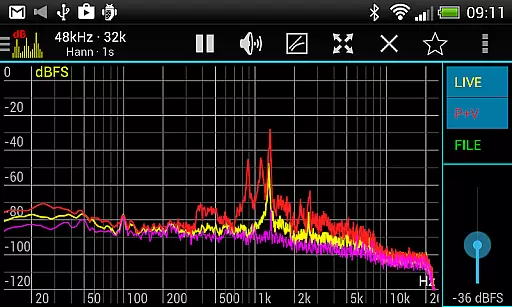
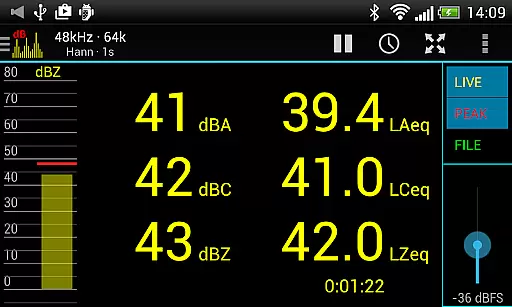
Sound Spectrum Pro stands out with its extensive array of sophisticated features tailored for in-depth audio analysis. The app includes both FFT (amplitude) and RTA (octave, 1/3 octave down to 1/24 octave) functionalities, allowing users to conduct precise spectral analysis. It measures sound pressure levels in dBA, dBC, and dBZ, along with Noise Criterion and Noise Rating in octave RTA, providing comprehensive insights into environmental noise characteristics.
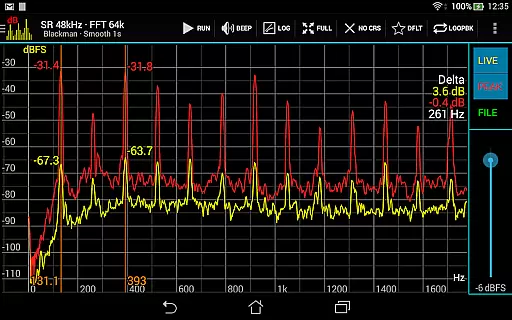
One of the app's key strengths lies in its ability to perform complex measurements such as Equivalent Continuous Sound Level (LAeq, LCeq, LZeq), Impulse Response, and RT60 analysis. The lightning-fast FFT feature supports sizes from 16k to 1M, delivering exceptional frequency resolution down to 0.01Hz with downsampling. Users can choose from multiple window functions, adjust exponential smoothing, and utilize measurement cursors for setting signal generator frequencies. These capabilities ensure highly accurate and customizable audio analysis.
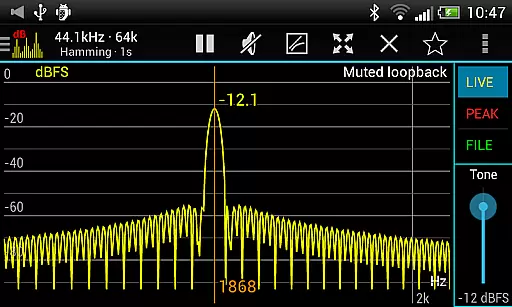
The application also excels in practical usability with its large font SPL + LEQ meter, easy pan and zoom functionality, and file load/save options for calibration purposes. The inclusion of various signal generators (tone, white noise, pink noise, etc.) and unique modes like loopback and synchronous measurement further enhances its versatility. With sharing and printing capabilities for screenshots and the absence of ads, Sound Spectrum Pro offers a seamless and professional user experience for all audio analysis needs.
Sound Spectrum Pro offers a comprehensive suite of audio analysis tools that go beyond traditional music libraries. With its advanced signal processing capabilities, the app provides users access to an extensive range of audio signals and measurements.
The application includes various signal generators such as tone, white noise, pink noise, and more, which contribute to a versatile 'library' of sounds for analysis and calibration purposes. This pseudo-library, while not a music collection in the traditional sense, allows users to explore a wide array of audio characteristics and responses.
Regarding copyright authenticity, Sound Spectrum Pro generates audio signals algorithmically, ensuring that all provided sounds are royalty-free and free of copyright restrictions. Users can utilize these generated signals for any purpose within the app's environment without concern for intellectual property issues.
Furthermore, the app's dedication to providing accurate and reliable measurements means that users can trust the integrity of the data produced during sound analysis, reinforcing the authenticity aspect typically associated with copyright-protected materials.
Sound Spectrum Pro stands out in the realm of audio quality options by offering high-fidelity sound analysis through cutting-edge technology. The app supports a sample rate of up to 48kHz, delivering clear and precise audio measurement capabilities when supported by the device.
With features like RTA (Real-Time Analyzer) at varying octave levels and FFT (Fast Fourier Transform) amplitude display, users have control over how they visualize their audio data. These tools allow for detailed inspection of sound properties, ensuring top-notch audio quality assessment.
The inclusion of numerous window functions along with logarithmic or linear frequency axis options empowers users to fine-tune their analysis according to specific needs. Such flexibility ensures optimal audio quality tailored to individual preferences or project requirements.
Additionally, adjustable settings such as peak and valley hold, exponential smoothing, pan and zoom controls provide further refinement of audio quality visualization. This level of customization enables audiophiles and professionals alike to achieve the most accurate representation of their sound spectrum.
Comprehensive audio tools
High-resolution FFT
User-friendly interface
No ads
Professional calibration
Complex for beginners
Requires technical knowledge
Device compatibility issues
Expensive
Steep learning curve

Time Guru will strengthen your internal sense of musical time via random muting.
 4.30
4.30
The Skullcandy App Experience
3.20
Remove ads permanently from Music Visualizer
4.2
Brian Eno and Peter Chilvers’ acclaimed music app Bloom, radically reinvented.
4.80
Super Sound Editor, Song Maker & Mixer, Vocal Remover, Voice Recorder & Changer!
4.60
Listen radio AM / FM Stations. Live AM / FM Radio App Station. Radio Com.
4.70
Enjoy singing any song, no matter how high or low it is
4.30
Voice recorder - Audio recorder. Best recorder for recording
4.90
Turn your Android phone into a professional audio analyser with up to 120 bands.
4.00
24,000 free audio books and no ads!
4.90
SqueezePlayer turns your Android phone or tablet into a SqueezeBox on its own!
4.60
Over 100 million tracks available for high quality streaming and download
4.60
Enhance the sound quality of your devices, listen to what you want
4.50
DJ Music Mixer Pro is a real DJ controllers and DJ Music Studio to remix DJ.
4.40
Manage your Sonos system directly from your home-screen!
4.40
Ringtone Maker is free app create ringtone from music files or your recording.
4.40
A sleek, no-frills player designed for true music lovers.
4.20
Sheet music reader, piano & music note player. Play music score & learn to read.
3.90
MilkDrop for Android TV
3.00


User Reviews