
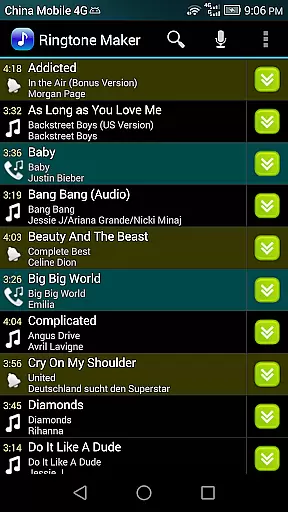
Ringtone Maker Pro is a versatile audio editing application designed for creating personalized ringtones, alarms, and notifications. This powerful tool supports multiple audio formats including MP3, WAV, AAC/MP4, and 3GPP/AMR files.
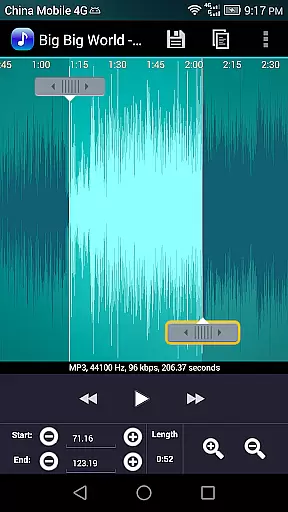
The app's intuitive timeline interface allows users to precisely set start and end points using sliding arrows, manual input, or timestamp entry. With features like fade in/out effects, volume adjustment, and waveform visualization at five zoom levels, it offers professional-grade editing capabilities.
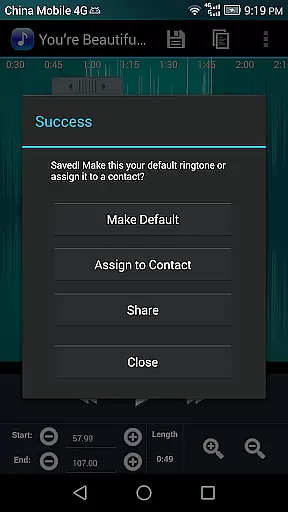
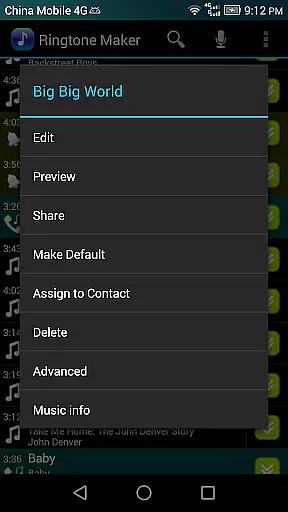
Ideal for both casual users and audio enthusiasts, Ringtone Maker Pro enables direct assignment of created ringtones to specific contacts and provides comprehensive file management options across tracks, albums, and artists.
Ringtone Maker Pro distinguishes itself through its comprehensive feature set that caters to various audio editing needs. The application's core functionality includes robust copy, cut, and paste capabilities, allowing users to manipulate audio segments with precision.
Advanced editing features enable users to create professional-quality audio clips. The fade in/out effect for MP3 files and volume adjustment tools provide sophisticated audio manipulation options. Users can preview their creations and assign them directly to contacts, while the scrollable waveform representation offers visual feedback at multiple zoom levels.
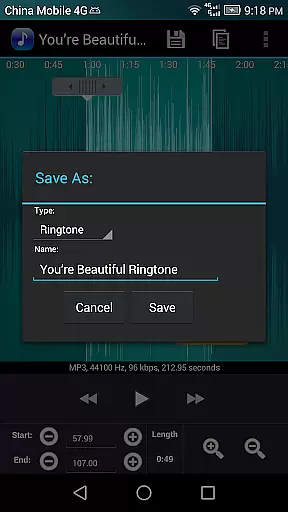
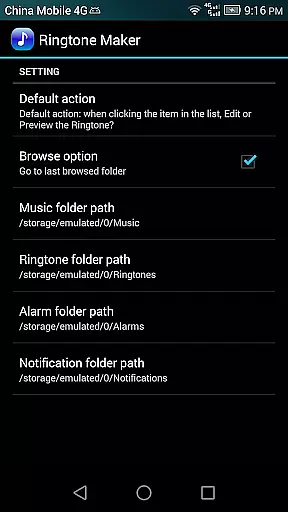
The app's unique selling point is its seamless integration with device contacts and storage systems. It automatically organizes saved files into designated folders (ringtones, notifications, alarms) on the SD card and maintains proper categorization within the device's media library.
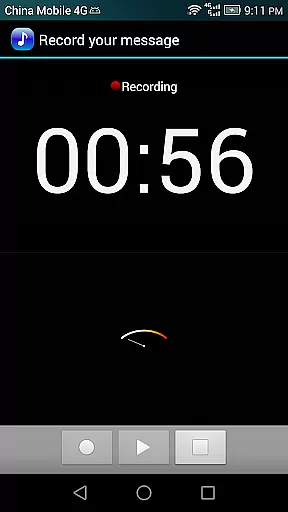
Ringtone Maker Pro offers an extensive music library that allows users to create ringtones, alarms, and notifications from a variety of audio file formats including MP3, WAV, AAC/MP4, and 3GPP/AMR. This vast compatibility ensures that users have the freedom to choose from their existing music collection or record new audio clips.
The app's commitment to copyright authenticity is evident in its adherence to legal standards and permissions. By providing users with the ability to manipulate and edit their personal files, Ringtone Maker Pro respects the original copyright of the audio content while offering creative freedom within legal boundaries.
Users benefit from the peace of mind that comes with knowing they are working within a framework that respects intellectual property rights. The app's transparent approach to audio editing empowers users to customize their audio experience without infringing on copyrighted material.
One of the standout features of Ringtone Maker Pro is its superior audio quality options. Users can adjust volume levels for MP3 files and apply fade-in/out effects, ensuring that the final ringtone output meets high auditory standards. These capabilities allow for professional-grade sound editing directly on mobile devices.
The app provides a scrollable waveform representation of the audio file at five zoom levels, giving users precise control over the editing process. This visual tool aids in setting accurate start and end points for audio clips, which contributes to maintaining the integrity of the original sound quality.
With Ringtone Maker Pro, users can preview their edited ringtones before saving, guaranteeing satisfaction with the audio quality prior to assignment. This feature not only enhances user experience but also minimizes the need for re-editing, saving time and effort in the customization process.
User-friendly interface
Multiple format support
Precise editing tools
Professional audio effects
Direct contact assignment
Requires storage permission
Contact access needed
Pro version costs money
Learning curve present
Ads in free version

Fun & Easy Voice Changer – Record, Edit & Add Hilarious Effects!
 4.50
4.50
Equalizer, Bass Booster and Volume Booster (Eq & Bass) improve sound quality
4.30
Powerful beat maker & DJ mixer to remix tracks, make music, & perform DJ mix
3.70
Enhance the sound quality of your devices, listen to what you want
4.50
A High-Precision Audio Spectrum Analysis App
4.20
Visualize the guitar fretboard, master scales & play through changes like a pro!
4.50
Let your Android device with the sound effects you want
4.50
Offline Tunes, Unlimited Vibes
3.90
Customize Your Favorite Songs and Videos with booster.
4.70
Responsive piano with great sounds, graphics, and songs
4.80 4.70
4.70
Walkout Song DJ is the most intuitive app to manage your sports music.
4.70
Simple & Intuitive Metronome
4.70
DJ Music Mixer Pro is a real DJ controllers and DJ Music Studio to remix DJ.
4.40
Master Salsa Rhythm quickly and with a lot of fun!
4.30
No wifi music app. Mp3 offline. Tuner radio, young radio music. Music downloader
4.20
Offline and always ad-free - stream in the highest quality available.
4.10
Learn to play the piano using falling notes!
3.80
The iconic iOS metronome app is now on Android.
3.70


User Reviews