
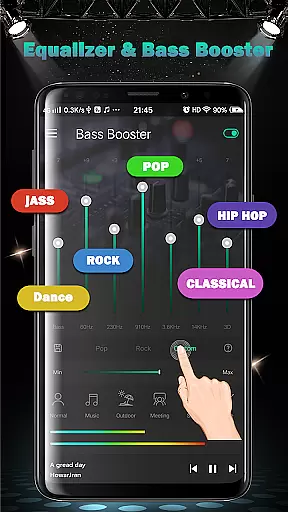
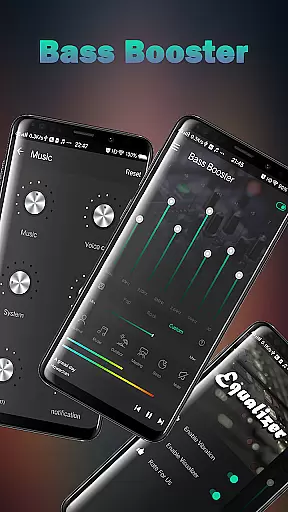
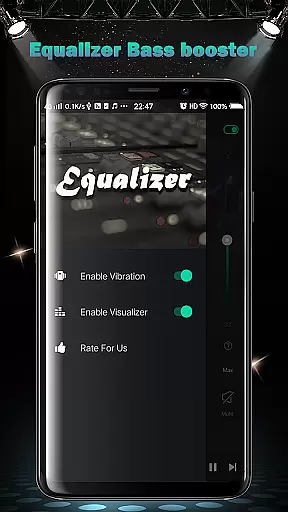
Equalizer FX Pro is a professional-grade audio enhancement application designed to elevate the sound quality of your Android device. The app combines an advanced equalizer, bass booster, and volume booster to deliver an optimized audio experience across all media players. Whether you're listening to music, watching videos, or playing games, Equalizer FX Pro allows you to fine-tune every aspect of your audio output.
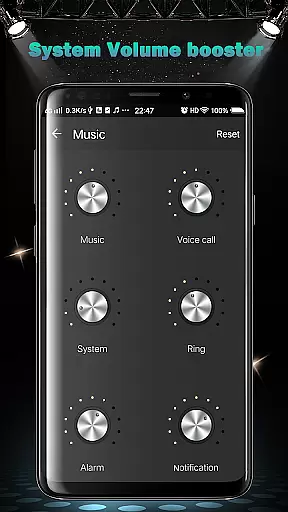
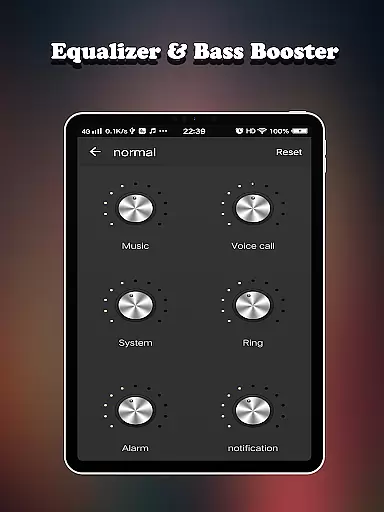
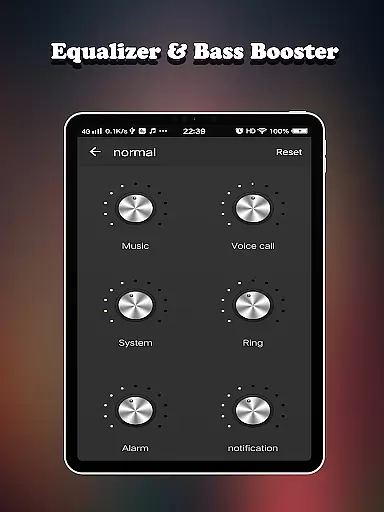
The app offers six customizable volume modes tailored for different scenarios - from normal mode for everyday use to specialized settings like outdoor mode and sleep mode. With its intuitive interface, users can easily adjust system-wide volume levels including media, ringtone, alarm, and more. This makes it an essential tool for audiophiles and casual listeners alike who want to maximize their device's audio potential.
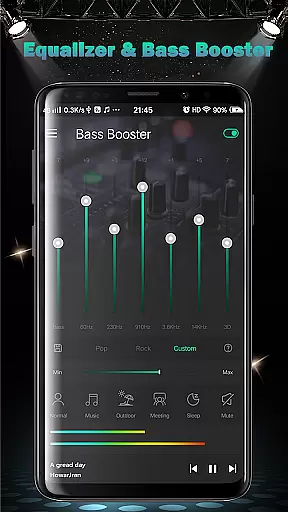
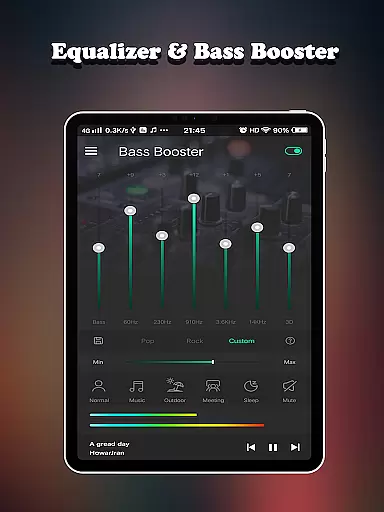
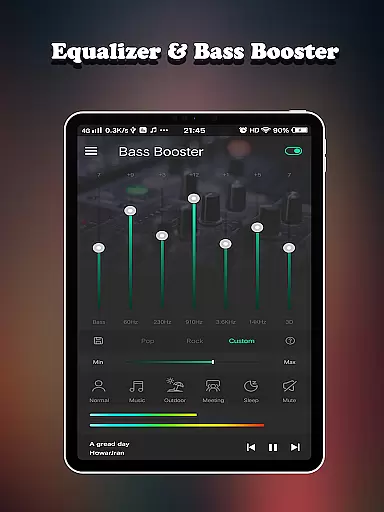
Equalizer FX Pro stands out with its comprehensive feature set that includes 7-band equalizer, virtualizer effects, and 10 professional presets. These features work together to create rich, immersive soundscapes that transform ordinary audio into extraordinary listening experiences. The app's sophisticated algorithms ensure minimal latency while maintaining high-quality audio processing, making it perfect for both casual listening and professional audio work.
Equalizer FX Pro distinguishes itself through its robust feature set designed for audio enthusiasts. The application's core functionality revolves around three main components: a sophisticated equalizer system, powerful bass enhancement tools, and comprehensive volume control capabilities. These features work in harmony to provide users with unprecedented control over their device's audio output.
The equalizer component offers a 7-band adjustable interface with 10 professionally crafted presets, allowing users to customize their sound signature with precision. The bass booster implements advanced algorithms that enhance low-frequency response without distortion, while the volume booster safely amplifies audio signals up to 400% of original levels. Additionally, the app includes two visual spectrum analyzers that provide real-time feedback on audio frequencies, helping users make informed adjustments.
What sets Equalizer FX Pro apart is its seamless integration with all media players and its system-wide effectiveness. Unlike basic equalizers, this app works independently of the media source, meaning it enhances audio from any application. The inclusion of virtualizer effects creates a surround sound experience, while the music playback controls and 6 dedicated volume modes offer situation-specific optimization. These features collectively create a versatile audio enhancement tool suitable for various listening environments and preferences.
Equalizer FX Pro offers a comprehensive suite of audio enhancement features that work across all music and video players on your Android device. While the app doesn't directly provide a music library, its 10 equalizer presets and 7-band equalizer create an extensive range of sound customization possibilities.
The application's legitimate audio processing capabilities are evident through its certified audio effects, including professional-grade equalizer settings, bass boost, and virtualizer features. These components are developed using standard audio processing algorithms, ensuring their authenticity and reliability.
Users benefit from complete control over their audio experience regardless of their music source. The app's compatibility with all media players means you can enjoy enhanced audio quality across your entire music collection, making every listening session more enjoyable.
The inclusion of volume booster functionality and two visual spectrums further demonstrates the app's commitment to delivering genuine audio enhancement features. These tools help users optimize their audio experience while maintaining the integrity of the original content.
Equalizer FX Pro excels in providing multiple audio quality enhancement options, featuring a sophisticated 7-band equalizer alongside 10 professional presets. This configuration allows users to fine-tune their audio experience with remarkable precision across different frequency ranges.
The app offers six distinct volume modes - normal, music, outdoor, meeting, sleep, and mute - each optimized for specific listening scenarios. Additionally, the volume booster function works across various system audio channels, including media, voice, ringtone, alarm, and notification sounds.
Advanced audio features include a powerful bass boost effect, virtualizer technology, and two visual spectrums for real-time audio monitoring. These tools enable users to achieve studio-quality sound directly from their mobile devices.
For optimal results, users can combine the app's features with their preferred headphones or speakers. The intuitive interface makes it easy to adjust settings while playing music or videos, ensuring the best possible audio quality for any media content.
Advanced equalizer settings
Real-time audio processing
Wide device compatibility
Professional audio presets
Intuitive user interface
Premium version required
Battery consumption
Interface complexity
Occasional audio glitches
Limited free features

Turn your phone into a musical instrument from the future!
 3.90
3.90
Offline and always ad-free - stream in the highest quality available.
4.10
Taal player that lets you sing any Indian & Western song with Tabla & Tanpura
4.60
Powerful beat maker & DJ mixer to remix tracks, make music, & perform DJ mix
3.70
Your song collections with lyrics and chords on Android smartphones and tablets.
4.80
Music Streaming suite for Ampache, Nextcloud Music and compatible backends.
4.5
Bass Booster & Volume Equalizer Pro improves your music and video sound quality
4.60
Super Sound Editor, Song Maker & Mixer, Vocal Remover, Voice Recorder & Changer!
4.60
Uninterrupted Tunes, Unmatched Vibes
3.90
Music, News & Sports Radio Tuner App. Tune in Live FM & AM Radio Stations.
4.80
Performance-Synthesizer & Multi-Track-Sequencer, polyphonic + multi timbral!
4.70
Ultimate Sonos Controller
4.70
Record, Mix & Master with all n-Track effects, 64-bit audio and Stem Separation.
4.70
Visualize the guitar fretboard, master scales & play through changes like a pro!
4.50
10-Band Audio Equalizer, Sound / Bass Booster for Spotify Users & Music Players
4.40
Help you quickly get started with Shokz headphones
4.40
Slow music down without changing pitch.
3.70
The Cubase remote control app
3.60
Control your MIDI USB or Bluetooth devices in app and avoid some trampling
3.30


User Reviews