
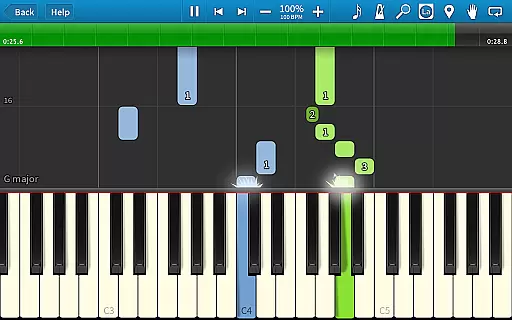
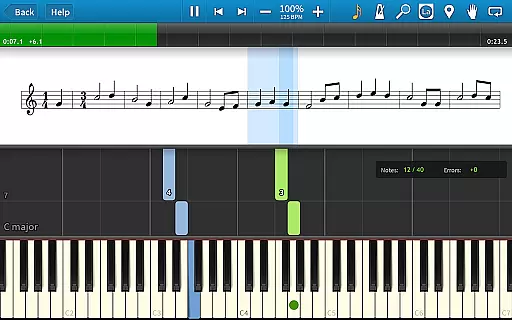
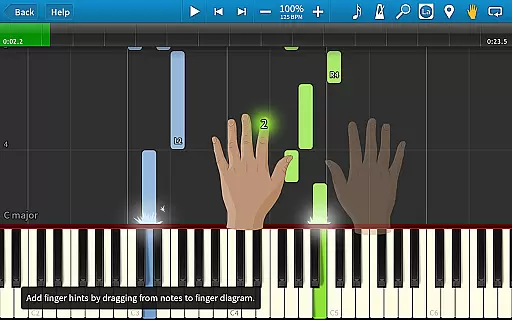
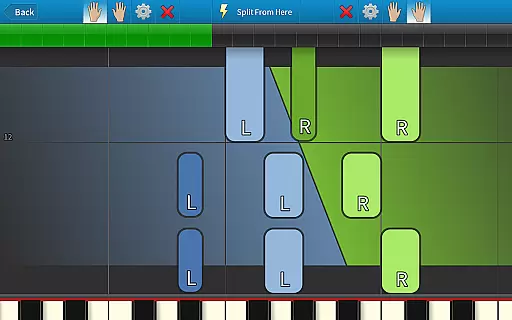
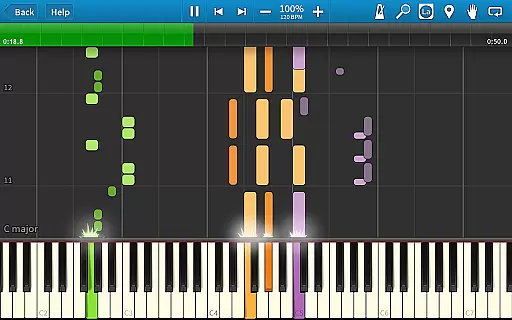
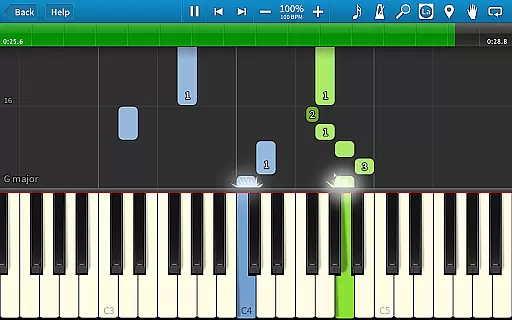
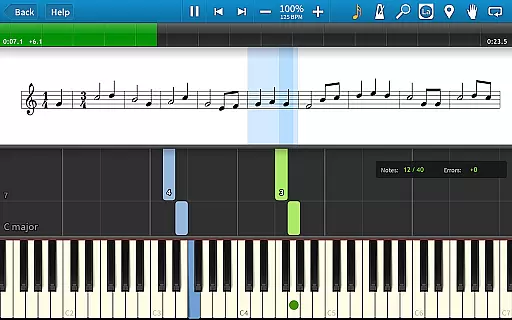
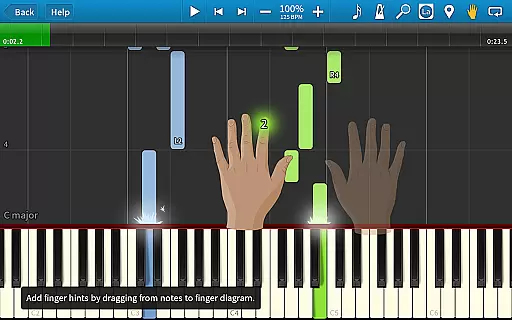
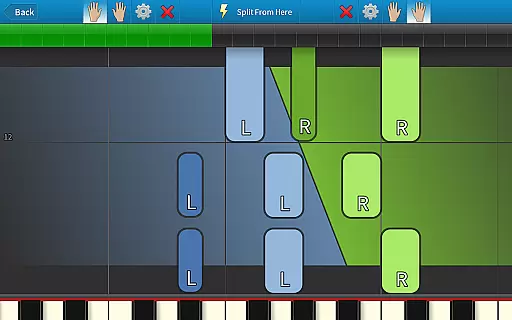
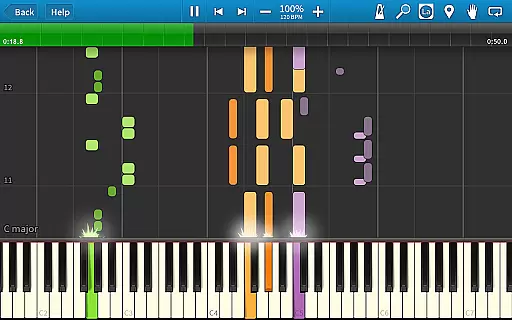
Synthesia is an innovative music learning application designed to help users play the piano without needing to read sheet music. The app offers a unique interactive experience by allowing users to connect their digital keyboard and follow falling note blocks or traditional sheet music on the screen. This makes it ideal for beginners who want to learn at their own pace while receiving real-time feedback.
With features like Melody Practice mode, Synthesia waits until you hit the correct note, ensuring that learners develop proper technique. Additionally, the app supports lighted keyboards, includes finger hints for every song, and provides tools such as loops, bookmarks, and a built-in metronome. Whether you're practicing with separate hands or playing together, Synthesia adapts to your skill level, making it a versatile tool for both casual learners and serious musicians.
Synthesia stands out with its diverse range of features tailored for music learners. One of its key functionalities is the compatibility with digital pianos and lighted keyboards, which enhances the learning process through visual cues. Users can choose between different display modes, including falling note blocks, sheet music, or a combination of both, catering to various learning preferences.
The app also includes Melody Practice mode, where the software waits for the correct input before proceeding, reinforcing accuracy and discipline in practice. With over 150 built-in songs and support for any MIDI file, Synthesia offers extensive content for continuous learning. Advanced features like the multi-track recorder allow users to create their own compositions, while lifetime upgrades ensure that users always have access to the latest enhancements without recurring costs.
Synthesia offers an extensive music library that caters to a wide range of musical tastes and preferences. With over 150 included songs, users have access to a diverse selection of compositions right from the start. The app also supports any MIDI song ever created, making it an invaluable tool for musicians who want to explore various genres and styles.
Copyright authenticity is taken seriously in Synthesia. Every song in the library is either original content or properly licensed, ensuring that users can learn and play without legal concerns. This commitment to copyright compliance provides peace of mind while enjoying the vast array of musical pieces available within the app.
The ability to unlock all songs with a one-time purchase adds significant value to the user experience. Unlike subscription-based models, this approach allows unlimited access to both current and future content updates. Musicians can continuously expand their repertoire knowing they won't face additional charges for new additions to the library.
Synthesia provides exceptional audio quality options that enhance the learning and playing experience. The app supports high-fidelity sound output, ensuring that every note played sounds clear and true to its real-world counterpart. This attention to audio detail helps users develop their musical ear more effectively than apps with lower-quality sound reproduction.
Users can choose between different visual feedback methods including traditional sheet music, falling note blocks, or both. These options cater to different learning styles and preferences, allowing players to select the method that best suits their needs. The combination of visual cues with premium audio quality creates an immersive environment for musical exploration.
Additional features like the built-in metronome and multi-track recorder further enhance the audio experience. The metronome helps maintain consistent timing while practicing, while the recording feature allows musicians to capture their performances and track progress over time. Together, these tools create a comprehensive platform for improving musical skills with professional-grade audio support.
User-friendly interface
Real-time feedback
Wide song selection
Supports MIDI files
Lifetime upgrades
Paid version required
No advanced theory lessons
Hardware dependency
Limited free songs
Occasional bugs

Fun & Easy Voice Changer – Record, Edit & Add Hilarious Effects!
 4.50
4.50
Control your MIDI USB or Bluetooth devices in app and avoid some trampling
3.30
Simple & Intuitive Metronome
4.70
Your song collections with lyrics and chords on Android smartphones and tablets.
4.80
Music Streaming suite for Ampache, Nextcloud Music and compatible backends.
4.3
Voice recorder - Audio recorder. Best recorder for recording
4.90
Learn and play 2M+ music tabs & chords on guitar, ukulele, bass, and more
4.30
Offline Music Player&MP3 Player with themes, equalizer, lyrics, music play mode
4.60
Get alarms that fit your lifestyle and wake up to the sounds you love.
4.80
Listen to live FM radio stations, sports, music and news on global radios online
4.70
Enjoy singing any song, no matter how high or low it is
4.30
Smart piano keyboard, Classical to Pop, Real-time multiplayer connection!
4.20
Offline and always ad-free - stream in the highest quality available.
4.10
Sing, record, and create music together — enhanced by smart voice tools.
4.00
The ultimate media player for Android devices
3.90
USB audio recording and playback finally possible on Android 3.1 or higher!
3.90
Sheet music reader, piano & music note player. Play music score & learn to read.
3.90
The iconic iOS metronome app is now on Android.
3.70
The Skullcandy App Experience
3.20


User Reviews