
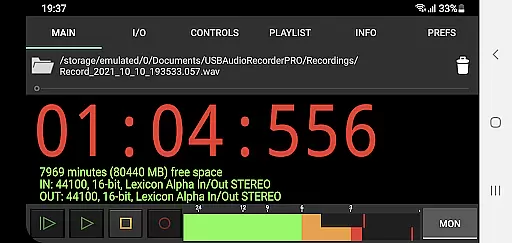
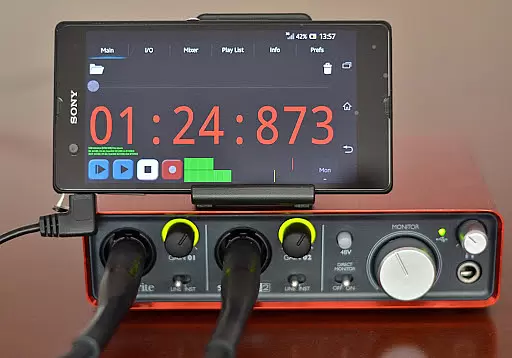
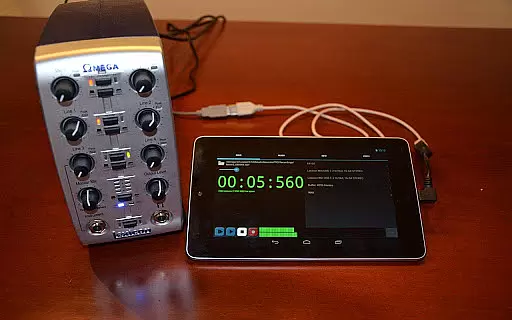
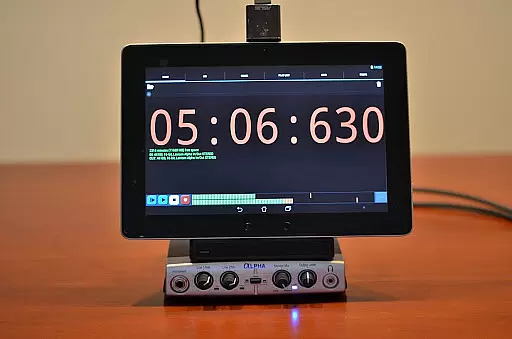
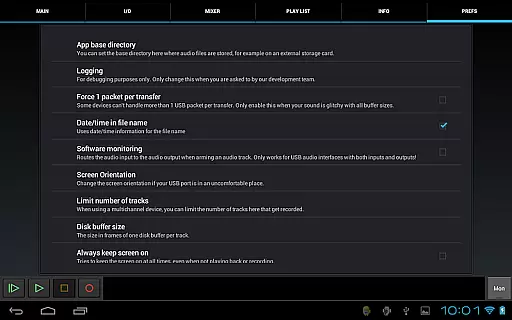
USB Audio Recorder PRO is a specialized Android application designed for high-quality audio recording and playback through USB audio interfaces. Unlike generic audio apps, this tool requires the use of its custom environment to operate USB audio devices, ensuring optimal performance without the need for rooting your device. The app supports class-compliant USB 1.1 and 2.0 devices, providing compatibility with a wide range of audio equipment.
One of the key strengths of USB Audio Recorder PRO lies in its ability to deliver pristine audio quality at various bit depths (16-, 24-, and 32-bit) and sample rates (up to 384 kHz). This makes it an ideal solution for both amateur and professional audio enthusiasts who demand flexibility and precision. Whether you're capturing mono, stereo, or multichannel audio, the app ensures that your recordings maintain exceptional clarity and fidelity.
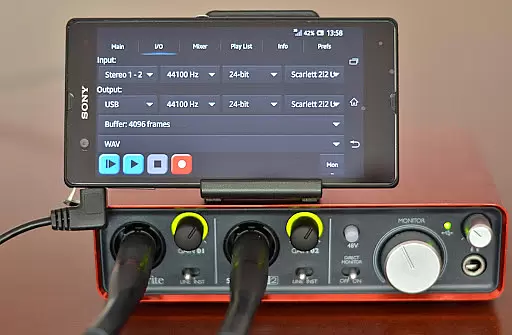
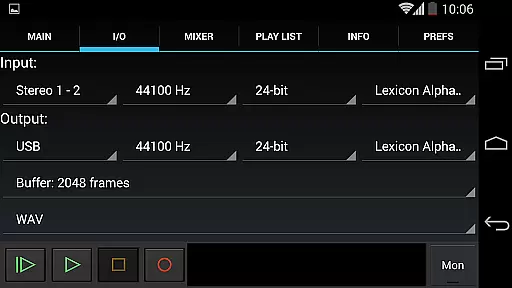
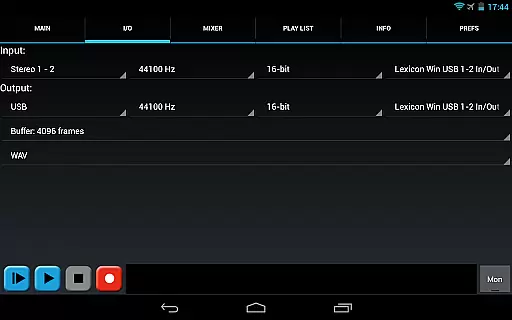
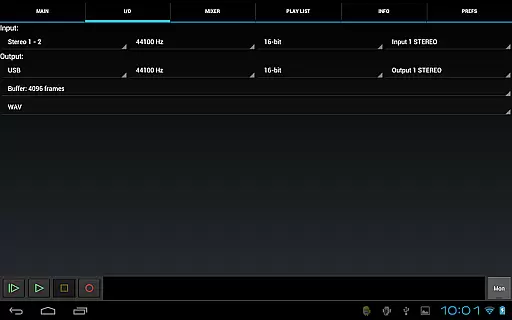
The app also serves as a license for using USB audio within Audio Evolution Mobile, adding extra value for users invested in a comprehensive audio production ecosystem. With features like input/output selection, buffer size adjustment, and support for multiple file formats (WAV, FLAC, OGG, AIFF), this app caters to diverse recording needs while offering practical tools such as level meters and monitoring options.
USB Audio Recorder PRO offers an extensive suite of features tailored for audiophiles and professionals alike. At its core, the app facilitates USB audio recording and playback, supporting mono, stereo, and multichannel configurations. For playback, stereo output is standard, utilizing the first two outputs on multichannel devices. The app dynamically adapts to your USB audio device's capabilities, accommodating bit depths of 16-, 24-, and 32-bit, and sample rates up to 384 kHz, depending on the hardware.
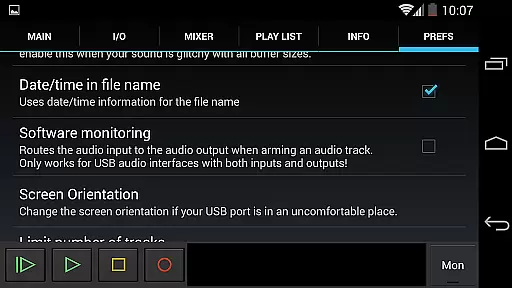
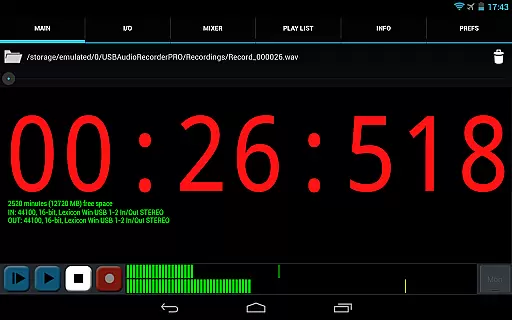
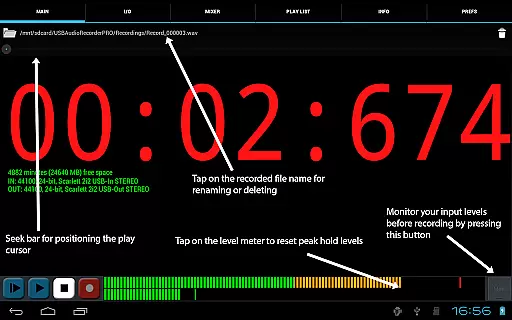
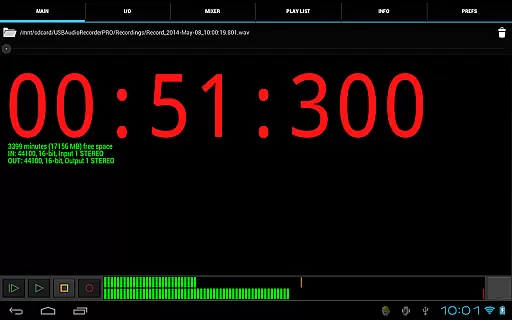
Customization is a significant advantage of this app, allowing users to fine-tune their experience through various settings. You can select recording formats from WAV, FLAC, OGG, and AIFF, avoiding patented formats like MP3 but offering similar quality with OGG. Buffer size adjustments between 1024 to 16384 frames provide control over latency and performance. Additionally, the app includes level meters with peak hold functionality, enabling precise monitoring during recording sessions.
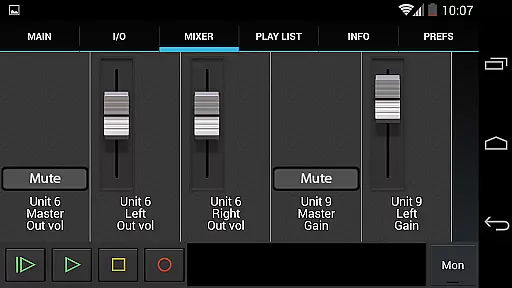
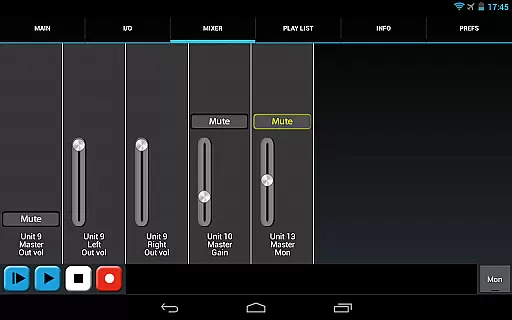
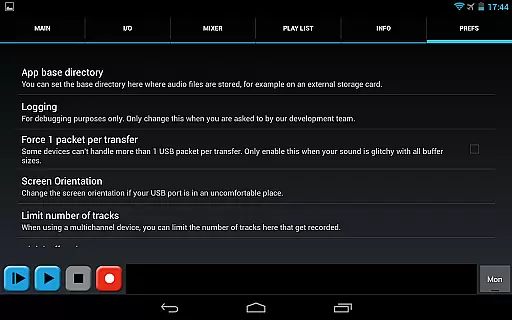
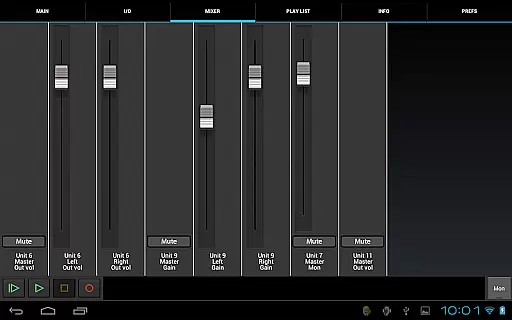
Practicality extends to file management and device compatibility. Users can rename or delete recordings, view available disk space, and set custom recording directories, including external SD cards. The app also presents internal controls like gain, volume, and mute on the mixer screen if supported by the connected device. Furthermore, basic playlist functionality allows directory playback, catering to user requests while maintaining focus on the app's primary recording purpose.
USB Audio Recorder PRO offers a robust platform for managing audio recordings with support for various formats including WAV, FLAC, OGG, and AIFF. This ensures that your music library can grow extensively while maintaining high-quality audio standards.
The app respects copyright laws by providing users with the ability to record and playback their own audio content without infringing on others' intellectual property. By supporting open and non-patented formats like OGG, it encourages users to work within legal frameworks.
With features such as input/output selection and level meters, users can tailor their recording experience to fit specific needs, ensuring that each piece of audio is captured authentically and legally. The presence of these tools underlines the app's commitment to copyright authenticity.
Moreover, the app allows sharing of recordings via platforms like SoundCloud, which means creators can distribute their work while adhering to copyright guidelines, thus promoting original content creation within the digital audio space.
One of the standout features of USB Audio Recorder PRO is its exceptional audio quality options. Supporting bit depths of 16-, 24-, and 32-bit depending on the connected device, it caters to audiophiles and professionals who demand pristine sound reproduction.
The app also boasts an impressive sample rate capability of up to 384 kHz, allowing for detailed audio capture that far exceeds standard CD quality. This makes it ideal for both casual listeners and those involved in professional audio production.
Users have the flexibility to choose from different buffer sizes ranging from 1024 to 16384 frames, which directly impacts latency and audio fidelity during both recording and playback scenarios. Such customization empowers users to optimize their setup based on their unique requirements.
Additionally, the inclusion of stereo playback and multichannel recording options ensures that whether you're working with simple two-channel setups or more complex arrangements, USB Audio Recorder PRO delivers uncompromised audio quality across all types of projects.
High-quality audio recording
Wide device compatibility
No root required
Flexible format options
Precise level monitoring
Limited to app environment
No MP3 support
Device-specific issues
Basic UI design
Requires OTG cable

DJ Music Mixer Pro is a real DJ controllers and DJ Music Studio to remix DJ.
 4.40
4.40
Most Advanced AI Song Generator and Music Creator. Rap, Pop, Rock, Gospel & more
4.70
Network/Cloud Streaming, Visualization, Graphic Equalizer and Sound Effects.
4.20
Super Sound Editor, Song Maker & Mixer, Vocal Remover, Voice Recorder & Changer!
4.60
A sleek, no-frills player designed for true music lovers.
4.20
Make songs with AI! Any genre, custom lyric, song generator for music creation!
4.80
Learn and play 2M+ music tabs & chords on guitar, ukulele, bass, and more
4.30
Offline Music Player & MP3 Player.Powerful equalizer, Lyrics, Themes, Tag Editor
4.80
Ringtone Maker is free app create ringtone from music files or your recording.
4.40
Pay Once, no monthly payment
4.60
The best music and audio player, with beautiful UI, music search and equalizer.
4.60
Bass Booster & Volume Equalizer Pro improves your music and video sound quality
4.60
AI Music Maker: Generate And Compose AI Tunes & AI Songs & AI Music & AI Melody!
4.60
A complete sound package for the sound engineer or enthusiast
4.60
Fun & Easy Voice Changer – Record, Edit & Add Hilarious Effects!
4.50
Let your Android device with the sound effects you want
4.50
Powerful 10-Band equalizer pro with sound booster improves Android audio quality
4.30
Turn your phone into a musical instrument from the future!
3.90
The only true audiophile music player with Hi-Fi audio rendering and DSP engine
3.90


User Reviews