
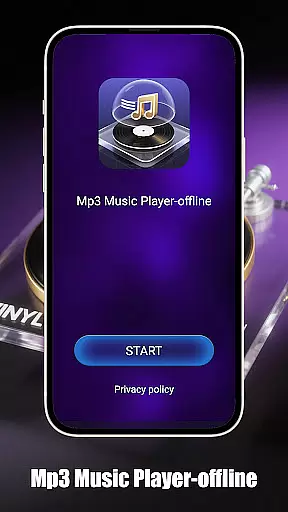
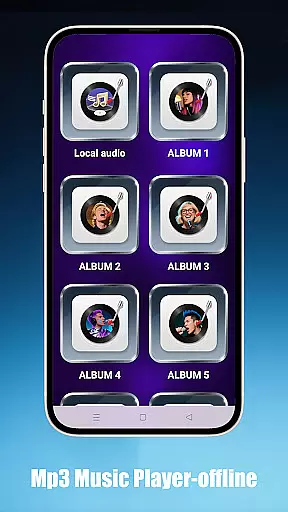
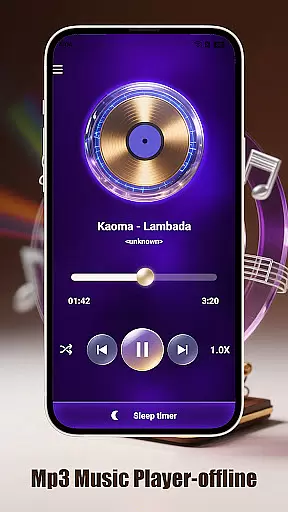
Mp3 Music Player - Offline is a dedicated music player for audiophiles who prefer local MP3 playback. With no internet required, it offers powerful playback controls and an immersive experience through its landscape-optimized UI.
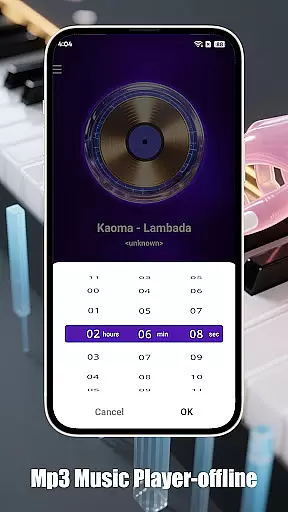
Designed with simplicity in mind, this app provides adjustable speed settings (0.5x–2.0x), sleep timer functionality, and multiple playback modes like loop, shuffle, or single-track. It ensures easy navigation by folder, artist, or album while maintaining a minimalist interface free from ads and distractions.
Whether you're at home or on the go, Mp3 Music Player - Offline caters to users seeking uninterrupted access to their personal music library without compromising device performance.
The standout feature of Mp3 Music Player - Offline is its versatility in playback options. Users can choose between loop, shuffle, or single-track modes, adjust playback speed for podcasts or learning purposes, and even set a sleep timer to conserve battery life.
Another key aspect is its effortless local music management. The app allows users to browse songs by folder, artist, or album seamlessly. Its ultra-fast search capability ensures that finding specific tracks is instantaneous, enhancing user convenience.
Additionally, the app's design focuses on delivering an immersive experience. With a landscape-optimized UI, minimalist aesthetics, and lightweight architecture, it guarantees smooth performance while keeping distractions at bay.
When it comes to music players, the size and authenticity of the music library are crucial factors. Mp3 Music Player - Offline focuses on allowing users to play their local MP3 files without the need for an internet connection. This ensures that users have complete control over their music collection while maintaining copyright compliance.
The app supports a wide range of local music files, which means you can organize and access your entire personal music library directly from your device. Whether you've downloaded tracks legally or ripped them from your own CDs, this player guarantees that your music is played exactly as intended by the creators.
By focusing on local file playback, Mp3 Music Player - Offline sidesteps the legal issues often associated with streaming services. Users can be confident that they are not infringing on any copyrights while enjoying their favorite tunes.
Audio quality is paramount for any music enthusiast, and Mp3 Music Player - Offline offers various features to enhance your listening experience. The app provides adjustable playback speeds ranging from 0.5x to 2.0x, catering to different preferences and use cases such as podcast learning or slow listening.
In addition to speed adjustments, the player is optimized for high-quality audio output. It maintains the integrity of your MP3 files, ensuring that you hear every track in its purest form without any loss of quality due to compression or streaming.
For those who prefer a more immersive experience, the landscape-optimized UI offers a full-screen mode that minimizes distractions. This feature, combined with the app's minimalist design, ensures that nothing comes between you and your music, providing an uninterrupted auditory journey.
User-friendly interface
Offline playback support
Customizable playback speeds
Efficient local file management
Battery-saving features
Limited to MP3 format
No cloud integration
Basic equalizer settings
Occasional bugs reported
No social sharing options

Simply convert wav to mp3. Clear. Reliable. Safe.
 4.2
4.2
Taal player that lets you sing any Indian & Western song with Tabla & Tanpura
4.60
Walkout Song DJ is the most intuitive app to manage your sports music.
4.70
Visualize the guitar fretboard, master scales & play through changes like a pro!
4.50
Record, Mix & Master with all n-Track effects, 64-bit audio and Stem Separation.
4.70
Voice recorder - Audio recorder. Best recorder for recording
4.90
Play your hearts out on TouchTunes jukeboxes & connect with fellow music lovers.
4.80
Manage your Sonos system directly from your home-screen!
4.40
Be a true music maker: create beats, mix and make music like a real DJ!
4.30
Brian Eno and Peter Chilvers’ acclaimed music app Bloom, radically reinvented.
4.80
Offline Music Player & MP3 Player.Powerful equalizer, Lyrics, Themes, Tag Editor
4.80
Ringtone Maker is free app create ringtone from music files or your recording.
4.40
The Music Journey in Your Hands
4.30
Bass Booster Pro takes auto-equalizing to the next level!
4.30
Time Trainer: accurate metronome w tools to help you develop your internal time!
4.20
A High-Precision Audio Spectrum Analysis App
4.20
Sing, record, and create music together — enhanced by smart voice tools.
4.00
USB audio recording and playback finally possible on Android 3.1 or higher!
3.90
Remove ads permanently from Music Visualizer
4.4


User Reviews