
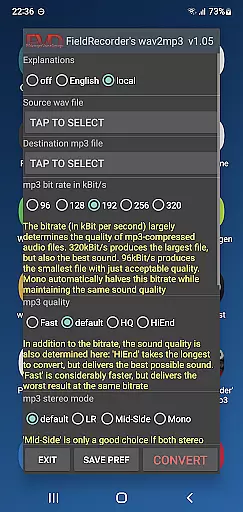
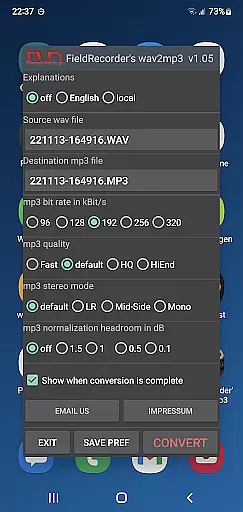
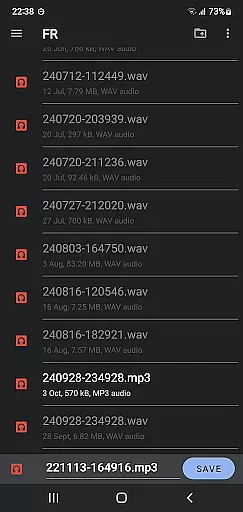
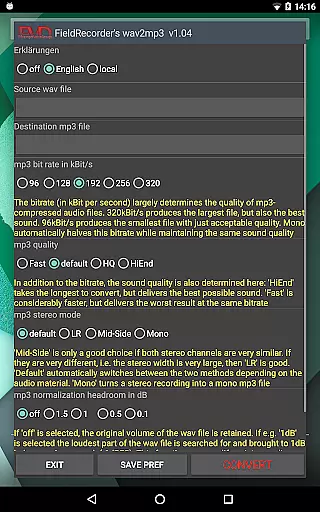
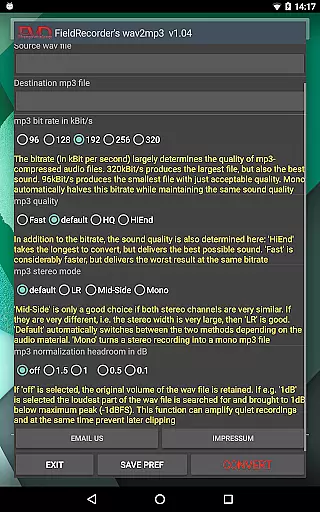
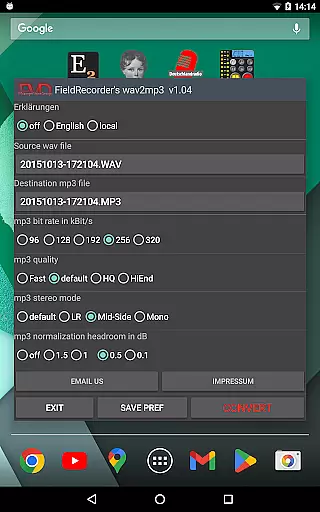
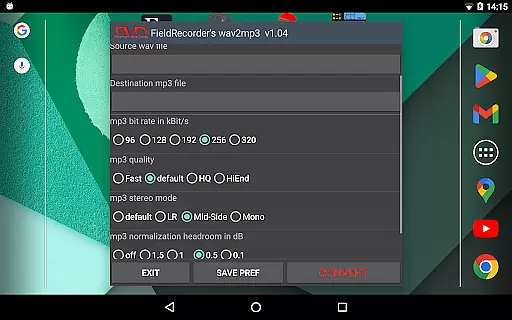
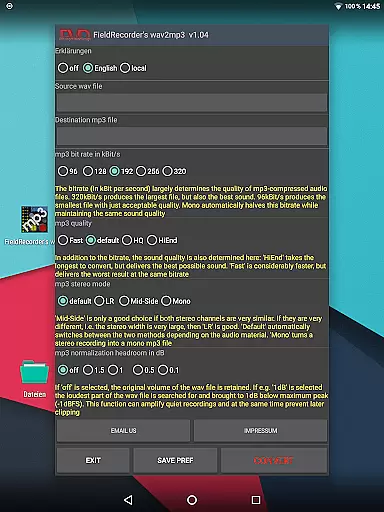
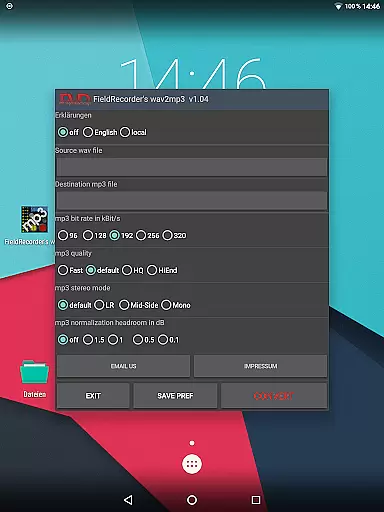
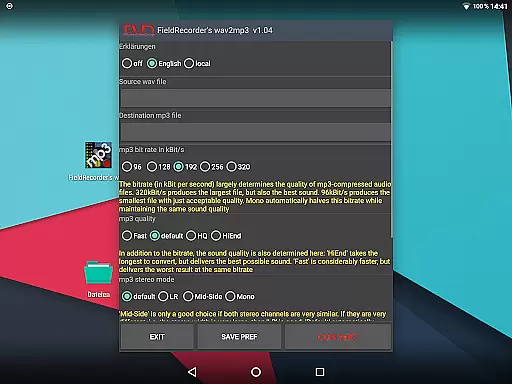
FieldRecorder's wav2mp3 is a streamlined audio conversion tool designed specifically for users who need to convert WAV files to MP3 format without any hassle. The app eliminates common frustrations such as intrusive ads, rating prompts, and confusing options that often clutter similar applications. With its minimalist one-screen interface, users can effortlessly select source and destination files, then initiate the conversion process with a single tap.
This application stands out due to its efficient native code, resulting in an impressively small download size of under 1.3MB—significantly lighter than comparable apps averaging 20MB. Beyond basic conversion capabilities, FieldRecorder's wav2mp3 offers several customizable settings including bitrate selection, encoding complexity, stereo mode options, and volume normalization preferences. These features ensure high-quality output tailored to individual needs while maintaining ease of use.
Whether you're a podcaster looking to optimize file sizes for distribution or a musician needing quick conversions for sharing demos, this app provides reliable performance without compromising privacy or user experience. Its seamless integration with 'Field Recorder,' another professional-grade app by the same developer, allows advanced users to automate workflows efficiently.
FieldRecorder's wav2mp3 distinguishes itself through thoughtful design and robust functionality. One notable feature is its commitment to simplicity; there are no advertisements, rating requests, or unnecessary data collection, ensuring a distraction-free environment focused solely on audio conversion tasks. Additionally, the app supports background processing, allowing users to continue other activities on their device while conversions take place.
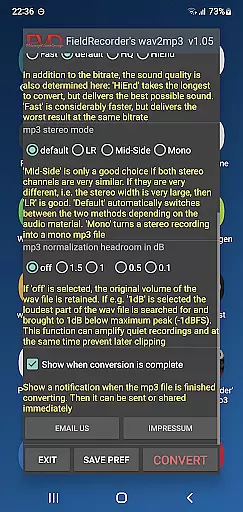
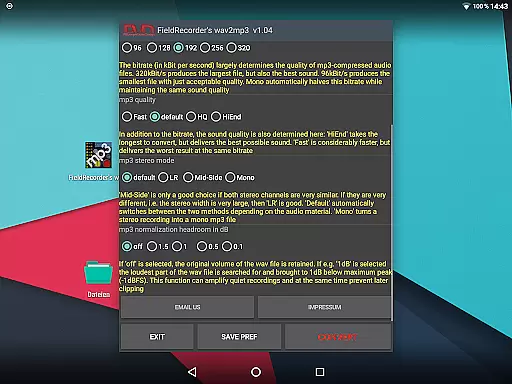
The app includes various customization options aimed at enhancing flexibility and control over the final output. Users can choose from five preset bitrates (with mono conversions halving these values), adjust encoding complexity for improved sound quality at the cost of longer processing times, and select between different stereo modes like LR, Mid-Side, or default adaptive settings. Volume normalization settings help prevent clipping during playback, offering precise control over decibel levels below full scale.
Furthermore, FieldRecorder's wav2mp3 emphasizes accessibility and convenience with multilingual support for explanatory texts, automatic notifications upon completion of tasks, and direct sharing capabilities for converted files. Such comprehensive yet straightforward features make it suitable for both casual users seeking simplicity and professionals requiring detailed adjustments.
FieldRecorder's wav2mp3 may not boast an extensive music library, but it excels in providing a streamlined and efficient conversion process from WAV to MP3 formats. This app focuses on quality rather than quantity, ensuring that each file you convert maintains the highest audio standards without infringing on copyright laws.
The application respects user privacy and does not collect data or engage in any form of copyright infringement. Instead, it offers a transparent conversion tool that allows users to transform their own WAV files into MP3s with ease. The absence of ads and rating requests further enhances the user experience, making sure that your interaction with the app is solely focused on your audio conversion needs.
With its small download size and native code, FieldRecorder's wav2mp3 ensures fast and reliable performance. Comparable converter apps are often bloated with unnecessary features and can be up to 20MB in size, whereas this app remains lightweight and efficient at under 1.3MB. This efficiency translates into faster processing times for your conversions without compromising on sound quality.
When it comes to audio quality options, FieldRecorder's wav2mp3 provides users with several customizable settings to ensure the best possible output. You have control over the complexity of the MP3 encoding process, which directly impacts both the time taken and the resulting sound quality. More complex encodings take longer but can yield superior audio fidelity.
The app also allows you to choose between different stereo modes, such as LR for separate channel encoding or Mid-Side when channels are similar. Thereu2019s even an option for automatic selection by the software based on the material being converted. Additionally, you can decide whether to maintain the original volume levels or maximize them while specifying a safety margin in decibels below full level to prevent clipping during playback.
Upon completion of the conversion, users receive a notification that enables immediate sharing or further processing of the newly created MP3 file. With these advanced yet accessible options, FieldRecorder's wav2mp3 empowers users to tailor their audio files precisely according to their preferences and requirements.
User-friendly interface
No ads or interruptions
Customizable encoding options
Lightweight and fast
Privacy-focused design
Limited advanced features
No batch conversion
Basic UI aesthetics
Fewer language options
Requires manual updates

Formerly known as Spotistats! View your top tracks, artists, albums and more!
 4.40
4.40
The Cubase remote control app
3.60
Remove ads permanently from Music Visualizer
4.1
Ultimate Sonos Controller
4.70
Record, Mix & Master with all n-Track effects, 64-bit audio and Stem Separation.
4.70
Super Sound Editor, Song Maker & Mixer, Vocal Remover, Voice Recorder & Changer!
4.60
No wifi music app. Mp3 offline. Tuner radio, young radio music. Music downloader
4.20
Offline Music Player&MP3 Player with themes, equalizer, lyrics, music play mode
4.60
The original SP-1200 experience on your iPad
4.20
Full-featured, High-Quality Groovebox Workstation, perfect for Live Performance!
4.80
Brian Eno and Peter Chilvers’ acclaimed music app Bloom, radically reinvented.
4.80
Responsive piano with great sounds, graphics, and songs
4.80 4.70
4.70
Performance-Synthesizer & Multi-Track-Sequencer, polyphonic + multi timbral!
4.70
Reverse your voice & songs instantly! Fun singing challenge with cool effects.
4.60
Fun & Easy Voice Changer – Record, Edit & Add Hilarious Effects!
4.50
Save hundreds of dollars for a physical strobe tuner and instead use this app.
4.50
Let your Android device with the sound effects you want
4.50
A sleek, no-frills player designed for true music lovers.
4.20


User Reviews