
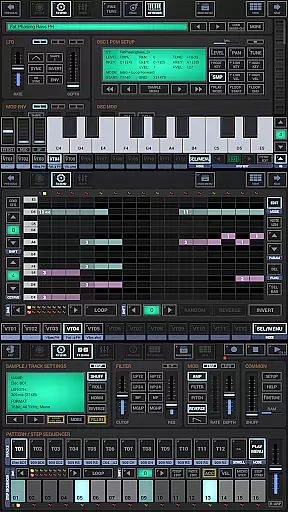
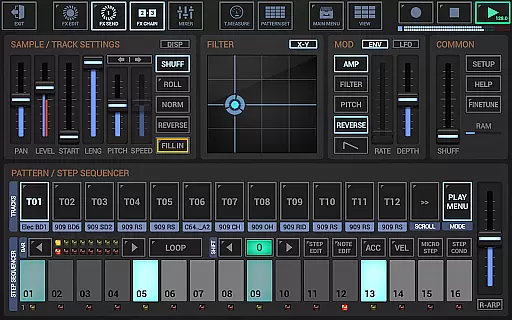
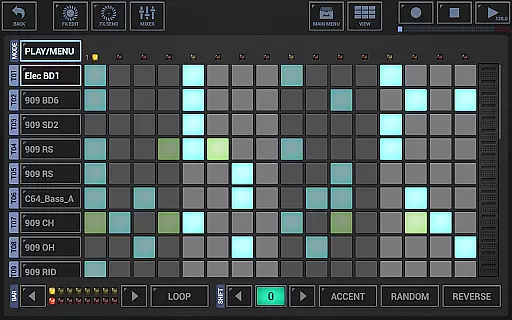
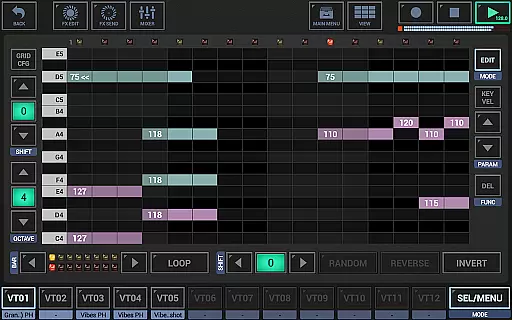
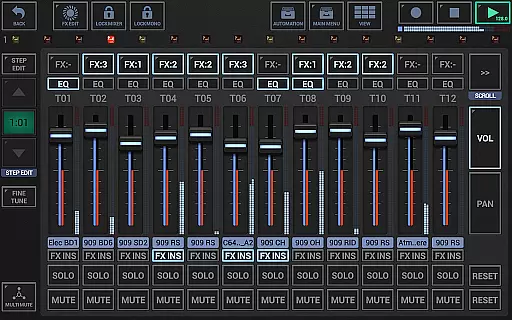
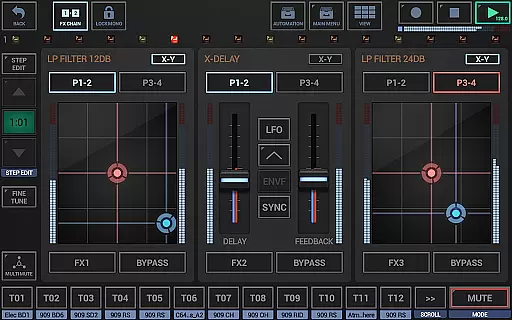
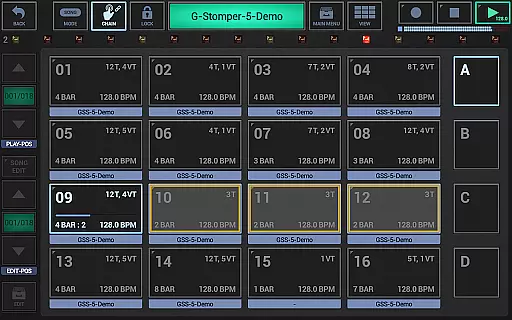
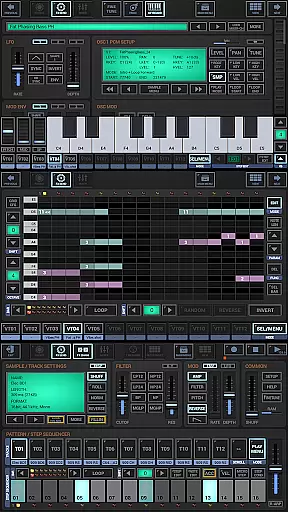
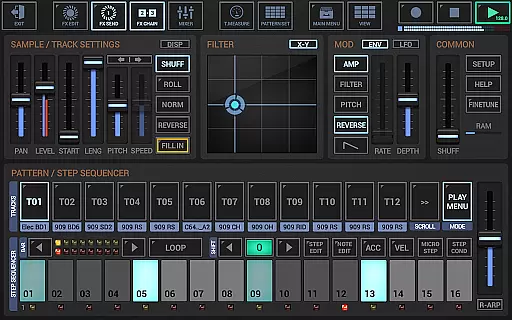
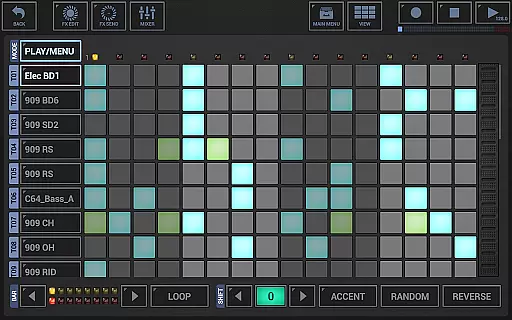
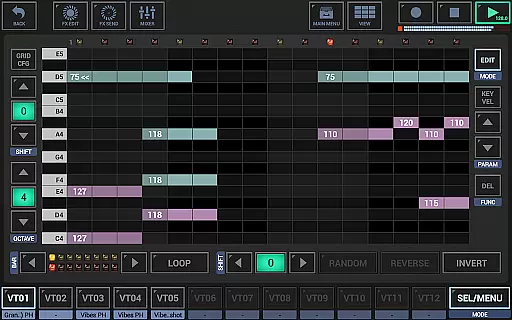
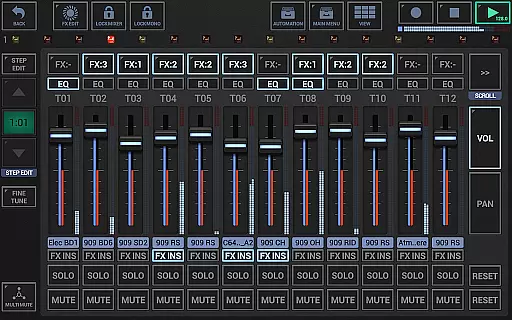
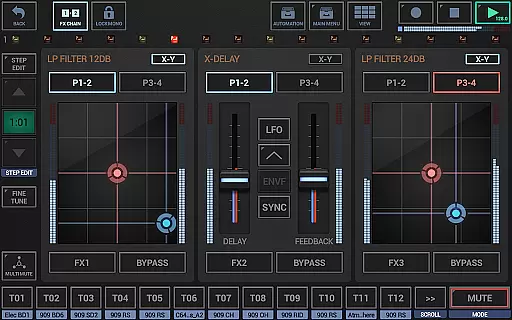
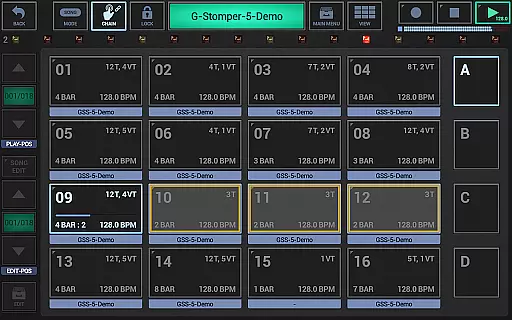
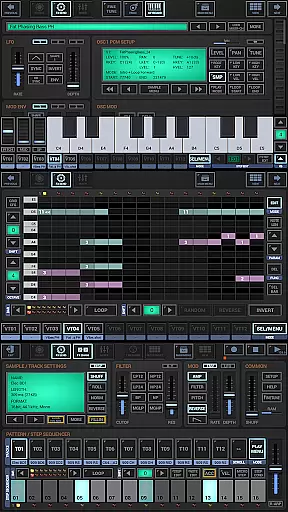
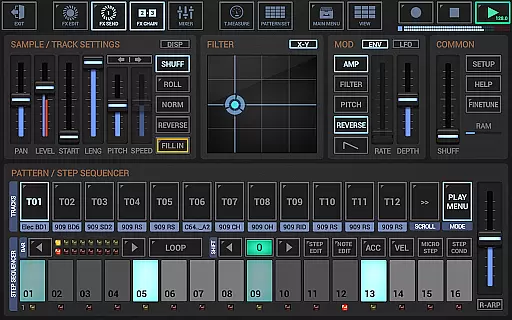
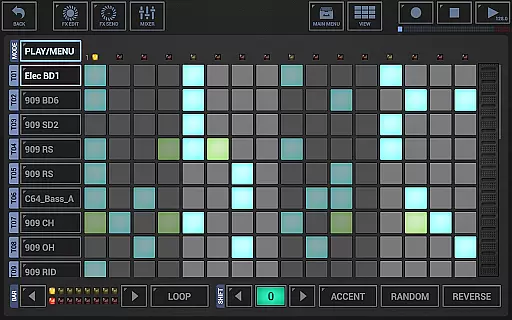
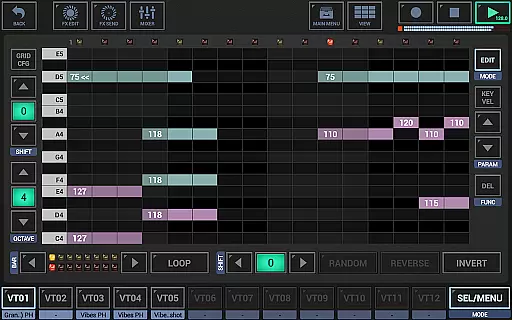
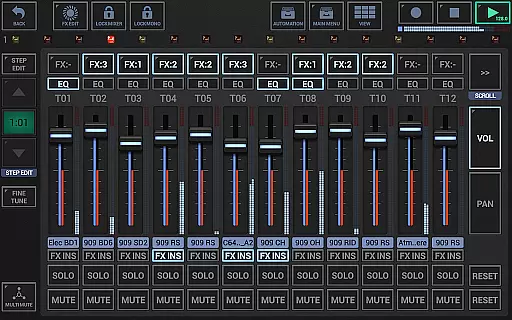
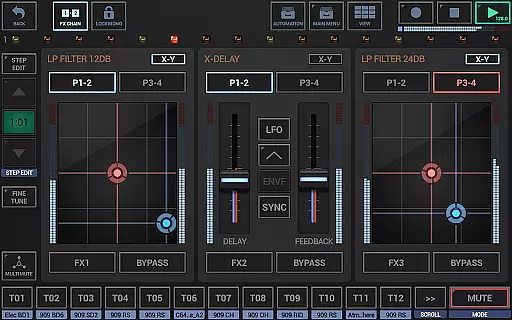
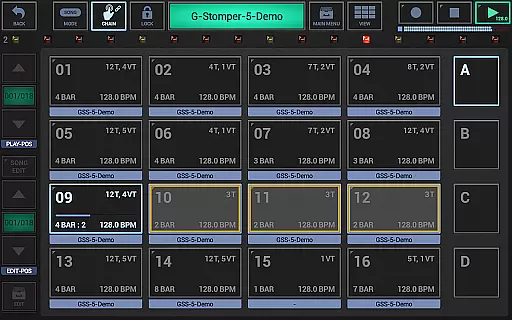
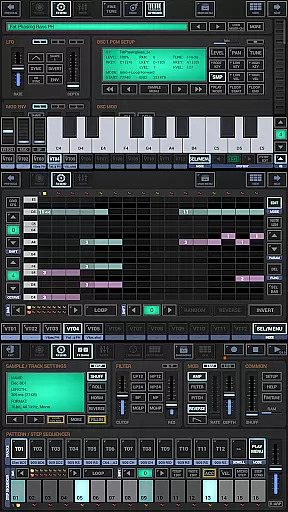
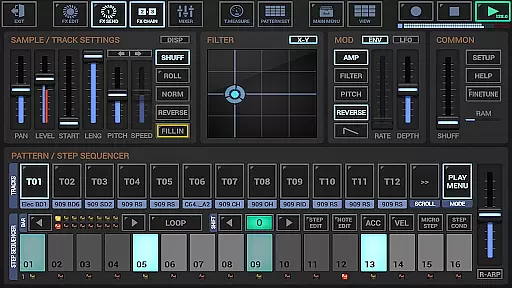
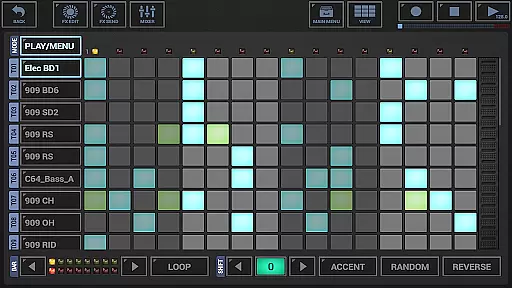
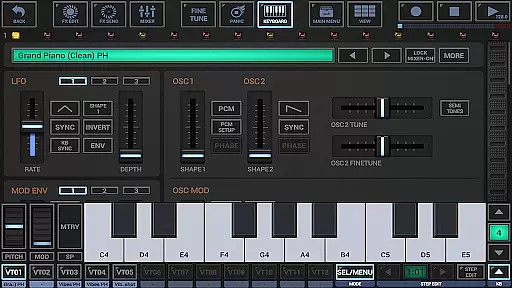
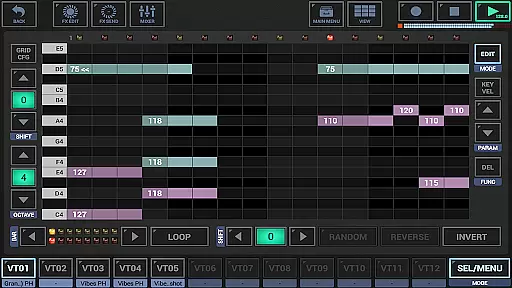
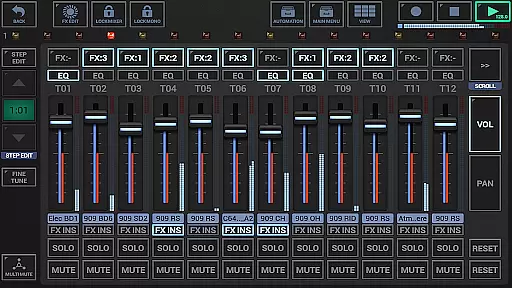
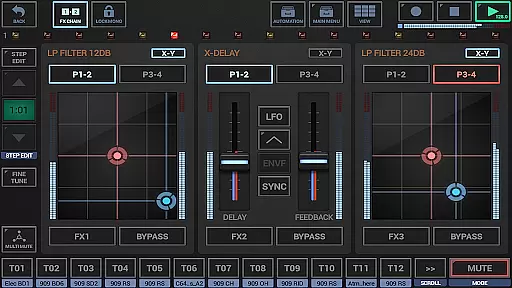
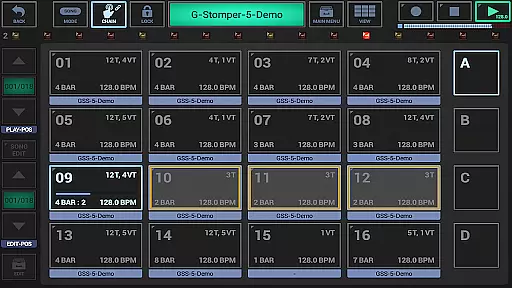
G-Stomper Studio is a comprehensive music production tool optimized for electronic live performances in studio quality. This feature-packed application combines a step sequencer-based drum machine, sampler, virtual analog synthesizer (VA-Beast), polyphonic and monophonic step sequencers, track grid sequencer, piano keyboard, 24 drum pads, effect rack, master section, line mixer, and live pattern/song arranger. Whether you are an experienced sound designer or a beginner, G-Stomper Studio allows you to create complex synthetic sounds and produce your own music on the go with impressive studio quality.
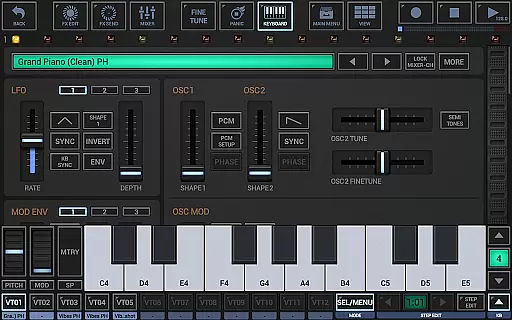
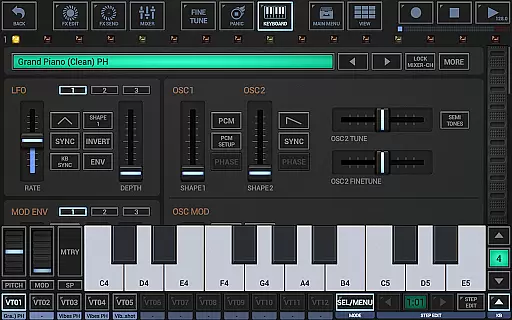
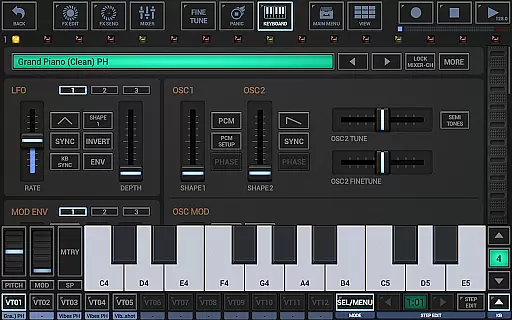
The integrated VA-Beast synthesizer offers polyphonic capabilities to produce a wide variety of synthetic sounds. Its intuitive interface makes it the ultimate mobile synthesizer, enabling users to craft desired sounds faster than ever before. With support for Ableton Link, full round-trip MIDI integration, high-quality audio engine, and various effects, G-Stomper Studio stands out as a versatile tool for both live performances and studio productions.
G-Stomper Studio boasts an array of features that cater to diverse music production needs. The drum machine supports up to 24 tracks, while the sampler track grid and note grid provide multi-track and monophonic step sequencing respectively. The VA-Beast synthesizer includes advanced FM support and waveform-based synthesis, complemented by a piano keyboard spanning eight octaves. The timing and measure functions allow precise control over tempo, swing quantization, time signature, and measure.
In addition to its instruments, G-Stomper Studio includes a robust mixing environment. The line mixer handles up to 36 channels with parametric 3-band equalizers and insert effects per channel. The effect rack supports three chainable effect units, and the master section provides two sum effect units. The arranger facilitates live pattern/song arrangement with 64 concurrent patterns, and the audio editor serves as a graphical sample editor/recorder. These features collectively ensure a seamless music creation experience.
G-Stomper Studio offers an extensive music library that caters to a wide range of electronic music production needs. The app includes a variety of high-quality samples and synthesizer presets, ensuring users have access to a rich palette of sounds for their compositions.
Regarding copyright authenticity, G-Stomper Studio provides users with the ability to import their own samples in multiple formats such as WAV, AIFF, MP3, OGG, and FLAC. This feature not only enhances creative freedom but also allows producers to use legally acquired audio content within their projects.
The app's dedication to copyright compliance is further demonstrated by its support for user-created content. Musicians can design and incorporate their unique sounds into their work, thus maintaining originality and respecting intellectual property rights.
Furthermore, the inclusion of Ableton Link functionality enables seamless integration with other music applications, promoting a collaborative environment where copyright integrity is preserved across different platforms and devices.
Audio quality in G-Stomper Studio is maintained at a professional level through its high-quality audio engine, which utilizes 32-bit float DSP algorithms. This ensures that all sound processing within the app retains clarity and depth, providing users with studio-grade audio output.
The app supports various audio export options, allowing tracks to be saved in resolutions from 8-bit up to 32-bit and sample rates reaching 96kHz. These capabilities enable musicians to produce music that meets industry standards and suits their distribution requirements.
G-Stomper Studio also features real-time audio recording of live sessions, capturing performances with precision and detail. Users can record their sessions without worrying about loss of quality, making it ideal for both practice and professional production purposes.
In addition, the app offers 47 effect types including dynamic processors, resonant filters, distortions, delays, reverbs, vocoders, and more. Each effect contributes to enhancing the overall audio experience, giving producers the tools they need to refine their sound and achieve the desired audio quality in their tracks.
High-quality audio engine
Intuitive user interface
Comprehensive feature set
Real-time sample modulation
Support for multiple file formats
Steep learning curve
Requires powerful hardware
Complex interface for beginners
Limited free version
Heavy resource consumption

The Skullcandy App Experience
 3.20
3.20
Over 100 million tracks available for high quality streaming and download
4.60
The Music Journey in Your Hands
4.30
Powerful beat maker & DJ mixer to remix tracks, make music, & perform DJ mix
3.70
Voice recorder - Audio recorder. Best recorder for recording
4.90
Smart piano keyboard, Classical to Pop, Real-time multiplayer connection!
4.20
Help you quickly get started with Shokz headphones
4.40
Reverse your voice & songs instantly! Fun singing challenge with cool effects.
4.60
Get alarms that fit your lifestyle and wake up to the sounds you love.
4.80
JBL PartyBox APP works with 110/310/710/120/320/520/Encore/Encore 2/Encore Ess 2
4.80
More downloads than any other metronome. Includes drum machine & tempo trainer.
4.80
Record, Mix & Master with all n-Track effects, 64-bit audio and Stem Separation.
4.70
Super Sound Editor, Song Maker & Mixer, Vocal Remover, Voice Recorder & Changer!
4.60
Save hundreds of dollars for a physical strobe tuner and instead use this app.
4.50
Ringtone Maker is free app create ringtone from music files or your recording.
4.40
Your HD audio recorder on the go for music, meetings, ambience, animal sounds…
4.30
The original SP-1200 experience on your iPad
4.20
Offline and always ad-free - stream in the highest quality available.
4.10
Remove ads permanently from Music Visualizer
4.1


User Reviews