
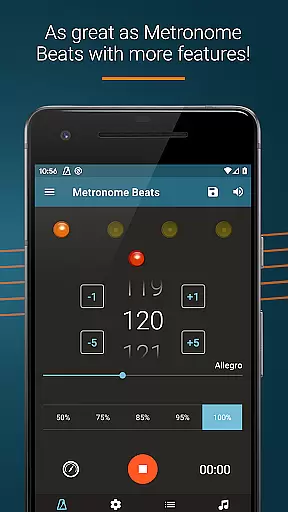
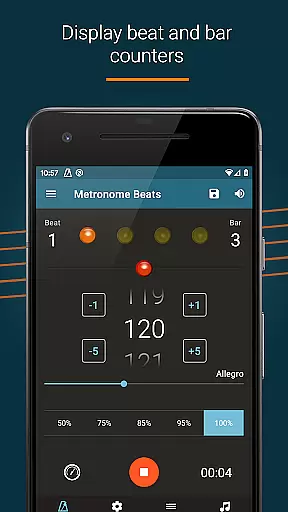
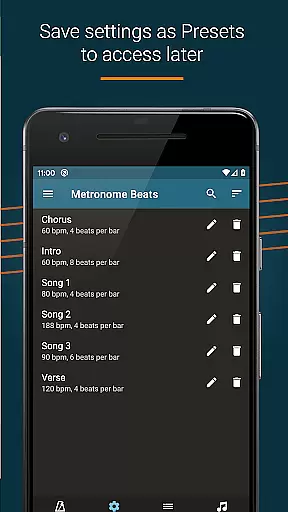
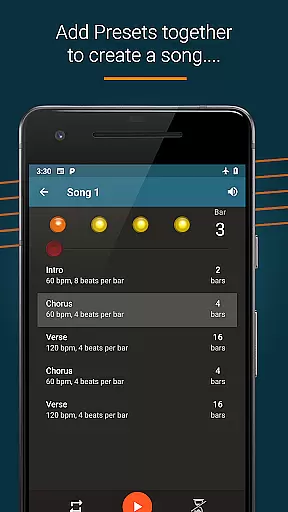
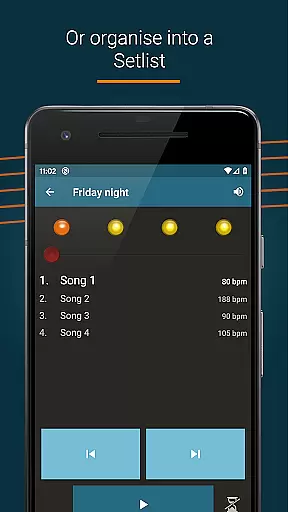
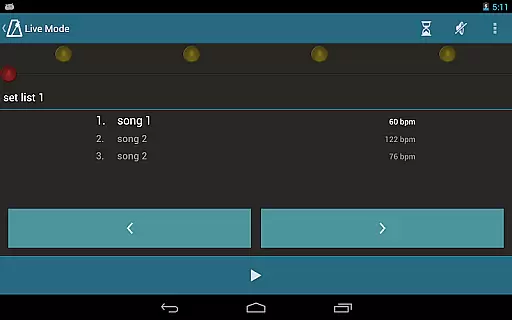
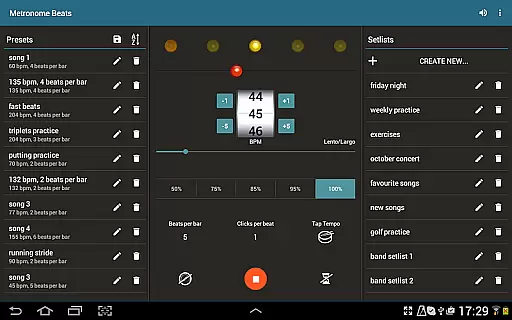
Metronome Beats Pro is a comprehensive music tool designed for musicians of all levels. This professional-grade metronome app offers advanced features that go beyond basic tempo tracking, making it an essential companion for practice and live performances. The app's standout feature is its 'Live Mode', which allows users to create and manage setlists of songs with varying tempos - perfect for both solo practice and stage performances.
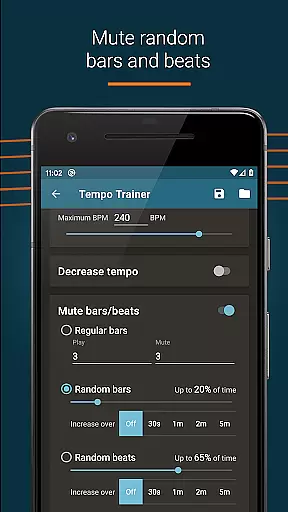
In addition to the core metronome functionality, the app includes a speed trainer, customizable sound settings, and visual beat indicators. These features enable musicians to fine-tune their practice sessions with precision. The ability to save presets, organize favorite songs into setlists, and use random bar muting provides unparalleled flexibility. With its intuitive interface optimized for both phones and tablets, Metronome Beats Pro delivers professional-grade features in an accessible package.
The app's value extends beyond traditional metronome functions. Its unique combination of tempo management tools, customizable practice settings, and performance-ready features makes it particularly useful for musicians preparing for concerts or recording sessions. The absence of advertisements and inclusion of tablet-specific layouts enhance the user experience, while features like Italian tempo markings and multiple time signature options cater to classical musicians as well as contemporary players.
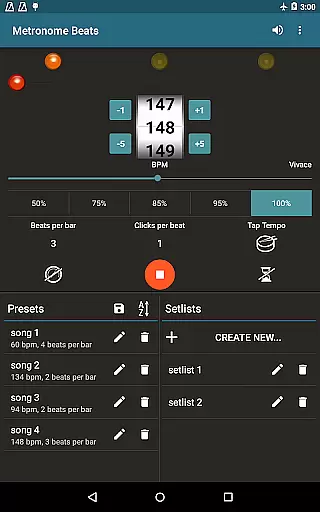
Metronome Beats Pro distinguishes itself through its extensive feature set tailored specifically for musicians' needs. The app's most notable capability is its comprehensive tempo control system, allowing users to select any tempo from 1 to 900 beats per minute. The innovative tap tempo button simplifies tempo selection for those who prefer a more intuitive approach, while the speed trainer helps musicians gradually increase their playing speed.
A key differentiator is the app's sophisticated customization options. Users can create complex practice routines using features like beat and bar counters, tempo subdivisions up to 16 clicks per beat, and accent customization for the first beat of each measure. The visual beat indication system provides an alternative to audio cues, while the pitch adjustment feature ensures the metronome remains audible over instruments. Advanced users will appreciate the ability to save custom presets and organize songs into setlists for live performances.
What sets Metronome Beats Pro apart from other metronome apps is its attention to detail in professional use cases. The inclusion of Italian tempo markings caters to classical musicians, while the multi-tasking capability allows simultaneous use with sheet music apps. The pro version's exclusive features, including randomized bar muting and varying tempo songs, provide tools for developing timing accuracy and maintaining rhythm consistency during performances.
Metronome Beats Pro offers a comprehensive suite of features that go beyond traditional metronomes, providing users with a rich music library experience. The application allows musicians to select any tempo from 1 to 900 beats per minute and includes a speed trainer for improving timing skills.
The app's vast array of customizable options, including beat and bar counters, various sound types, and the ability to create songs with varying tempos, ensures that users have access to an extensive and versatile music library. This feature set caters to different practice needs and performance scenarios, making it a valuable tool for both solo artists and groups.
Regarding copyright authenticity, Metronome Beats Pro provides peace of mind by offering original content and features exclusive to the Pro version, such as no adverts and the ability to save settings as presets. Users can trust that they are engaging with legitimate, high-quality audio resources that respect intellectual property rights.
By using this app, musicians can focus on their practice and performance without worrying about legal issues or the authenticity of the material they are working with, thus enhancing their overall musical journey.
One of the standout features of Metronome Beats Pro is its superior audio quality options, which allow musicians to fine-tune their practice sessions. With the ability to change the pitch of the sound, users can make the metronome easier to hear over their instruments, ensuring that the beat remains clear and audible regardless of the musical arrangement.
In addition to pitch adjustments, the app offers a range of sound types and the option to accent the first beat of the bar, which helps maintain rhythmic accuracy during practice. These features contribute to an enhanced auditory experience, allowing musicians to stay in tempo and improve their timing with precision.
For those who prefer visual cues, the app also provides visual beat indication, enabling users to mute the sound and follow the beat through visualizations. This combination of audio and visual feedback ensures that all musicians, regardless of their environment or personal preferences, can effectively use the metronome to enhance their performance.
Overall, the audio quality options in Metronome Beats Pro not only cater to the diverse needs of musicians but also uphold the highest standards of sound clarity and reliability, making it an indispensable tool for practice and live performances.
Ad-free experience
Advanced tempo control
Customizable setlists
Visual beat tracking
Multi-device optimization
Paid application
Complex interface
Feature overload
No beginner mode
High price point

The Skullcandy App Experience
 3.20
3.20
Most Advanced AI Song Generator and Music Creator. Rap, Pop, Rock, Gospel & more
4.70
JBL PartyBox APP works with 110/310/710/120/320/520/Encore/Encore 2/Encore Ess 2
4.80
Ultimate Sonos Controller
4.70
Bass Booster Pro takes auto-equalizing to the next level!
4.30
Super Sound Editor, Song Maker & Mixer, Vocal Remover, Voice Recorder & Changer!
4.60
Music, News & Sports Radio Tuner App. Tune in Live FM & AM Radio Stations.
4.80
Offline Music Player&MP3 Player with themes, equalizer, lyrics, music play mode
4.60
Let your Android device with the sound effects you want
4.50
Tune in to the greatest hits on UK Radio | The home of Capital, Smooth & Heart.
4.90
Play your hearts out on TouchTunes jukeboxes & connect with fellow music lovers.
4.80 4.70
4.70
Listen to live FM radio stations, sports, music and news on global radios online
4.70
AI Music Maker: Generate And Compose AI Tunes & AI Songs & AI Music & AI Melody!
4.60
Equalizer, Bass Booster and Volume Booster (Eq & Bass) improve sound quality
4.30
Enjoy singing any song, no matter how high or low it is
4.30
USB audio recording and playback finally possible on Android 3.1 or higher!
3.90
Offline Tunes, Unlimited Vibes
3.90
Powerful beat maker & DJ mixer to remix tracks, make music, & perform DJ mix
3.70


User Reviews