
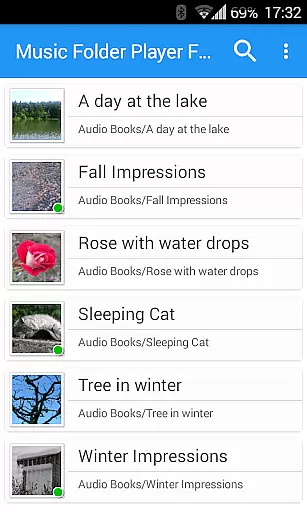
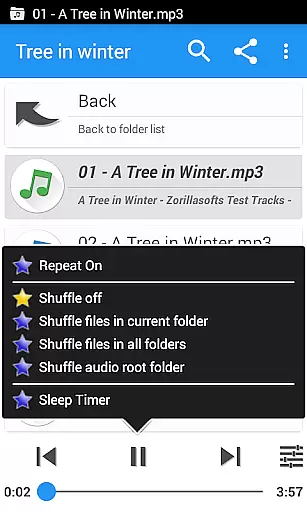
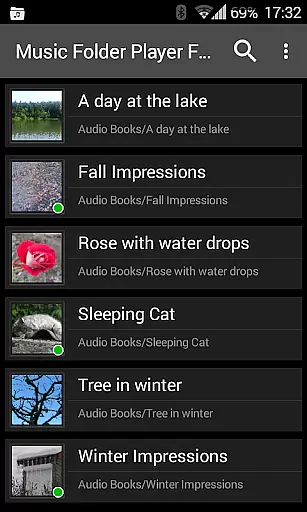
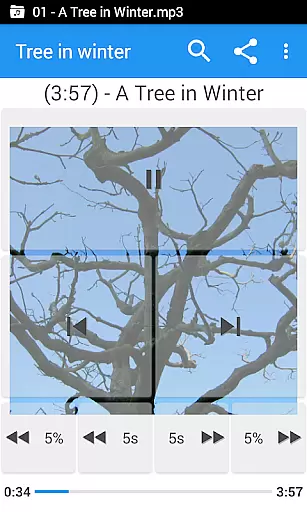
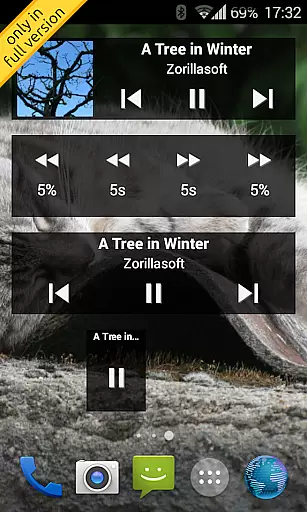
Music Folder Player Full is a specialized audio player designed for users who prefer organizing their music files in folders rather than traditional categories like artist or album. This full version, free of advertisements, offers advanced features including homescreen widgets that enhance accessibility and user experience.
The app supports various playback options such as speed control with pitch correction, making it ideal for podcasts and audiobooks. With unique functionalities like 432 Hz playback mode, virtual room effects, and an equalizer with customizable settings, the app caters to audiophiles seeking a tailored listening experience. Its intuitive folder-based navigation system ensures seamless music management for both small and large collections.
Whether you're commuting, working, or relaxing at home, Music Folder Player Full provides a versatile solution for enjoying your music exactly the way you want. The inclusion of features like sleep timer, undo function, and car/sports mode with enlarged buttons makes it suitable for diverse listening scenarios.
Music Folder Player Full stands out with its comprehensive feature set tailored for both casual listeners and audio enthusiasts. The app's Material Design interface ensures a modern and user-friendly experience while offering three distinct homescreen widgets exclusive to the full version.
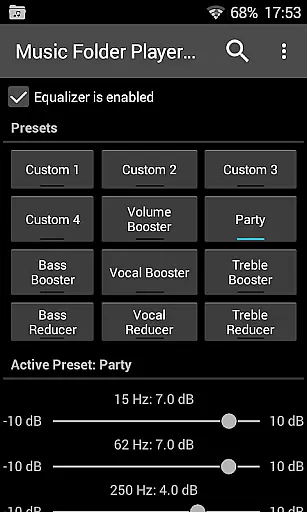
One of the app's key strengths is its advanced playback controls. Users can benefit from four configurable seek buttons, ideal for navigating through lengthy podcast episodes or audiobooks. The equalizer comes with eight predefined settings, including Bass Booster and Vocal Booster, alongside four customizable presets. Additionally, the speed control feature allows modification of playback speed without affecting pitch, perfect for consuming spoken content more efficiently.
Other notable features include virtual folders for favorite songs, playlist creation, and sophisticated audio effects like reverb. Practical functions such as two-finger gesture volume control, file search capability, and Last.fm scrobbling integration via third-party apps further enrich the user experience. These robust features collectively make Music Folder Player Full a powerful tool for managing and enjoying extensive music libraries.
Music Folder Player Full offers an extensive music library management system that allows users to organize their audio tracks in folders rather than traditional categories like artist or album. This unique approach provides a more personalized and flexible way to manage your music collection.
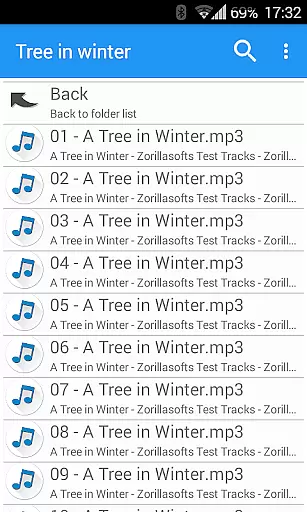
The application supports various file formats and ensures that all your audio files are displayed accurately within their respective folders. The flat list view is perfect for smaller collections, while the hierarchical folder structure suits larger libraries, making navigation intuitive and efficient.
In terms of copyright authenticity, this app respects the original organization of your music files. It does not alter or reformat your files unless explicitly instructed by the user, ensuring that your music remains as authentic as when you first added it to your library.
One of the standout features of Music Folder Player Full is its advanced audio quality options. With support for Android 2.3 and newer, the built-in equalizer offers four customizable settings and eight predefined options such as Bass Booster, Vocal Booster, and Party setting, allowing users to tailor their listening experience to their preferences.
For those who require even more control, the app includes virtual room and reverb effects available on Android 2.3. Additionally, speed control with pitch correction is available on Android 4.2 and above, which is particularly useful for podcasts or audiobooks but not recommended for music.
Another notable feature is the pre-amplifier option, which increases the volume of audio recorded at low levels, ensuring that quieter tracks are audible without distortion. These comprehensive audio quality options make Music Folder Player Full a versatile choice for audiophiles seeking high-fidelity sound reproduction.
User-friendly interface
Advanced playback options
Customizable equalizer settings
Exclusive homescreen widgets
Comprehensive folder management
No built-in streaming service
Limited social sharing options
Complex for beginners
Occasional bugs reported
Requires manual file organization

Time Guru will strengthen your internal sense of musical time via random muting.
 4.30
4.30
Taal player that lets you sing any Indian & Western song with Tabla & Tanpura
4.60
Listen to live FM radio stations, sports, music and news on global radios online
4.70
Music, News & Sports Radio Tuner App. Tune in Live FM & AM Radio Stations.
4.80
Let your Android device with the sound effects you want
4.50
The Minimalistic Premium Music Player. Handmade with passion for music
2.20
Powerful 10-Band equalizer pro with sound booster improves Android audio quality
4.30
Learn the notes on the guitar fretboard fast with this easy and fun app
4.60
Uninterrupted Tunes, Unmatched Vibes
3.90
24,000 free audio books and no ads!
4.90
Voice recorder - Audio recorder. Best recorder for recording
4.90
Brian Eno and Peter Chilvers’ acclaimed music app Bloom, radically reinvented.
4.80
Walkout Song DJ is the most intuitive app to manage your sports music.
4.70
Bass Booster Pro takes auto-equalizing to the next level!
4.30
No wifi music app. Mp3 offline. Tuner radio, young radio music. Music downloader
4.20
Smart piano keyboard, Classical to Pop, Real-time multiplayer connection!
4.20
PowerAudio is a powerful offline music player.
4.20
The official Sonos app
4.10
MilkDrop for Android TV
3.00


User Reviews