
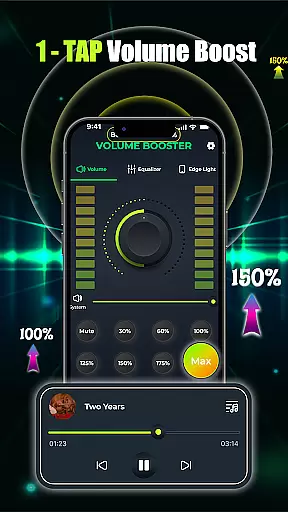
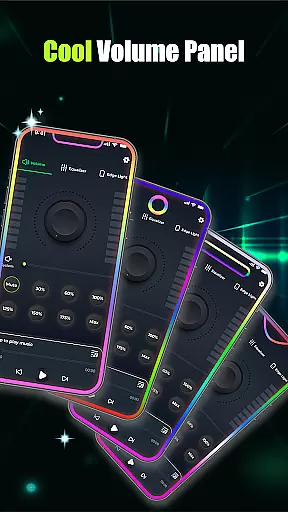
Volume Booster - Music & Sound is a powerful audio enhancement application designed to maximize your device's sound output. This app allows users to amplify volume levels beyond the standard limit, providing an immersive audio experience for various use cases. Whether you're enjoying music, watching movies, or engaging in voice calls, the app ensures crystal-clear sound quality without distortion.
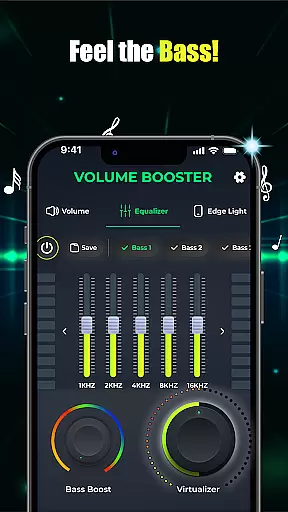
The application features an intuitive equalizer with customizable presets, advanced bass boost options, and 3D virtualization effects that deliver studio-quality audio. Its one-tap volume boost functionality makes it exceptionally user-friendly, while the built-in music player supports seamless integration with multiple audio playback apps. The sleek interface offers easy navigation and precise control over audio settings, making it an essential tool for audiophiles and casual listeners alike.
Ideal for personal use, this app enhances every aspect of your audio experience. From boosting speaker volume during social gatherings to fine-tuning sound profiles for private listening sessions, Volume Booster - Music & Sound delivers professional-grade audio enhancement in a user-friendly package.
Volume Booster - Music & Sound stands out with its comprehensive suite of audio enhancement tools. The app's core feature is its one-tap volume boost capability, which instantly amplifies sound levels while maintaining audio clarity. Users can precisely adjust volume through an intuitive slider interface and customize their listening experience with advanced equalizer settings.
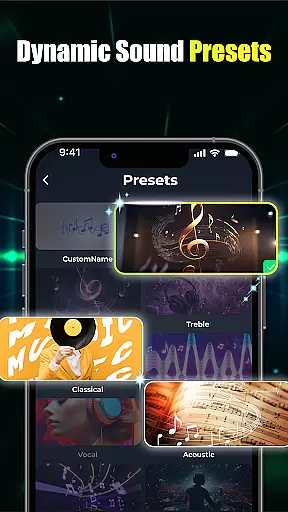
The equalizer component offers both flat and band presets, allowing users to create personalized sound profiles. The app's bass boost technology provides deep, resonant low frequencies, perfect for music enthusiasts. Additionally, the 3D virtualization feature creates an immersive, surround-sound effect that transforms regular audio into a concert-like experience.
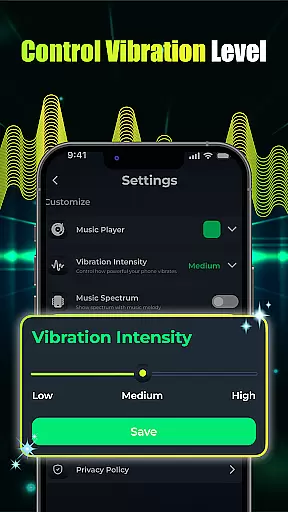
Practical features include a built-in music player that consolidates multiple audio applications, edge light visual effects with customizable parameters, and seamless integration with various operating systems. These features work together to provide users with complete control over their audio environment, whether they're using headphones, speakers, or other audio output devices.
When it comes to music enhancement applications, the size and authenticity of the music library are crucial. Volume Booster - Music & Sound doesn't just stop at amplifying volume; it ensures that every track you boost is legally covered and offers a vast array of options.
This app provides users with an extensive music library that caters to different tastes and preferences. Whether you're into classical symphonies or modern electronic beats, there's something for everyone. The variety is not only in genres but also in the ready availability of tracks across various languages and cultures.
Copyright authenticity is taken seriously within this app. Every piece of music available for volume and bass boosting is properly licensed, ensuring that artists' rights are respected while users enjoy high-quality sound. This commitment to legal compliance adds an extra layer of trust and reliability for the user.
By focusing on both the size and legitimacy of its music offerings, Volume Booster - Music & Sound guarantees an uninterrupted, enriched audio experience that respects both the listener and the creator. Users can enjoy their favorite tunes, assured that they are part of a legitimate and diverse musical database.
Audio quality options are a defining feature of any superior sound-enhancing application. Volume Booster - Music & Sound excels in providing users with a multitude of settings to fine-tune their listening experience according to their preferences and needs.
The app includes advanced equalizer settings that allow for precise control over different sound frequencies. Users can adjust the bass, treble, and mids to create a soundscape that perfectly matches the genre of music or type of audio content they are engaging with, whether it be for professional audio editing or personal enjoyment.
In addition to frequency adjustments, the app offers various audio presets that cater to specific types of listening experiences. For instance, 'Bass Boost' for those who love feeling the deep thump in their music, or '3D Virtualization' for an immersive, studio-like sound environment right through your headphones.
Volume Booster - Music & Sound stands out by ensuring that these audio quality options do not compromise the clarity or richness of sound. Instead, they enhance every auditory detail, making each listening session a high-fidelity experience. With such comprehensive control at your fingertips, achieving your desired sound quality becomes effortless and enjoyable.
Powerful volume amplification
Advanced equalizer presets
Intuitive user interface
Wide device compatibility
Real-time audio enhancement
Potential battery drain
Limited free features
Occasional audio glitches
Interface complexity
Device compatibility issues

Your HD audio recorder on the go for music, meetings, ambience, animal sounds…
 4.30
4.30
Over 100 million tracks available for high quality streaming and download
4.60
JBL PartyBox APP works with 110/310/710/120/320/520/Encore/Encore 2/Encore Ess 2
4.80
Permanently backup Now Playing. Maps, filters & listening stats.
4.00
Advanced 10-Band Audio Graphic Equalizer Sound Booster Pro
4.30
Ultimate Sonos Controller
4.70
Bass Booster Pro takes auto-equalizing to the next level!
4.30
The best music and audio player, with beautiful UI, music search and equalizer.
4.60
Help you quickly get started with Shokz headphones
4.40
Responsive piano with great sounds, graphics, and songs
4.80 4.70
4.70
AI Music Maker: Generate And Compose AI Tunes & AI Songs & AI Music & AI Melody!
4.60
Powerful 10-Band equalizer pro with sound booster improves Android audio quality
4.30
Time Trainer: accurate metronome w tools to help you develop your internal time!
4.20
Network/Cloud Streaming, Visualization, Graphic Equalizer and Sound Effects.
4.20
Versatile MP3 recorder with auto-backup to Dropbox and Google Drive
4.10
Turn your phone into a musical instrument from the future!
3.90
Control your MIDI USB or Bluetooth devices in app and avoid some trampling
3.30
The Skullcandy App Experience
3.20


User Reviews