
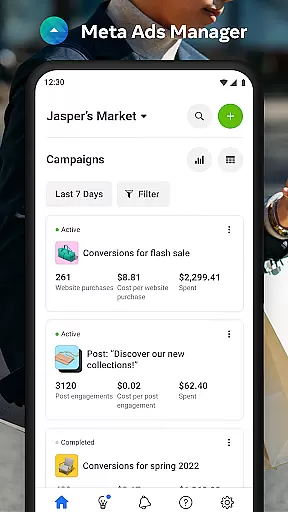

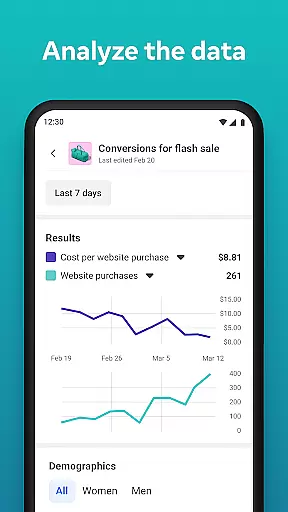
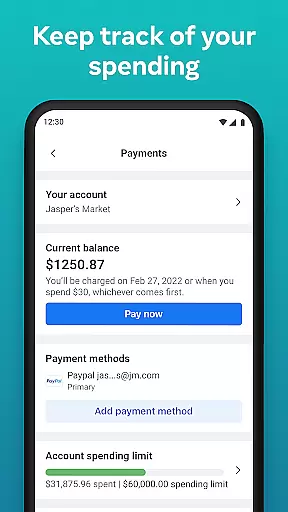
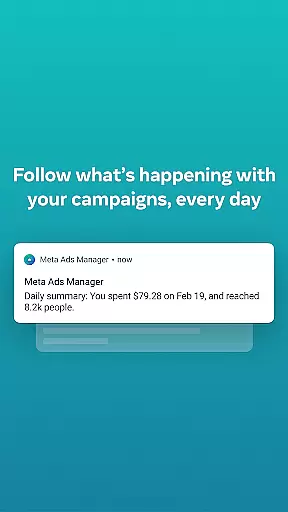
Meta Ads Manager is a comprehensive business tool that allows marketers to efficiently manage their advertising campaigns across Meta's ecosystem, including Facebook, Instagram, Messenger, and WhatsApp. The app provides real-time insights into campaign performance, enabling users to make data-driven decisions on the go. With its intuitive interface, advertisers can create and edit ad campaigns, toggle campaigns on or off, and receive instant alerts about important changes.
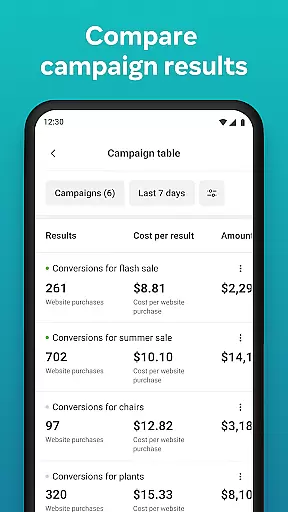
One of the standout features is the ability to compare campaigns and ad sets using a side-by-side view, which helps optimize marketing strategies. Whether you're a small business owner or part of a large marketing team, Meta Ads Manager ensures you stay connected with your campaigns no matter where you are. This functionality streamlines workflows and enhances productivity by centralizing all essential advertising tools in one place.
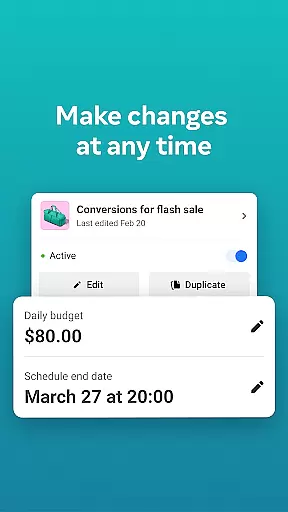
Meta Ads Manager offers an array of powerful features designed to streamline digital advertising efforts. Users can access detailed real-time insights for all their campaigns, empowering them to monitor performance metrics closely. The app supports seamless campaign management by allowing users to turn campaigns on and off as needed, ensuring optimal budget allocation.
Another key feature is the quick alert system, which notifies users about significant events affecting their ads. Additionally, the side-by-side comparison tool enables users to analyze different campaigns and ad sets effectively. Marketers can also switch between Pages and ad accounts effortlessly, making it easier to manage multiple brands or projects from a single dashboard. These capabilities collectively enhance the efficiency and effectiveness of advertising operations.
Collaborative work features are essential for modern business applications, enabling teams to work together efficiently regardless of location. Meta Ads Manager excels in this area by providing a centralized platform where marketing teams can manage campaigns across multiple Meta technologies.
The application allows users to control advertising activities on platforms like Facebook, Instagram, and WhatsApp from a single interface. This unified approach ensures that team members can coordinate their efforts seamlessly, whether they're launching new campaigns or optimizing existing ones.
Real-time alerts and side-by-side campaign comparisons make it easier for teams to stay informed about ad performance. These features facilitate better communication and faster decision-making among team members, leading to more effective advertising strategies.
By supporting cross-platform advertising management and offering detailed insights, Meta Ads Manager empowers marketing teams to collaborate more effectively and achieve better results from their advertising investments.
Effective task management is crucial for successful advertising campaigns, and Meta Ads Manager provides robust tools for organizing and controlling advertising activities. The application enables users to create, edit, and monitor multiple campaigns simultaneously across different Meta platforms.
With the ability to turn campaigns on and off directly from the app, users can quickly respond to market changes or performance data. This level of control is particularly valuable for managing complex advertising strategies that require frequent adjustments based on real-time insights.
The app's interface supports efficient task organization through features like account switching and page management. Users can easily navigate between different ad accounts and pages, ensuring that all advertising activities are properly coordinated and aligned with business objectives.
These task management capabilities help marketing professionals maintain better control over their advertising operations, leading to improved campaign performance and more efficient use of advertising budgets.
User-friendly interface
Real-time campaign insights
Multi-platform support
Efficient budget management
Instant alerts and notifications
Limited third-party integrations
Occasional syncing issues
Advanced features require learning
Dependent on Meta platforms
Mobile-only experience

GoTo Mobile is a simple & secure calling, messaging & meetings solution
 4.80
4.80
Completed Course Lectures on how to use IBM Maximo in Maintenance issues
4.5
All Your Gig Work. One App.
4.30
Measure distances, surfaces and draw plans in seconds with CamToPlan!
4.40
Get your benefits on-the-go.
3.80
Amazon A to Z is the place to manage your work-life at Amazon.
4.50
Finance, Investing, Stocks, Trading and Stock news
4.60
We are a dynamic team of creatives people of design, marketing, web & apps
3.00
Find jobs near you and temp work in minutes, from your phone.
4.50
BuildCalc - the easiest AND the most advanced construction calculator app.
4.80
Get instant construction estimates: accurate home repair & material calculator.
4.70
Your employer must have UKG Ready software configured for Mobile.
4.60
No more passwords, easier sign-in, and greater protection for your accounts.
4.60
Manage work life on the go
4.50
ADP Mobile Solutions is an employee self service app
4.50
Earn crypto with secure cloud mining. Monitor, track & withdraw easily
4.40
All-in-one Mobile solutions for employees & managers to succeed at work
4.30
The All-in-One File Manager for Phone, TV, Watch, Cars, XR / VR, Chromebook
4.10
Zoom built for Chrome OS
3.90


User Reviews