
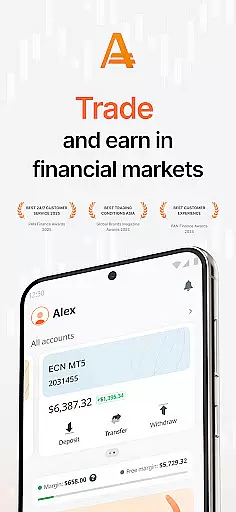
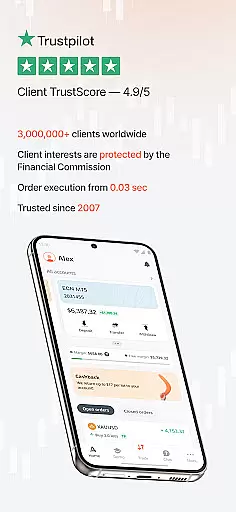
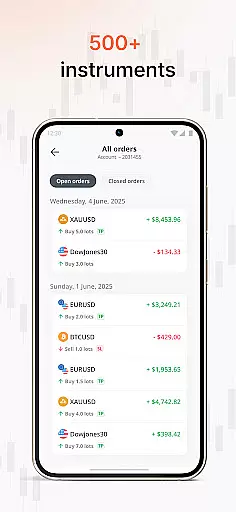
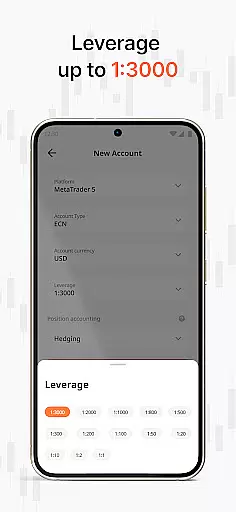
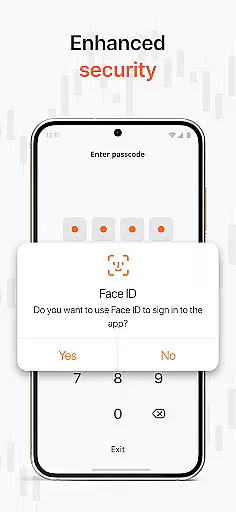
AMarkets is a premier trading and investment application designed for traders of all experience levels. This business-focused app provides seamless access to the world's largest financial markets, offering over 550 tradable instruments across seven asset classes. Users can trade forex, metals, stocks, indices, commodities, and bonds with execution speeds as fast as 0.03 seconds. The platform supports both MetaTrader 4 and 5, ensuring professional-grade trading capabilities on mobile devices.
Beyond its core trading functions, AMarkets distinguishes itself through comprehensive market analysis tools and educational resources. Traders can benefit from daily market insights, advanced charting features, and a risk-free demo account for practice trading. The app's multilingual customer support operates 24/7, while its execution quality is verified by industry standards like Verify My Trade (VMT). With over 3 million global users and multiple industry awards, including recognition for transparency and customer service, AMarkets represents a reliable choice for mobile-based financial trading and investment management.
AMarkets stands out in the business category through its robust feature set tailored for serious traders. The app offers real-time pricing data combined with advanced charting tools that enable technical analysis directly from mobile devices. Its execution speed of 0.03 seconds ensures minimal slippage during trades, while supporting both MetaTrader 4 and 5 platforms allows for sophisticated automated trading strategies. The inclusion of a demo account provides beginners with valuable risk-free practice opportunities.
Additional notable features include comprehensive market coverage spanning major, minor, and exotic currency pairs alongside precious metals and global stock indices. The app delivers daily market analysis reports and maintains a strong focus on security through its partnership with the Financial Commission's Compensation Fund, which protects user investments up to €20,000 per claim. Furthermore, AMarkets' commitment to education is evident in its structured learning materials that help users develop their trading skills progressively. These features collectively create a powerful mobile trading environment suitable for both novice and experienced traders seeking professional-grade tools in a convenient format.
In the realm of financial trading and investment, collaborative work features are essential for traders looking to share insights and strategies. The AMarkets app facilitates a global community of over 3 million traders, allowing users to connect and collaborate effectively.
Through seamless integration with MetaTrader 4 & 5, the app supports shared access to advanced charting tools and real-time pricing data. This enables teams to analyze market trends collectively and make informed decisions based on comprehensive analytics.
Furthermore, AMarkets provides daily market insights and analysis that serve as a foundation for discussion and learning among traders. These resources help both beginners and experts refine their trading performance through shared knowledge and experience.
The multilingual customer support available 24/7 ensures that all collaboration-related queries are addressed promptly, maintaining an uninterrupted flow of communication within trading communities.
Effective task management is crucial in trading, where timing and organization can significantly impact outcomes. The AMarkets app offers robust task management capabilities tailored to the needs of traders across all levels.
With access to over 550 trading instruments, users can organize their portfolios and manage tasks related to different asset classes including Forex, Metals, Stocks, Indices, Commodities & Bonds. This diverse range allows traders to prioritize their activities based on market opportunities.
The app's lightning-fast execution speed of 0.03 seconds ensures that tasks related to trading operations are carried out swiftly, providing a competitive edge in fast-moving markets. Traders can execute orders and manage their investments without delay, ensuring they capitalize on timely opportunities.
Additionally, the risk-free demo account feature allows users to practice task management strategies without financial risk, honing their skills before engaging in live markets. This contributes to a more structured approach to trading tasks and enhances overall performance.
User-friendly interface
Fast trade execution
Comprehensive asset coverage
24/7 customer support
Verified execution quality
Advanced features may overwhelm beginners
Limited social trading options
No built-in economic calendar
Premium services come at extra cost
Occasional server maintenance downtime

Zoom built for Chrome OS
 3.90
3.90
Earn crypto with secure cloud mining. Monitor, track & withdraw easily
4.40
Windows App allows you to connect to remote PCs and virtual apps.
3.70
Earn free swag, G-Cards & food • Enter sweepstakes • Find stores • So much more.
4.70
Simple, Fast & Lightweight
3.90
Find work, shifts and gigs near you. Jobs lasting a few hours to a few months.
4.30
Paychex Flex - Save Time and Stay Connected
4.60
Recover what matters — quickly and easily.
4.70
Deliver and earn money
4.30
Job search app that finds jobs for you! Takes the work out of looking for a job!
4.90
BuildCalc - the easiest AND the most advanced construction calculator app.
4.80
Permission Guard is a security app that helps you manage app permissions.
4.80 4.70
4.70
Find the right fit, faster.
4.70
Make invoices, bills, receipts & estimates on the go with Invoice Generator.
4.70
Your employer must have UKG Ready software configured for Mobile.
4.60
Manage work life on the go
4.50
Amazon A to Z is the place to manage your work-life at Amazon.
4.50
The revolutionary flexible staffing platform
4.40


User Reviews