




Zoom for Chromebook is a comprehensive business communication tool that combines team chat, video meetings, phone capabilities, and collaborative whiteboards into a single web application. Designed specifically for Chrome OS, this app allows professionals to work seamlessly from anywhere with an internet connection.
The application's key features include one-tap meeting scheduling and joining, AI-powered meeting summaries through AI Companion, and integrated phone and SMS functionality. Users can engage in both public and private chat channels, brainstorm on virtual whiteboards, and utilize polished virtual backgrounds during video calls. With automatic updates and remote installation options for administrators, Zoom ensures users always have access to the latest features while maintaining enterprise-level security.
This app is particularly beneficial for remote teams and businesses looking to streamline their communication tools into one efficient platform. The requirement of Chrome OS 91+ guarantees optimal performance and access to the newest functionalities.
Zoom for Chromebook stands out with its robust feature set tailored for modern business needs. The app's seamless integration of multiple communication tools eliminates the need for separate applications, creating a unified workspace for teams.
One of the app's notable innovations is the AI Companion feature, which automatically generates detailed meeting summaries, saving users valuable time. The virtual whiteboard functionality enables real-time collaboration, while advanced phone features allow users to make calls and send text messages directly through the app. Administrators benefit from centralized configuration options and enhanced security protocols through remote installation capabilities.
All features are optimized for Chromebooks, ensuring smooth performance and easy accessibility. While some advanced features require a paid Zoom One subscription, the app offers substantial value even with a free account, making it a versatile solution for businesses of all sizes.
Collaborative work features are essential for modern business applications, enabling teams to work together efficiently regardless of location. Zoom for Chromebook excels in this area by integrating multiple communication tools into a single platform.
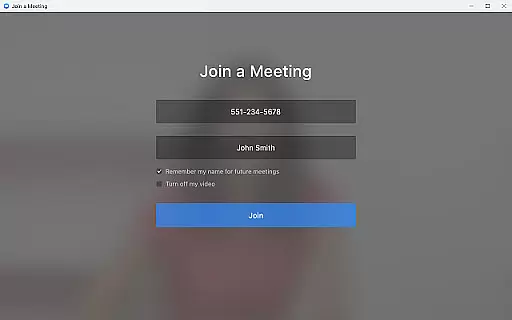
The application allows users to schedule or join video meetings with a single tap, streamlining the collaboration process. Its team chat functionality supports communication in both public and private channels, facilitating seamless interaction with colleagues and external contacts alike.
One of the standout collaborative features is the virtual whiteboard, which enables teams to brainstorm and share ideas in real-time. This interactive tool enhances creativity and ensures all participants can contribute to discussions effectively.
These comprehensive collaboration tools help businesses maintain productivity and foster innovation, making remote work not just possible but efficient and engaging.
Effective task management is crucial for maintaining productivity in business environments. Zoom for Chromebook addresses this need by providing features that help users organize and prioritize their work activities efficiently.
The application's ability to schedule meetings and receive automated summaries through AI Companion enhances task tracking and follow-up. These features ensure that important information is never lost and action items are clearly identified.
Administrators benefit from remote installation options, allowing them to manage application deployment across the organization centrally. This feature contributes to better security and configuration control, which is vital for task management at an organizational level.
While Zoom requires a paid subscription for certain advanced features, its integrated approach to communication and task management provides significant value for teams looking to optimize their workflow.
User-friendly interface
Comprehensive feature set
Seamless Chrome OS integration
Regular automatic updates
Robust security options
Paid features locked behind subscription
Chrome OS version dependency
Limited AI availability
Requires stable internet connection
Some features region-restricted

Ask Accio anything about business. Alibaba-backed, built by experts, not just AI
 4.60
4.60
The revolutionary flexible staffing platform
4.40
Quickly open and manage PDF files on your device.
3.80
Amazon A to Z is the place to manage your work-life at Amazon.
4.50
enjoy effortless PDF reading anytime, anywhere
3.90
All your team communication in one place
4.70
We are a dynamic team of creatives people of design, marketing, web & apps
3.00
Start earning fast. Apply Today.
4.80
Chat, meet, and collaborate to achieve more together, all in one place on Teams
4.60
Manage Your Shop
4.70
Finance, Investing, Stocks, Trading and Stock news
4.60
Mobile POS for any business: sales, invoices, retail, restaurants & appointments
4.60
Drive and earn extra money
4.50
Find jobs near you and temp work in minutes, from your phone.
4.50
The app that lets you deliver with Amazon.
4.50
The Penny Puss app with DG penny finder
4.10
On the go? Take FedEx with you.
4.00
Delivery Track App - Tracking with Fedex, USPS, UPS, DHL. Monitor your Orders.
3.20
Completed Course Lectures on how to use IBM Maximo in Maintenance issues
4.5


User Reviews