
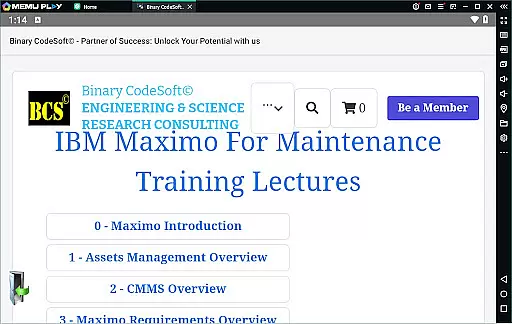
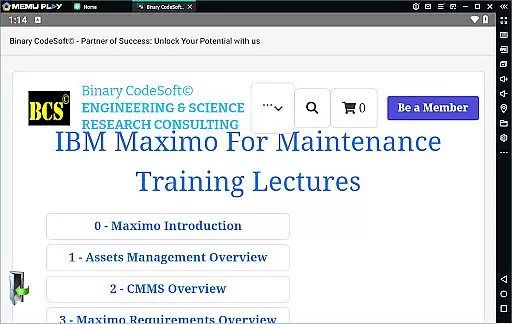

BCS©-Maximo Maintenance course is a comprehensive business application designed to educate users on maintenance operations and IBM Maximo. The app covers various aspects of maintenance strategies, planning, scheduling, and associated costs. It highlights the significance of effective maintenance management while showcasing why IBM Maximo is an ideal solution.
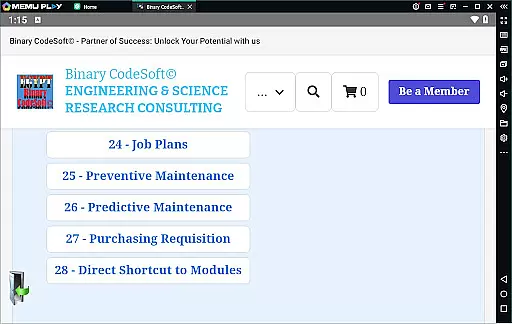
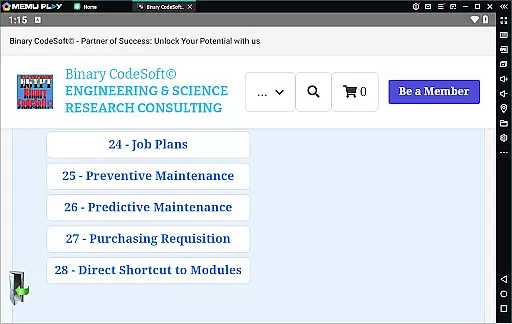
The app delves into asset management, CMMS overview, and new features of IBM Maximo. Users can learn about work orders, job plans, preventive and predictive maintenance, dynamic job plans, and modifications. Additionally, it provides insights into shutdown planning, multi-day plans, child work orders, and data export capabilities.
With modules covering purchasing, direct shortcuts, query management, task execution on multiple records, and advanced planning techniques, this app equips users with the knowledge to stay ahead in maintenance planning and follow-up using reports and important PRs.
BCS©-Maximo Maintenance course offers rich features that cater to those interested in mastering maintenance operations through IBM Maximo. One of its standout features is the detailed introduction to different types of maintenance strategies and their impact on cost and efficiency.
The app provides an in-depth look at IBM Maximo's functionalities, including asset management, CMMS, implementation steps, locations, assets, work orders, and job plans. It also explains preventive and predictive maintenance methods, dynamic job plan creation, and modifications.
Users benefit from learning how to create shutdown plans, manage 7-day and monthly plans, handle child work orders, and export data to MS Excel or MS Project files. Additional features include executing tasks across multiple records, keeping queries on top, and utilizing planning tools to follow up on PMs and PRs effectively.
In the realm of business applications, collaborative work features are essential for streamlining operations and enhancing productivity. The BCSu00a9-Maximo Maintenance course offers a comprehensive look into how collaboration is integrated within maintenance management. This application provides tools that enable teams to work together efficiently, regardless of their physical location.
Through the use of IBM Maximo, users can implement strategies such as Maintenance Planning and Scheduling, which are crucial for organizing tasks and allocating resources effectively. The app facilitates communication among team members by providing shared access to vital information like work orders, job plans, and preventive maintenance schedules.
Furthermore, the application supports collaborative efforts through its ability to manage assets and locations, ensuring all team members are on the same page regarding the status and needs of different operational components. With features that allow exporting data to commonly used formats such as MS Excel and MS Project files, teams can easily share and review necessary information.
The true value of these collaborative features lies in their ability to keep every stakeholder informed and engaged in the maintenance process, leading to improved decision-making and more efficient execution of tasks. By leveraging these capabilities, businesses can expect a significant enhancement in their overall operational effectiveness.
Effective task management is pivotal for any business looking to optimize its maintenance operations. The BCSu00a9-Maximo Maintenance course excels in this area by offering robust tools designed to handle various aspects of task management with precision and ease. Users will find that managing complex processes becomes more straightforward with the functionalities provided by this application.
This app allows for meticulous control over work orders, enabling users to create, assign, and track tasks until completion. It also supports advanced planning through dynamic job plans and modifications, which adapt to the evolving needs of maintenance projects. These capabilities ensure that every task is performed at the right time and with the appropriate resources.
Additionally, the application includes specialized features such as shutdown planning, seven-day plans, and monthly plans, which help in organizing larger-scale operations. Child work orders further refine task management by breaking down bigger tasks into manageable parts, each of which can be monitored independently.
By integrating task management with real-time data and analytics, the BCSu00a9-Maximo Maintenance course empowers businesses to stay ahead of potential issues. This proactive approach not only prevents downtime but also optimizes resource allocation, ultimately leading to cost savings and increased productivity.
Comprehensive content
User-friendly interface
Practical examples
Advanced planning tools
Real-world applications
Complex for beginners
Limited interactive features
Text-heavy presentation
No offline access
Requires prior knowledge

Ask Accio anything about business. Alibaba-backed, built by experts, not just AI
 4.60
4.60
ANDROID'S TOP MOBILE OFFICE - Word, Excel, PowerPoint and PDF at your fingertips
4.50
Measure distances, surfaces and draw plans in seconds with CamToPlan!
4.40
BuildCalc - the easiest AND the most advanced construction calculator app.
4.80
Amazon A to Z is the place to manage your work-life at Amazon.
4.50
One marketplace. Hundreds of services. Unlimited possibilities. All on Fiverr.
4.40
Access All PDF Files
3.40
Collaborate seamlessly with Google Chat, part of Google Workspace
4.50
All-in-one Mobile solutions for employees & managers to succeed at work
4.30
USPS Mobile®Access USPS.com’s most popular tools on-the-go.
4.70
We help people get jobs
4.70
Find jobs and make money fast with JobStack.
4.60
Finance, Investing, Stocks, Trading and Stock news
4.60
Build a store in minutes with our full suite of AI tools. Start for free!
4.20
Find flexible, hourly jobs hiring near you in restaurant, retail & hospitality!
4.00
Zoom built for Chrome OS
3.90
enjoy effortless PDF reading anytime, anywhere
3.90
Take the stress out of storage with the all-in-one app to manage your space.
3.70
Find part-time earning opportunities near you that pay within days.
3.20


User Reviews