
PDF Reader is a versatile business application designed to streamline document management for professionals on the go. This app allows users to view, organize, and share PDF files with ease, making it an essential tool for anyone who frequently handles digital documents.
The app's standout feature is its intuitive interface that supports quick navigation and seamless access to all PDFs stored on your device. Whether you're reviewing reports, managing contracts, or sharing important documents, PDF Reader ensures smooth performance across multiple file formats including Doc, PDF, PPT, and Excel.
With its robust functionality, this app is particularly useful for business professionals who need reliable access to their documents while traveling or working remotely. The ability to handle files across folders and SD cards makes it a powerful solution for modern workplace requirements.
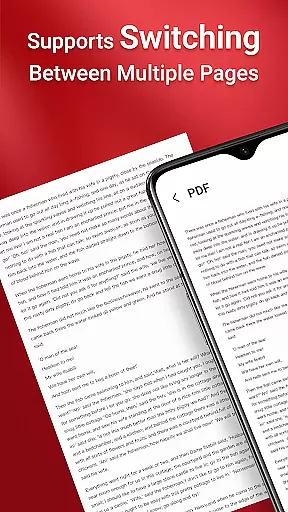
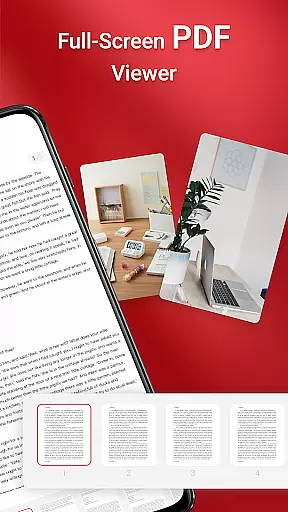
PDF Reader stands out with its comprehensive set of features tailored for business users. The app enables one-click PDF reading and quick page navigation, allowing users to efficiently work through lengthy documents without hassle.
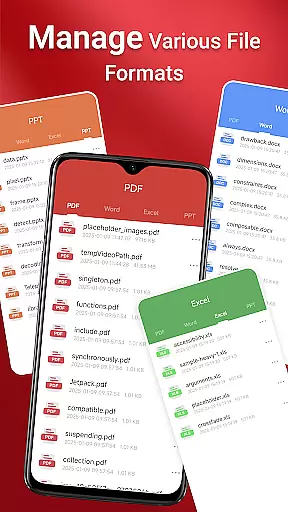
One of the key strengths of this application is its integrated support for various document types. Users can seamlessly switch between different file formats including Word documents, PowerPoint presentations, and Excel spreadsheets alongside standard PDF files.
The app's advanced permission system (MANAGE_EXTERNAL_STORAGE) ensures reliable access to files across all storage locations, including SD cards and non-standard directories. This capability, combined with background processing features, enables uninterrupted document management even when offline or dealing with large file collections.
In today's interconnected work environment, collaborative work features are essential for seamless teamwork. PDF Reader offers robust capabilities that allow teams to access and manage PDF documents collectively. This functionality is particularly useful for projects requiring multiple stakeholders to review, annotate, and share feedback on the same document.
The app supports integrated collaboration by enabling users to quickly navigate through pages and access various document types including Doc, PDF, PPT, and Excel files. With its intuitive interface, team members can effortlessly locate and work on the necessary documents, ensuring everyone stays on the same page.
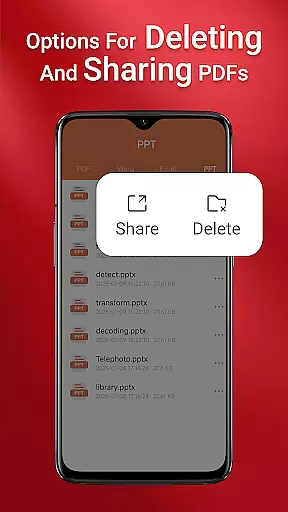
Moreover, the ability to seamlessly share PDFs enhances remote collaboration. Whether your team is working from different locations or in-office, PDF Reader ensures that all members have up-to-date information at their fingertips. This feature not only saves time but also improves productivity by streamlining communication and document management processes.
Effective task management is crucial for maintaining productivity and meeting deadlines. PDF Reader incorporates task management features that help users organize and prioritize their document-related tasks efficiently. By providing quick access to all PDF files on your device, the app ensures that you can manage your documents without any hassle.
One of the standout features is the one-click PDF reading capability, which allows users to instantly open and review documents. This function is complemented by quick page navigation, making it easy to find specific sections within large files. Such tools are invaluable for professionals who need to swiftly go through extensive reports or presentations.
Additionally, the app's support for various document types means that users can handle multiple file formats from a single platform. This versatility simplifies task management by consolidating all necessary documents in one place, thus reducing the time spent switching between different applications. Overall, PDF Reader equips users with the tools needed to stay organized and focused on their tasks.
User-friendly interface
Multi-format document support
Seamless file sharing
Quick page navigation
Reliable offline access
Requires broad storage permissions
Limited free features
Occasional performance lag
No cloud integration
Basic annotation tools

Find flexible, hourly jobs hiring near you in restaurant, retail & hospitality!
 4.00
4.00
VSD Viewer - Visio Drawings Viewer for Android Preview VSD, VDX, VSDX drawings
4.10
Create curriculum vitae, a professional cover letter creator and resume designer
4.80
BuildCalc - the easiest AND the most advanced construction calculator app.
4.80
A secure, all-in-one team collaboration app
4.30
Delivery Track App - Tracking with Fedex, USPS, UPS, DHL. Monitor your Orders.
3.20
All your team communication in one place
4.70
Build a store in minutes with our full suite of AI tools. Start for free!
4.20
Access to Paylocity, empowering employees with information they need 24/7.
4.70
Manage Your Shop
4.70
AI-powered document scanner with auto enhance for perfect PDFs.
4.60
Ask Accio anything about business. Alibaba-backed, built by experts, not just AI
4.60
Ship, Track, Find a Location or Get a Quote with UPS. Anytime. Anywhere.
4.60
Manage work life on the go
4.50
Amazon A to Z is the place to manage your work-life at Amazon.
4.50
Master crypto trading with real-time simulations and exciting challenges!
4.50
Earn crypto with secure cloud mining. Monitor, track & withdraw easily
4.40
FX Plus adds media, networking, and cloud capabilities to FX File Explorer.
4.10
We are a dynamic team of creatives people of design, marketing, web & apps
3.00


User Reviews