
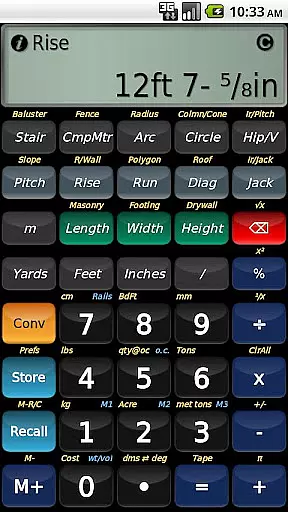
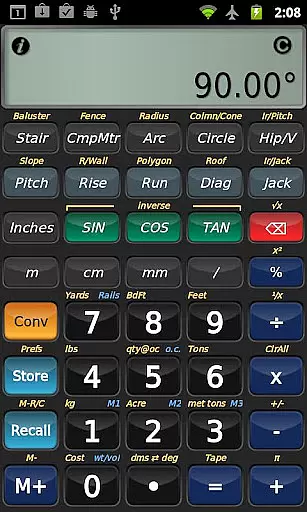
BuildCalc is a comprehensive construction calculator app designed to simplify complex calculations for professionals in the building industry. This powerful tool offers advanced functionalities such as baluster and stair layout calculations, complete with dimensioned drawings that can be shared via email as PDFs. The app also includes interactive features for various calculations, allowing users to adjust inputs dynamically and receive instant results.
In addition to its robust feature set, BuildCalc provides users with more answers by customizing sizes for masonry, drywall, and roofing functions. It reduces complexity through streamlined key presses and intuitive input methods, eliminating the need for cumbersome button sequences. With full-daylight visibility mode and emulation of Construction Master® Pro functionality, this app ensures accuracy and efficiency on the job site.
Whether you're a contractor, architect, or DIY enthusiast, BuildCalc's ability to save calculation results and offer detailed help makes it an invaluable tool. Its user-friendly interface and extensive support options ensure that users can focus on their projects without being bogged down by complicated calculations.
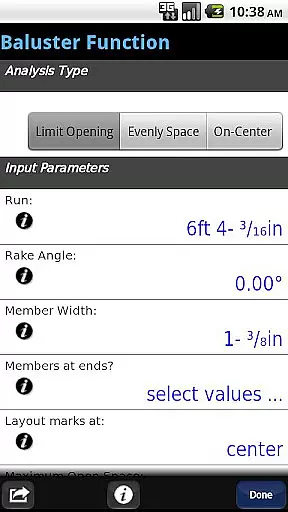
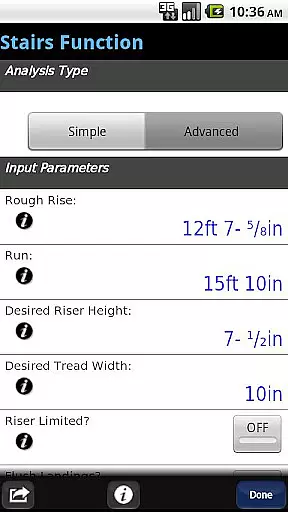
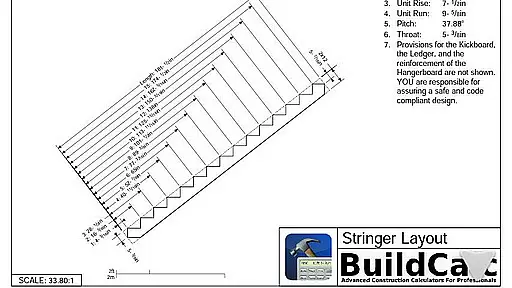
BuildCalc stands out with its array of specialized features tailored for construction professionals. One of its key highlights is the Advanced Baluster Function, which simplifies railing and staircase layouts with minimal guesswork while offering flexibility for custom jobs. The Advanced Stair function provides professional-grade stair layouts, including detailed drawings of stringers and finished staircases, which can be emailed directly from the app.
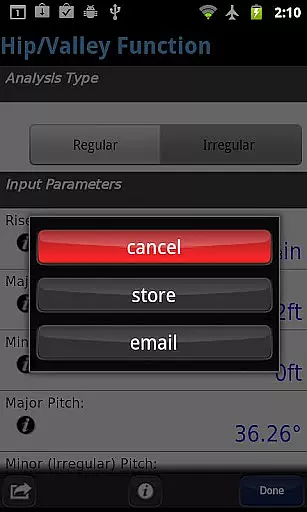
The app also includes an innovative Fence Function that calculates the number of posts, rails, pickets, and panels needed based on fence row length. Interactive functions like Stair, Baluster, Compound Miter, Diagonal, and Hip/Valley allow users to modify input values effortlessly, with automatic updates to results. Additionally, BuildCalc offers new visibility modes and customizable size options for materials like brick, block, and shingles.
BuildCalc minimizes hassle by providing all results in list form with minimal taps, allowing users to save and recall complete results conveniently. The app eliminates quirky key sequences and offers helpful checklists and on-the-spot assistance for complex calculations. With features like Drywall and Masonry 'Room Mode' and full emulation of Construction Master® Pro, BuildCalc ensures accurate and efficient calculations every time.
In the realm of construction, collaboration is key to success. BuildCalc understands this and offers advanced interactive functions that streamline teamwork. The Stair, Baluster, Compound Miter, Diagonal, and Hip/Valley functions are designed to be fully interactive. This means that any changes to input values or project parameters are automatically updated across all calculations.
Imagine working on a complex baluster layout for a custom staircase. With BuildCalc, modifying the run or switching between different roof analyses doesn't require starting over. Instead, your results are updated in real-time, allowing you to focus on achieving professional results without the hassle of manual recalculations.
This automatic updating feature saves time and reduces errors, ensuring that every team member is working with the most current data. By simplifying the collaborative process, BuildCalc empowers construction professionals to deliver exceptional results efficiently and accurately.
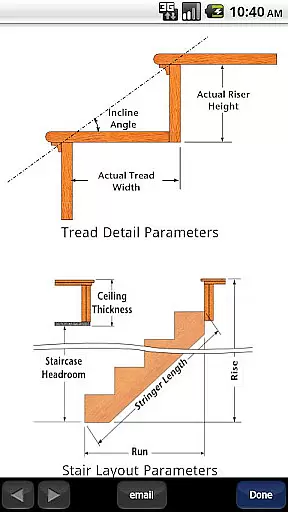
Effective task management is crucial in construction projects, and BuildCalc excels in this area by offering tools that simplify complex calculations. For instance, the Advanced Stair function not only provides dimensioned drawings of your Stringer, Stringer Installation, and Finished Staircase but also allows you to email a PDF of these drawings directly from the app.
This feature ensures that all stakeholders have access to detailed plans, facilitating better communication and coordination. Additionally, BuildCalc's ability to store custom sizes for various materials means you can quickly retrieve and use them without performing mental gymnastics to remember previous dimensions.
By reducing the complexity typically associated with construction calculators, BuildCalc enables users to manage tasks more effectively. Whether it's cutting hip roof rafters using a miter saw or calculating sheathing angles, BuildCalc provides precise answers with minimal effort, enhancing productivity and accuracy on the job site.
User-friendly interface
Comprehensive calculation tools
Interactive and dynamic inputs
Customizable material sizes
Efficient result saving
May have a learning curve
Requires internet for some features
Premium features may cost extra
Limited offline functionality
Occasional bugs reported

Earn crypto with secure cloud mining. Monitor, track & withdraw easily
 4.40
4.40
Manage work life on the go
4.50
Find the right fit, faster.
4.70
Get instant construction estimates: accurate home repair & material calculator.
4.70
Simple, Fast & Lightweight
3.90
One marketplace. Hundreds of services. Unlimited possibilities. All on Fiverr.
4.40
A secure, all-in-one team collaboration app
4.30
Permission Guard is a security app that helps you manage app permissions.
4.80
Roadie connects people with stuff to send with drivers already going that way.
3.50
FaxCover - Create fax cover pages. Works with any app or fax machine.
4.90
Start earning fast. Apply Today.
4.80
Access to Paylocity, empowering employees with information they need 24/7.
4.70
Your employer must have UKG Ready software configured for Mobile.
4.60
Finance, Investing, Stocks, Trading and Stock news
4.60
ANDROID'S TOP MOBILE OFFICE - Word, Excel, PowerPoint and PDF at your fingertips
4.50
Scan Business Cards & Conference Badges - Capture Leads at Events & Tradeshows
4.20
Find flexible, hourly jobs hiring near you in restaurant, retail & hospitality!
4.00
Take the stress out of storage with the all-in-one app to manage your space.
3.70
Completed Course Lectures on how to use IBM Maximo in Maintenance issues
4.2


User Reviews