
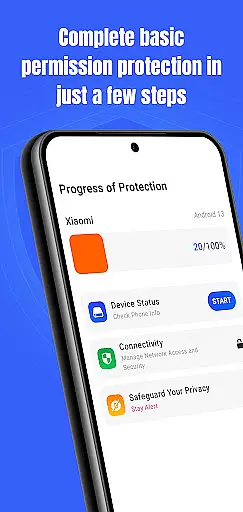
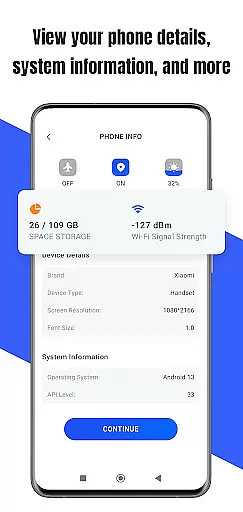
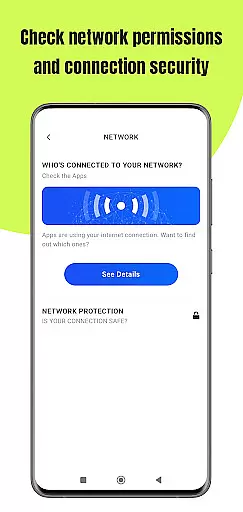
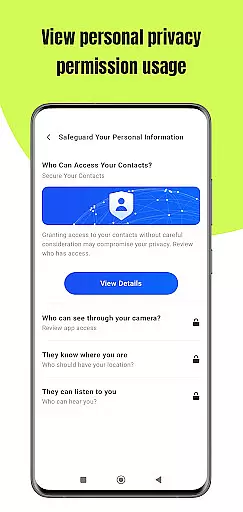
Permission Guard is a specialized security application within the Business category, designed to help users manage app permissions effectively. The core functionality revolves around monitoring and controlling the access rights of other apps on your device. This ensures that only necessary data is shared, protecting both personal and business information.
The app provides real-time alerts when an application requests excessive or suspicious permissions, allowing users to make informed decisions. It is particularly useful for small business owners and professionals who handle sensitive client data on their mobile devices. With its intuitive interface, Permission Guard makes permission management straightforward and efficient.
By using Permission Guard, businesses can maintain better control over their digital assets and ensure compliance with data protection regulations. This level of oversight is crucial in today's environment where data breaches are increasingly common.
Permission Guard offers a comprehensive set of features tailored for business users concerned about data security. One of its standout capabilities is the detailed permission analysis, which breaks down each app's requested permissions into understandable categories. This allows users to quickly identify potential risks and take appropriate action.
The app also includes a permission recommendation engine that suggests optimal settings based on industry best practices. For instance, it might recommend denying location access to a document editing app unless absolutely necessary. Additionally, Permission Guard maintains a historical record of permission changes, providing valuable insights during security audits.
Another key feature is the cross-platform compatibility, supporting both Android and iOS devices. This ensures that businesses with diverse device ecosystems can maintain consistent security policies across all devices. The app's lightweight design also means it won't significantly impact device performance while running in the background.
Collaborative work features are essential for modern business applications, enabling teams to work together efficiently and securely. Permission Guard excels in this area by providing robust tools that allow businesses to manage app permissions collaboratively.
The app offers a centralized dashboard where team members can view and adjust permissions for various applications used within the organization. This ensures that all team members have the appropriate level of access needed to perform their tasks without compromising security.
With real-time updates and notifications, Permission Guard keeps everyone informed about any changes in permissions, ensuring transparency and accountability across the team. This feature is particularly useful for remote teams who need to stay connected and updated on security settings.
By leveraging these collaborative work features, businesses can enhance their operational efficiency while maintaining strict control over sensitive data and resources.
Effective task management is crucial for businesses aiming to streamline operations and improve productivity. Permission Guard offers comprehensive task management capabilities tailored specifically for managing app permissions and device security.
The app allows users to create detailed permission profiles for different roles within the organization. These profiles can be easily assigned to new employees or modified as job responsibilities evolve, ensuring consistent and efficient permission management.
Permission Guard also includes scheduling features that automate routine permission checks and updates. This helps prevent unauthorized access and reduces the risk of human error in managing complex permission structures.
By integrating advanced task management tools, Permission Guard empowers businesses to maintain optimal security levels while focusing on their core objectives and growth strategies.
Enhanced Security
User-Friendly Interface
Real-Time Alerts
Cross-Platform Support
Compliance Assistance
Limited Free Features
Occasional False Positives
Requires Manual Checks
No Automated Rollback
Premium Subscription Cost

 4.70
4.70
Find jobs and make money fast with JobStack.
4.60
Windows App allows you to connect to remote PCs and virtual apps.
3.70
Earn free swag, G-Cards & food • Enter sweepstakes • Find stores • So much more.
4.70
Find the right fit, faster.
4.70
Finance, Investing, Stocks, Trading and Stock news
4.60
Paychex Flex - Save Time and Stay Connected
4.60
Grow your business and connect with more people with Meta Business Suite.
4.60
Say hello to the mobile work experience built to help you thrive at work.
4.30
BuildCalc - the easiest AND the most advanced construction calculator app.
4.80
ANDROID'S TOP MOBILE OFFICE - Word, Excel, PowerPoint and PDF at your fingertips
4.50
Find jobs near you and temp work in minutes, from your phone.
4.50
Measure distances, surfaces and draw plans in seconds with CamToPlan!
4.40
Find work, shifts and gigs near you. Jobs lasting a few hours to a few months.
4.30
A secure, all-in-one team collaboration app
4.30
All-in-one Mobile solutions for employees & managers to succeed at work
4.30
Quickly open and manage PDF files on your device.
3.80
Take the stress out of storage with the all-in-one app to manage your space.
3.70
Find part-time earning opportunities near you that pay within days.
3.20


User Reviews