
Turbo PDF is a lightweight and practical PDF reader designed for Android devices. With an intuitive interface, it offers essential tools that make reading and managing PDF documents simple and efficient. The app provides a smooth scrolling and zooming experience, ensuring users can navigate through PDFs with ease. Additionally, its document management features allow users to organize, share, and bookmark important files, making it a valuable tool for professionals and students alike.
This application is particularly useful for individuals who frequently handle PDF documents on their mobile devices. Whether you need to review work-related materials or study documents on the go, Turbo PDF ensures your files are easily accessible and well-organized. Its efficient performance and user-friendly design deliver significant value to those seeking a reliable PDF solution.
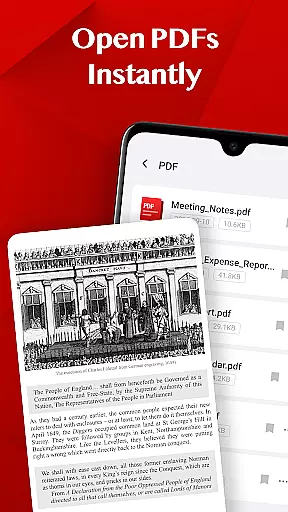
Turbo PDF stands out with its comprehensive set of features tailored for seamless PDF handling. One of its core strengths is the ability to open PDF files instantly, eliminating loading delays and allowing users to access their documents without interruption. This feature is especially beneficial for professionals who require quick access to important files during meetings or presentations.
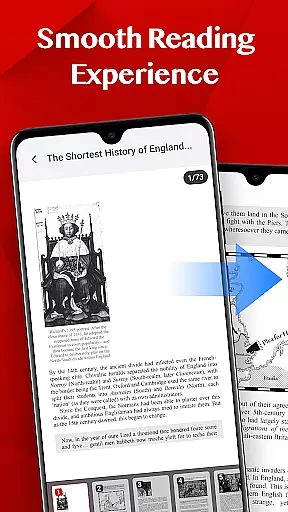
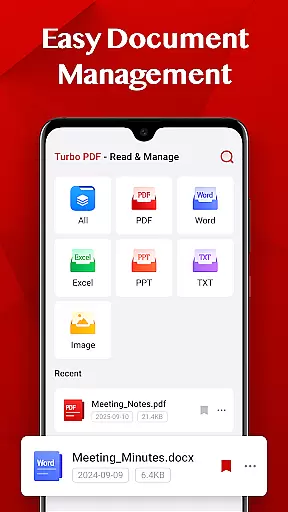
The app also excels in providing a smooth reading experience. With fluid scrolling, responsive zooming, and intuitive page navigation, users can comfortably read even lengthy PDF documents. Furthermore, Turbo PDF includes easy document management options, enabling users to share, delete, or bookmark files effortlessly. These functionalities ensure that users can maintain an organized library of PDFs while having quick access to their most important documents.
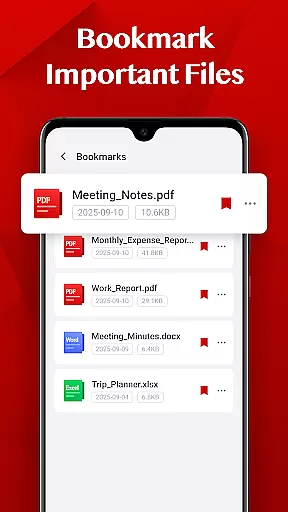
Another notable feature is the bookmarking capability, which allows users to mark key documents for future reference. This functionality enhances productivity by reducing the time spent searching for frequently used files. Overall, Turbo PDF's combination of speed, usability, and organization tools makes it a standout choice in the Business category.
In today's interconnected work environment, collaborative work features are essential for seamless teamwork. Turbo PDF offers a practical solution by allowing users to easily share PDF documents directly from their device. This facilitates quick information exchange between colleagues and teams.
The app's intuitive interface ensures that even those who are less tech-savvy can navigate and utilize the sharing functions effortlessly. With just a few taps, users can distribute important documents to team members, ensuring everyone has access to the most up-to-date information.
Moreover, Turbo PDF enables document organization through bookmarking and deletion options. These features help teams maintain an orderly repository of files, making it easier to locate specific documents when needed. The ability to mark key documents ensures that critical information is always at your fingertips.
While Turbo PDF may not have advanced real-time collaboration tools, its straightforward approach to document sharing and management makes it a reliable choice for businesses looking to streamline their PDF handling processes.
Effective task management is crucial for productivity, and Turbo PDF supports this by providing tools that help users keep track of their documents efficiently. With the ability to instantly open PDFs, users can quickly access necessary files without delay, ensuring tasks dependent on these documents can proceed without interruption.
Turbo PDF also allows users to bookmark important files, which serves as a personal task management feature. By marking key documents, users can prioritize their reading and ensure they focus on the most critical information first. This helps in organizing one's workflow and managing time effectively.
Additionally, the easy document management feature lets users delete unnecessary files, keeping their workspace clutter-free. A well-organized digital environment reduces the time spent searching for documents and enhances overall efficiency.
While Turbo PDF might not offer traditional task management features like due dates or reminders, its functionality in maintaining an organized library of PDFs indirectly contributes to better task prioritization and management.
User-friendly interface
Fast PDF loading
Smooth navigation
Efficient file management
Bookmarking functionality
Limited advanced editing
No cloud integration
Basic annotation tools
Restricted format support
Permission requirements

Find work, shifts and gigs near you. Jobs lasting a few hours to a few months.
 4.30
4.30
enjoy effortless PDF reading anytime, anywhere
3.90
We are a dynamic team of creatives people of design, marketing, web & apps
3.00
view, manage, and share every PDF file you have
3.60
USPS Mobile®Access USPS.com’s most popular tools on-the-go.
4.70
Shop, deliver, and earn with the Spark Driver™ App
4.10
Roadie connects people with stuff to send with drivers already going that way.
3.50
On the go? Take FedEx with you.
4.00
No more passwords, easier sign-in, and greater protection for your accounts.
4.60
Manage Your Shop
4.70
Get instant construction estimates: accurate home repair & material calculator.
4.70
Use Generative Summary to understand your rental or insurance docs in seconds.
4.70
We help people get jobs
4.70
Find jobs and make money fast with JobStack.
4.60
From Gone to Back Again — In Just a Few Taps
4.50
Smarter career moves start here. AI job alerts, insights & the right tools.
4.20
FX Plus adds media, networking, and cloud capabilities to FX File Explorer.
4.10
Work happy with AI Companion
4.10
Find part-time earning opportunities near you that pay within days.
3.20


User Reviews