
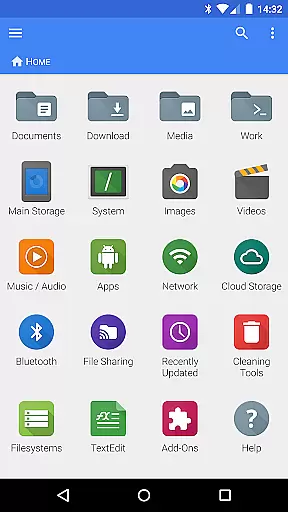
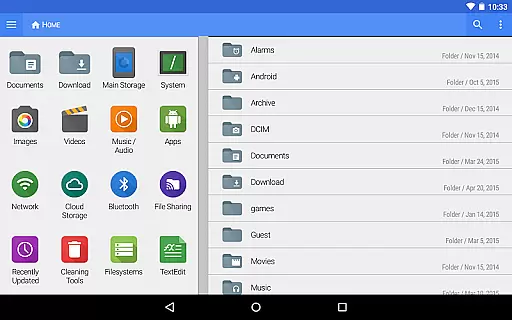
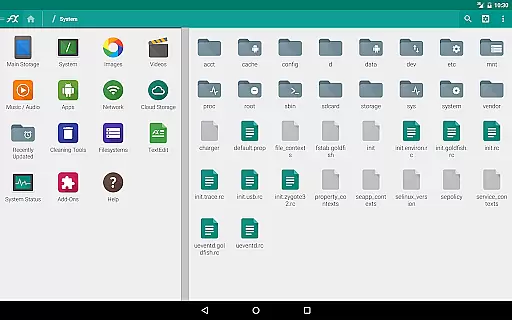
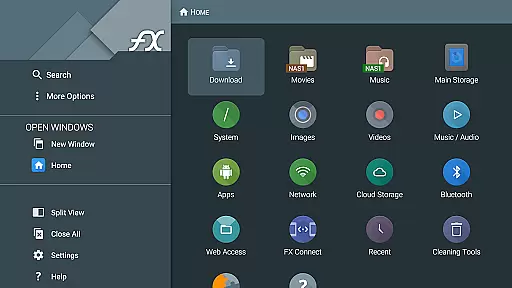
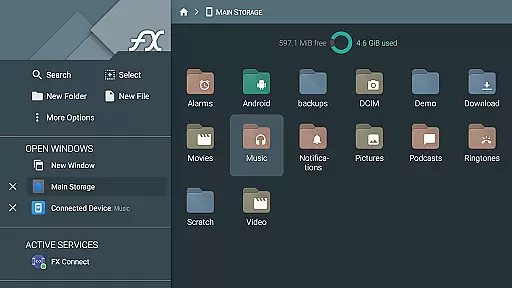
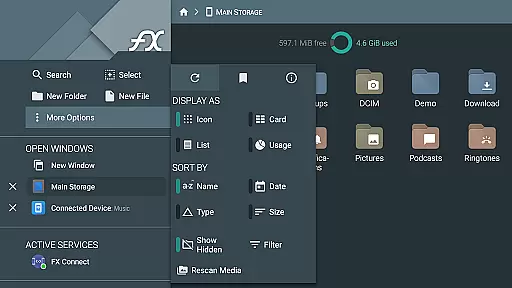
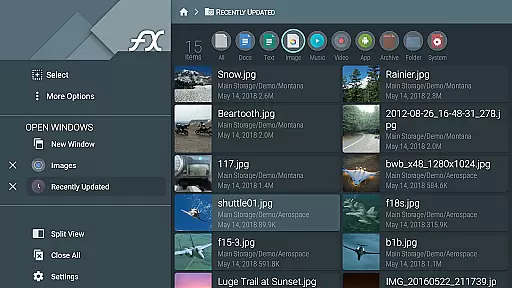


FX File Explorer is a comprehensive file management solution designed for business users who need advanced capabilities beyond basic file handling. This application transforms your mobile device into a powerful tool for managing both local and networked files.
The app offers robust features such as AES-128 and AES-256 encrypted zip file creation and extraction, allowing secure file management without decryption. It also provides extensive networking options including Windows networking (SMB), FTP, SSH FTP, and WebDAV protocols, enabling seamless file transfers across different platforms.
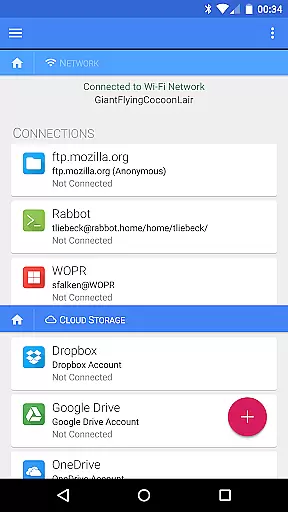
With its cloud integration capabilities, FX File Explorer supports major cloud storage services like Google Drive, Dropbox, and Box, making it an ideal solution for professionals who need to access and manage their files from anywhere. The app's media management features allow users to organize and stream audio/video files directly from cloud storage or network shares.
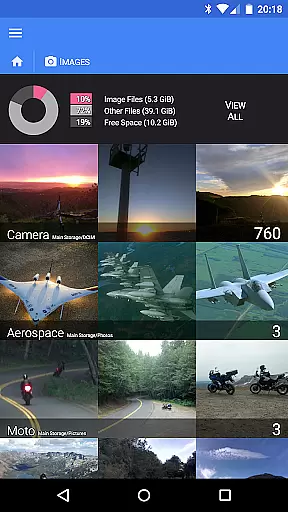
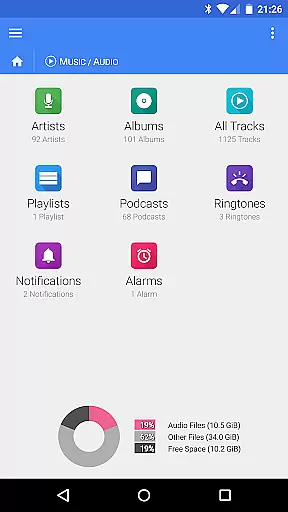
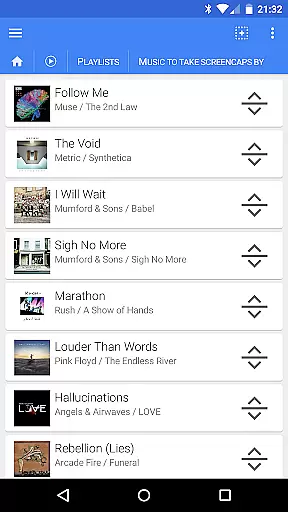
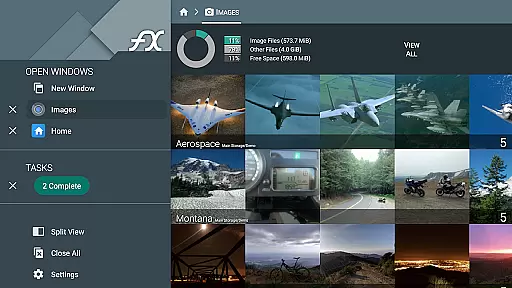
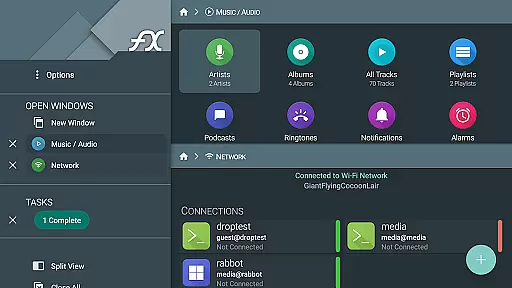
FX File Explorer stands out with its comprehensive feature set that caters to various business needs. The application's media management capabilities include browsing image/video collections, organizing audio files by multiple categories, and creating custom playlists through drag-and-drop functionality.
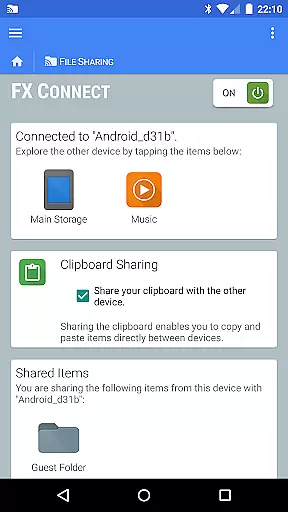
The networking features are particularly impressive, offering direct file transfer between devices through FX Connect, which supports NFC and Wi-Fi connections. The FX Web Access feature allows users to manage their files remotely through a web browser, while the encrypted keyring ensures sensitive credentials remain protected.
Advanced users will appreciate the app's support for multiple file transfer protocols including FTP-S, FTP-ES, and SSH FTP. The application also enables streaming media files from various sources, including SMB shares and cloud storage services, directly to media player applications. These features make FX File Explorer an indispensable tool for managing complex business workflows.
FX File Explorer offers robust collaborative work features that are essential for modern business environments. The application supports network and cloud capabilities, allowing teams to seamlessly share and manage files across different platforms such as Google Drive, Dropbox, and Windows networking (SMB).
One of the standout functionalities is FX Connect, which enables direct file transfers between two phones using NFC or Wi-Fi. This feature ensures that collaboration is not limited by physical location, thus enhancing productivity. Additionally, FX Web Access allows users to browse and manage files from their computer's web browser, providing another layer of convenience for team members who are constantly on the move.
The app also includes encrypted keyring support, ensuring that sensitive passwords are not exposed during collaborative efforts. This security measure is crucial in maintaining data integrity and confidentiality within a team setting. With these collaborative features, FX File Explorer empowers businesses to operate more efficiently and securely.
Effective task management is pivotal for productivity, and FX File Explorer excels in this area by offering a comprehensive suite of tools designed to streamline various tasks. The app provides extensive file management capabilities, including the ability to create and extract AES-128 and AES-256 encrypted zip files, which can be browsed without decryption, thus saving valuable time.
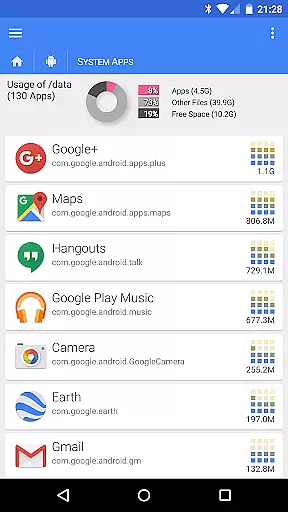
For media management, FX File Explorer allows users to browse image and video collections, rearrange playlists with drag and drop functionality, and manage installed applications. These features ensure that users can organize and prioritize their tasks effectively, whether they involve managing multimedia content or overseeing application installations.
Moreover, the app supports a variety of network protocols like FTP, SSH FTP, and WebDAV, enabling efficient task execution across different systems and devices. By integrating these advanced task management features, FX File Explorer helps users maintain an organized workflow, ultimately leading to enhanced productivity and better time management.
Comprehensive file management
Advanced encryption capabilities
Multiple network protocol support
Robust cloud integration
Secure credential storage
Complex interface for beginners
Requires technical knowledge
Separate license purchase needed
Limited free version features
Occasional performance issues

Find jobs and make money fast with JobStack.
 4.60
4.60
Manage work life on the go
4.50
A secure, all-in-one team collaboration app
4.30
Deliver and earn money
4.30
Delivery Track App - Tracking with Fedex, USPS, UPS, DHL. Monitor your Orders.
3.20
Access to Paylocity, empowering employees with information they need 24/7.
4.70
Make invoices, bills, receipts & estimates on the go with Invoice Generator.
4.70
All-in-one Mobile solutions for employees & managers to succeed at work
4.30
No more passwords, easier sign-in, and greater protection for your accounts.
4.60
Permission Guard is a security app that helps you manage app permissions.
4.80
Recover what matters — quickly and easily.
4.70
Use Generative Summary to understand your rental or insurance docs in seconds.
4.70
Earn money with the driver & delivery partner app for Uber, UberEats & Postmates
4.60
Chat, meet, and collaborate to achieve more together, all in one place on Teams
4.60
Scan Business Cards & Conference Badges - Capture Leads at Events & Tradeshows
4.20
VSD Viewer - Visio Drawings Viewer for Android Preview VSD, VDX, VSDX drawings
4.10
view, manage, and share every PDF file you have
3.60
Find part-time earning opportunities near you that pay within days.
3.20
We are a dynamic team of creatives people of design, marketing, web & apps
3.00


User Reviews