
Slack is a comprehensive business communication platform designed to streamline collaboration and enhance productivity. It serves as a centralized hub where teams can seamlessly interact through channels, direct messages, and integrated tools.
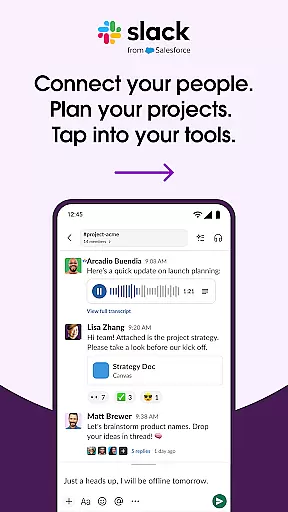
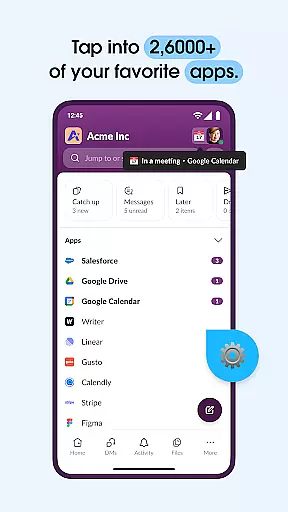
The app's core functionality revolves around organized communication - every project or team has its dedicated channel, ensuring structured discussions. Users can conduct video meetings, share screens, and even send audio/video messages for clearer communication. Slack also integrates with over 2,600 third-party applications, creating a unified workspace that connects all essential business tools.
This cohesive ecosystem proves particularly valuable for remote teams and companies with multiple departments, as it maintains clear communication channels while providing instant access to shared documents and project management features.
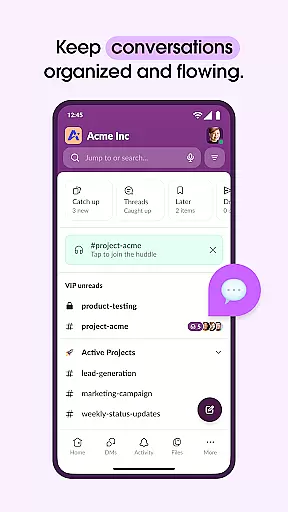
Slack distinguishes itself through several key features that optimize workplace efficiency. The platform's channel-based system allows for focused discussions around specific topics or projects, while customizable notifications ensure users stay informed about relevant conversations.
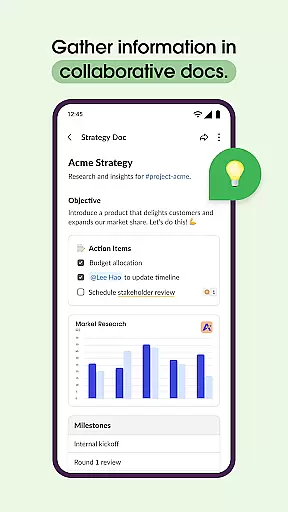
Advanced document collaboration capabilities enable teams to work together on files in real-time, with version history and commenting features. The platform's powerful search functionality, enhanced by AI technology, helps users quickly locate files, messages, and important information across all channels and direct messages.
Slack's integration ecosystem stands out as a major advantage, allowing businesses to connect their favorite tools like Google Drive, Salesforce, and Dropbox directly within the platform. Additionally, features like automated meeting notes through Slack AI help teams maintain accurate records while staying focused on discussions.
Collaboration is at the heart of Slack's functionality, enabling teams to work together seamlessly regardless of location. The platform offers dedicated channels for every project, ensuring that discussions, documents, and files are organized and accessible.
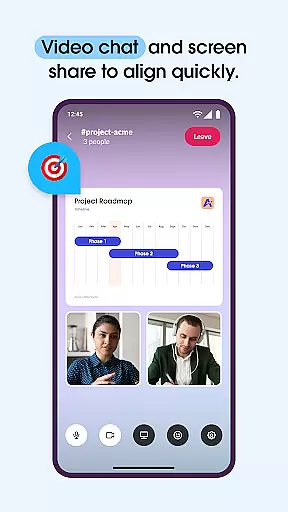
Slack allows users to conduct meetings through video chat directly within the app, with screen sharing capabilities to present and discuss work live. This feature ensures that team communication remains dynamic and engaging, mimicking in-person interactions.
For more complex ideas, users can record and send audio or video clips, providing clear and comprehensive explanations without the need for lengthy text descriptions. This enhances the clarity of communication and helps teams stay aligned on their objectives.
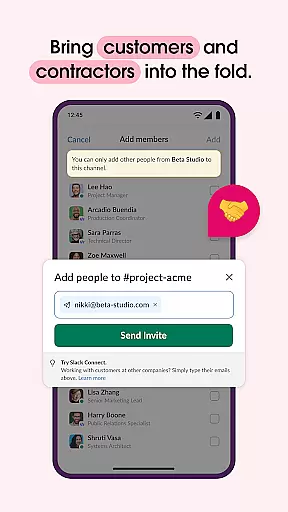
By integrating with external partners, customers, contractors, and vendors, Slack extends its collaborative potential beyond internal teams, fostering a cohesive work environment across organizational boundaries.
Effective task management is crucial for keeping projects on track, and Slack addresses this with purpose-built tools. Users can set up projects for success using pre-made and customizable templates, streamlining the planning process and ensuring consistency across different initiatives.
The platform supports collaboration on shared documents such as marketing plans and product specs, allowing these documents to reside alongside team conversations. This proximity facilitates real-time updates and feedback, enhancing productivity and reducing miscommunication.
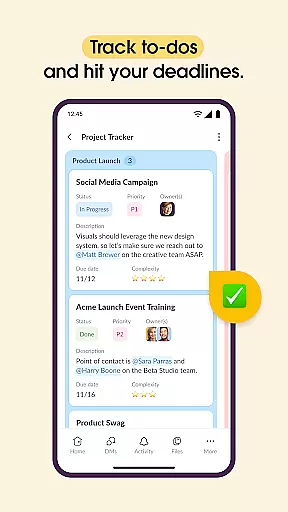
Slack includes project management features like to-do tracking, task assignment, and milestone mapping, which help teams monitor progress and meet deadlines efficiently. These tools require an upgrade to Slack Pro, Business+, or Enterprise, offering scalable solutions for growing businesses.
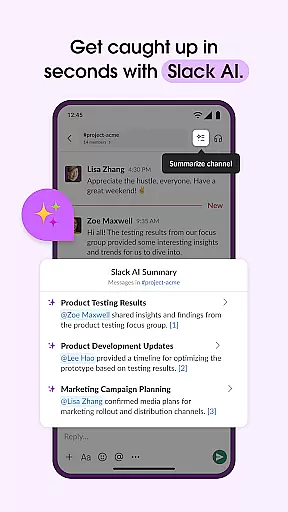
With AI-powered search capabilities, users can instantly find files, messages, and information, ensuring that critical data is always at their fingertips. Additionally, Slack AI can take meeting notes, allowing team members to focus on discussions rather than documentation.
Streamlined communication
Extensive app integrations
Robust search capabilities
Flexible channel system
Real-time collaboration
Steeper learning curve
Higher pricing tiers
Limited free features
Occasional connectivity issues
Mobile limitations

FX Plus adds media, networking, and cloud capabilities to FX File Explorer.
 4.10
4.10
Measure distances, surfaces and draw plans in seconds with CamToPlan!
4.40
Windows App allows you to connect to remote PCs and virtual apps.
3.70
The MyWalmart App is available for all associates in stores.
4.70
Your employer must have UKG Ready software configured for Mobile.
4.60
Build a store in minutes with our full suite of AI tools. Start for free!
4.20
Master crypto trading with real-time simulations and exciting challenges!
4.50
Access All PDF Files
3.40
Roadie connects people with stuff to send with drivers already going that way.
3.50
Start earning fast. Apply Today.
4.80
Recover what matters — quickly and easily.
4.70
We help people get jobs
4.70
Ship, Track, Find a Location or Get a Quote with UPS. Anytime. Anywhere.
4.60
No more passwords, easier sign-in, and greater protection for your accounts.
4.60
Chat, meet, and collaborate to achieve more together, all in one place on Teams
4.60
From Gone to Back Again — In Just a Few Taps
4.50
One marketplace. Hundreds of services. Unlimited possibilities. All on Fiverr.
4.40
Deliver and earn money
4.30
viewing and sharing of PDFs
3.60


User Reviews