
Connecteam is a comprehensive employee management app designed specifically for non-desk employees. It offers an all-in-one solution that includes work scheduling, time tracking, internal communication, task management, employee training, and more. The platform stands out with its intuitive design and affordability, making it ideal for small to medium-sized businesses.
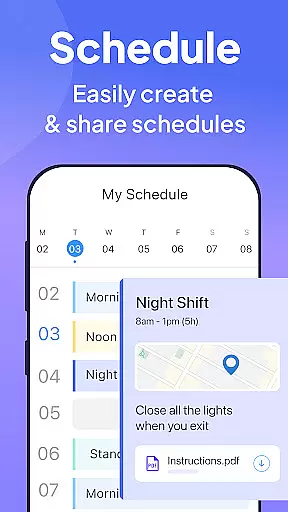
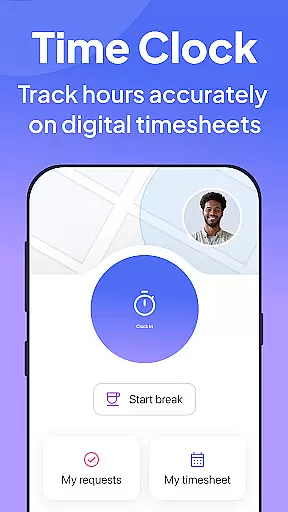
The app's scheduling tool allows managers to create shifts effortlessly while providing GPS updates for job progress. Its time clock feature ensures accurate tracking of work hours with geofencing technology. Additionally, Connecteam enhances team communication through live chats and feedback surveys, ensuring everyone stays connected and engaged.
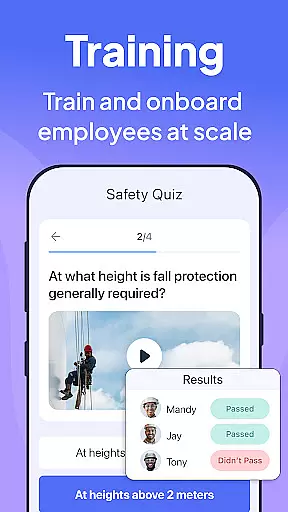
With Connecteam, businesses can streamline their operations by automating daily tasks and going paperless. The app also supports employee training and onboarding, allowing workers to access necessary materials directly from their mobile devices. This makes Connecteam a valuable asset for improving productivity and maintaining a strong company culture.
Connecteam boasts a wide array of features tailored to optimize business operations. One of its key functionalities is the advanced scheduling system, which enables managers to organize shifts efficiently using automated tools and GPS tracking. This ensures that jobs are assigned accurately and progress is monitored in real-time.
The app's time clock functionality is another standout feature. It provides precise time tracking with geofencing capabilities, automated break calculations, and seamless integration with payroll software. These features help businesses maintain compliance and reduce administrative workload significantly.
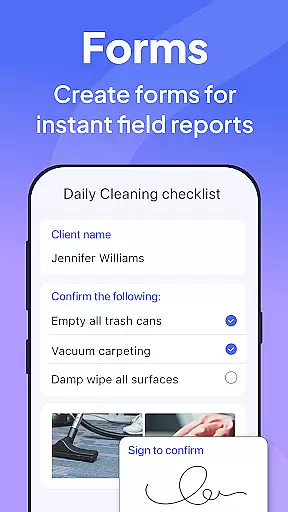
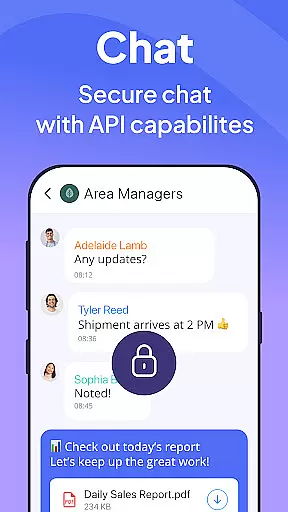
Connecteam also excels in facilitating internal communications. With live chat options, directories, and posts with comment sections, the app fosters a collaborative environment. Moreover, its task management tools allow for customizable checklists and digital forms, promoting efficiency and accountability across teams.
Collaborative work features are essential for businesses to streamline communication and enhance productivity. Connecteam's Team Management App offers a comprehensive suite of tools that enable seamless collaboration among non-desk employees. The platform includes live chat for one-on-one or group conversations, allowing instant communication across teams.
Beyond just messaging, Connecteam provides a directory for all work contacts, ensuring everyone is just a tap away. This feature simplifies connection discovery within the organization, making it easier for employees to reach out to the right person without delay.
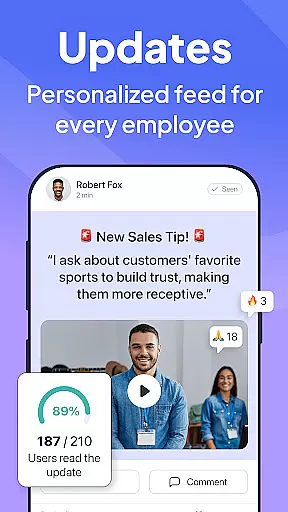
The app also supports posts and updates with comments and reactions, mimicking popular social media interactions but tailored for professional environments. This encourages engagement and ensures important information doesn't get lost in crowded inboxes.
Moreover, Connecteam incorporates an employee feedback survey tool, which empowers organizations to gather valuable insights directly from their workforce. These collaborative elements collectively contribute to a more connected and efficient workplace, driving better business outcomes through improved teamwork.
Effective task management is crucial for maintaining operational efficiency and ensuring compliance with company standards. Connecteam's Team Management App excels in this area by transforming traditional pen-and-paper procedures into fully automated processes accessible from anywhere. This digital transformation not only saves time but also reduces errors associated with manual entry.
The app offers daily checklists with auto-reminders, keeping employees on track with their responsibilities. These reminders ensure that critical tasks are completed on time, enhancing overall productivity. Additionally, online forms, tasks, and checklists come with read-and-sign options, promoting accountability and transparency in task completion.
Connecteam further enhances task management by allowing users to upload images and report geolocation. This functionality is particularly useful for field operations where visual confirmation and location tracking are vital. By going paperless, companies can significantly reduce their environmental footprint while streamlining daily procedures.
Lastly, the platform boasts 100% customization capabilities, complete with a live mobile preview feature. This flexibility enables businesses to tailor workflows specifically to their needs, ensuring maximum efficiency and adaptability in an ever-changing business landscape.
User-friendly interface
Affordable pricing plans
Comprehensive feature set
Excellent customer support
Highly customizable options
Limited advanced analytics
Occasional syncing issues
Basic mobile design
Fewer integrations compared to competitors
Learning curve for new users

Completed Course Lectures on how to use IBM Maximo in Maintenance issues
 4.5
4.5
Formerly Facebook Ads Manager. Manage and create ads on the go.
4.20
Convert Your Lovable.dev Website into a Mobile App Instantly!
4.1
The MyWalmart App is available for all associates in stores.
4.70
All your team communication in one place
4.70
Mobile POS for any business: sales, invoices, retail, restaurants & appointments
4.60
Job search app that finds jobs for you! Takes the work out of looking for a job!
4.90
Say hello to the mobile work experience built to help you thrive at work.
4.30
On the go? Take FedEx with you.
4.00
Manage Your Shop
4.70
Use Generative Summary to understand your rental or insurance docs in seconds.
4.70
We help people get jobs
4.70
Ask Accio anything about business. Alibaba-backed, built by experts, not just AI
4.60
Ship, Track, Find a Location or Get a Quote with UPS. Anytime. Anywhere.
4.60
Manage work life on the go
4.50
ADP Mobile Solutions is an employee self service app
4.50
Find flexible, hourly jobs hiring near you in restaurant, retail & hospitality!
4.00
Simple, Fast & Lightweight
3.90
We are a dynamic team of creatives people of design, marketing, web & apps
3.00


User Reviews