
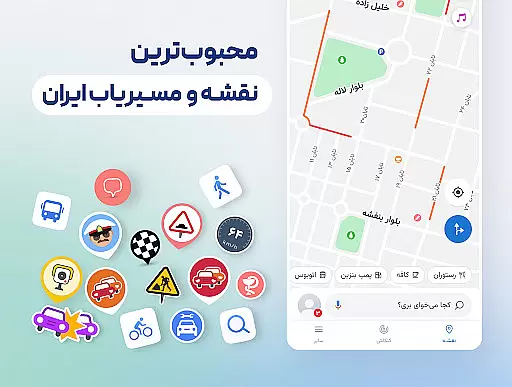
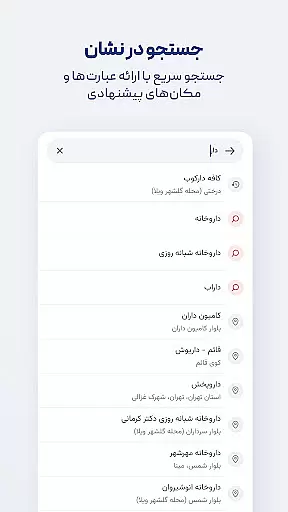

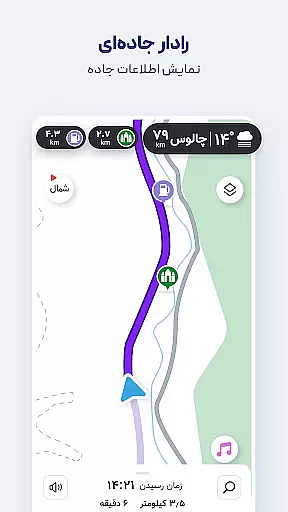
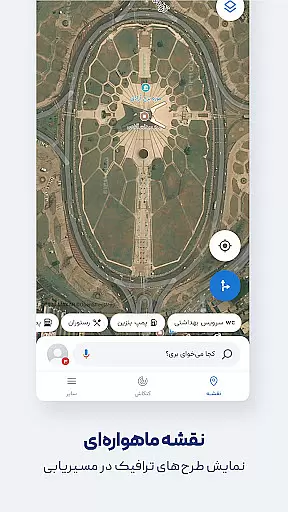
Neshan is a comprehensive Maps & Navigation app designed to provide users with the fastest and most efficient routes while driving. By leveraging real-time traffic data and GPS technology, it ensures optimal navigation through congested areas, offering timely alerts for speed cameras and police checkpoints. This makes it an essential tool for drivers who want to avoid traffic violations and fines.
One of Neshan's standout features is its ability to display air pollution levels in cities equipped with monitoring stations, making it not just a navigation tool but also a source of valuable environmental information. Additionally, the app supports combined bus-and-metro routing, motorcycle-specific navigation, and detailed offline maps, which are particularly useful for users in Iran, including ride-hailing drivers on platforms like Snapp and Tapsi.
The app's global mapping capabilities, powered by OpenStreetMap, ensure that users can navigate anywhere in the world with confidence. Persian voice guidance adds another layer of convenience, allowing drivers to focus on the road without needing to look at their screens. With these features, Neshan has become the go-to navigation solution for many Iranian users.
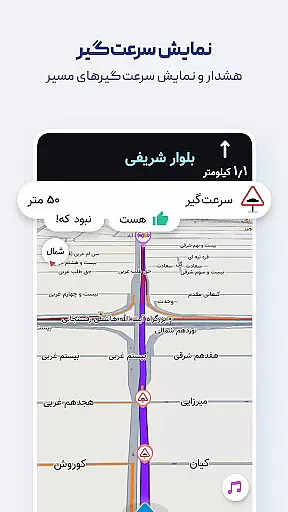
Neshan offers a wide array of features tailored to enhance the navigation experience. One of its key strengths is the integration of real-time traffic data, which allows the app to suggest the fastest routes while avoiding congestion. The app also provides warnings about speed bumps, police checkpoints, and low-emission zones, ensuring that drivers remain informed and compliant with local regulations.
In addition to standard navigation features, Neshan includes unique functionalities such as displaying air pollution levels in cities with monitoring stations. This feature is especially beneficial for users concerned about environmental conditions. The app also supports multi-modal transportation options, including combined bus-and-metro routing, and offers motorcycle-specific navigation, catering to a diverse range of commuting needs.
Another notable aspect of Neshan is its offline map capability, which allows users to access detailed maps without an internet connection. The app's Persian voice guidance system speaks street names aloud, reducing the need for visual map checks. These innovative features, along with global mapping support and accurate location detection via GPS, make Neshan a versatile and indispensable tool for modern navigation.
Map accuracy is a crucial feature for any navigation app, and Neshan excels in this area. The application uses GPS technology to provide precise location detection, ensuring users can trust the app's guidance in unfamiliar areas.
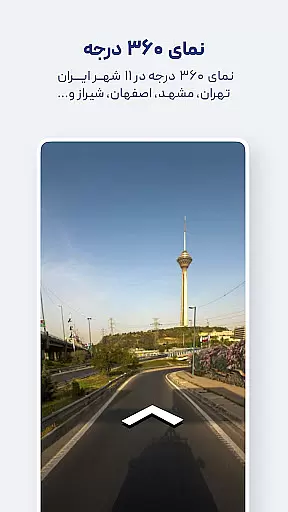
Neshan's maps cover all cities and countries worldwide, powered by OpenStreetMap data, which guarantees up-to-date and comprehensive mapping information. This extensive coverage allows users to navigate confidently, whether they are driving through busy urban centers or exploring remote locations.
The app also offers detailed offline maps for all cities, complete with live traffic information. This means that even without an internet connection, users can still access accurate maps and make informed decisions about their routes based on current traffic conditions.
By providing reliable and accurate map data, Neshan ensures that users can depend on the app for their daily commutes and long-distance travels alike, enhancing both convenience and safety.
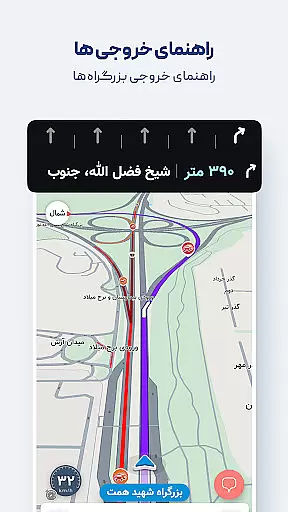
Effective route planning is essential for efficient travel, and Neshan stands out by offering dynamic routing options tailored to various needs. The app suggests the fastest and least congested routes by utilizing real-time traffic data, similar to leading international navigation apps.
One of Neshan's standout features is its ability to account for traffic restriction zones and low-emission zones, helping drivers avoid unintentional violations. Additionally, users can choose direct routes within the app's navigation settings, allowing for more personalized and efficient journeys.
Neshan provides combined bus-and-metro navigation, enabling users to select the best and most cost-effective ways to reach their destinations. This feature is particularly beneficial in urban areas where public transportation plays a significant role in daily commutes.
With alerts for police presence, speed cameras, speed bumps, and traffic, Neshan keeps drivers informed and prepared throughout their trips. These timely notifications contribute to safer and smoother travels, making Neshan a preferred choice for many Iranian users.
User-friendly interface
Real-time traffic updates
Offline map access
Multi-modal routing
Speed camera alerts
Limited international use
Persian-focused features
Occasional inaccuracies
Heavy on battery
Requires constant updates

Explore the world with Live Satellite View, 3D Maps, GPS Navigation & Earth Map.
 2.90
2.90
Navigate with your watch and keep the phone in your pocket!
4.60
Your guide to the recreational opportunities of the Bureau of Land Management!
3.40
Maps, Driving Directions & GPS navigation using directions app & GPS App
4.30
Get route map navigation with 3D satellite view, and live earth camera streaming
3.70
Explore with GPS Navigation with GPS offline, voice GPS, speed camera radar
4.60
Explore Earth with live GPS, satellite view & street navigation
3.60
Find radar, speed camera, flight tracker. Use hud, location tracker, speedometer
4.20
Navigate MTA, NJ Transit, MBTA, SEPTA, BART, MARTA, CTA & 900+ cities
4.60
Truck Safe GPS Navigation & Maps: Parking, Fuel, Diesel, Weight Station
4.80
Offline maps & GPS for hiking, travel, fieldwork & outdoor adventures
4.70
Find EV & Tesla charging stations with PlugShare
4.70
Parcel map, property lines, owner, acres, land use, zoning and more from Regrid.
4.60
Track accurate speed & distance with GPS Speedometer. Check speed limit & time.
4.50
Rideshare, taxi cabs, and more for your airport travels and everyday trips.
4.50
CamSam PLUS - The speed and red light camera warning system!
4.40
Find radar maps, GPS coordinates, altitude, offline maps, location, travel route
4.40
Explore Live Earth Map with 3D World Map & locate cites, mountains real time.
3.80
Play in the outdoors with Android as your Handheld GPS and offline topo maps!
3.50
Honest Uber review—pricing surge charges, driver quality, safety features, hidden fees, and how it compares to Lyft and local taxis.



User Reviews