
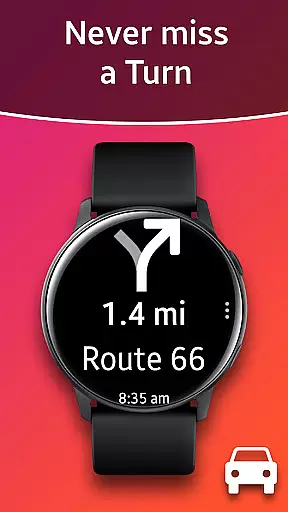
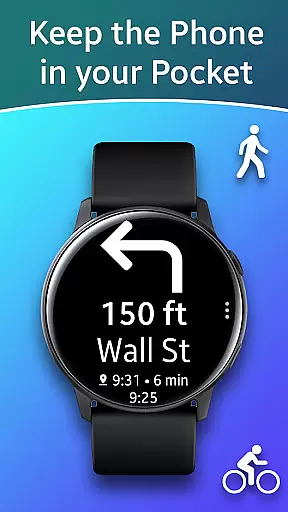
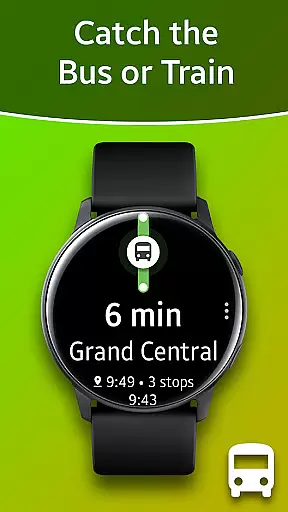
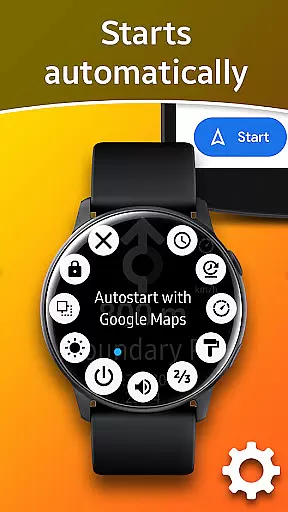
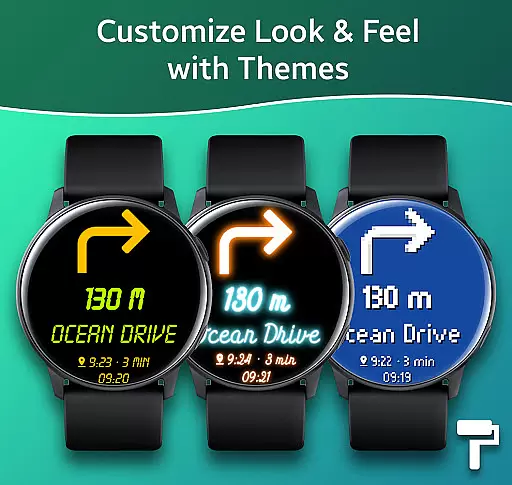
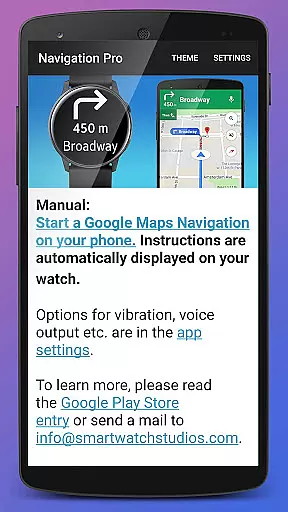
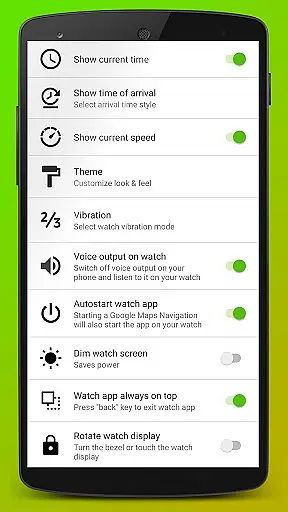
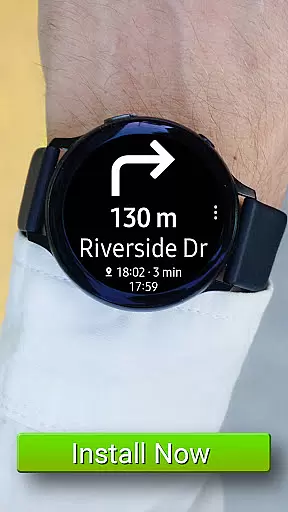
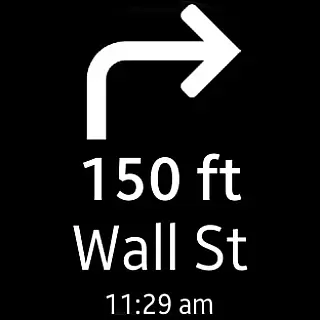
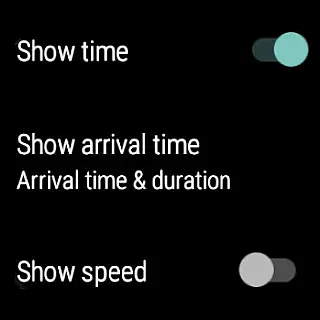
Navigation Pro is a specialized navigation application designed to display Google Navigation instructions directly on your Samsung smartwatch. This app is particularly useful for driving, cycling, and public transport scenarios, providing users with real-time directions without needing to check their phones constantly. The app features autostart functionality with navigation, voice output, customizable vibration patterns, support for 102 languages, various theme options, and even a speedometer.
The app's core value lies in its seamless integration between the phone and watch, ensuring that users can receive navigation prompts conveniently on their wrist. It requires a companion app from Samsung Galaxy Apps called 'Navigation Pro' to function correctly. With this app, users can enjoy an uninterrupted navigation experience while keeping their focus on the road or their current activity.
Navigation Pro offers a comprehensive set of features tailored for seamless navigation experiences. One of its standout capabilities is the autostart feature, which automatically launches navigation instructions when paired with Google Maps on your phone. Additionally, the app supports voice output, allowing users to receive audible directions through their smartwatches.
Customization is another key aspect of Navigation Pro. Users can personalize vibration patterns to suit their preferences, choose from multiple themes to enhance visual appeal, and access navigation instructions in 102 different languages. The inclusion of a speedometer adds an extra layer of utility, especially for drivers who want to monitor their speed while navigating.
These features collectively ensure that Navigation Pro stands out as a versatile and user-friendly navigation tool, catering to a wide range of users across various activities such as driving, cycling, and using public transport.
Map accuracy is a critical feature for any navigation app, ensuring that users receive precise directions and location data. Navigation Pro excels in this area by leveraging Google Maps' robust mapping technology to provide highly accurate maps on your Samsung watch. This ensures that whether you are driving, cycling, or using public transport, the route guidance you receive is reliable.
The app provides real-time updates and detailed maps, which are crucial for making informed decisions while navigating unfamiliar areas. By displaying Google Navigation instructions directly from your phone, it guarantees that the map data is always up-to-date and reflective of current road conditions. This level of precision helps prevent wrong turns and ensures efficient travel routes.
For users, this means peace of mind knowing that their navigational tool is dependable. The accuracy extends to points of interest, street names, and even traffic conditions, enhancing the overall navigation experience. With support for 102 languages, travelers can confidently explore new regions without worrying about language barriers affecting map readability.
Route planning is an essential aspect of navigation apps, allowing users to determine the most efficient paths to their destinations. Navigation Pro offers advanced route planning capabilities by integrating seamlessly with Google Maps on your smartphone. This integration enables the app to push detailed navigation instructions directly to your Samsung watch, providing step-by-step guidance tailored to your mode of transportation.
Users benefit from features such as autostart with navigation, customizable vibration alerts, and voice output, all designed to enhance the journey. Whether commuting daily or embarking on a long trip, these tools ensure smooth transitions between different legs of your journey. Additionally, options like speedometer display further enrich the route planning experience by offering real-time feedback on travel progress.
By requiring minimal interaction with the phone once set up, Navigation Pro simplifies the process of following planned routes. Troubleshooting tips provided within the app help resolve common issues quickly, ensuring uninterrupted service. Overall, its comprehensive approach to route planning makes it an invaluable companion for both everyday commutes and adventurous explorations.
User-friendly interface
Voice-guided navigation
Customizable settings
Multi-language support
Speedometer feature
Requires companion app
Phone dependency
Limited standalone use
Device compatibility issues
Occasional connectivity problems

Turn your Android device into a real off-road GPS using off-line topo maps!
 4.40
4.40
GPX Viewer PRO shows tracks, routes and waypoints from gpx and kml files.
4.60
Find trails, organize your locations and navigate with offline maps.
4.60
Play in the outdoors with Android as your Handheld GPS and offline topo maps!
3.50
CamSam PLUS - The speed and red light camera warning system!
4.40
Get route map navigation with 3D satellite view, and live earth camera streaming
3.70
MapQuest is your go-to app for maps, GPS, voice navigation & live traffic.
3.80
Live Satellite view app for find GPS navigation Direction and live location map
3.70
Navigate MTA, NJ Transit, MBTA, SEPTA, BART, MARTA, CTA & 900+ cities
4.60
Find AI powered cameras, ALPRs, and other surveillance infrastructure near you
4.70
Parcel map, property lines, owner, acres, land use, zoning and more from Regrid.
4.60
Find radar maps, GPS coordinates, altitude, offline maps, location, travel route
4.40
Get matched with a nearby driver — you’ll be on your way in minutes.
4.30
Phone Tracker and GPS Location Sharing
4.20
Number locator, real connection map
4.10
OpenCPN is a full featured ChartPlotter and Navigator for Android.
3.60
Your guide to the recreational opportunities of the Bureau of Land Management!
3.40
Offline maps for phone and smart watch: topographic maps, satellite images...
3.30
Find 93 Octane Gas: Locate Gasoline Stations Selling Premium 93 Octane or Higher
4.5
Honest Uber review—pricing surge charges, driver quality, safety features, hidden fees, and how it compares to Lyft and local taxis.



User Reviews