
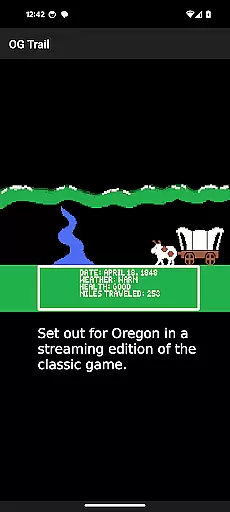
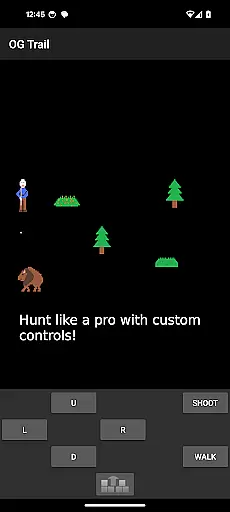
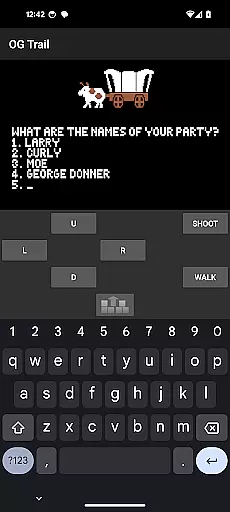
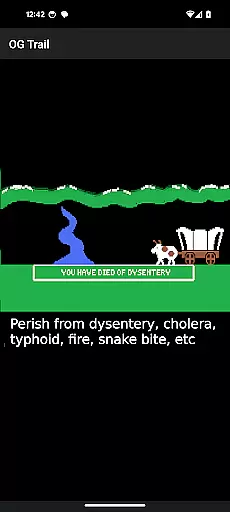
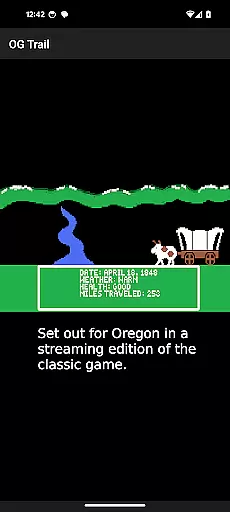
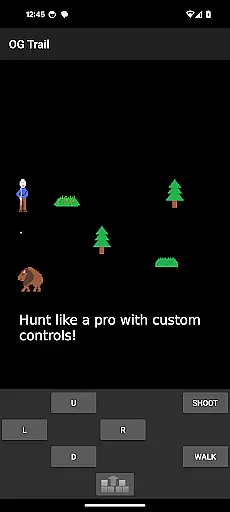
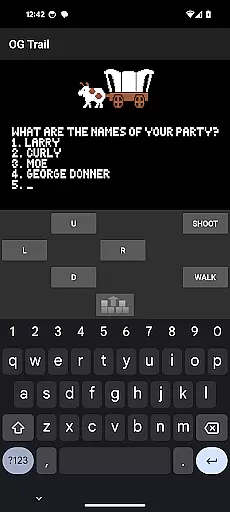
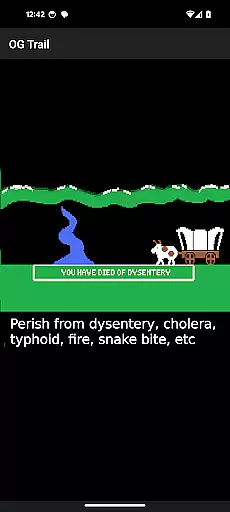
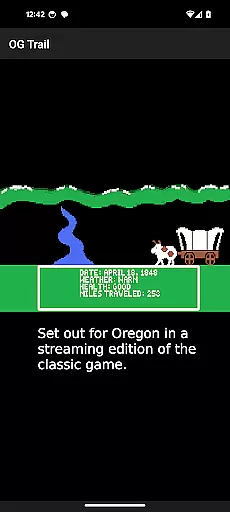
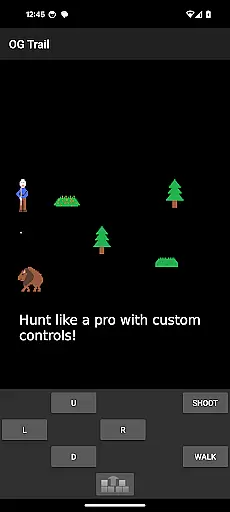
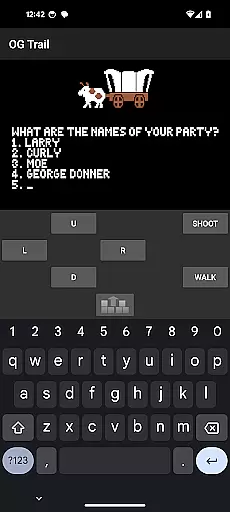
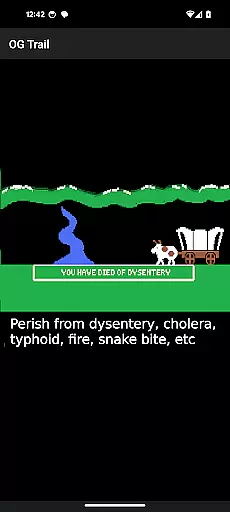
OG Trail is an innovative educational app that brings the classic Oregon Trail simulation experience to Android devices. Designed for both learning and entertainment, this application allows users to interact with the original game interface through a specially adapted touchscreen control system.
The app provides an authentic recreation of the historic Oregon Trail journey, enabling players to make crucial decisions about supplies, health, and travel conditions. Its unique onscreen keyboard and control pad allow seamless interaction with the unmodified game version. Whether you're a student exploring American history or a nostalgic gamer, OG Trail offers an engaging way to experience this educational classic.
This application particularly shines in classroom settings where teachers can demonstrate decision-making processes and historical challenges faced by pioneers. The requirement of internet connection only during loading makes it suitable for various educational environments.
OG Trail stands out with its specialized interface designed specifically for mobile devices. The app implements a virtual keyboard and control pad system that accurately replicates the original computer-based gameplay experience on modern touchscreens.
A key feature is its direct connection to the Internet Archive's streaming version of the original Oregon Trail game, ensuring authenticity while eliminating the need for ROM files or additional downloads. The implementation of data-saving technology means users require internet access only during initial loading.
Additional features include comprehensive instructions for new users, integration with the original game's manual, and support for both numerical and yes/no responses through intuitive touchscreen controls. The app also incorporates Creative Commons licensed assets for its iconography.
In the realm of educational gaming, content authority and curriculum alignment are crucial for ensuring that learning objectives are met effectively. OG Trail - Travel to Oregon stands out by providing an interface to the classic Oregon Trail simulation, a game revered for its historical accuracy and educational value.
This app ensures that users engage with an unmodified version of The Oregon Trail (TM), which has been a staple in educational settings for decades. Its content is authoritative, having been used to teach history, decision-making, and resource management in schools.
By interfacing with the publicly available Internet Archive, OG Trail guarantees that players experience the game exactly as it was originally designed, maintaining all educational alignments present in the original release. This approach not only preserves the integrity of the learning material but also enhances the authenticity of the educational journey.
Players benefit from this alignment by receiving an immersive and historically accurate simulation that challenges them to make critical decisions, mirroring real-life scenarios faced by pioneers. This interaction fosters a deeper understanding of historical events while honing essential life skills.
Gamification-learning integration represents the fusion of game mechanics with educational content, creating an engaging and effective learning environment. OG Trail - Travel to Oregon excels in this area by transforming the historically rich Oregon Trail simulation into an accessible mobile format.
The app retains the original game's essence, where players must navigate the treacherous path to Oregon, managing resources, making life-altering decisions, and facing the consequences of their choices. This gameplay naturally incorporates gamification elements such as challenges, rewards, and progression, which are seamlessly integrated with the learning objectives.
OG Trail innovates by adapting the traditional keyboard inputs to an onscreen control pad and keyboard, making it suitable for touchscreen devices without diluting the educational content. This adaptation allows modern learners to interact with the game intuitively, enhancing the absorption of historical facts and survival strategies.
Through this thoughtful integration, users enjoy a dynamic learning experience that balances entertainment with education, promoting prolonged engagement and facilitating better retention of knowledge. The result is an educational tool that captivates and educates, proving that learning can be both fun and impactful.
User-friendly interface
Authentic gameplay experience
Educational value maintained
Data-saving technology
Seamless touchscreen adaptation
Requires internet connection
No offline functionality
Complex for young users
Limited to original game features
Dependent on external servers

A world to build at the tip of your fingers!
 3.80
3.80
Learn and practice multiplication and division
4.3
Epic battles, interactive quests and exotic pets. Learn math with Prodigy today!
4.70
Glow Doodle! Baby Coloring & Drawing games for toddlers: Color and Learn! NoAds!
4.40
Kids math games, abc games for kids 4-5 years old. Kindergarten learning games
4.50
A speed-learning English vocabulary game designed for user to reach proficiency
4.1
Find the hidden Numberblocks, add them together and see what happens.
3.50
Coloring book for kids! Learn Color, paint, neon drawing with educational games.
4.40
Create, customize & explore your Toca Boca story! Endless fun & creativity await
4.30
Fun baby games for kids. Play baby piano, musical instruments & nursery rhymes.
4.50
Fun educational games for kids that teach number tracing, counting with modes!
4.50
This will quickly become your kids' favorite animals game!
4.40
Welcome to the dollhouse! Unboxing, doll games, dress up & cute pets await!
4.00
Expert-designed fun interactive learning games to prep kids (2-5) for preschool.
4.00
Practice Early Literacy Skills and Build Vocabulary with Elmo & Cookie Monster!
3.90
Master your phonics letters and sounds with the Alphablocks!
3.80
Create, design & explore Mia’s avatar game world! Dress up a dreamhouse you love
3.80 2.80
2.80
Get points, learn Spanish, repeat. Speedrun your way to knowledge.
4.4


User Reviews