
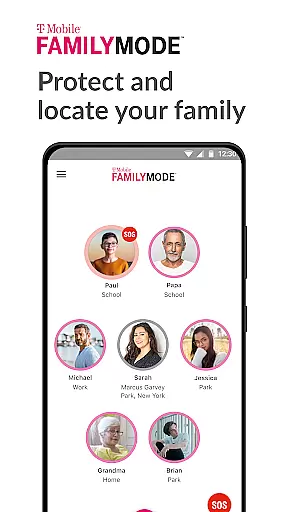
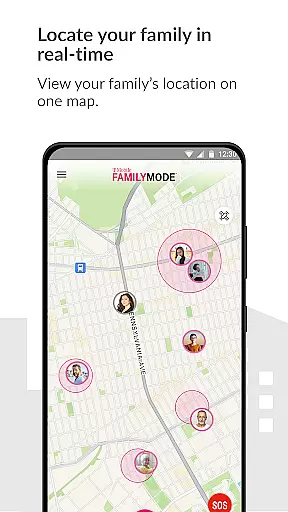
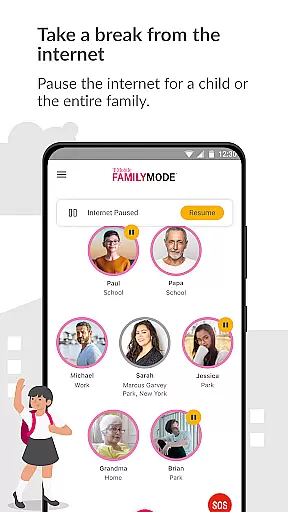
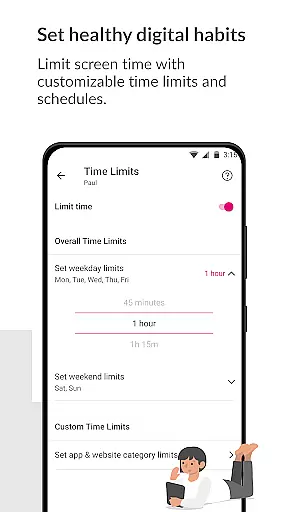
T-Mobile FamilyMode is a comprehensive family safety solution designed to help parents manage their children's digital habits while ensuring their safety. The app allows real-time location tracking of family members, helping you stay connected and informed about your loved ones' whereabouts. With features like pausing Internet access during dinner or setting time limits for device usage, FamilyMode makes digital parenting more manageable.
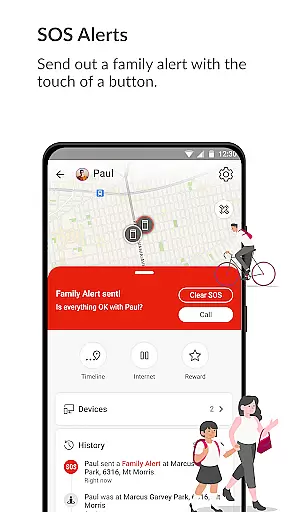
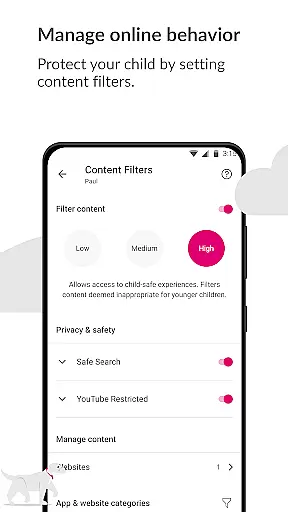
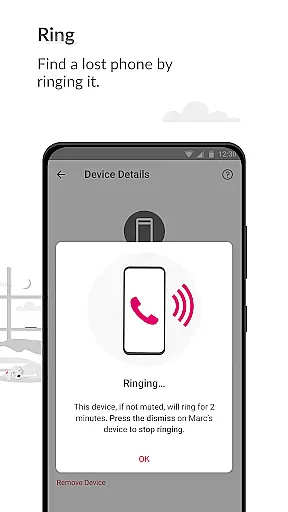
One of the standout capabilities is its ability to set content filters, ensuring that children only access age-appropriate material online. Additionally, new functionalities such as finding lost devices by ringing them and sending SOS alerts with a single touch enhance family safety. Whether it's monitoring screen time or knowing your child's real-time location, T-Mobile FamilyMode provides peace of mind in today's digital world.
T-Mobile FamilyMode offers an array of robust features tailored for modern families. One key feature is the ability to set healthy digital habits by controlling screen time, pausing Internet access, and even rewarding good behavior with additional screen time. This functionality helps parents instill discipline without constant manual intervention.
The app also excels in safety features. Real-time location tracking lets you know where your kids are at all times, providing historical paths for added security. Moreover, the SOS alert function allows family members to signal for help instantly. Coupled with the capability to find lost devices by ringing them remotely, these tools ensure that your family remains safe and connected wherever they go.
Finally, content filtering options allow parents to customize what their children can access online. Pre-set or custom filters help block unwanted or dangerous content, giving parents control over their kids' digital environments. These features collectively make T-Mobile FamilyMode an indispensable tool for contemporary digital parenting.
When it comes to parenting apps, the credibility of content and expert validation are paramount. T-Mobile FamilyMode takes these aspects seriously by providing features that are designed with both parental control and child safety in mind. The app allows parents to set healthy digital habits through time limits and content filters, which are crucial for a child's development.
The app's use of Google Accessibility Services API ensures that all parental controls are not only effective but also secure. This means that parents can trust the app to block unwanted or dangerous content as defined by them. By allowing parents to customize filters, FamilyMode supports age-appropriate online experiences, which is a testament to its commitment to expert-validated parenting solutions.
Furthermore, T-Mobile FamilyMode offers real-time location tracking and SOS alerts, which are essential features for ensuring the safety of children. These tools provide peace of mind to parents, knowing they can locate their family members instantly and be alerted in emergency situations. Such functionalities underscore the app's dedication to providing reliable and credible parenting resources.
Growth tracking in parenting applications is vital for monitoring a child's progress and setting appropriate boundaries. T-Mobile FamilyMode excels in this area by offering precise tools that help parents manage their children's digital growth. With features like setting time limits and pausing internet access, the app provides accurate control over a child's screen time, promoting healthier habits.
The app's ability to track real-time location and display the path taken by family members adds another layer of accuracy to its growth tracking capabilities. Parents can stay informed about their children's whereabouts and ensure they are where they are supposed to be. This feature not only aids in physical safety but also helps in understanding a child's routine and social environments.
Moreover, T-Mobile FamilyMode includes check-in options and lost device finding, which contribute to the overall accuracy of growth tracking. By enabling family members to share their locations and signal for help when needed, the app fosters an environment of trust and security. These features collectively enhance the precision with which parents can guide their children's development using the app.
User-friendly interface
Real-time location tracking
Customizable content filters
Remote device ringing
Instant SOS alerts
Limited to T-Mobile users
Requires constant internet
Premium features may cost extra
Dependent on Google API
Privacy concerns with location data

AI Motion Video Maker & Ideas
 4.4
4.4
Daily Routine & Timer for kids, ADHD, & Autism
4.80
With BabyCam you can monitor your baby using your mobile phone, tablet, PC or TV
4.40
Little loved one's monitoring, Sleep tracking and Parenting content.
3.80
Watching baby, helping parents
4.10
Speech Therapy Exercises For All!
4.40
All-In-One Pregnancy Tracker, Your Baby's Milestones, Growth Stages & Parenting.
4.90
The Most Trusted Co-Parenting App.
4.60
FamilyAlbum helps you share, save, and remember your child's special moments.
4.80
Pregnancy+ App has helped 80m moms track their pregnancy with info & support!
4.80
Join over 1MM parents & professionals who've used OFW to navigate co-parenting
4.40
Keep track of your stored breastmilk
4.40
Free symptom & med tracker with expert-reviewed tips.
4.30
Magic chalkboard coloring and drawing!
4.20
Limit screen time, Block Apps & Games, Monitor with Parental control app
4.20
Educational resource for parents to inspire creativity in their children.
4.00
Monitor screen time and build healthy habits with Family Safety
3.90
The Baby’s Bounty App is your hub to register for our diaper banks in Nevada
3.70
Happiest Baby App replaces the SNOO App (the mobile companion to SNOO & SNOObie)
3.20


User Reviews