
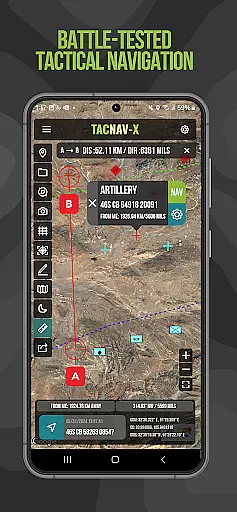
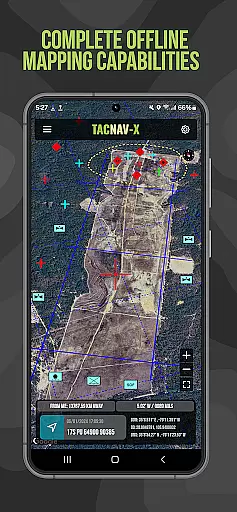
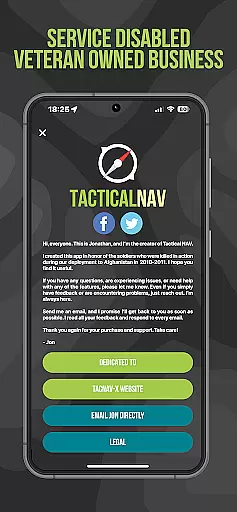
Tactical NAV is a specialized navigation application designed for military use, particularly by soldiers in the field. Developed during a combat deployment in Afghanistan, this app provides precise mapping and navigation capabilities using MGRS, UTM, and other military-standard coordinate systems. Its offline functionality ensures operational security by not emitting cellular signals, making it ideal for austere environments.
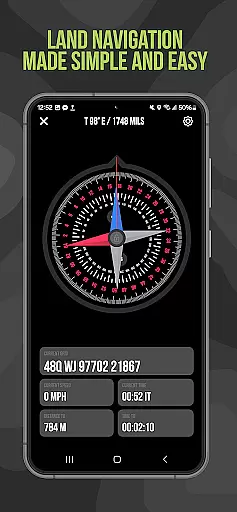
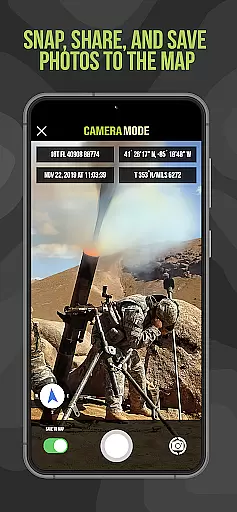
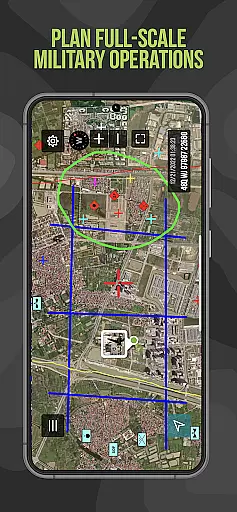
The app's key features include tactical drawing mode for mission planning, waypoint plotting with military graphics, and a 'FastLock' compass function for quick azimuth capture. Users can also snap and share geo-tagged photos to enhance situational awareness. While not endorsed by the Department of Defense, Tactical NAV has been evaluated against military-grade systems like Nett Warrior and ATAK, demonstrating comparable accuracy within 1mm.
Tactical NAV stands out with its military-grade precision targeting platform built specifically for individual soldiers. The app offers advanced functionalities such as offline mapping capabilities, allowing complete usage without emitting cellular signals - crucial for operations in contested environments. It supports multiple coordinate formats including WGS-84 standard MGRS, UTM, BNG, and USNG coordinates.
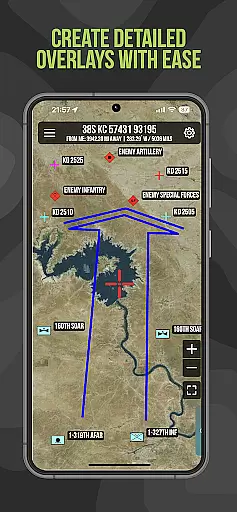
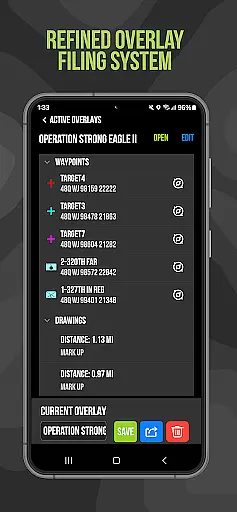
Additional features include tactical drawing mode for mission planning and overlay creation, waypoint plotting with standardized military graphics, and a unique Compass 'FastLock' function for capturing precise azimuths quickly. The app enables users to snap geo-tagged photographs and share location data via email or text. A 'Go to Grid' feature facilitates precision planning and overlay drawing. These capabilities make Tactical NAV-X particularly valuable for both training exercises and real-world operations.
Map accuracy is a critical feature for any navigation application, especially one designed for military use like Tactical NAV. This app offers precision targeting and mapping capabilities that are essential in austere and contested environments.
Tactical NAV provides offline mapping functionalities, allowing users to operate without emitting a cellular signal. This ensures operational security while maintaining access to vital geographical data such as MGRS, UTM, BNG, and USNG coordinates.
The app's performance matches that of the AN/PSN-13 Defense Advanced GPS Receiver (DAGR), ensuring high levels of accuracy within 1mm of officially approved systems by the DoD. This makes Tactical NAV an invaluable tool for mission planning and execution.
Users can plot waypoints with military graphics, snap and save photographs onto maps, and share locations via email or text. These features collectively enhance situational awareness and contribute to successful operations in both training and combat scenarios.
Route planning is a fundamental aspect of navigation tools, particularly for military personnel who require precise and reliable methods to traverse challenging terrains. Tactical NAV excels in this area by offering advanced route planning features tailored for soldiers.
The app includes a 'Go to Grid' feature which allows for precision planning and drawing of overlays. This functionality helps users drop waypoints accurately, aiding in detailed mission preparation and execution.
Tactical NAV also supports tactical drawing modes useful for creating overlays and targeting. With these capabilities, service members can better visualize their routes and anticipate potential obstacles or threats along the way.
In addition, the Compass u201cFastLocku201d function captures quick and precise azimuths, further enhancing the route planning process. By integrating these sophisticated tools, Tactical NAV empowers military personnel to navigate effectively and accomplish their missions successfully.
Highly accurate navigation
Offline mapping available
Military-standard coordinates
Tactical drawing mode
Waypoint plotting functionality
No DoD endorsement
Limited civilian use
Subscription required
Specialized military focus
Not for combat replacement

Route schedules, maps, and real-time tracking of MTA buses in New York City.
 4.20
4.20
Use GPS maps or search by property owner, address or parcel to view parcel data
4.30
GPS Speedometer & Odometer: Track car, bike, truck speed & distance in real-time
4.70
NJ TRANSIT information and ticketing at your fingertips
3.70
Live Satellite view app for find GPS navigation Direction and live location map
3.70
Ride or drive at YOUR price
4.70
Get there with the Waymo Driver — The World’s Most Experienced Driver™
4.90
Navigate MTA, NJ Transit, MBTA, SEPTA, BART, MARTA, CTA & 900+ cities
4.60
Avoid delays. Get real-time GPS navigation, safety alerts and live traffic.
4.10
LIRR and Metro-North tickets and trips
4.80
GPX Viewer PRO shows tracks, routes and waypoints from gpx and kml files.
4.60
Track friends in real-time and explore worldwide live cameras.
4.60
Affordable rides and food delivery with incredible discounts in just one app.
4.50
Find radar, speed camera, flight tracker. Use hud, location tracker, speedometer
4.20
GPS Navigation: Get map directions and find the shortest routes to avoid delays!
4.00
Navigation, weather, offline maps & tools for smarter, safer travel planning.
4.00
Get real-time bus and train schedules for easy, hassle-free city transportation.
3.90
Off-Roading Navigation App With Trails, Public Lands, & Private Property Info
3.30
Fully offline 1:50k New Zealand topographical map North Island
4.3
Complete Lyft review—pricing comparison, driver quality, safety features, rewards program, and how it stacks up against Uber and competitors.



User Reviews