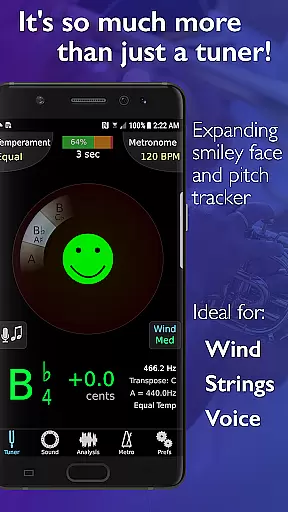
TonalEnergy Tuner & Metronome stands as an essential companion for musicians, from beginners to professionals. This all-in-one app combines a state-of-the-art tuner, advanced metronome, and dedicated orchestral strings and guitar tuning pages, alongside a piano keyboard and sound analysis tools. Designed not just as a tuner but as a comprehensive practice suite, it offers rewarding feedback through its colorful analysis data pages and audio recording features.
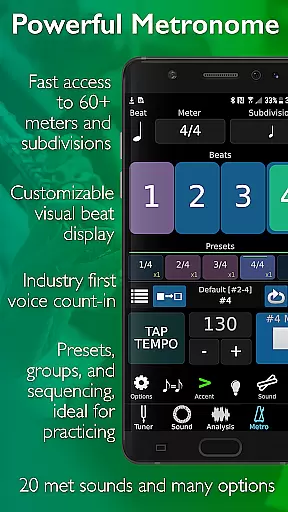
The app's cutting-edge metronome provides unmatched flexibility with diverse sound choices, tempo settings, meters, and subdivision patterns. Its unique ear training capabilities are powered by high-quality multi-sampled instrument sounds, enabling users to develop listening skills through an eight-octave keyboard, chromatic wheel, and tone generator. TonalEnergy emphasizes connectivity and social learning, allowing users to collect, review, edit, and share practice data effortlessly.
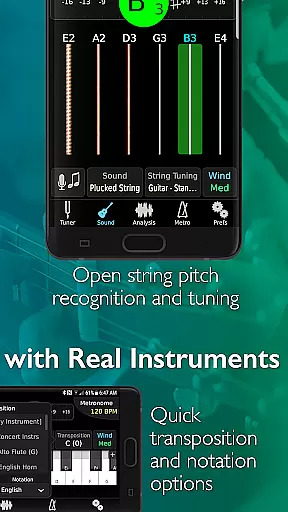
TonalEnergy Tuner & Metronome boasts a wide array of sophisticated features tailored for musicians across all levels. It recognizes an extensive pitch range (C0 - C8), making it highly responsive to wind, acoustic, and electric string instruments. The adjustable A=440 Hz reference and instant switching between equal, just, and custom temperaments cater to diverse tuning needs. With auto or instant pitch reference notes using TonalEnergy sounds, musicians can fine-tune their instruments accurately.
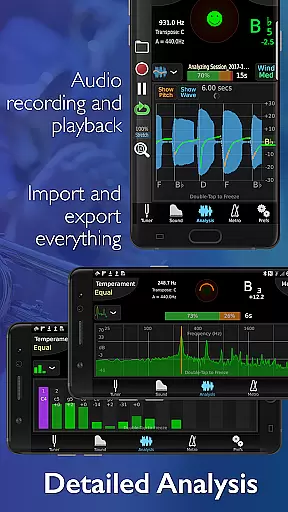
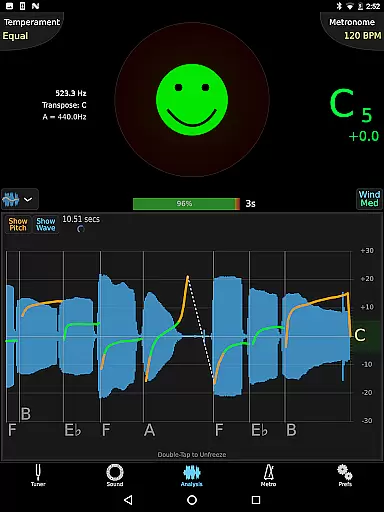
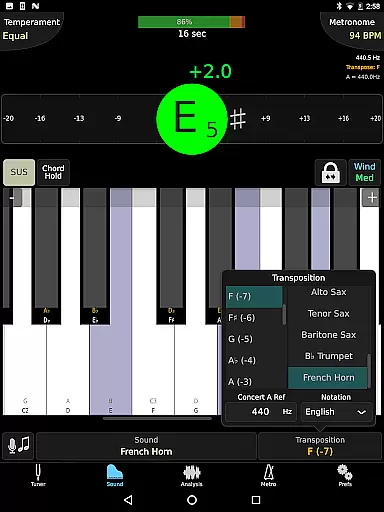
The app includes an expansive eight-octave piano keyboard, chromatic wheel tone generator, and frequency and harmonic energy overtone graphs. Its dedicated metronome page rivals standalone metronome apps, offering notation options like English, Solfege, and Indian variants. Audio recording capabilities allow editing, looping, and timestretch functions, all exportable for further use. Supporting external microphones, MIDI keyboard control, and all device orientations ensures maximum versatility.
TonalEnergy Tuner & Metronome offers an extensive music library that caters to a wide array of instruments, making it an indispensable tool for musicians across all levels. The app includes high-quality multi-sampled sounds for symphonic instruments, which stand out among other tuning applications, ensuring users have access to authentic and diverse musical tones.
The inclusion of unique instrument sounds such as piccolo, bass clarinet, euphonium, and various saxophones underlines the app's commitment to copyright authenticity. These sounds are not only numerous but also carefully sampled to preserve the original tonal quality, providing an unmatched auditory experience during practice sessions.
With dedicated orchestral strings and guitar tuning pages, TonalEnergy supports specific instrument needs while maintaining a vast range of tuning options. This attention to detail in sound selection helps musicians develop their listening skills through accurate pitch recognition and ear training possibilities.
Furthermore, the app's expansive eight-octave piano keyboard enhances its functionality by allowing users to explore different keys with precision. By offering these comprehensive features, TonalEnergy ensures that each note played is both legally covered under proper licensing and true to the intended sound of the instrument.
Audio quality is paramount when it comes to music practice tools, and TonalEnergy Tuner & Metronome excels in delivering top-notch audio experiences. The app provides adjustable A=440 Hz reference tuning, which allows musicians to fine-tune their instruments with precision, catering to both standard and specialized tuning requirements.
In addition to its state-of-the-art tuner capabilities, TonalEnergy boasts advanced metronome features that contribute to superior audio output. Users can choose from unmatched flexibility in sound choices, tempo settings, meters, subdivision patterns, and visual displays, ensuring a customized auditory experience tailored to individual preferences.
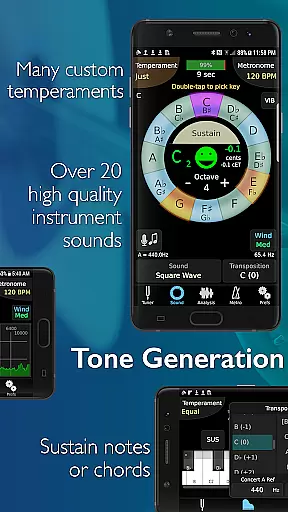
The chromatic wheel tone generator further augments the appu2019s audio prowess by offering optional auto-vibrato features. This function enriches the sound spectrum available to users, enabling them to experiment with various tonal qualities while practicing or performing.
Moreover, compatibility with external microphones and MIDI keyboard control support elevates the overall audio performance of TonalEnergy. These enhancements ensure that every nuance of sound produced is captured accurately, providing clear feedback for improvement and refinement in musical technique.
Comprehensive practice tools
Highly responsive tuner
Advanced metronome features
Unique ear training capabilities
Social learning and data sharing
Complex for beginners
Requires learning curve
Premium pricing
Occasional bugs
Heavy on resources

The Music Journey in Your Hands
 4.30
4.30
Enhance the sound quality of your devices, listen to what you want
4.50
Your song collections with lyrics and chords on Android smartphones and tablets.
4.80
Advanced 10-Band Audio Graphic Equalizer Sound Booster Pro
4.30
Bass Booster & Volume Equalizer Pro improves your music and video sound quality
4.60
No wifi music app. Mp3 offline. Tuner radio, young radio music. Music downloader
4.20
MilkDrop for Android TV
3.00
Get alarms that fit your lifestyle and wake up to the sounds you love.
4.80
Be a true music maker: create beats, mix and make music like a real DJ!
4.30
Play your hearts out on TouchTunes jukeboxes & connect with fellow music lovers.
4.80
Make songs with AI! Any genre, custom lyric, song generator for music creation!
4.80
Listen to live FM radio stations, sports, music and news on global radios online
4.70
Ultimate Sonos Controller
4.70
Pay Once, no monthly payment
4.60
Recording studio w/ 10k beats, pro vocal FX and a network of 20M rappers & fans!
4.60
Fun & Easy Voice Changer – Record, Edit & Add Hilarious Effects!
4.50
Formerly known as Spotistats! View your top tracks, artists, albums and more!
4.40
Turn your Android phone into a professional audio analyser with up to 120 bands.
4.00
The iconic iOS metronome app is now on Android.
3.70


User Reviews