
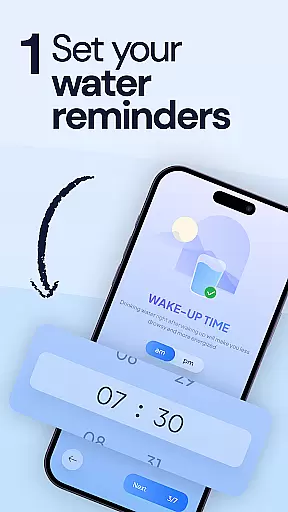
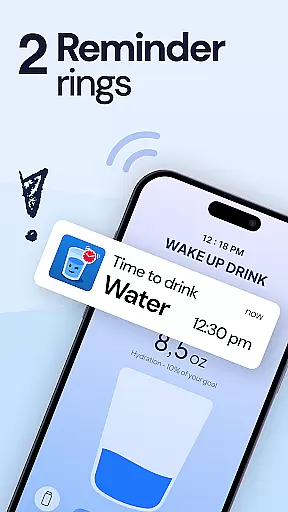
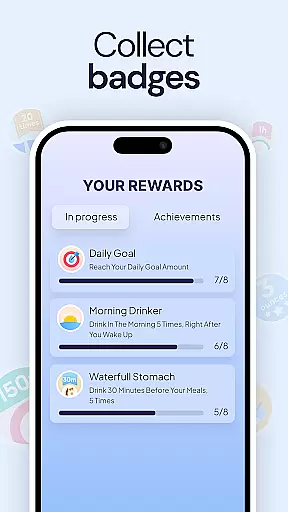
My Water Tracker & Reminder is a comprehensive hydration management app designed to help users maintain optimal water intake. The app serves as both a drink water reminder and a detailed hydration tracker, making it an essential tool for anyone looking to improve their daily water consumption habits.
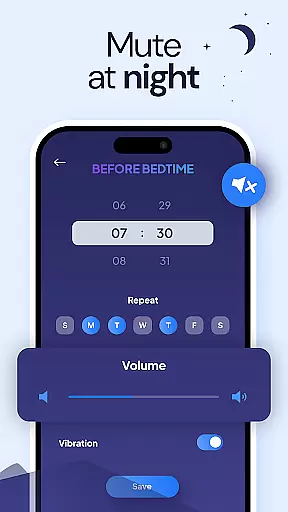
This smart hydration solution offers personalized alerts based on individual schedules and activity levels, ensuring users never miss their water intake goals. Whether you're following intermittent fasting protocols or simply aiming to drink eight glasses a day, the app provides customizable features that adapt to various health objectives and lifestyle needs.
The application's value extends beyond basic tracking, offering visual progress reports and supporting wellness programs. Its user-friendly interface and free access to all features make it particularly appealing to health enthusiasts and beginners alike who are seeking to build consistent hydration habits while monitoring their progress over time.
My Water Tracker & Reminder stands out with its robust feature set tailored for effective hydration management. The app's core functionality includes intelligent drink water reminders that adapt to users' daily routines and activity patterns, ensuring timely notifications that prevent dehydration.
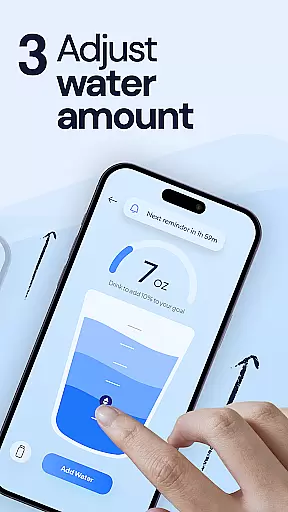
Users can easily log their water intake through intuitive tap-based tracking, while the hydration tracker provides visual representations of their progress. The app allows for highly customizable goals, enabling users to set personalized targets based on their specific health requirements, weight management objectives, or fitness regimens. Its support for water fasting protocols makes it particularly valuable for those following structured wellness programs.
Additional notable features include container-specific tracking for bottles, cups, or ounces, trend analysis over time, and integration capabilities with broader health routines. These characteristics combine to create a versatile hydration management tool that adapts to various user needs and preferences while maintaining simplicity and effectiveness in daily use.
Personalized planning in a health app refers to the ability to tailor hydration goals and reminders according to individual user needs, ensuring optimal water intake based on personal health metrics and lifestyle. My Water Tracker & Reminder excels in this area by offering customizable hydration goals that adapt to various factors such as weight loss objectives, fitness routines, or wellness programs like intermittent fasting.
The app allows users to set personalized water targets, which is crucial for maintaining proper hydration levels that support overall health. Whether you are looking to manage your appetite through better hydration, improve skin and energy levels, or support healthy kidney function, this feature ensures that your daily water intake aligns with your specific health goals.
By integrating personalized alerts based on user schedules and activity levels, the app empowers users to stay consistent with their hydration habits. This level of customization not only enhances user engagement but also promotes long-term adherence to healthier water consumption practices, making it an invaluable tool for anyone aiming to build a sustainable, healthy lifestyle.
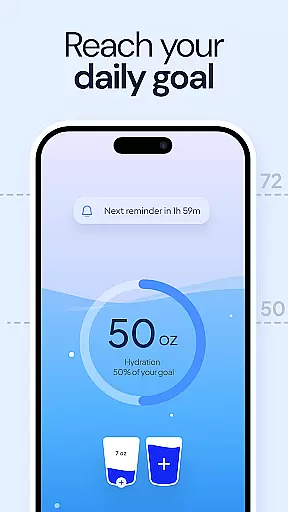
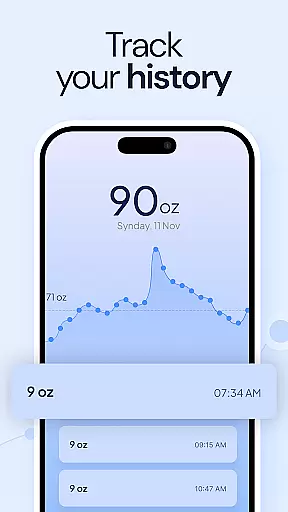
Progress visualization is a critical component of any fitness app, providing users with a clear representation of their achievements and motivating them to reach their goals. In My Water Tracker & Reminder, this feature is brought to life through intuitive graphs and statistics that display users' daily water intake, helping them stay on top of their hydration goals.
The app's hydration tracker enables users to log every glass of water they drink with just a tap, offering immediate feedback on their progress. Visualizing this data allows users to identify patterns in their hydration habits, empowering them to make informed decisions about their water consumption.
With visual tools that showcase trends over time, users can celebrate milestones and maintain motivation. The ability to see real results through simplicityu2014such as improved energy levels, fewer headaches, and better digestionu2014encourages continued use of the app. By transforming daily stats into an engaging visual experience, My Water Tracker & Reminder makes maintaining proper hydration both automatic and rewarding.
User-friendly interface
Customizable reminders
Comprehensive tracking
Free access
Visual progress reports
Limited advanced metrics
No wearable integration
Basic social features
Occasional notifications
Simple design

Your Health Has Met Its App (℠)
 3.90
3.90
App to stop smoking slowly or now with a motivational badges and helpful tips
4.80
Enjoy the Gluten Free living with the best app. SCAN the barcodes & SEARCH.
3.60
Optimization for TRT & Enhanced Athletes
4.1
Histamine intolerance, low FODMAP diet and irritable bowel syndrome (IBS)
4.00
Measure real-time wrist & ambient temperature with your Galaxy Watch (Wear OS)
3.20
The most accurate heart rate app to monitor and track your heart rate & pulse.
4.40
Looking to take control of your health? Our psychology-based programs can help.
4.10
Pedometer that gives you sweatcoins for steps. It pays to walk!
4.10
Medbridge GO gets you moving - get back to doing what you love, faster!
4.90
Easy to use step counter, calorie counter helps lose weight, count steps offline
4.80
Mind on steroids - relaxation, productivity, meditation and sleep!
4.60
Memory, mind & logic exercises. Puzzle games, IQ & brain test for kids & adults
4.50
Raccoon AI Calorie Counter. Intermittent Fasting & Timer. Macro, Carb, Protein
4.50
“Overcoming pain based on EMDR” helps you to alleviate chronic pain and stress.
4.10
Turn your steps into cash, gift cards & rewards with our step counting pedometer
3.80
Focus on BP & Health
3.80
Using Recognise™ has been shown to reduce pain, and improve performance.
4.4
Using Recognise™ has been shown to reduce pain and improve performance
4.1


User Reviews